
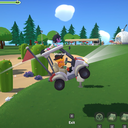
GolfCartBoost
Hold the boost button while driving a golf cart for a short speed surge with a cooldown. Reuses the coffee speed-boost effect for the same speed lines and audio.
| Date uploaded | a month ago |
| Version | 0.1.2 |
| Download link | Cray-GolfCartBoost-0.1.2.zip |
| Downloads | 413 |
| Dependency string | Cray-GolfCartBoost-0.1.2 |
This mod requires the following mods to function

BepInEx-BepInExPack
BepInEx pack for Mono Unity games. Preconfigured and ready to use.
Preferred version: 5.4.2305README
GolfCartBoost
Hold a button while driving a golf cart for a short speed surge with a cooldown afterwards.
Default button is right click. The boost reuses the same SpeedBoost status effect the
coffee item applies, so the cart's existing speed multiplier and the coffee speed-line VFX +
audio kick in for free — no extra particle systems to maintain.
A small "Click [button] to boost!" prompt appears near the bottom-centre of the screen while boost is available, and fades out during cooldown.
Configuration
BepInEx/config/sbg.golfcartboost.cfg is generated on first run:
Boost.BoostKey—KeyCodeof the boost button (defaultMouse1, i.e. right click).Boost.DurationSeconds— how long each boost lasts (default1.5).Boost.CooldownSeconds— minimum gap between boosts (default4.0).Ui.PromptEnabled— show / hide the prompt (default true).
True rebinding through the in-game controls menu isn't wired in yet; this initial release uses
a KeyCode config so any keyboard or mouse button can be assigned.
Build / deploy / release
dotnet build -c Release
pwsh tools/package.ps1
gh release create vX.Y.Z artifacts/Cray-GolfCartBoost-<ver>.zip --notes-file CHANGELOG.md
CHANGELOG
Changelog
v0.1.2
- Shrink the "Press [button] to boost!" prompt and make it scale reliably across aspect
ratios. v0.1.0/0.1.1 set
fontSize=36on a 640×60 rect with the defaultCanvasScalermatch-mode (width-only), which ballooned the label on ultrawide monitors. Now uses TMP auto-sizing capped at 22 pt on a 420×40 rect withmatchWidthOrHeight=1(height match), so the prompt sits roughly the same height as the vanilla "Exit" hint underneath it regardless of resolution.
v0.1.1
- Replace placeholder icon with the painted cover art.
v0.1.0
- Initial release. Right click while driving for a 1.5 s speed boost with a 4 s cooldown.
Reuses the coffee
SpeedBooststatus so the existing cart speed multiplier and speed-line VFX/audio fire automatically. UI prompt shows availability and fades during cooldown.
