

Daybook
Track daily resource gains and spending. Browse daily balances and saved ledgers with keyboard or controller.Edited · Nov 25, 2026
Daybook
Daybook shows what your kingdom earned, what it spent, and how much is left each day. Check six materials at a glance beneath the resource bar, or open the ledger to compare today's supplies with earlier days in the same run.
Features
- Separate gains and spending. If you gain 8 boards and spend 8 on buildings, the ledger shows 8 earned, 8 spent, and 0 net. You can see the activity even when your stock ends where it started.
- Follow your kingdom's resources. The full ledger covers materials, food and supplies, currency, and progression. Human kingdoms can track wood and bread, while Undead kingdoms can track bones and souls.
- Keep a daily history. Daybook saves records locally for each profile, kingdom, and run. Continue restores the ledger for a matching checkpoint. If you replay a dawn, the earlier attempt stays available to browse.
How to Use
- After the first dawn Daybook observes, look beneath each material icon for its net change since dawn.
- Hold Alt on keyboard, RT on Xbox, or R2 on PlayStation to open the ledger. Read across a row to compare Dawn, Earned, Spent, Now, and Net. An asterisk marks a resource observed for only part of the day.
- Keep holding the detail key or trigger. Press Page Up (keyboard), LB (Xbox), or L1 (PlayStation) for an older record. Press Page Down, RB, or R1 to move toward today. The footer shows which directions are available and follows your controller bindings.
- Release Alt, RT, or R2 to return directly to the live strip. Today's totals keep updating while you browse.
Screenshots
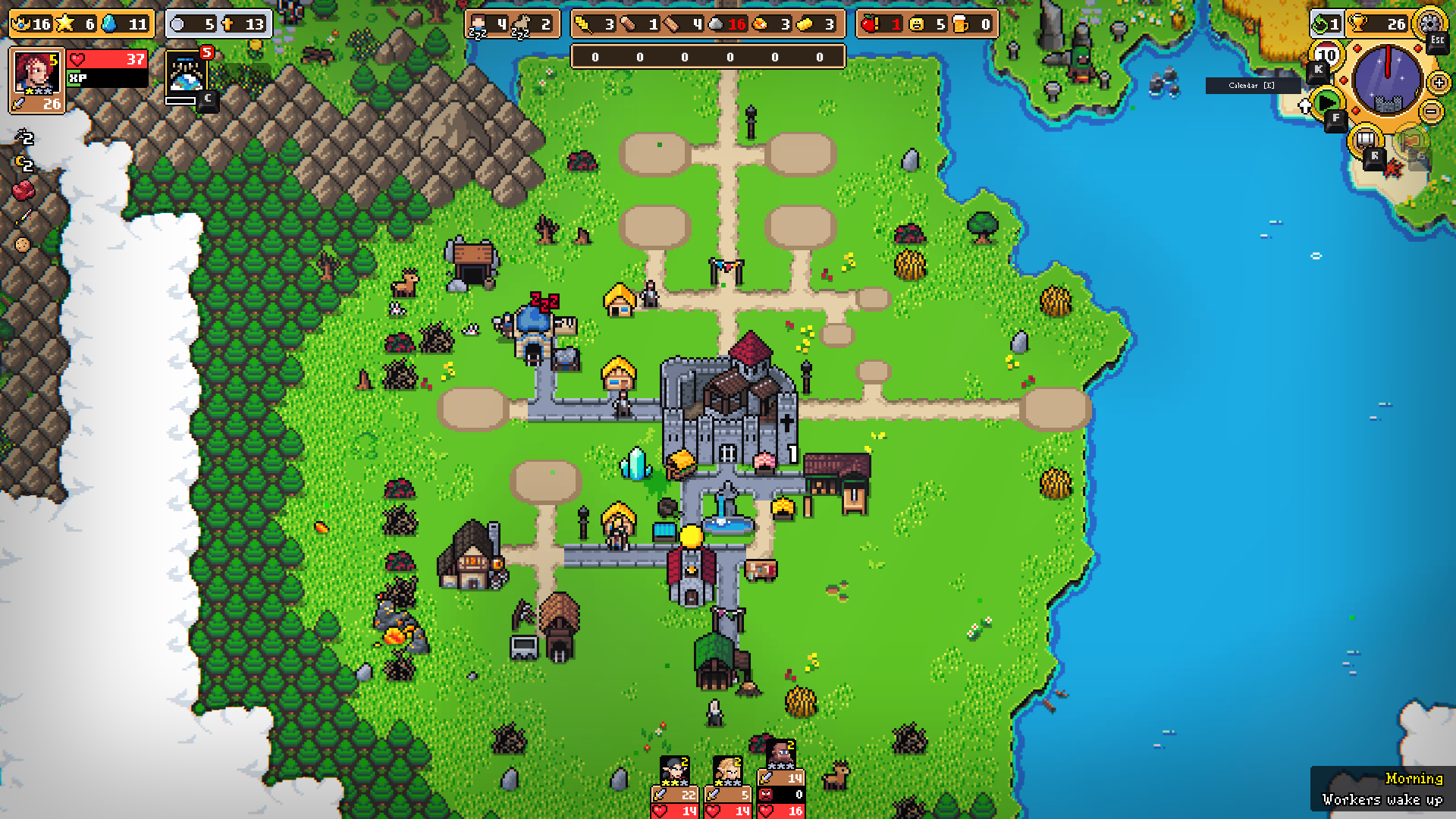
At 1× UI scale, read straight down from a material icon to see its change since dawn.
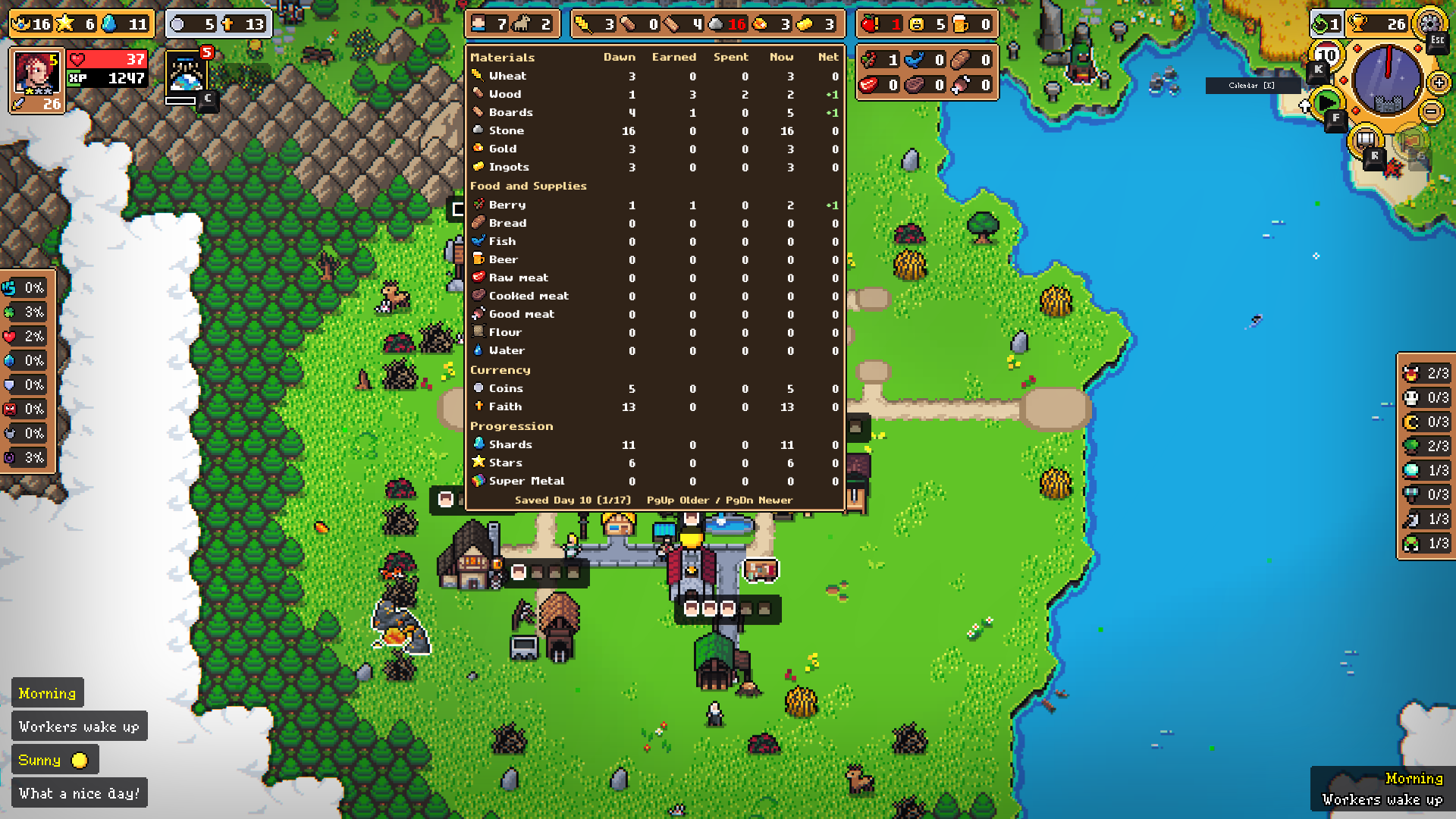
The wood row shows 3 earned and 2 spent, leaving a net gain of 1. The footer shows which keys browse history.
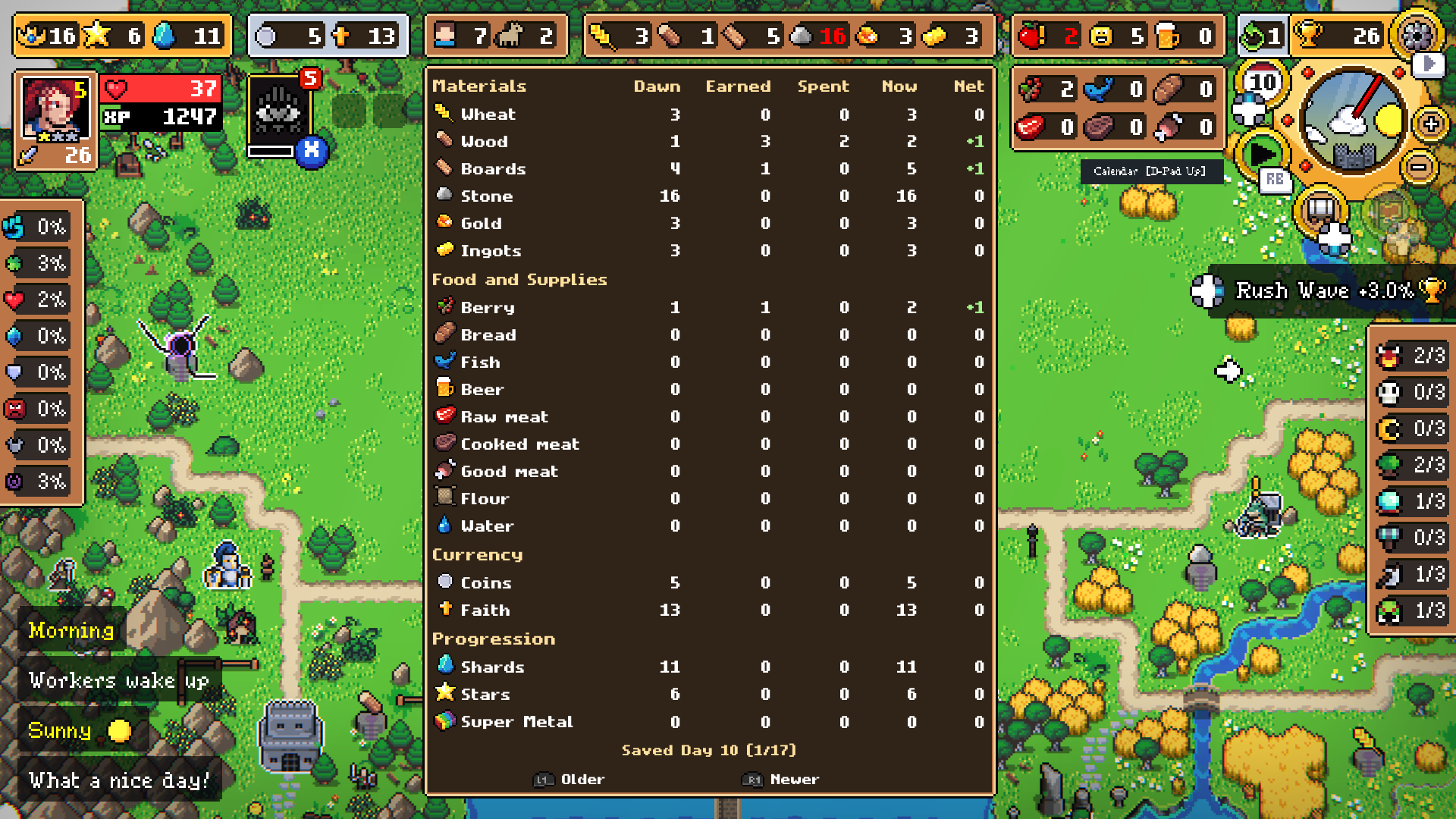
At 1.5×, look below the saved day for the older and newer shoulder buttons. All three images are from Daybook 0.4.1 in-game. The PlayStation capture used simulated controller input.
Compatibility
- The ledger follows both Human and Undead resource bars at UI scales 1× and 1.5×.
- The HUD and journal controls were tested in-game alongside GKJ's Pin a Build Cost 0.1.0 and Production Bottlenecks 0.1.3.
- With ILM's CheatMenu 1.0.3 set to triple coin rewards, Daybook counted a 5-coin reward as 15 earned and a subsequent 2-coin purchase as 2 spent.
- If you use ownlyme's Tavern Food Priorities, the food rows show kingdom stock. Meals eaten from the tavern's private stores are outside those totals.
- If a mod silently adds and removes stock between observations, the Earned and Spent columns can miss those changes.
Installation
- Choose Install with App and select your Super Fantasy Kingdom profile in Thunderstore Mod Manager or r2modman.
- Install Daybook with its listed dependencies, BepInExPack and HideManagerGameObject_Config.
- Choose Start modded and enter your kingdom. To keep recording with the HUD hidden, set
ShowOverlay = falsein your profile'sBepInEx/config/sfk.daybook.cfg.