
VisitorCalendar
See known visitor appointments and today's claims on the day display. Inspect game portraits in the native calendar with gamepad, keyboard or mouse.Edited · Nov 24, 2026
Visitor Calendar
Open the in-game calendar to see when familiar visitors are due, or glance beside the day display to see who is on today’s schedule. After a visit, the calendar remembers who came and whether you took their offer.
Features
- Look for portraits on upcoming dates. Forecast means a known visitor is expected. Undiscovered encounters stay hidden.
- Check an earlier date for Visited if the visitor arrived, even if you declined. Taking an offer shows Claimed Today that day and Visited · Claimed on later days.
- Visit history starts when you install the mod. Using Continue restores the visits recorded for that kingdom’s saved checkpoint. If you move the save to another mod profile, copy its
BepInEx/config/VisitorCalendarfolder too.
How to Use
- From the map, click the calendar badge beside the day display, press K, or press D-pad Up. These are the default bindings.
- Click a date with a portrait, or move to it with the arrow keys or D-pad and confirm with Enter or A on an Xbox layout. If several visitors share the date, use Previous and Next to inspect each one.
- Choose Back, press B on an Xbox layout, or use the calendar overlay key (default K) to return to that date. Go back again to close the grid and return to the previous selection when available. The map shortcut (
Game/Calendar) and overlay shortcut (Overlay/Calendar) can be rebound separately.
Screenshots
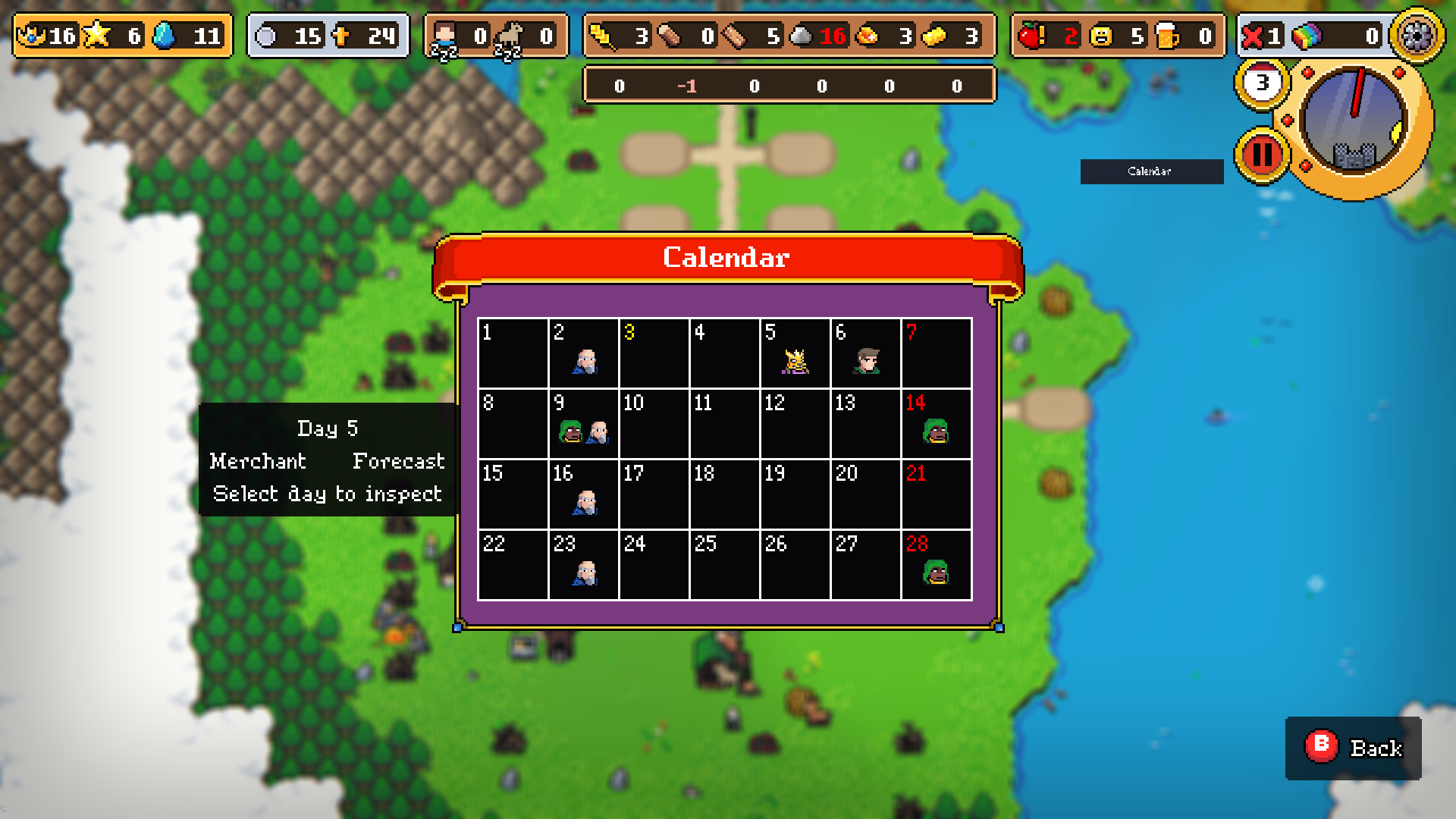
The day 5 tooltip identifies the Merchant as a forecast. Two portraits share day 9.
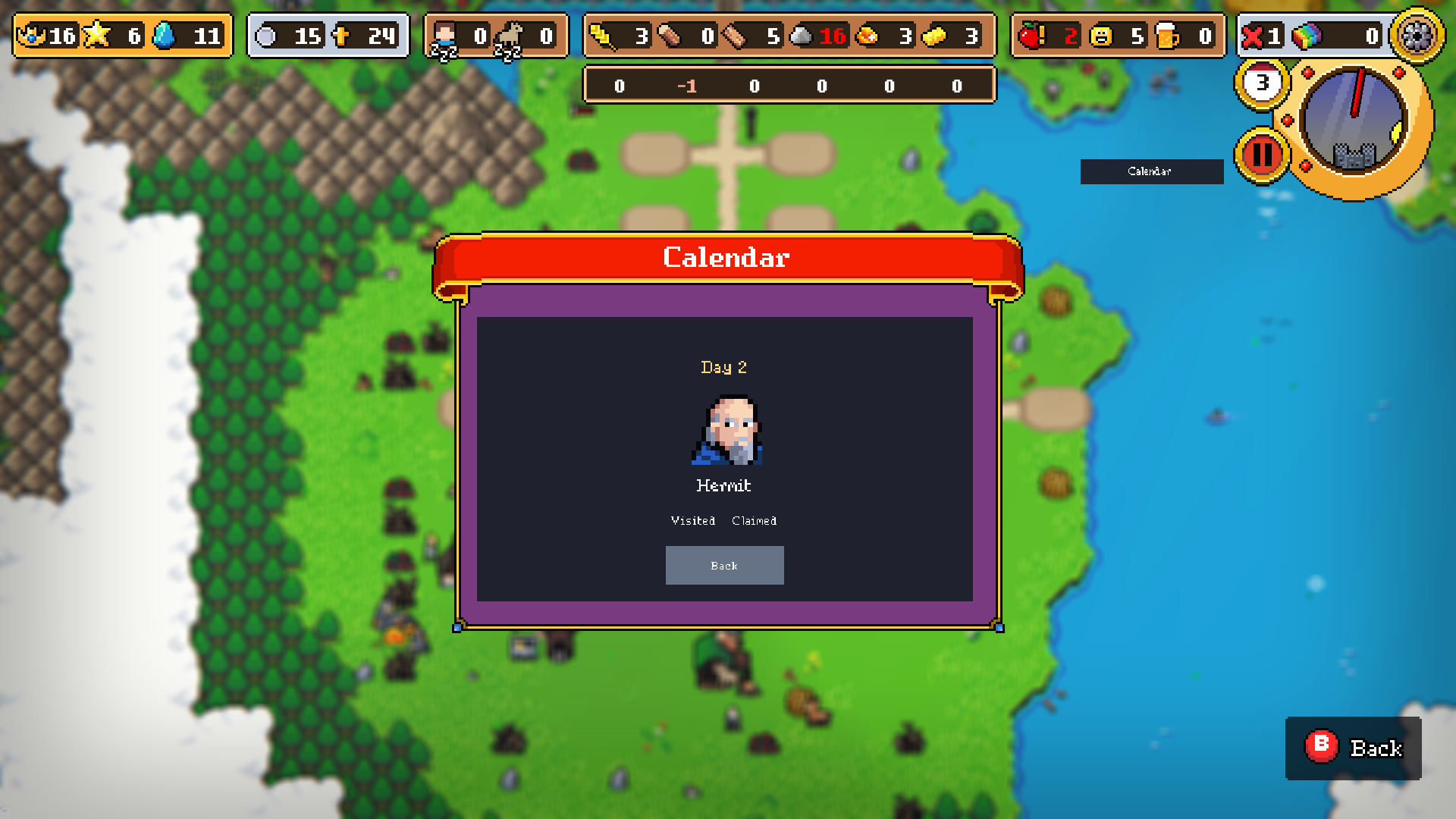
Looking back from day 3, you can see that you took the Hermit’s offer on day 2.
Both screenshots were captured in-game with Visitor Calendar 0.1.0 at 1.5× UI scale using simulated controller input.
Compatibility
- Visitor Calendar works with the base game. Companion mods are optional.
- In ordinary kingdoms, Weekly Hermit sets the interval between repeat visits. On the day of a repeat visit, the Hermit appears once a recruit offer opens.
- Daily Caravan sets the first extra caravan day in ordinary kingdoms. Forecasts respect caravan unlocks. After reloading a dawn, a recorded decline still counts as a visit and a selected reward counts as a claim.
- The Merchant charter in Kingdom Charters can bring the first caravan one day early if the gate is open and the guest slot is free. The calendar waits until the date is settled. Daily Caravan takes precedence if both are installed.
- You can still use the calendar link in Weekly Contracts. With Caravan Commissions installed, eligible visits still appear on upcoming dates.
- With LowEyeCue’s Berry God’s Blessing 0.1.0, the Hermit can announce a blessing. That announcement alone leaves the calendar and claim history unchanged.
- With ownlyme’s Right Click Skip 1.2.0, skipping the new-day caption leaves the day’s appointments visible. An offer is marked claimed only when you take it.
- For other guest mods, the calendar forecasts a date only when it can identify a reliable booking. A known visitor can still appear after an observed arrival. If a portrait is missing, look for a dot on the date.
Installation
- Open Thunderstore Mod Manager or r2modman and select your Super Fantasy Kingdom profile.
- Install VisitorCalendar with its listed dependencies, BepInExPack and HideManagerGameObject Config. If you have the local ZIP, use Import local mod in that profile.
- Start the game modded and look for the calendar badge beside the day display once your kingdom loads.