
You are viewing a potentially older version of this package. View Latest Version
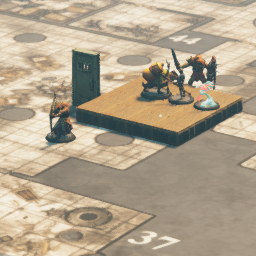
This is a plugin for TaleSpire using BepInEx.
Go to the releases folder and download the latest and extract to the contents of your TaleSpire game folder.
After installing, you can press F1 to bring up a request to select an image either via url or dial. Upon selecting an image, a plane the with selected image will be displayed. Pressing F1 will allow to select a new image. Pressing F2 will clear the map of the displayed image. Pressing F3 will prompt a vector to move the image over time. The plane currently has no networking so it is only visible locally. The plane scales the image to currently render at 40px per tile. You can change the bind keys in config editor. Image limitation is 16384x16384 pixels in size.
Open ImageToPlanePlugin.sln in Visual Studio.
You will need to add references to:
* BepInEx.dll  (Download from the BepInEx project.)
* Bouncyrock.TaleSpire.Runtime (found in Steam\steamapps\common\TaleSpire\TaleSpire_Data\Managed)
* UnityEngine.dll
* UnityEngine.CoreModule.dll
* UnityEngine.InputLegacyModule.dll
* UnityEngine.UI
* Unity.TextMeshPro
* System.Windows.Forms
* PhotonUtil (found https://github.com/brajm008/PhotonUtilPlugin)
Build the project.
Browse to the newly created bin/Debug or bin/Release folders and copy the ImageToPlanePlugin.dll to Steam\steamapps\common\TaleSpire\BepInEx\plugins
[0,10,0,5] will move the plane x=0, y=10, z=0, over 5 seconds. (time is optional and defaults to 0)Shoutout to my Patreons on https://www.patreon.com/HolloFox recognising your mighty contribution to my caffeine addiction:
