
You are viewing a potentially older version of this package. View Latest Version
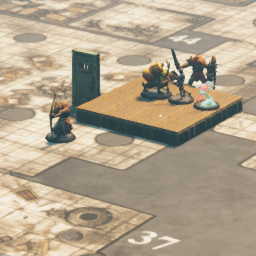
This is a plugin for TaleSpire using BepInEx.
Go to the releases folder and download the latest and extract to the contents of your TaleSpire game folder.
After installing, you can press F1 to bring up a request to select an image either via url or dial. Upon selecting an image, a plane the with selected image will be displayed.
Input formatting supports vector and CSV:
[x,y,z,t]
[x,y,z]
x,y,z,t
x,y,z
If t is not supplied, transition occurs instantly.
Open ImageToPlanePlugin.sln in Visual Studio.
You will need to add references to:
* BepInEx.dll  (Download from the BepInEx project.)
* Bouncyrock.TaleSpire.Runtime (found in Steam\steamapps\common\TaleSpire\TaleSpire_Data\Managed)
* UnityEngine.dll
* UnityEngine.CoreModule.dll
* UnityEngine.InputLegacyModule.dll
* UnityEngine.UI
* Unity.TextMeshPro
* System.Windows.Forms
* PhotonUtil (found https://github.com/brajm008/PhotonUtilPlugin)
Build the project.
Browse to the newly created bin/Debug or bin/Release folders and copy the ImageToPlanePlugin.dll to Steam\steamapps\common\TaleSpire\BepInEx\plugins
[0,10,0,5] will move the plane x=0, y=10, z=0, over 5 seconds. (time is optional and defaults to 0)Shoutout to my Patreons on https://www.patreon.com/HolloFox recognising your mighty contribution to my caffeine addiction:
