

TechtonicaVR
VR Mod for TechtonicaTechtonica VR Mod









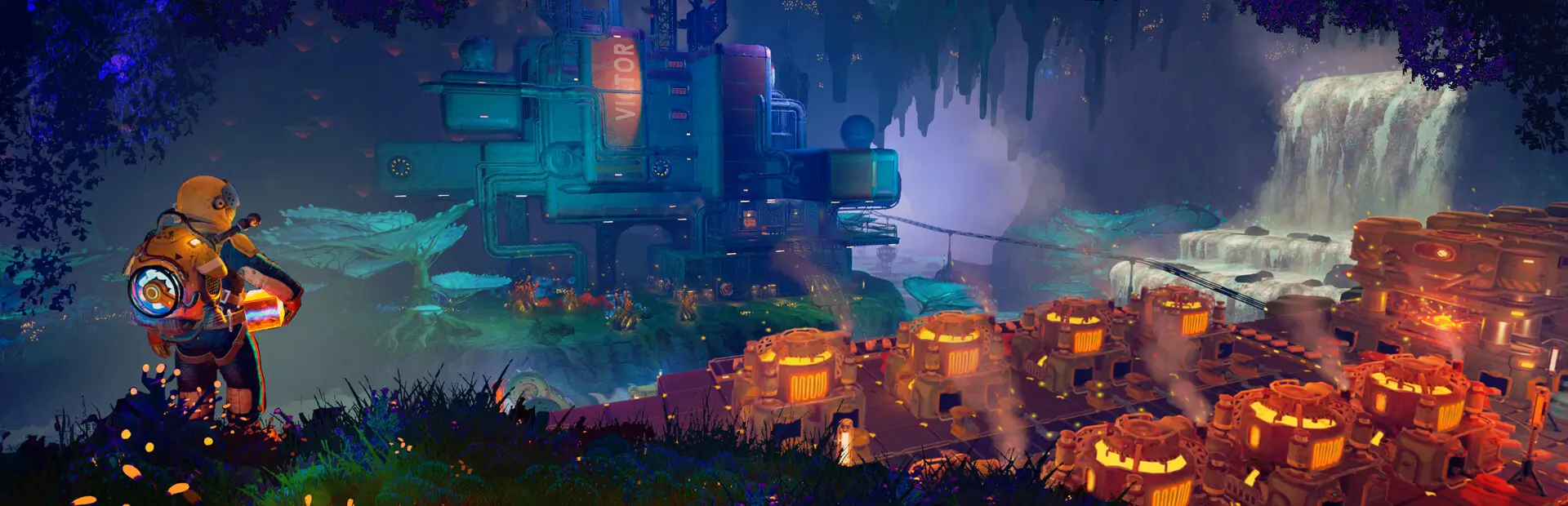
This is a mod for the game Techtonica that adds VR support.
🔥 CAUTION
This mod is still in early development and will contain bugs. Use at your own risk. Only tested with the Valve Index / Pimax Crystal and Knuckles controllers.
Prerequisites
- Version 0.2.1c of the game. As the game is still in early access, this mod may not work with future versions of the game. If you encounter any issues, please create an Issue.
- BepInEx version BepInEx Version
Setup
You can install the mod from Thunderstore or install it manually:
BepInEx
- Download the latest 5.x release of BepInEx from the Releases page.
- Extract the downloaded archive into the game’s installation directory.
- Run the game once. BepInEx should be installed automatically.
VR Mod
- Download the latest release (v0.5.0) of this mod from the Releases page.
- Extract the downloaded archive.
- Copy the
BepInExandTechtonica_Datafolders to theTechtonicafolder insteamapps/commondirectory. - Run the game. The mod should be loaded automatically by BepInEx.
Audio Fix
Teleport and Snap turn have audio cues that are not played unless Tobey.UnityAudio is installed. You can install it from Thunderstore or the GitHub Releases page.
- The GitHub release of the VR mod includes the audio fix so you don’t need to install it separately.
- The thunderstore release does not include the audio fix unless you install it using a mod manager that installs dependencies.
To manually install the UnityAudio extract the BepInEx folder from the downloaded archive into the game’s installation directory.
Disabling the Mod
To disable the mod change the Enabled under [General] value in the de.xenira.techtonica.cfg file in the BepInEx/config folder to false.
Uninstalling the Mod
To uninstall the mod remove the mod’s files from the BepInEx/plugins folder. This should be the following files:
techtonica_vr.dll- 'techtonica_vr' folder
If you installed the audio fix, remove the BepInEx/patches/Tobey/UnityAudio and BepInEx/plugin/Tobey/UnityAudio folder from the game’s installation directory.
There will be some leftover files in the Techtonica_Data folder. To clean those up, delete the folder and verify the game’s files in Steam. This will redownload the game’s files and remove any leftover files. This is not strictly necessary but it will keep your game folder clean.
Current State
While the mod is in a playable state, it is still in early development. Some features are still missing and there are some known issues. Other things might be a little yanky or not work as expected.
Working
- Rendering of the game world with 6DOF Tracking
- Tracking of the player’s head and hands
- Smooth locomotion and turning
- Comfort options (Teleportation, Snap turning, Vignette)
- Basic controller bindings (Although they might not be optimal)
- Controller haptics
- Smooth turning
- UI
Missing
- Gesture support (e.g. Mining using pickaxe motion)
- Model for the player’s body. Currently not a priority as this requires IK.
- Default bindings for VR controllers other than the Valve Index Controllers (#16, #17)
- Object outlines. Disabled for now as the shader is broken in VR.
- Finger tracking (#15)
- Ability to switch primary hand
- Ability to yeet paladin down the waterfall
- Hand crank using uhhhhh... hands?
Known Issues
- Haptics are played on both controllers by the game. One improvement would be to play them on the hand that is actually holding the tool.
- The game is locked to 60fps when running in windowed mode. This is based on the refresh rate of your monitor. To unlock the framerate, switch to fullscreen mode. (#10)
Cool stuff to try
- Tobii eye tracking for dynamic foveated rendering
- Enable ik (The game ships with
FinalIKso it should be possible. Probably just not networked yet.)
Configuration
The configuration file is located in BepInEx/config/de.xenira.techtonicavr.cfg. You can edit it using a text editor like Notepad.
Resetting the Configuration
To reset the configuration, delete the de.xenira.techtonicavr.cfg file in the BepInEx/config folder. The mod will create a new configuration file with the default values the next time you run the game.
To reset only a specific section, delete the section from the configuration file. The mod will create a new section with the default values the next time you run the game.
Configuration Options
General
- Enabed
Enables or disables the mod. Default:true
Input
- Smooth Turn Speed
Speed of smooth turning. Default:90 - Laser UI Only
Only show the laser pointer when pointing at UI elements. Default:true - Laser Color
Color of the laser pointer. Default:00FFFFFFCyan - Laser Click Color
Color of the laser pointer when clicking. Default:0000FFFFBlue - Laser Hover Color
Color of the laser pointer when hovering over a UI element. Default:00FF00FFGreen - Laser Invalid Color
Color of the laser pointer when pointing at an invalid UI element. Default:FF0000FFRed - Laser Thickness
Thickness of the laser pointer. Default:0.002 - Laser Click Thickness Multiplier
Thickness multiplier of the laser pointer when clicking. Default:2
Comfort
- Snap Turn Angle
Angle of snap turns. Default:30 - Teleport Range
Velocity of teleport arc. Effectively determines rang. Default:12 - Vignette Enabled
Enables or disables vignette. If this is disabled the other vignette effects will be disabled as well. Default:false - Vignette On Teleport
Enables or disables vignette when teleporting. Default:true - Vignette On Smooth Locomotion
Enables or disables vignette when using smooth locomotion. Default:true - Vignette On Snap Turn
Enables or disables vignette when using snap turning. Default:true - Vignette Color
Color of the vignette. Default:000000FFBlack - Vignette Intensity
Intensity of the vignette. Determines how far the vignette will close. Default:0.5 - Vignette Smoothness
Adds a blur to the vignette edge. 0 is sharp edge, 1 is prob. unusable. Default:0.15 - Vignette Fade Speed
Animation speed of the vignette. Higher is faster. Default:3
Buttons
- Click Time
Time window in seconds for a button press to be considered a click. Higher value makes clicks easier, but delay drag 'n drop. Default:0.2 - Long Press Time
Time in seconds before a button press is considered a long press. Default:1
UI
- Menu Spawn Distance
Distance of the menu from the player. Default:0.8 - Menu Scale
Scale of the menu (X/Y/Z). Default:{"x": 0.001,"y":0.001,"z":0.001} - Inventory and Crafting Menu Scale Override
Scale of the inventory and crafting menu (X/Y/Z). This menu has different scaling and needs separate config. Default:{"x": 0.001,"y":0.0005,"z":0.001} - Menu Downward Offset
Offset of the menu in the downward direction. Default:0.2
Debug
- Debug Mode
Mostly used for development. Default:false - Gizmo Enabled
Enables or disables gizmos. Only some objects have gizmos attached. Default:false - Debug Line Enabled
Enables or disables debug lines. Only some objects have debug lines attached and the direction might seem arbetrary at first glance. Default:false
Troubleshooting
If you encounter any issues while using this mod, please check the BepInEx console for any error messages. You can also report issues on the Issues page of this repository.
Q&A
- Why is my framerate locked to 60fps?
The game is locked to x fps when running in Windowed mode. This is based on the refresh rate of your monitor. To unlock the framerate, switch to fullscreen mode. (For now) - Does this mod work with Gamepass?
Yes, the mod needs to be installed inGamepass/Techtonica/Content. - Why is the mod not open source?
It is. You are looking at the source right now (duh!). - Why is the mod not on NexusMods?
I don’t like NexusMods. I don’t like their ToS and I don’t like their mod manager. I don’t want to support them.
License
This mod is licensed under the GNU General Public License v3.0 (GPL-3.0).
Contents of the unity and libs folders are licensed under their respective licenses.
Disclaimer
This mod is not affiliated with the game’s developers Fire Hose Games, Unity Technologies or Valve Corporation. All trademarks are the property of their respective owners.