

StorageCapacityDisplay
Displays occupied / total inventory slots directly on storage containers. Preserves player names, reads live capacities, and follows local and co-op inventory updates.Storage Capacity Display
Made for checking how much room is left in your storage without opening every container.
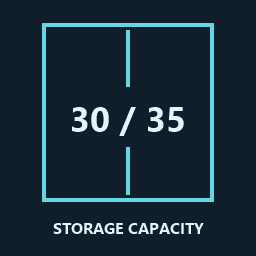
See occupied and total inventory slots directly on your lockers and crates. 30 / 35 means 30 slots are used and five are free. The counter updates as items move in and out, and reads the container's actual capacity.
Your container names stay as they are. The counter sits below the nameplate where possible, or just above containers that don't have one.
Installation
Install with r2modman or Thunderstore Mod Manager, then launch the game modded. Requires BepInExPack 5.4.2305 or later.
For a local install, use Import local mod and select StorageCapacityDisplay-1.0.1.zip from the GitHub release.
For manual installation, put StorageCapacityDisplay.dll in BepInEx/plugins/StorageCapacityDisplay/.
Co-op
Anyone who wants to see the counters needs the mod installed. The host doesn't need it for guests to use it, and players without it aren't affected.
Counters follow the inventory updates received by your game, including changes made by other players. Updates can take a moment with connection lag, and labels may appear gradually when loading a large base.
Settings
Launch the game once to create:
BepInEx/config/noxie.planetcrafter.storagecapacitydisplay.cfg
Edit it with the game closed, then restart.
| Setting | Default | What it does |
|---|---|---|
| Enabled | true | Turns the counters on or off. |
| DisplayFormat | {used} / {total} | Changes the text. Keep {used} and {total} where you want the numbers. |
| ShowOnlyWhenNearby | false | Hides counters beyond MaxDisplayDistance when enabled. |
| MaxDisplayDistance | 20 | How close you need to be, in metres, when nearby-only display is enabled. |
With nearby-only display off, counters follow normal world rendering. Walls still hide them. Long custom formats may shrink or get cut off.
Compatibility and bugs
Works independently of Player Inventory Stacks, which stacks backpacks and leaves storage unchanged. Storage capacity changes are read from the inventory, so counters aren't fixed to vanilla sizes. The mod doesn't change your items, names or save data.
Stacks count as one slot when the inventory stores them as one entry. Mods that visually group several separate storage entries may show a higher count. Unusual modded containers may need positioning adjustments, and unopened loot containers may not show a counter until the game creates their inventory.
Found a problem? Open an issue on GitHub with what happened, your game/mod versions, the container type, whether you were hosting or joining, and your BepInEx/LogOutput.log.