

VirtualStorage
Adds a Virtual Storage machine: a limitless, power-consuming, inventory with per-item limits for automation and a logistic Import All button.Virtual Storage — Planet Crafter Mod
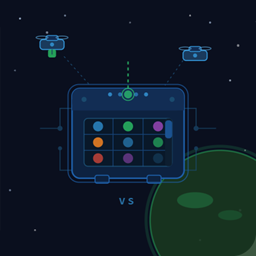
Adds a Virtual Storage machine to the game. It acts as a single, high-capacity, power-consuming, inventory that drones can fill and empty automatically, without the clutter of dozens of individual chests.
Features
- Unlimited capacity — stores every item type.
- Per-item drone limits — set how many copies of each item drones are allowed to bring in.
- Full logistics integration — the logistic tab gains an Import All button (mirroring the vanilla Export All) so you can request every available item in one click.
Requirements
| Dependency | Version |
|---|---|
| Planet Crafter | latest |
| BepInEx 5 | 5.4.x |
Installation
With Thunderstore Mod Manager (recommended)
- Open Thunderstore Mod Manager and select The Planet Crafter.
- Click Get Mods, search for VirtualStorage, and install it.
BepInEx will be pulled in automatically if it is not already present.
Manual installation
- Install BepInEx 5 into your Planet Crafter folder if you have not already:
extract the BepInEx zip so thatBepInEx/sits next toPlanet Crafter.exe. - Run the game once to let BepInEx generate its folders, then close it.
- Copy
VirtualStorage.dllinto
<Planet Crafter install>\BepInEx\plugins\VirtualStorage\
(create the sub-folder if it does not exist). - Start the game.
Usage
Building the machine
Unlock and build the Virtual Storage machine like any other structure. It is not gated. (Looks like the advanced crafter)
Viewing stored items
Open the machine's inventory panel. Items are shown in a scrollable grid — scroll the mouse wheel while hovering the grid to move up and down.
Controlling drone limits
Hold Ctrl and scroll the mouse wheel over any item tile to cycle through the per-item drone limit. The limit is shown on the tile. When a limit is set, drones will not fetch more than that number of copies of the item. Note that if a drone was already tasked to bring an item that has reached the limit, it will proceed. However, no further task to bring the limitted item will be issued.
Using items directly
- Left-click an item tile — transfers one copy to your personal inventory.
- Right-click an item tile — consumes it on the spot (drink a bottle of water, eat food, etc.).
Logistic tab
Open the machine and switch to the Logistic tab.
| Button | Effect |
|---|---|
| Export All (vanilla) | Drones will supply every item type from this chest to machines that request them. |
| Import All (new, blue) | Drones will bring every available item type into this chest. |
The Import All button is tinted blue to distinguish it from Export All. When more than ~140 item groups are configured for import or export, the word everything is shown in the corresponding column instead of listing every item individually — this mirrors the vanilla behaviour.
Building from source
-
Clone the repository.
-
Copy
environment.props.templatetoenvironment.propsand fill in your paths:<PLANET_CRAFTER_INSTALL>C:\...\steamapps\common\The Planet Crafter</PLANET_CRAFTER_INSTALL> <BEPINEX_PATH>C:\...\BepInEx</BEPINEX_PATH> <MOD_DEPLOYPATH>C:\...\BepInEx\plugins</MOD_DEPLOYPATH> -
Open
VirtualStorage.csprojin Visual Studio or Rider and build. A Debug build copies the DLL toMOD_DEPLOYPATHautomatically.
License
Apache 2.0 — see LICENSE.
AI
This mode has been developed with the assistance of Claude AI of Anthropic.