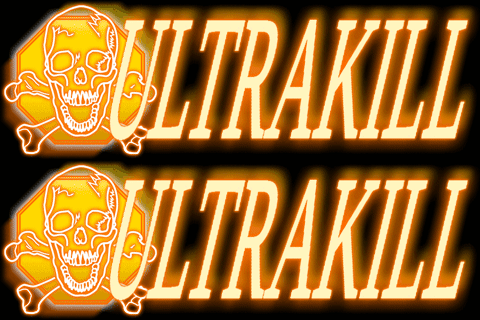
DMC3 doesn't have an 8th "ULTRAKILL" rank so i took some creative liberties and tried my best to match it with the style of the original ranks
TUTORIAL
(this tutorial assumes youre installing this using the r2modman manager)
1. Click "US" on the main menu
2. Find the skin you want, in this example lets take the "Template" skin
3. Tick the smaller box of the skin and now you're done!
NOTES:
If the skin doesnt show up its most likely conflicting with other skins, make sure its at the higher priority by clicking the arrows on the far left of the skin
There are alternative versions of the "ULTRAKILL" rank in the files, you can switch them by going into the files and rename them around
You can access the files in r2modman settings and click "Browse profile folder", then "BepInEx", then "Plugin" and look for my name "Flaris Tangerine" (mod folders are named with mod uploaders' name first)
ALTS
ULTRAKILL
ULTRAKILL Alt 1
ULTRAKILL Alt 2
CREDITS
Rank 'D' - 'SSS' are taken and modified from a seperate dmc3 mod(not made by me)
Rank 'ULTRAKILL' is made by me to try and match dmc3 aesthetic
Thunderstore development is made possible with ads. Please consider making an exception to your adblock.