You are viewing a potentially older version of this package. View Latest Version
PissyEnemies
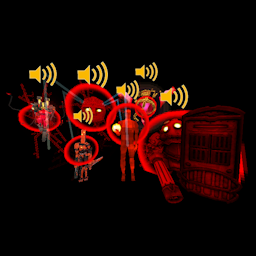
A customizable mod to give enemies more personality by playing custom audio when enragedPissy Enemies
A customizable mod to give enemies more personality
Plays custom audio whenever an enemy is enraged
How to customize your audios
- First things first, copy the "PissyEnemies" folder inside the mod's folder to your config folder. Or if you want, you can cut it and paste it (or create it from scratch).
- Add your audios to the folder (they must be .wav).
- Open "PissyEnemies.json" and edit it to include your files.
- If you want, you can change the volume of an enemy's audios independently from the config's volume value.
Now if you're creating your audio pack from scratch:
How to create your own JSON file
- The JSON is an array (so all the data is inside of square brackets instead of braces) and inside are objects (defined by braces).
- Every object has 4 properties, and these are:
- "component": The name of the enemy's script component. You can find it with UnityExplorer.
- "enemy": The key name of the enemy in ULTRAKILL's "EnemyType" enum. Can be found with dnSpy/ILSpy.
- "clips": This array stores the file names of the audios to be played for that specific enemy. It doesn't matter in which folder they are, as long as those folders are inside the PissyEnemies folder.
- "volume": A value between 1 and 0 that gets assigned to the enemy's rage audio volume. if the value can't be converted to float (e.g. the value is not a number or a mix of numbers and letters), the value will default to the config file's volume value.
- All the values inside an object must be assigned. If you want the volume to default, assign it a simple word such as "default".