
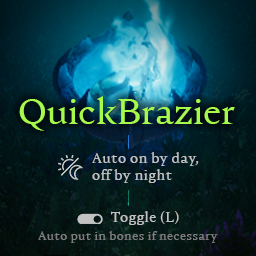
QuickBrazier
Auto turn on/off based on time of day. Hotkey (L) to quickly toggle mist braziers, also adds bones if brazier is empty.QuickBrazier
Instalation (Manual)
- Install BepInEx
- Extract quick_brazier.dll into (VRising server folder)/BepInEx/plugins
- ServerLaunchFix recommended for in-game hosted games
- (Optional) If not using ServerLaunchFix, extract quick_brazier.dll into (VRising server folder)/BepInEx/plugins
How to use
- Toggle nearest brazier in range with L (bindable)
- Braziers will automatically turn on when day starts, and turn off when night starts. Only for online players/clans
Configuration
Values can be configured at (VRising client/server folder)/VRising/BepInEx/config/quick_brazier.cfg
## Settings file was created by plugin quick_brazier v0.3.0
## Plugin GUID: quick_brazier

[Server]

## Maximum distance to toggle Mist Braziers. 5 'distance' is about 1 tile.
# Setting type: Single
# Default value: 5
range = 5

## Turn braziers on when day starts, and off during the night starts, for online players/clans only.
# Setting type: Boolean
# Default value: true
autoToggleEnabled = true
Changelog
0.3.1
- Readme and description updates
0.3.0
- Added auto turn on/off
0.2.0
- Now if brazier has no bones, the mod tries to split bones in your inventory and add to the brazier
Possible upcoming features
Auto add bones from inventory if brazier is emptyAuto turn on when day starts, and off when night starts- Auto turn on when get player is nearby, turn off when not