
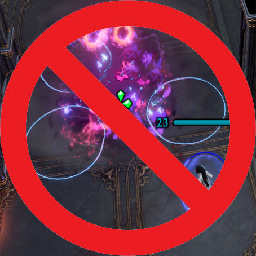
DisableEffect
Removes a desire skill effect so it will not clutter your screen only Projectile skills,Barriers,Shields will stay visibleEdited · Nov 26, 2026
Disclaimer
This mod is made by using AI to assist in making this mod.
Disable effect
A window (press F9) with one page per spell school. Each spell has a button to hide or show its effects. Projectile skills, barrier / shield skills, circle indicators and enemy effects (VBloods, NPCs) always stay visible. F8 turns on/off.
Using it
- Press F9. Pick a school on the left (Blood, Chaos, Unholy, Illusion, Frost, Storm), or Barriers & Shields, or Other effects.
- Each line is a spell with its icon. Click its button: SHOW (green) turns into HIDE (red). A blue button means the spell is protected and cannot be hidden.
- Hide all / Show all act on the page you are looking at (protected spells are skipped).
- The top bar has the master switch (also F8) and the protections. The Keys buttons on the left change F8 / F9: click one, press the new key.
- Scroll long lists with the mouse wheel or the bar on the right. Drag the title bar to move the window; X closes it. Your choices are saved.
Keyboard backup (works even if the mouse misbehaves): Up/Down select, Left/Right tick, PageUp/PageDown change page, Home show all, End hide all, Esc close.