


Faust
A server-side information layer for V Rising — the authoritative view of players, castles, plots, server entities (bosses, NPCs, resources) & activity. An admin moderation console, openable as PvP intel or PvE community tools. Pairs with Raphael.Faust, Lord of Investigation

A server-side mod that gives your V Rising server the information layer the game never exposes: a global, authoritative view of players, castles, plots, server entities (V Bloods, NPCs, resource nodes), and activity that no client can see on its own. It's an admin moderation and oversight console first — and you choose, feature by feature, how much to share with players: as PvP intel (for a price) or as PvE community tools.
Faust is the data source. Its companion client Raphael, Lord of Wisdom
turns that data into in-game UI — the positions map, castle tables, server dashboards, and activity
charts. Every query also works from .faust chat, but the pair is the intended experience.
Pre-1.0, published for testing. Back up your server save before adding any mod, and expect commands and config to keep evolving. Feedback shapes 1.0 — see Feedback below.
What you can investigate
Castles & plots
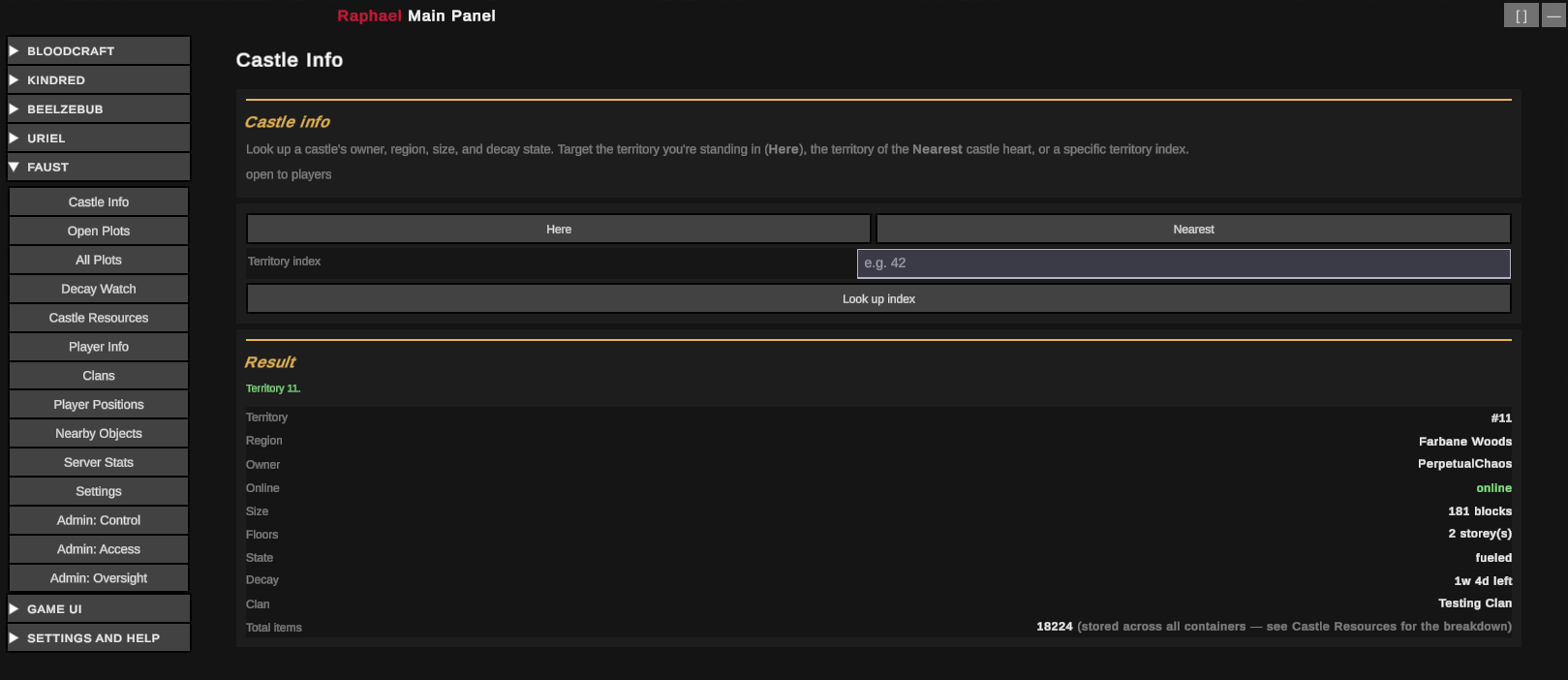
- Plot info — owner, region, map location, size, decay state & time, owner online/last-online, floors, clan, total item count.
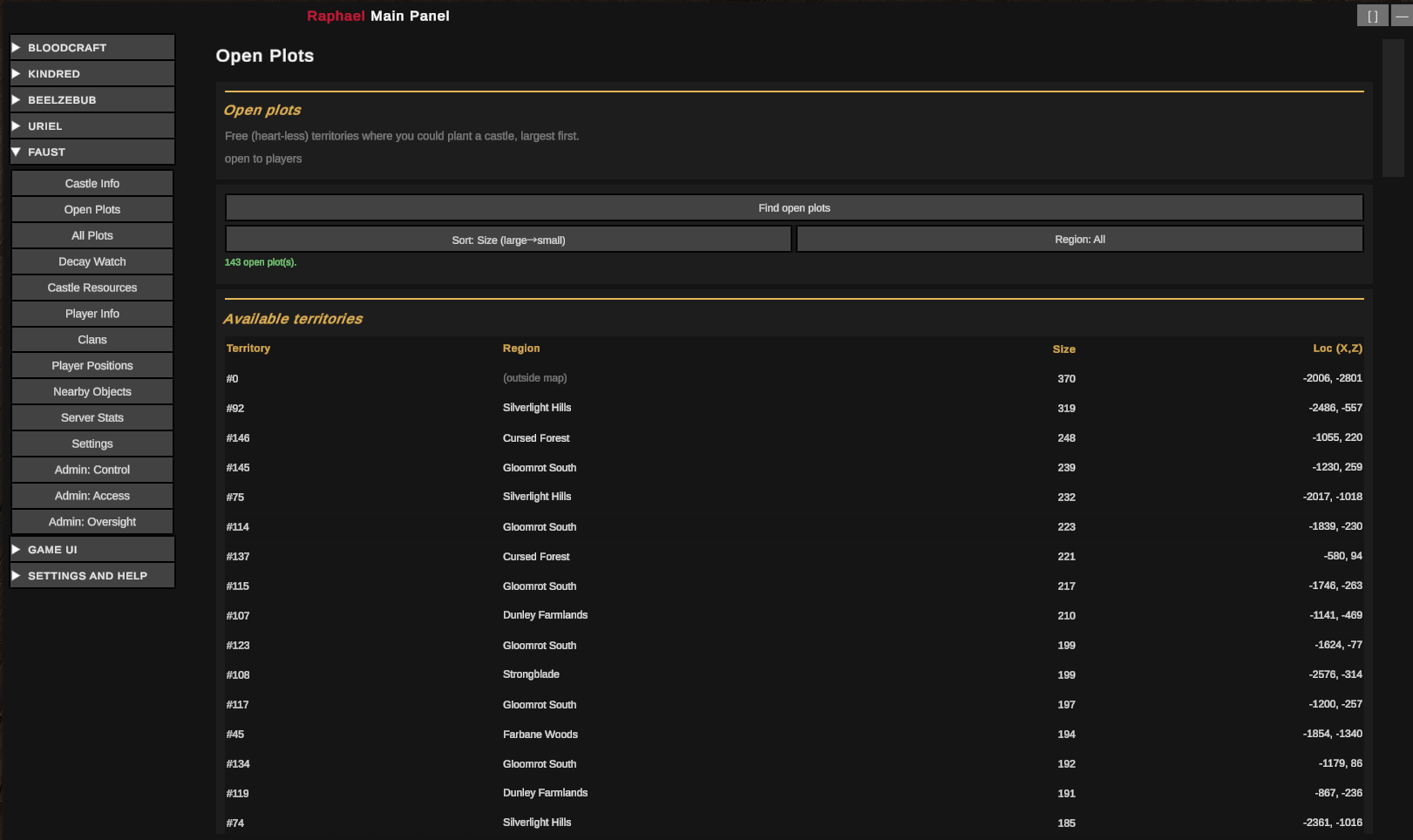
- Open building plots across the map, largest first.
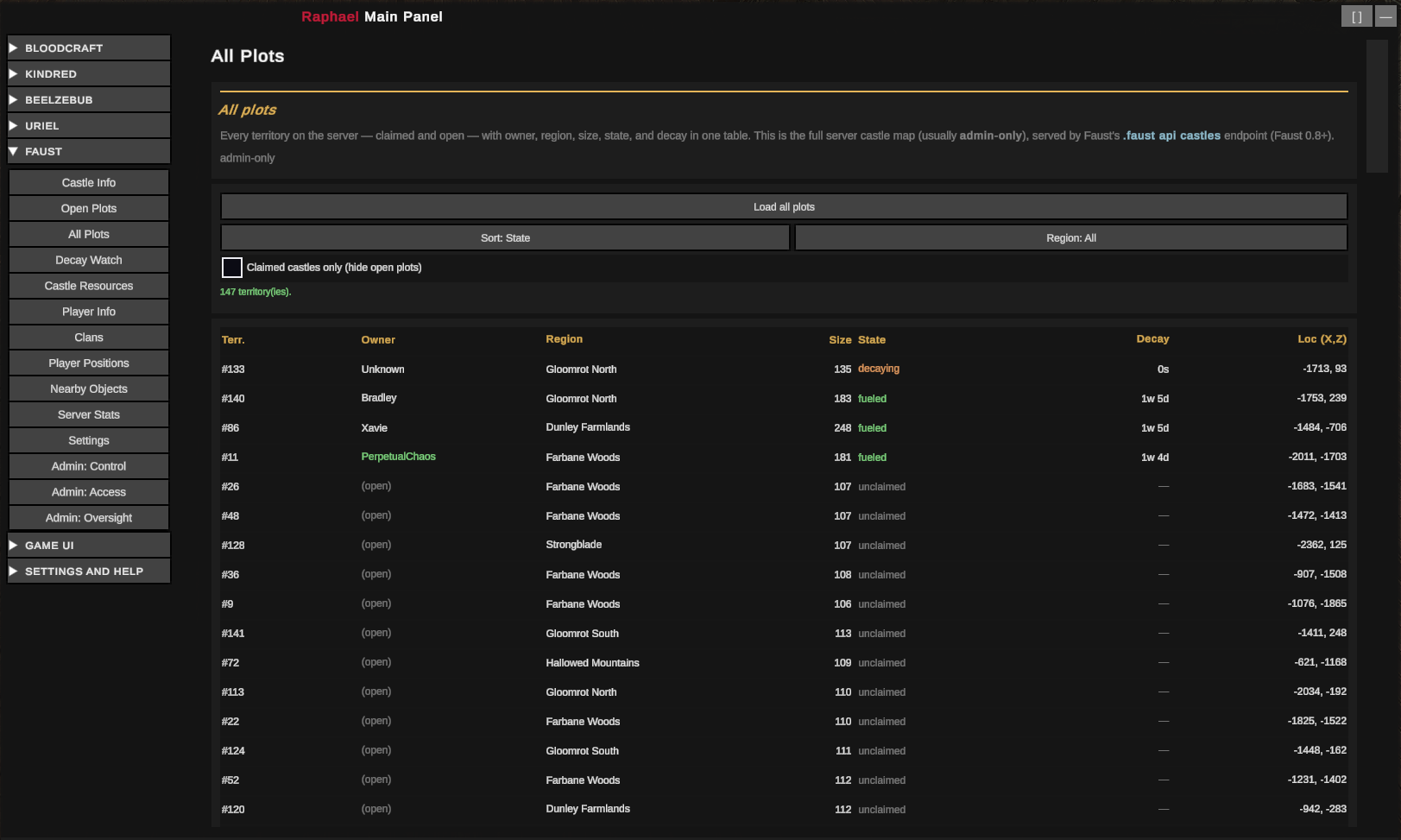
- Full castle map — every territory (claimed + open) in one list.
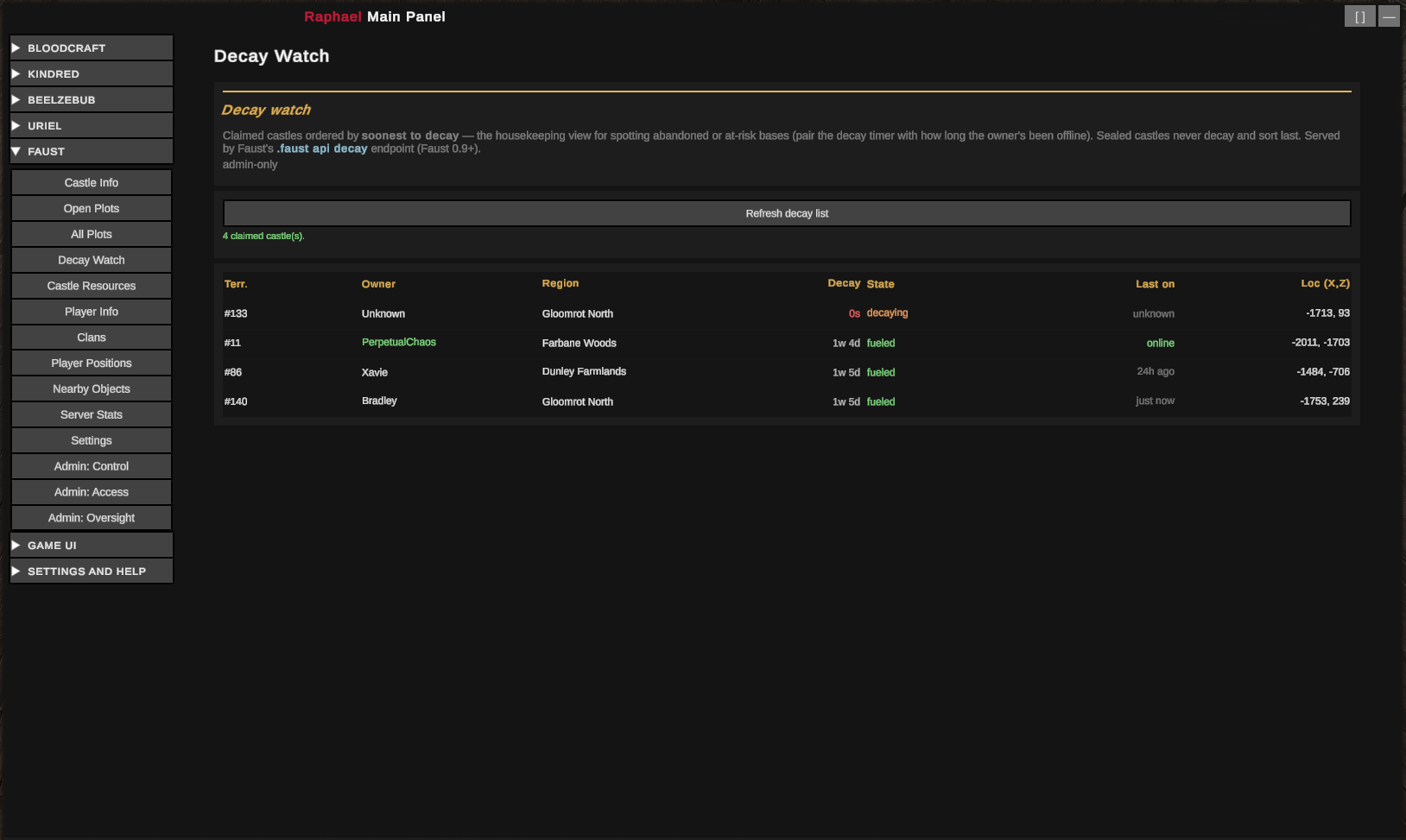
- Decay watch — claimed castles ranked by soonest-to-decay, to spot abandoned plots.
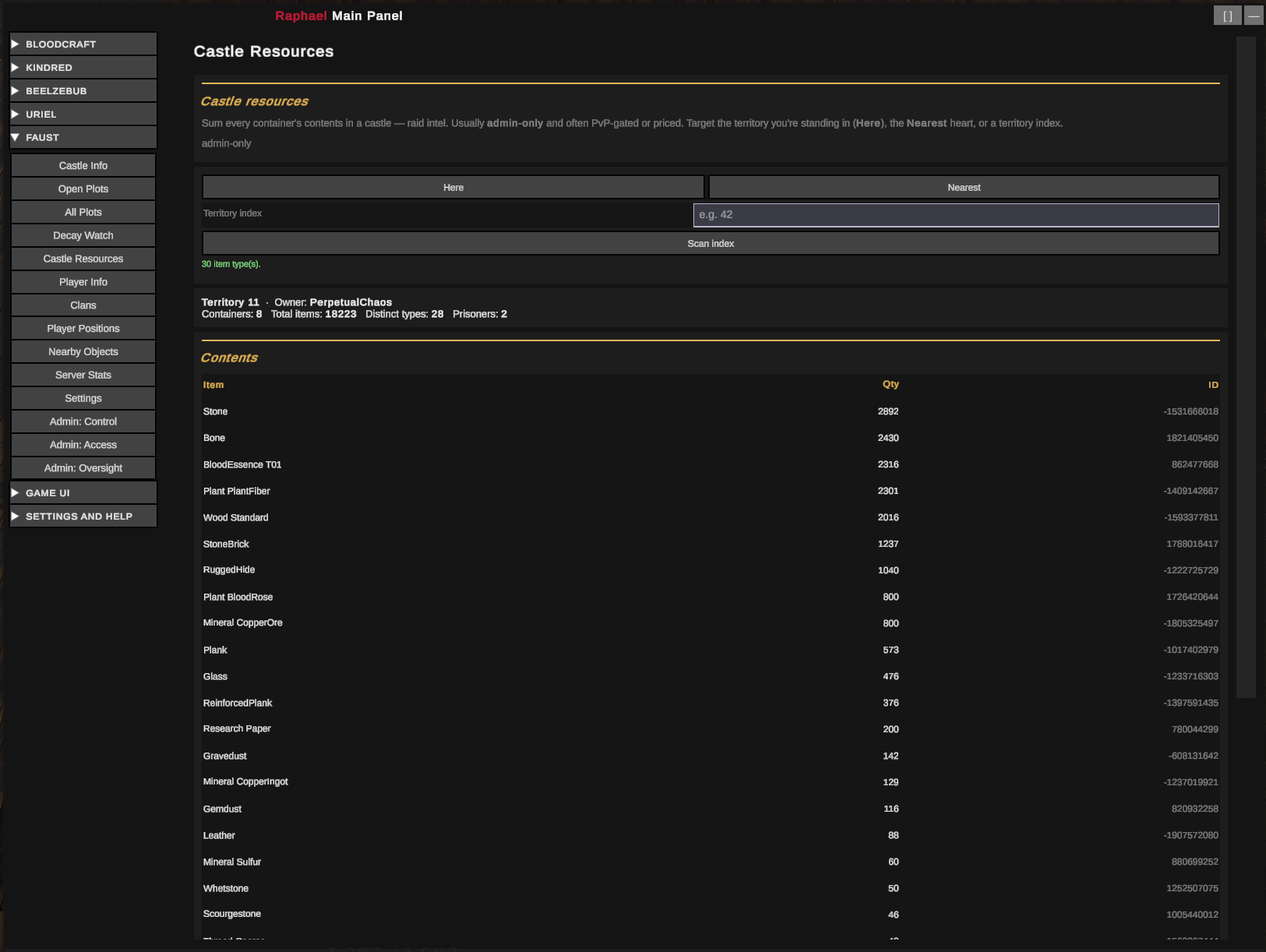
- Castle resource totals — sum everything stashed in a castle, plus prisoners held.
Players
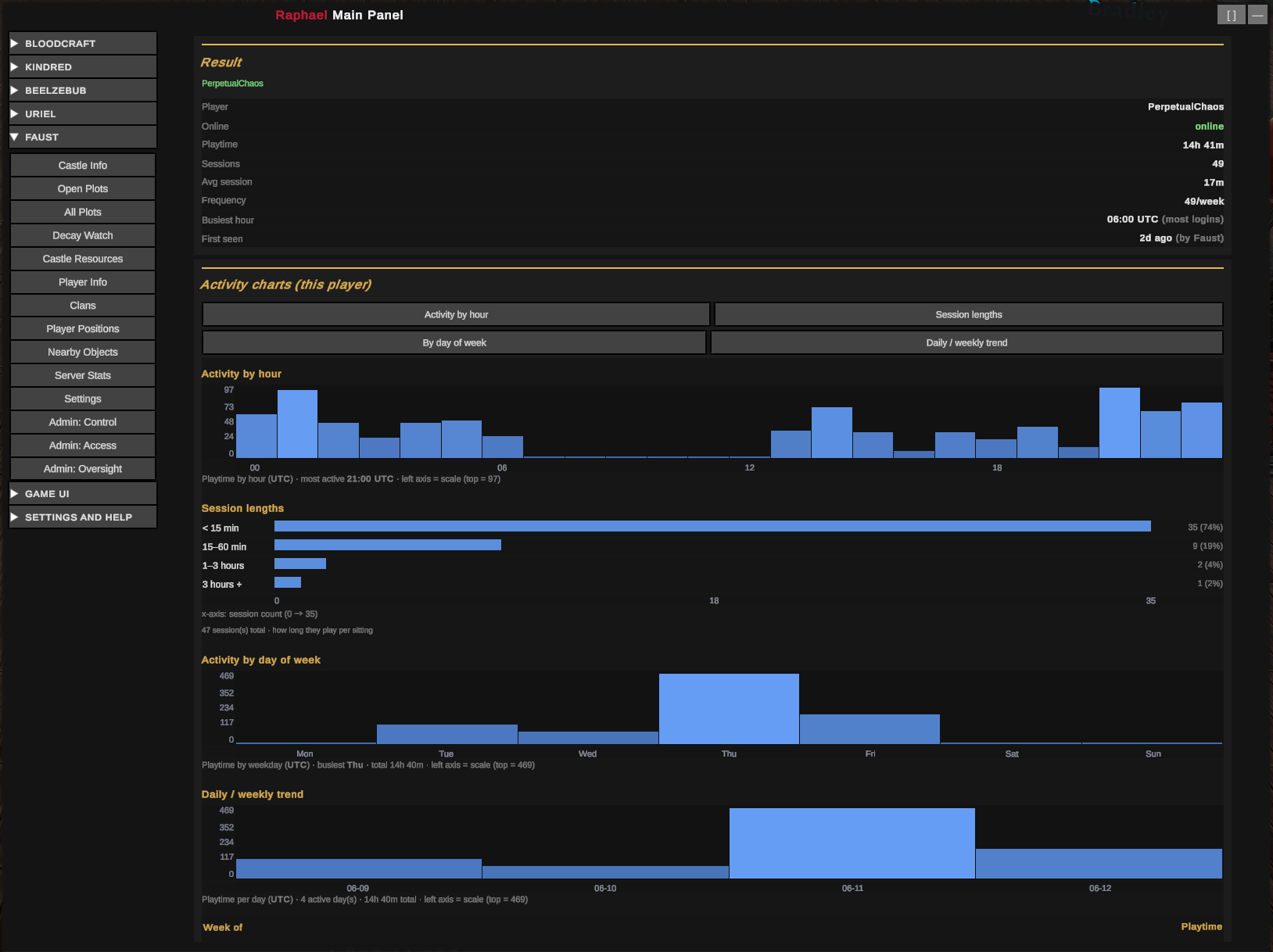
- Player info — online state, last-online, and (tracked over time) playtime, sessions, logins/week, peak hour.
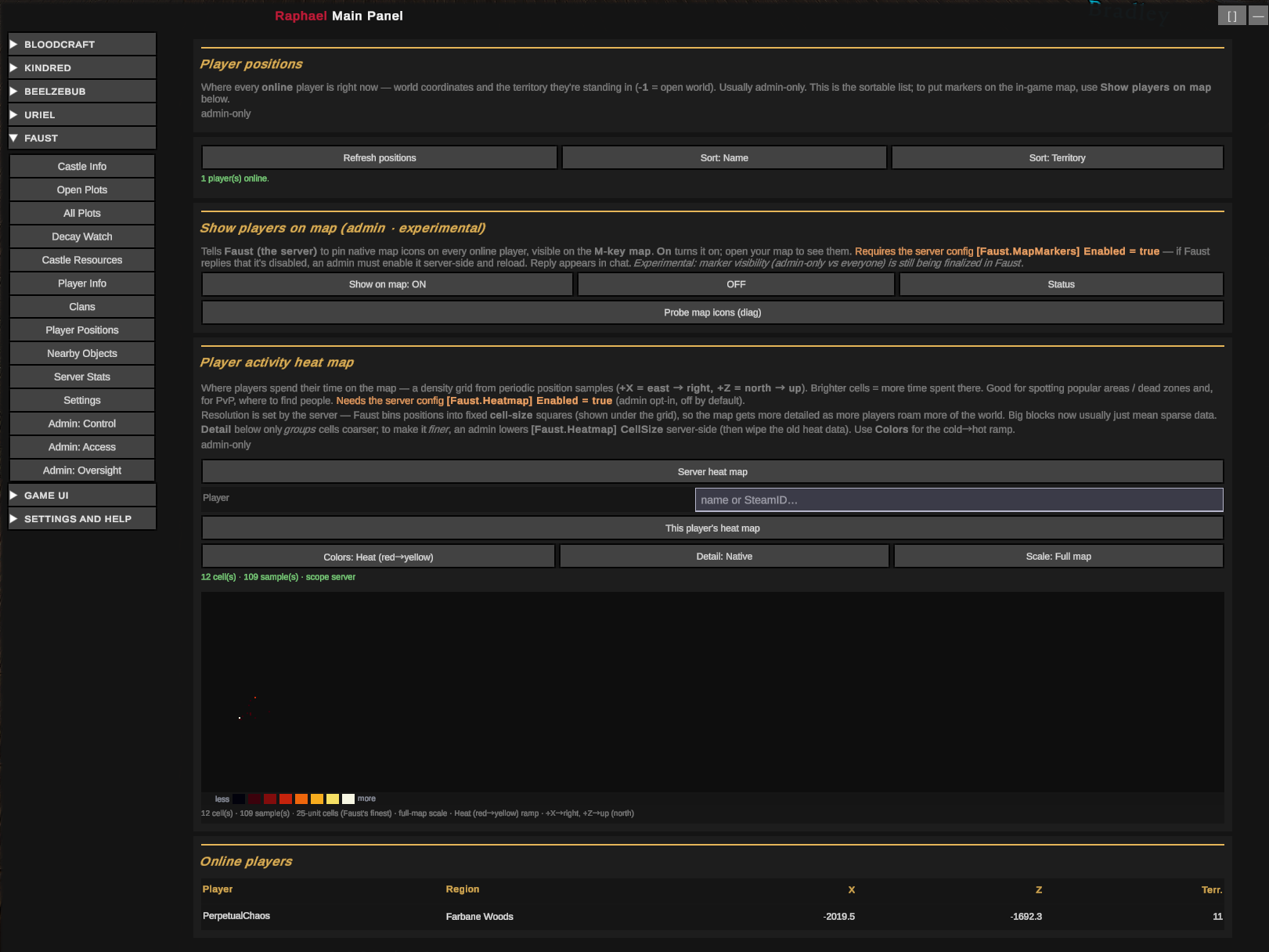
- Online player positions, with each player's region.
- Player-position heat map — where players spend time, per player or server-wide.
Server activity
- Playtime leaderboard and population history.
- Activity charts — by hour of day and day of week, daily active players + minutes, new arrivals, session lengths, per-player trends.
- Population health — DAU/WAU/MAU, retention, recency, concurrency peak, per-region distribution.
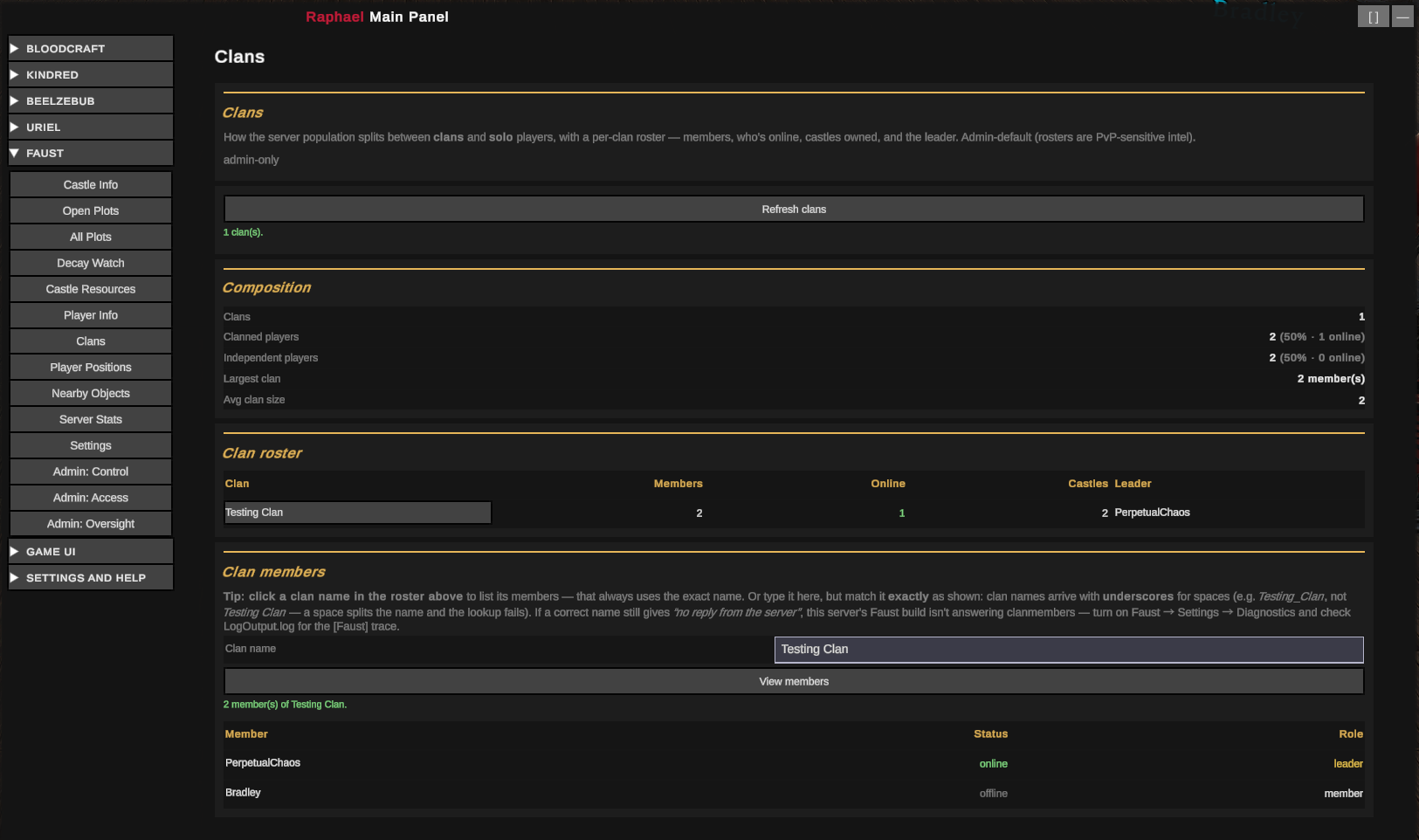
- Clan composition — clanned vs solo, plus per-clan rosters (size, online, castles held, leader).
Bosses & world
- V Blood boss board — which bosses are up, where (coords + region), their health, level, and whether they've been defeated.
- Kill leaderboards — top players by kills (and PvP), plus how often each boss has fallen (today / week / all-time).
- World-asset scan — a filterable map of NPC units (with blood type/quality) and resource nodes (ores, trees, plants).
Admin control
Nothing is exposed to players unless you decide it should be. Sensitive intel defaults to admin-only. Each feature is gated independently:
- Who — Off, admin-only, or all players.
- A price — an item cost per use (the Faustian toll).
- A time-lock — a flat cooldown, or a usage window per period (e.g. a 10-minute window once a day).
- PvP / PvE — usable only on the matching server mode.
- An unlock — opens only after a player defeats a configured V Blood or Dracula.
- A place — usable only within range of a configured object (altar, station, landmark).
You can also block or schedule any feature live, and change any setting in-game with .faust admin set
(no restart). Separately, you control what Faust collects in the background — almost everything is
read on demand at zero idle cost; only session/population history accumulates, and you can bound or
disable it.
Screenshots
Every view below is rendered by Raphael, Lord of Wisdom from Faust's data.
Castle Info — owner, region, map location, size, decay, floors, owning clan & total item count
Open Plots — available building plots, largest first
All Plots — the full server castle map (every territory, claimed + open)
Decay Watch — claimed castles ranked by soonest-to-decay
Castle Resources — total resources stashed in a castle (+ prisoners)
Player Info — online state, last-online, playtime, sessions, frequency, peak hour
Clans — clanned vs independent, with per-clan rosters
Player Positions + Activity Heat Map — live positions and the position-density heat map
Nearby Objects — in-world object labels


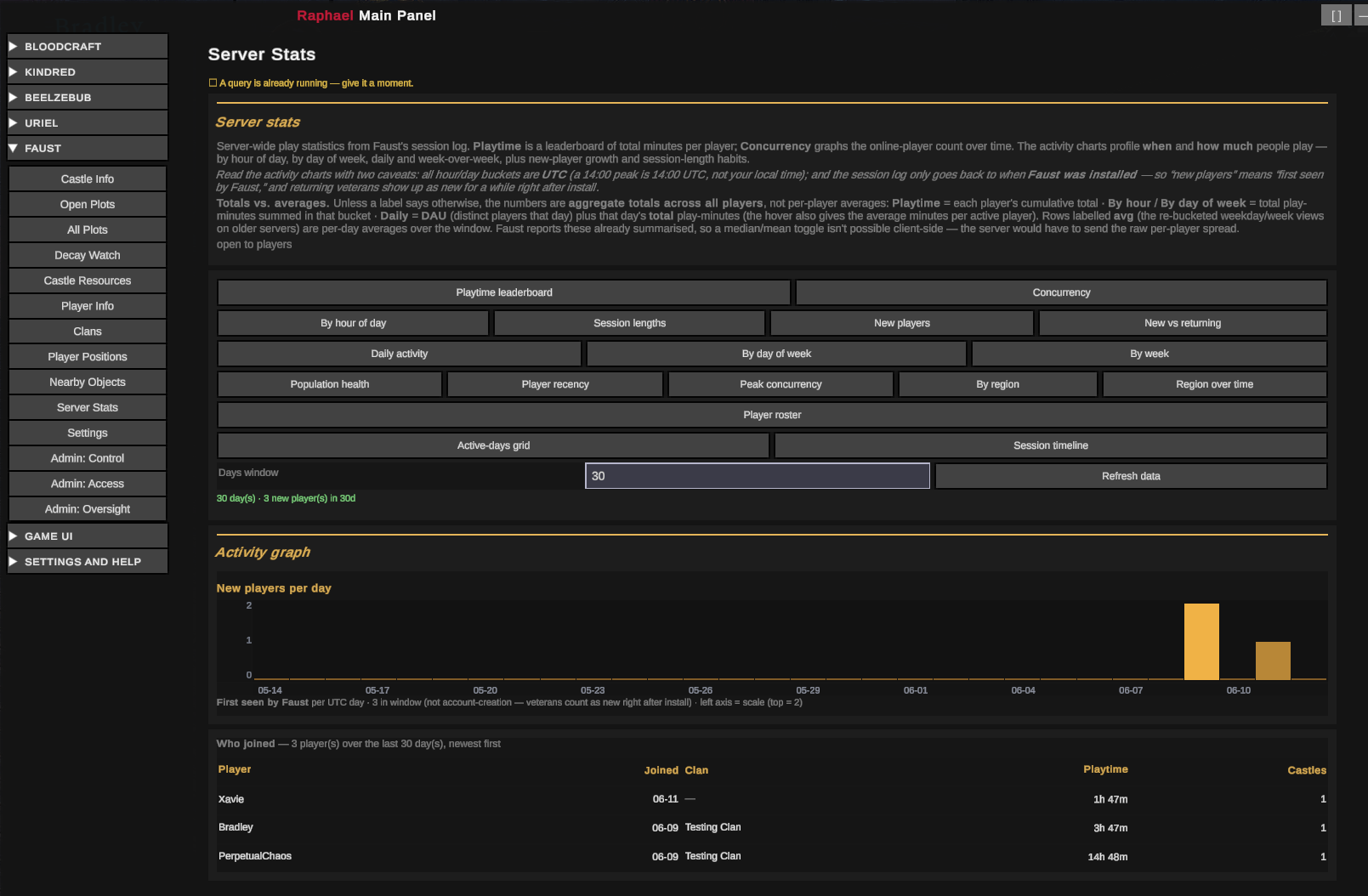
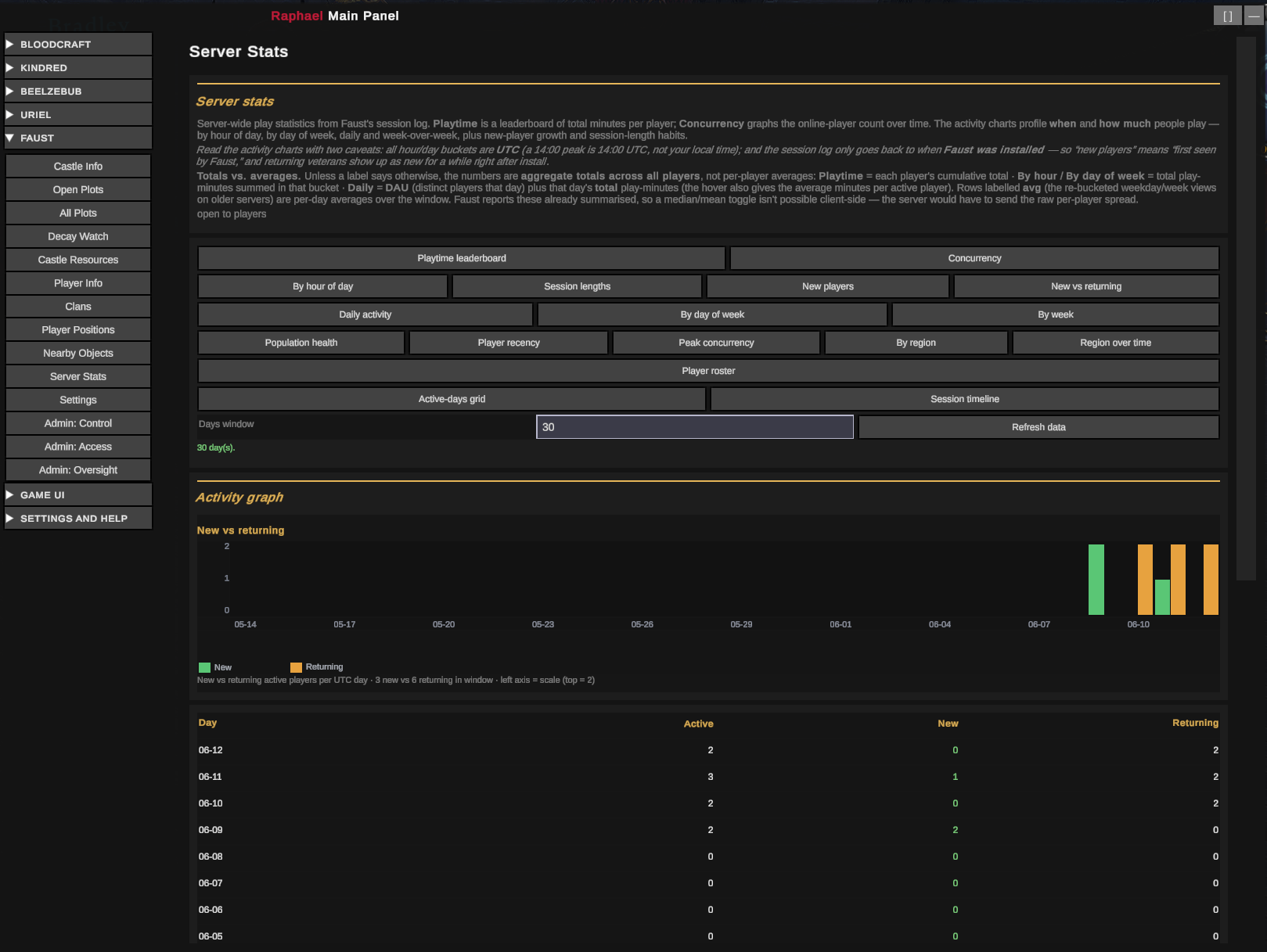
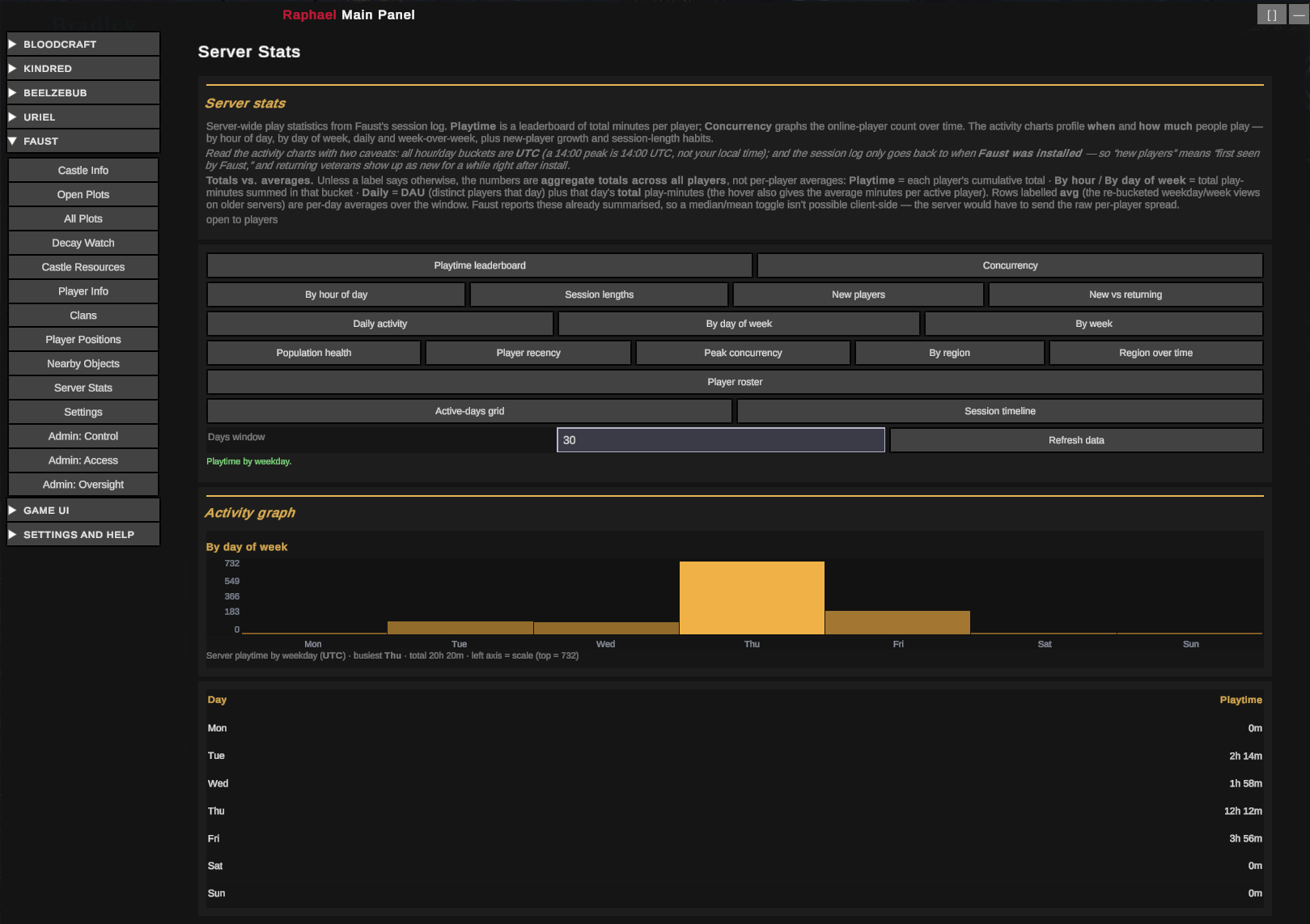
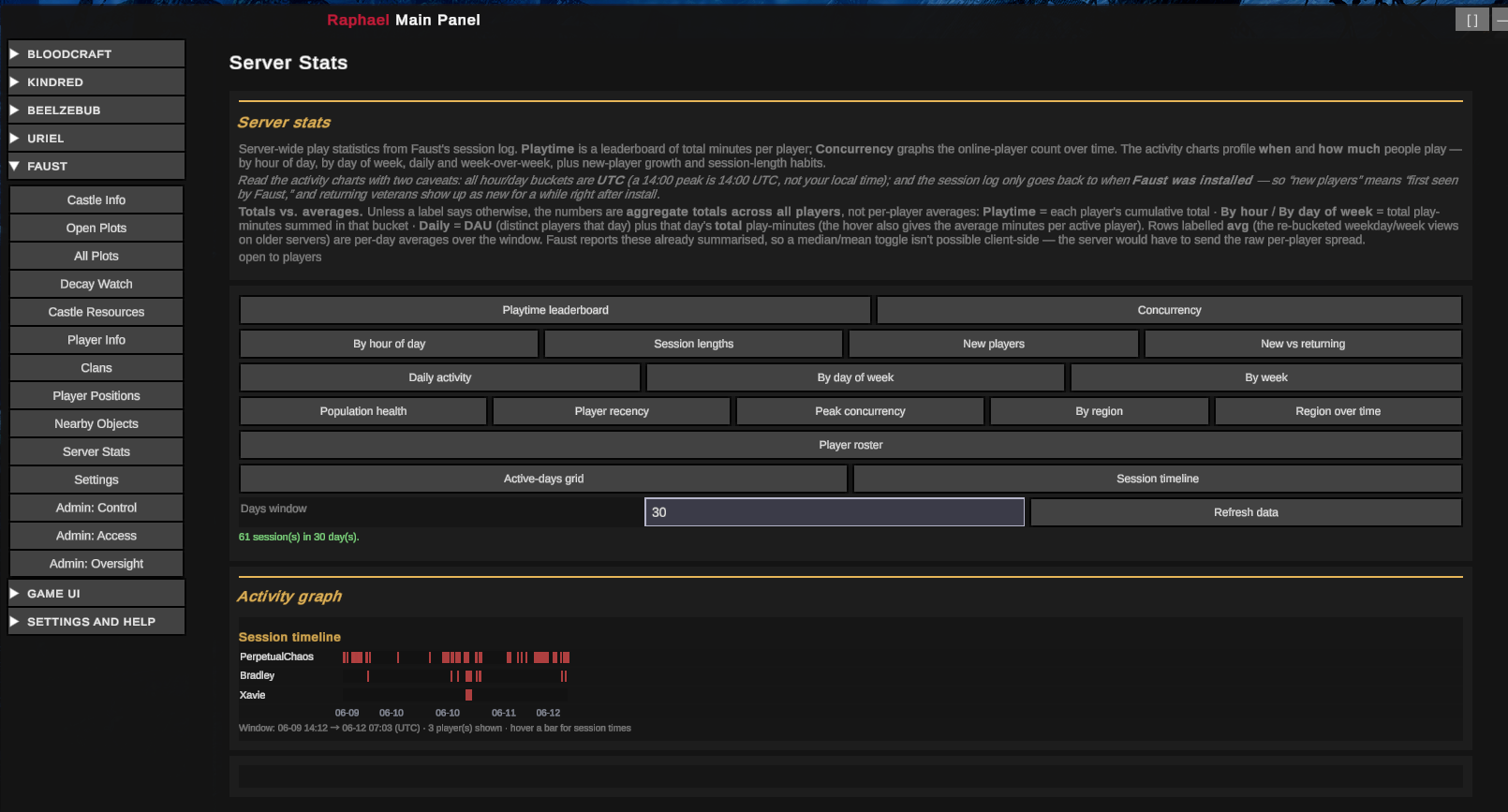
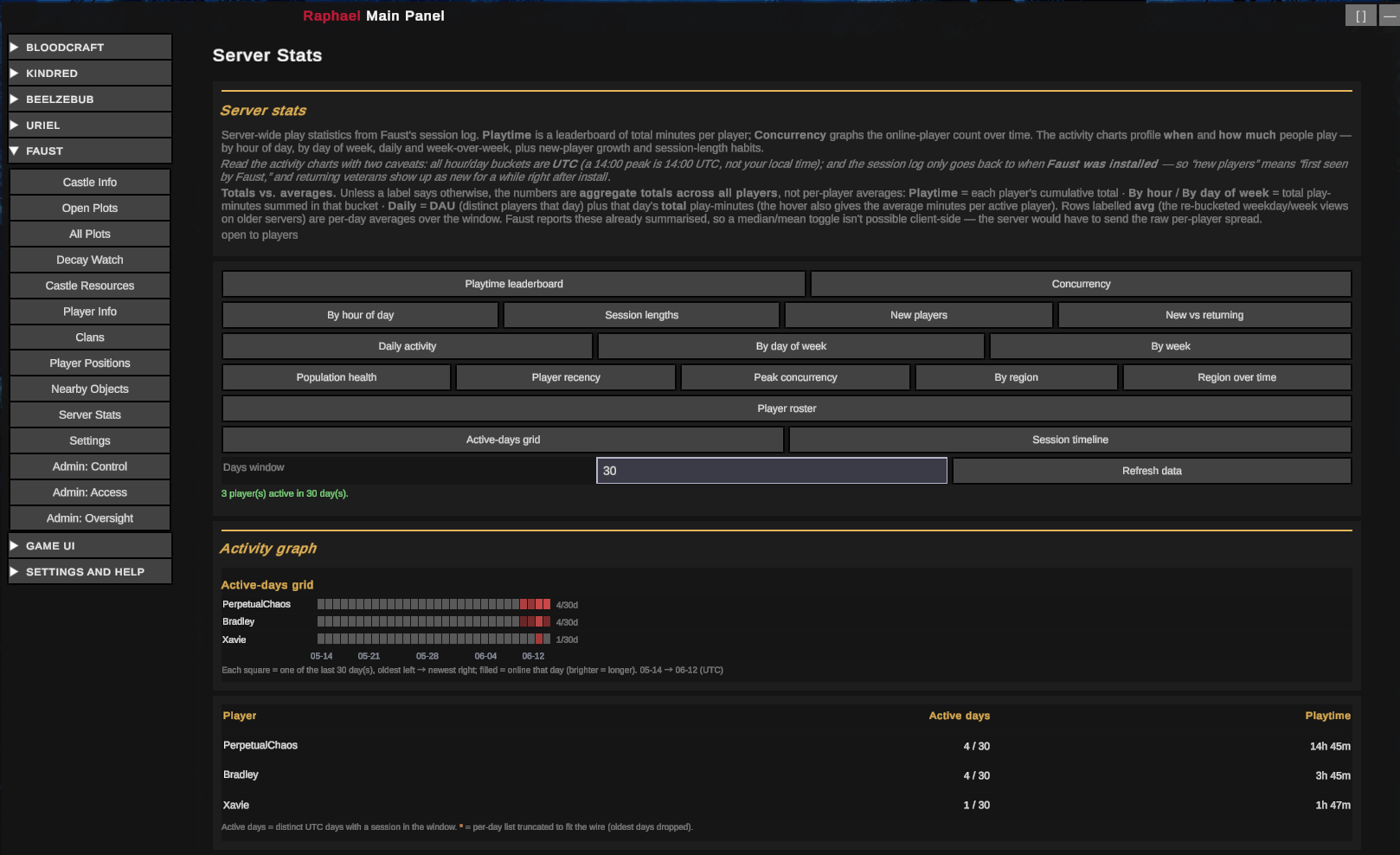
Server Stats — new-player roster, new vs returning, day-of-week activity, session timelines, active-days grid
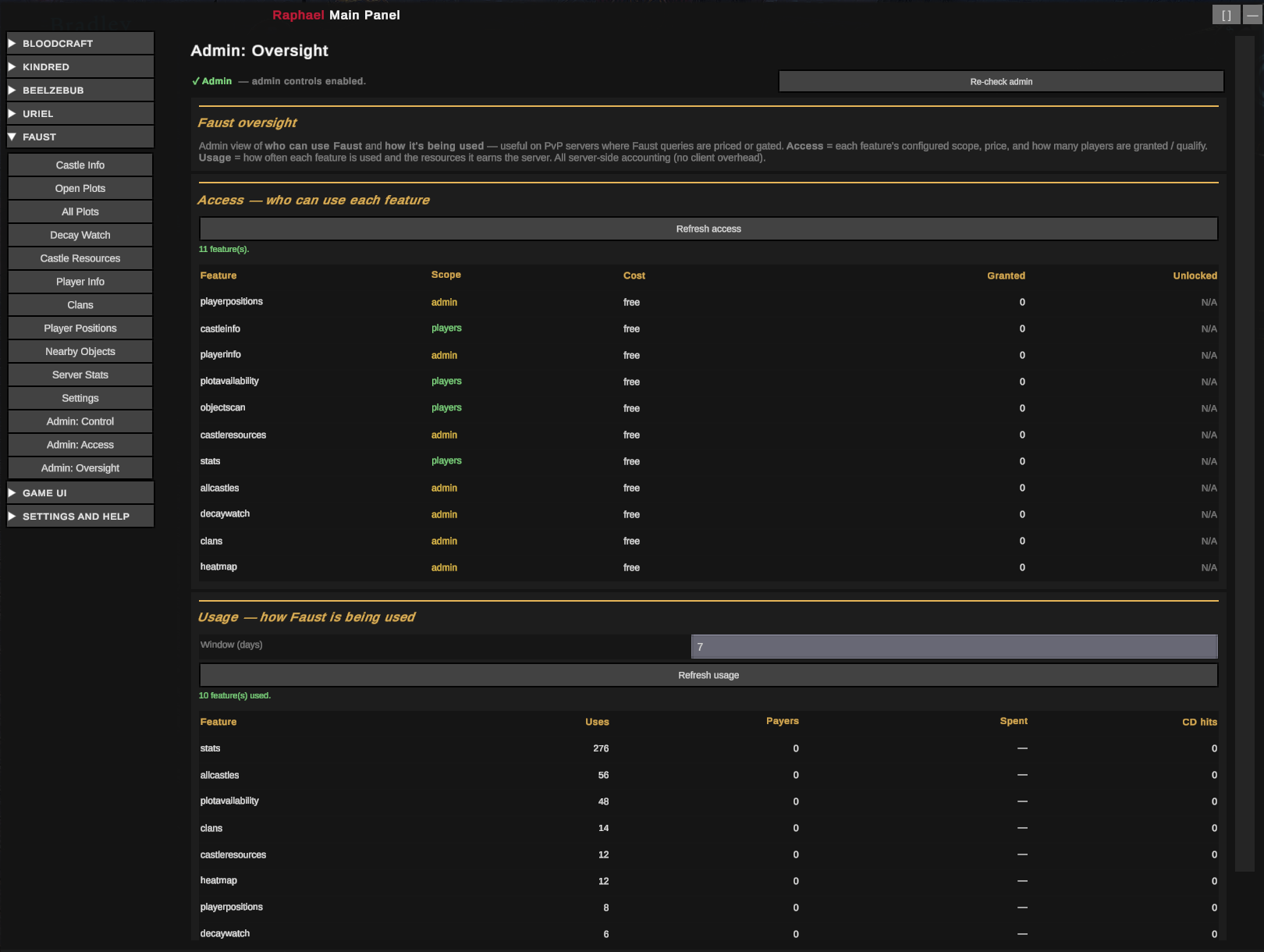
Admin — Faust usage & access oversight
Installation
Faust is server-side — install it on your V Rising dedicated server, not on player clients.
Thunderstore Mod Manager / r2modman (recommended)
- Select V Rising → your dedicated-server profile.
- Search Faust → Install. Dependencies (BepInExPack_V_Rising, VampireCommandFramework) install automatically.
- Launch the server through the profile.
Manual
- Install BepInExPack V Rising (1.733.2 or compatible).
- Install VampireCommandFramework into
BepInEx/plugins/. - Drop
Faust.dllintoBepInEx/plugins/. - Start once to generate
BepInEx/config/kdpen.Faust.cfg, then edit and restart.
⚠ Stop the server before replacing Faust.dll — a running server file-locks it.
| Dependency | Version | Role |
|---|---|---|
| BepInExPack V Rising | 1.733.2 | Loader (required) |
| VampireCommandFramework | 0.10.x | Chat-command framework (required) |
| Raphael, Lord of Wisdom | — | Companion client / UI (optional, recommended) |
Commands
All commands are prefixed with .faust. Type .faust for an overview or .faust help [players|castles|server|admin]
for a topic menu. Most queries are meant to be driven by Raphael's UI, but each works from chat too.
| Command | What it does |
|---|---|
.faust api castleinfo <here|nearest|tindex> |
A plot's owner, region, map location, size, decay state & time, owner online/last-online, floors, clan, total item count |
.faust api plots [page] |
Open building plots across the map, largest first |
.faust api castles [page] |
Every territory (claimed + open) — owner, region, location, size, state, decay, online (admin-default) |
.faust api decay [page] |
Claimed castles ranked by soonest-to-decay + owner last-online (admin-default) |
.faust api pinfo <name|steamId> |
A player's online state, last-online, playtime, sessions, logins/week & peak hour (yourself always; others admin-gated) |
.faust api positions [page] |
Locations and regions of online players (admin-default) |
.faust api heatmap [all|player] [days] [page] |
Player-position heat map — density grid of where players spend time; days filters the window (0 = all-time, 1 = today, 7 = week, 30 = month) (admin-default; opt-in collection) |
.faust api resources <here|nearest|tindex> [page] |
Total resources stashed in a castle + prisoners held (admin-default) |
.faust api stats <playtime|concurrency> [page] |
Playtime leaderboard / population history |
.faust api stats hours [player] |
Activity by hour-of-day (24 buckets) |
.faust api stats daily [days] |
Daily active players + play-minutes for the last N days |
.faust api stats newplayers [days] |
New arrivals (first seen) per day |
.faust api stats weekdays [player] |
Activity by day-of-week |
.faust api stats sessions [player] |
Session-length spread (<15m / 15–60m / 1–3h / 3h+) |
.faust api stats pdaily <player> [days] |
One player's daily play-minutes trend |
.faust api stats population |
Active players (DAU/WAU/MAU) + retention + new-vs-returning |
.faust api stats recency |
Players seen in last 24h / 7d / 30d vs dormant |
.faust api stats peak [days] |
Concurrency — peak / average / p95 / live count |
.faust api stats regions [page] |
Online players + castles + buildable plots per region (for fill %) |
.faust api stats regiondaily [days] [page] |
Castles / plots / players per region per day |
.faust api stats players [page] |
Per-player activity roster (active today/week, last-seen, sessions, playtime, idle) |
.faust api stats activegrid [days] [page] |
Per-player active-days grid |
.faust api newplayers roster [days] [page] |
Roster of who joined recently — name, when, clan, playtime, castles |
.faust api sessions timeline <all|player> [days] [page] |
Individual online sessions (start/end) |
.faust api clans [page] |
Clan composition + per-clan roster (size, online, castles, leader) (admin-default) |
.faust api clanmembers <clan> [page] |
One clan's member roster (admin-default) |
.faust api bosses [page] · boss <name> |
V Blood board — which bosses are up, where (X,Z + region), health, level, defeated (admin-default) |
.faust api kills [days] · bosskills [days] |
Leaderboards: top killers (+PvP), and per-boss defeat counts (admin-default) |
.faust api worldscan [type=units|nodes,id=,bloodtype=,bloodqmin=] |
Filterable map of NPC units (+blood type/quality) & resource nodes. Whitelisted + rate-limited (admin-default) |
.faust api access [page] |
Per-feature access snapshot — who can use each feature + price (admin-default) |
.faust api usage [days] [page] |
Per-feature usage over N days — uses, payers, items spent, cooldown hits (admin-default) |
.faust api version · ping |
Raphael handshake (access + price per feature) / connection test |
Playtime/frequency stats accrue from the moment Faust is installed (the game only remembers your last login). Each query obeys its per-feature access, item cost, and cooldown; an empty or not-found lookup is never charged.
Configuration
BepInEx/config/kdpen.Faust.cfg — a global block plus one block per feature. Edit the file (loads on
restart), or change any setting live with .faust admin set … / setglobal … (applies immediately and
is written back to the file).
| Section | Key | Default | Effect |
|---|---|---|---|
| Faust | Enabled | true |
Master switch |
| Faust | AuditQueries | true |
Log who asked what, when, and whether they were charged |
| Faust | RateLimitSeconds | 0 |
Anti-spam: min seconds between a player's queries (0 = off) |
| Faust | RateLimitAdminsExempt | true |
Admins skip the rate limit |
| Faust.Data | ResetSteamIds | (empty) | SteamIDs allowed to run data clear/wipe (empty = any admin) |
| Faust.<feature> | Access | AdminOnly |
Off / AdminOnly / Players |
| Faust.<feature> | Delivery | varies | ServerMediated (gateable/chargeable) or Free (client-local) |
| Faust.<feature> | CostItemGuid / CostQuantity | 0 / 0 |
Item + amount charged per query (0 = free) |
| Faust.<feature> | CooldownSeconds | 0 |
Flat per-player lockout between runs |
| Faust.<feature> | WindowSeconds / PeriodSeconds / MaxUsesPerPeriod | 0 |
A usage window per period (e.g. 600/86400/1 = a 10-min window once a day) |
| Faust.<feature> | Availability | Always |
Always / PvEOnly / PvPOnly |
| Faust.<feature> | Unlock | None |
None / FinalBoss / BossKill:<vbloodGuid> |
| Faust.<feature> | RequireNearPrefab / RequireNearDistance | 0 / 5 |
Require standing within N metres of an object (0 = anywhere) |
| Faust.<feature> | AdminsExempt | true |
Admins skip access / PvP / proximity / cost / cooldown / window / unlock |
Features: playerpositions, castleinfo, playerinfo, plotavailability, allcastles, decaywatch,
castleresources, stats, clans, heatmap, bosses, kills, worldscan. All default to AdminOnly.
Background collection (separate from who can read a feature):
| Section | Key | Default | Effect |
|---|---|---|---|
| Faust.Collection | SessionTracking | true |
Log connect/disconnect (powers playtime / sessions / frequency). Off ⇒ those report "not tracked" |
| Faust.Collection | ConcurrencySampling | true |
Sample online-player count (powers the population graph) |
| Faust.Collection | KillTracking | true |
Tally kills + boss defeats (powers kills / bosskills). Off ⇒ leaderboards empty |
| Faust.Collection | MaxConcurrencyPoints | 4000 |
Cap on stored population samples (0 disables sampling) |
| Faust.Collection | SessionRetentionDays | 0 |
Auto-prune sessions older than N days (0 = keep forever) |
| Faust.Collection | DataNamespace | (empty) | Empty = one shared dataset; set a per-world name to keep worlds separate |
| Faust.Heatmap | Enabled | false |
Heat-map collection — the only timer-driven collector, so off by default |
| Faust.Heatmap | SampleSeconds | 60 |
How often to snapshot positions (clamped 30–300) |
| Faust.Heatmap | CellSize | 25 |
Grid resolution (world units/cell). Fixed once data exists |
| Faust.Heatmap | MaxCells | 250000 |
Cap on stored (player, cell) entries (all-time + per-day, independently) |
| Faust.Heatmap | RetentionDays | 30 |
Per-day history kept for windowed heat maps (today/week/month); all-time is never pruned |
| Faust.WorldScan | ScanIntervalSeconds | 10 |
How often worldscan may rebuild its snapshot (cached between; clamped ≥5s) |
| Faust.WorldScan | MaxResults | 10000 |
Safety cap on assets per snapshot, applied before your filter (0 = unlimited; raise/zero it so a dense map's scan isn't cut short) |
Faust's data lives in BepInEx/config/Faust/ — on the server, not in the world save, so it survives a
world wipe (the same players return, so their stats stay relevant). Reset it with the data commands below.
Live admin controls (no restart; persist across restarts):
| Command | What it does |
|---|---|
.faust admin block <feature|all> [minutes] |
Disable a feature now; with minutes, a countdown that auto-reopens |
.faust admin unblock <feature|all> |
Clear a block / countdown |
.faust admin schedule <feature|all> <HH:MM-HH:MM|clear> |
Allow use only within a daily time window |
.faust admin status [feature] |
Show each feature's effective block/schedule state |
.faust admin set <feature> <setting=value[,...]> · get <feature> [setting] |
Change/read any per-feature setting live (comma-joined pairs, no spaces, e.g. costitem=12345,costqty=1) |
.faust admin setglobal <setting=value[,...]> · getglobal [setting] |
Change/read any global setting |
.faust admin resetcfg <feature|global> [setting] |
Restore a setting (or whole block) to default |
.faust admin worldscan <list|add|remove|clear|seed> [guid|page] |
Curate the world-scan whitelist |
.faust admin prefab <id|nameFragment> [page] |
Look up a prefab name from its ID, or search by partial name |
.faust admin grant|revoke <player> <feature> |
Hand-unlock / re-lock a feature for a player |
.faust admin unlocks <player> |
Show a player's V-blood defeats + granted features |
.faust admin data status |
Footprint of collected data |
.faust admin data clear <days> |
Prune activity older than N days |
.faust admin data wipe <activity|unlocks|usage|heatmap|kills|all> confirm |
Reset a store (confirm required) |
.faust admin showpositions <on|off|status> |
Experimental — put online players on the native in-game map (off by default) |
Feedback
Faust is all about information, so tell us whether it's right, useful, and well-presented. Bug reports, data feedback, and feature requests directly shape 1.0.
- The Shadow Realm Discord — primary channel (also where you get Raphael).
- GitHub: issues · source
Faust is a sibling to the author's other server-side mods, Uriel, Lord of Hosts and Beelzebub, Lord of Gluttony; each is independent.
Acknowledgements & License
- VampireCommandFramework by deca — the chat-command framework.
- BepInEx — the loader that makes V Rising modding possible.
- KindredCommands by odjit — territory/owner and info-command patterns Faust builds on.
Licensed under the GNU Affero General Public License v3.0 (AGPL-3.0) — © 2026 Kristopher Penland. Faust adapts AGPL-licensed techniques from odjit's KindredCommands and is released under the same copyleft; full source is on GitHub.