

Exil
Loot blacklist: pick items in a clean in-game menu (game icons, search, tabs), then one key drops every blacklisted item the moment it reaches your inventory, harvesting included. Worn gear is never dropped. Client-side.Exil — Loot Blacklist
Client-side mod for V Rising 1.1 (Oakveil). Pick the items you never want to carry in a clean in-game menu, then press one key: from now on, every blacklisted item that lands in your inventory is dropped on the ground instantly, whether you picked it up from the floor or harvested it from a tree, a rock or a plant.
No more stone, plant fibre or rats clogging your bag while you farm something else.
Highlights
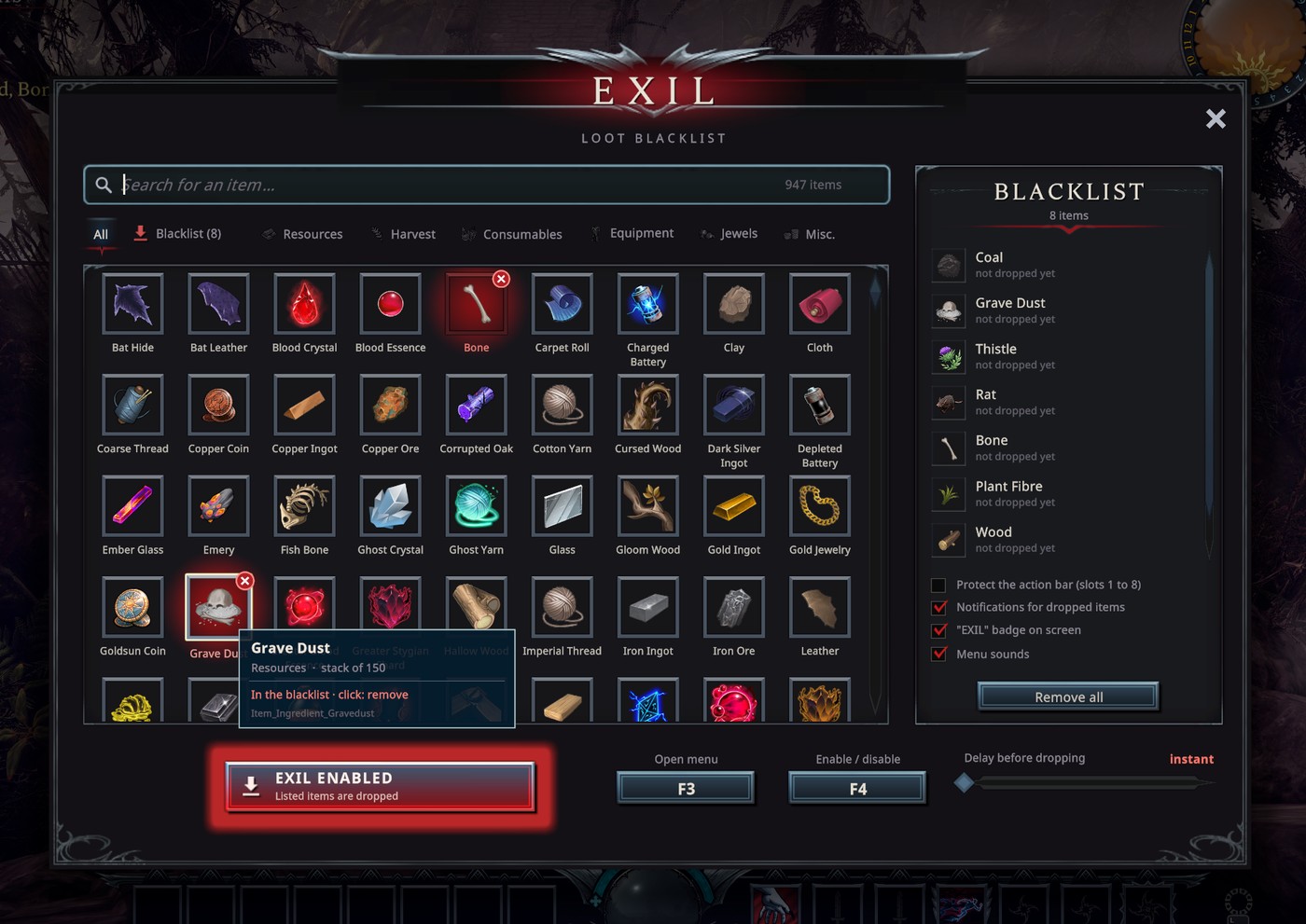
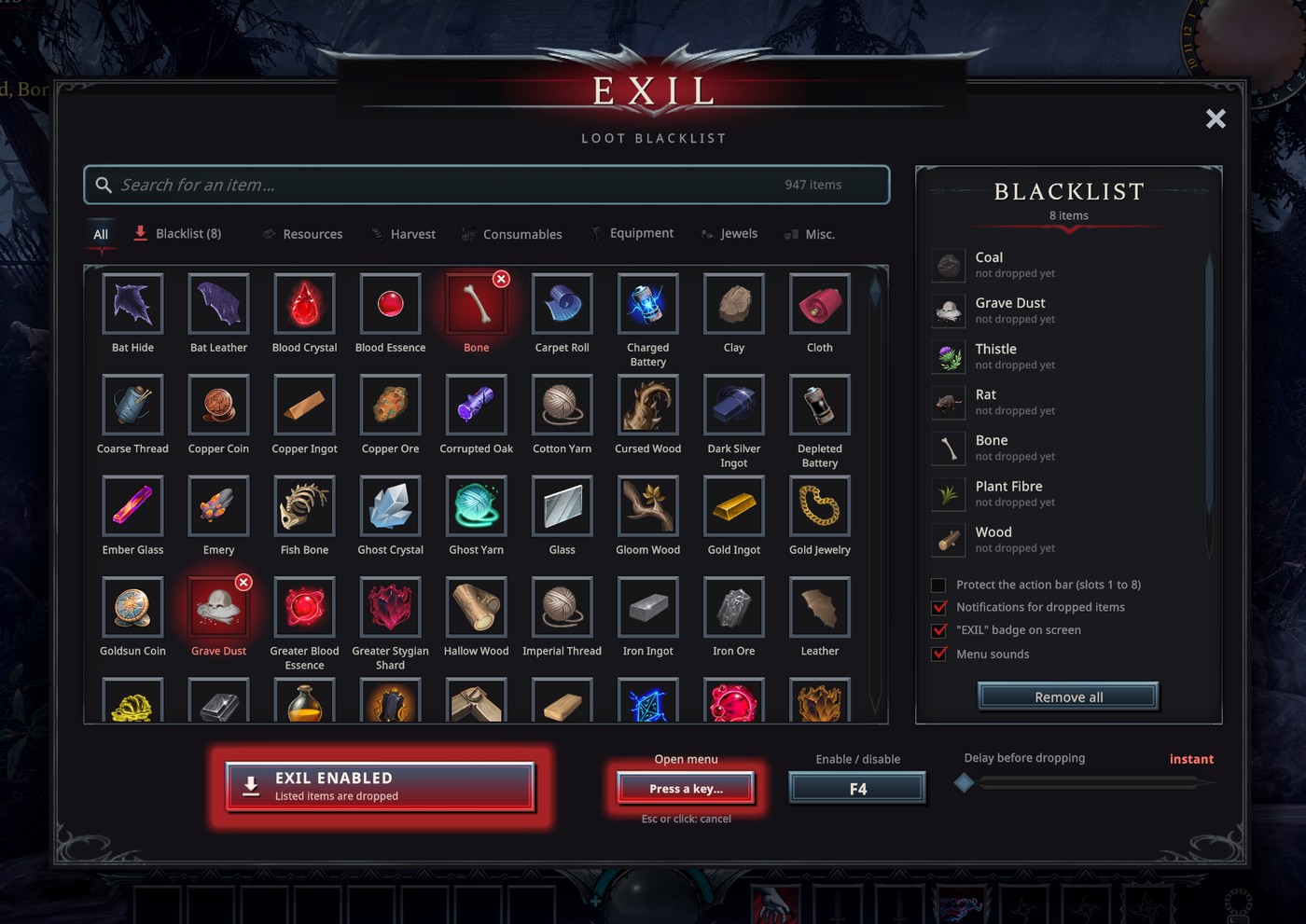
- A menu that looks like the game. Window, slots, buttons, fonts and interface sounds all come from V Rising itself, read from the running game. The menu follows the game's language (19 languages).
- Every real inventory item, with its icon. About 950 items, checked one by one against the game data: only items that can really end up in your inventory are listed (no map legend entries, templates or test items).
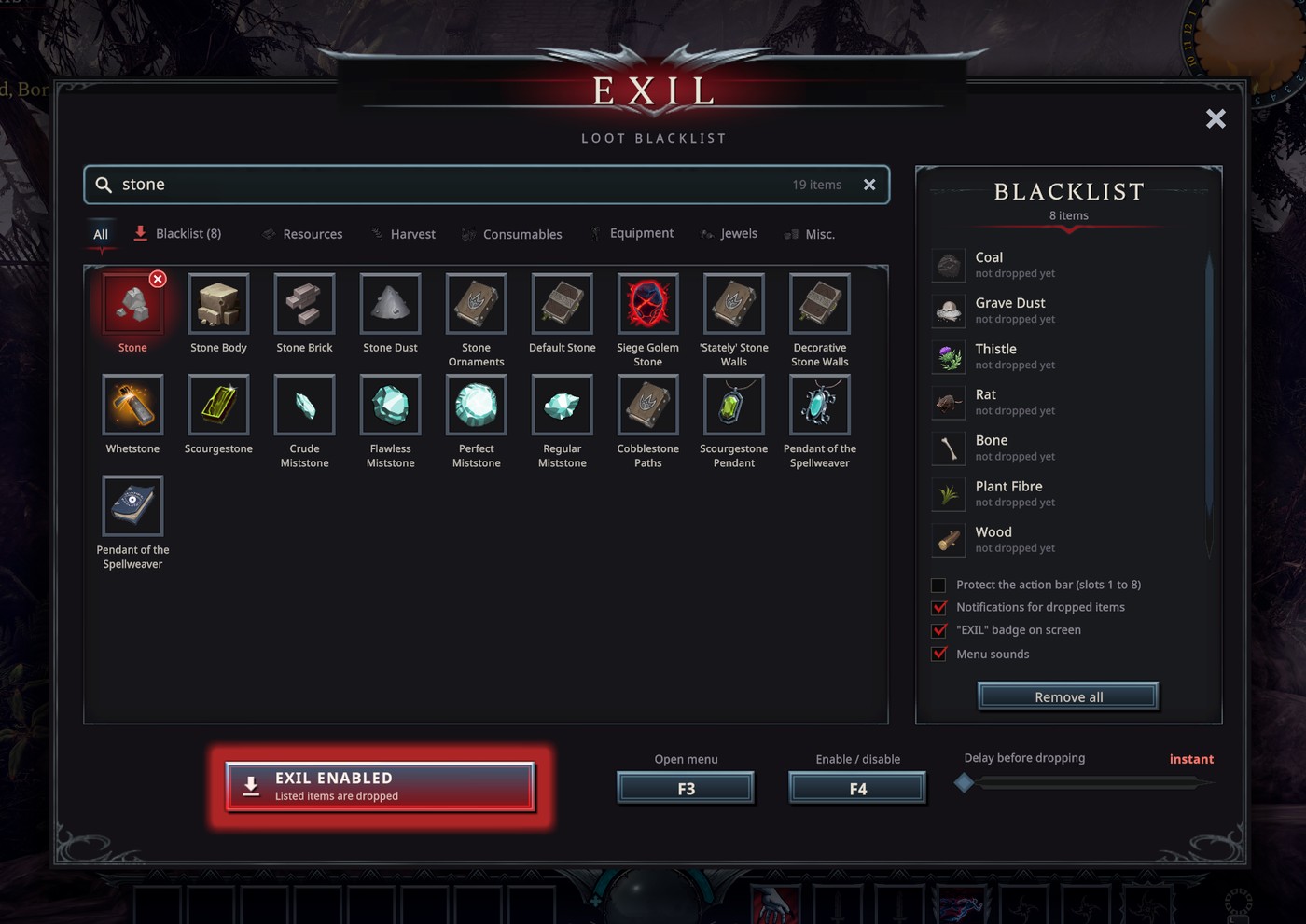
- Fast search. Type anywhere in the menu. Accents and case are ignored, words can come in any order, and internal names (
Item_…) work too. - One click to blacklist. A blacklisted item gets a red frame, a red glow and a ✕ badge. Click it again to remove it. The tooltip shows the item's name, category and stack size.
- Instant drop, harvest included. Items are dropped the moment they arrive. A slider lets you add a delay (0 to 5 s) if you prefer.
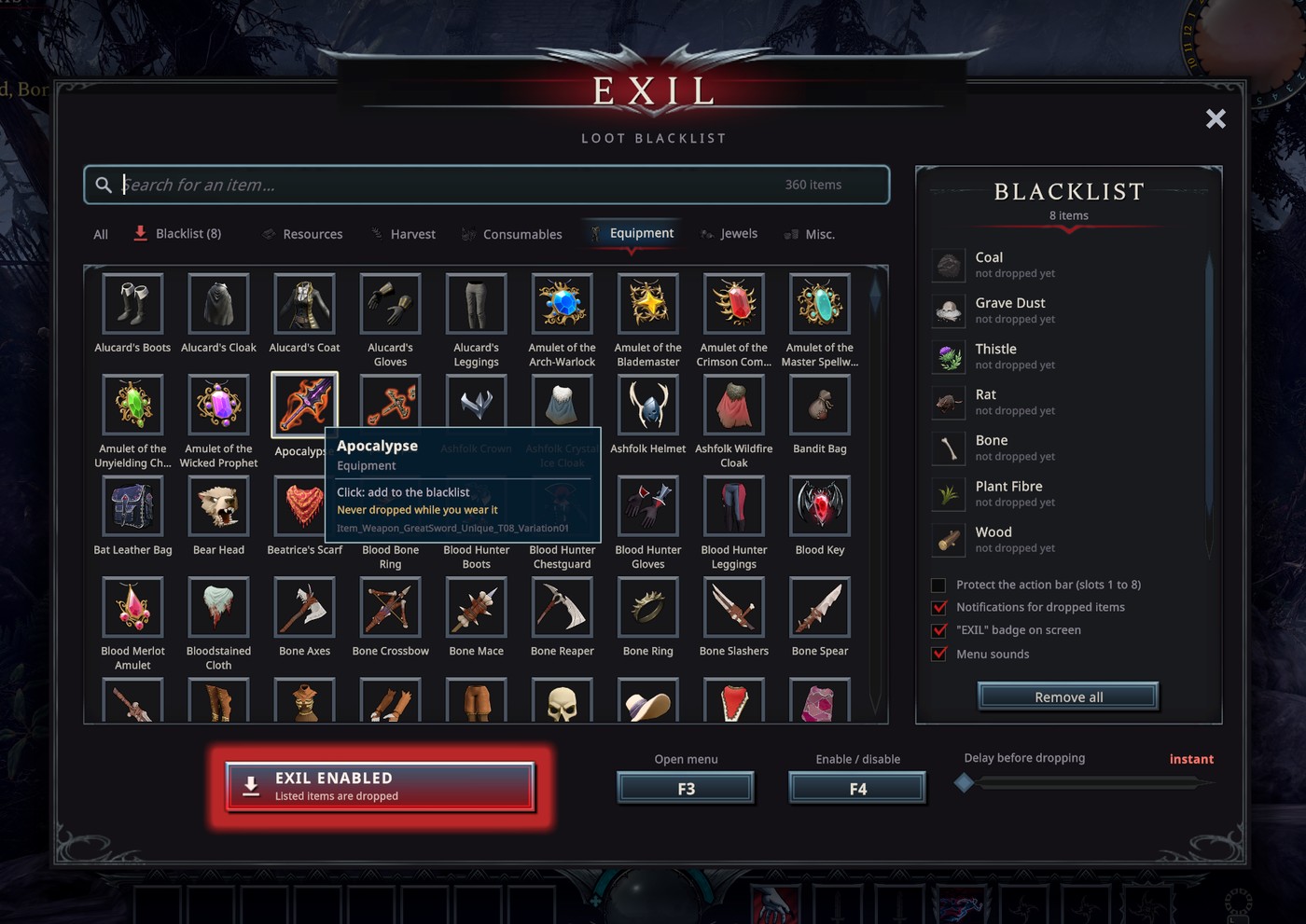
- Your gear is safe. Items you are wearing (weapon in hand, armor, cloak, bag…) are never dropped, even if they are on the list: only the duplicates in your bag are. An option protects the whole action bar (slots 1 to 8).
- Both keys can be changed in-game, live, from the menu (mouse buttons 3, 4, 5 and Ctrl / Shift / Alt combinations included). The menu warns you if the key is also used by the game.
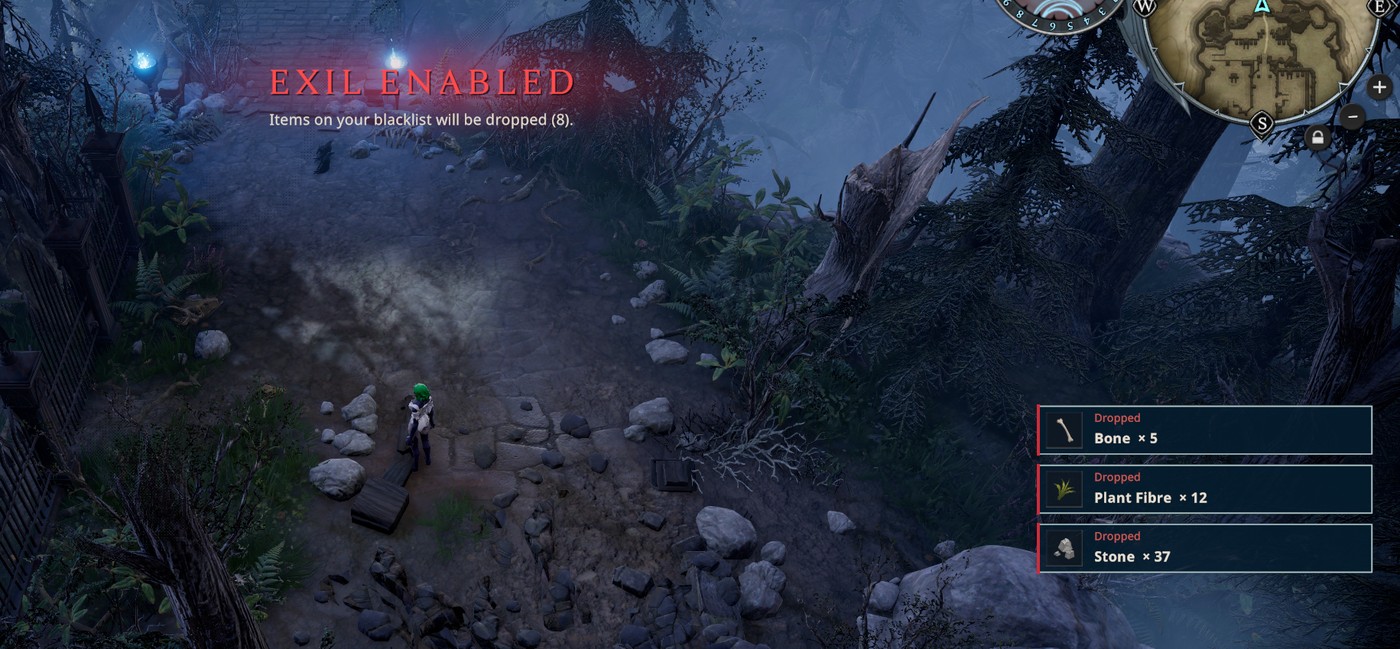
- Clear feedback. An "EXIL" badge while the mode is on, an announcement when you toggle it, and a small notification for each dropped item, stacked per item.
- Client-only. Nothing to install on the server. Exil uses the game's own "drop item" request, the same one the game sends when you drag an item out of your inventory, so the server stays in charge.
Screenshots
All screenshots are taken in the real game.
Search as you type
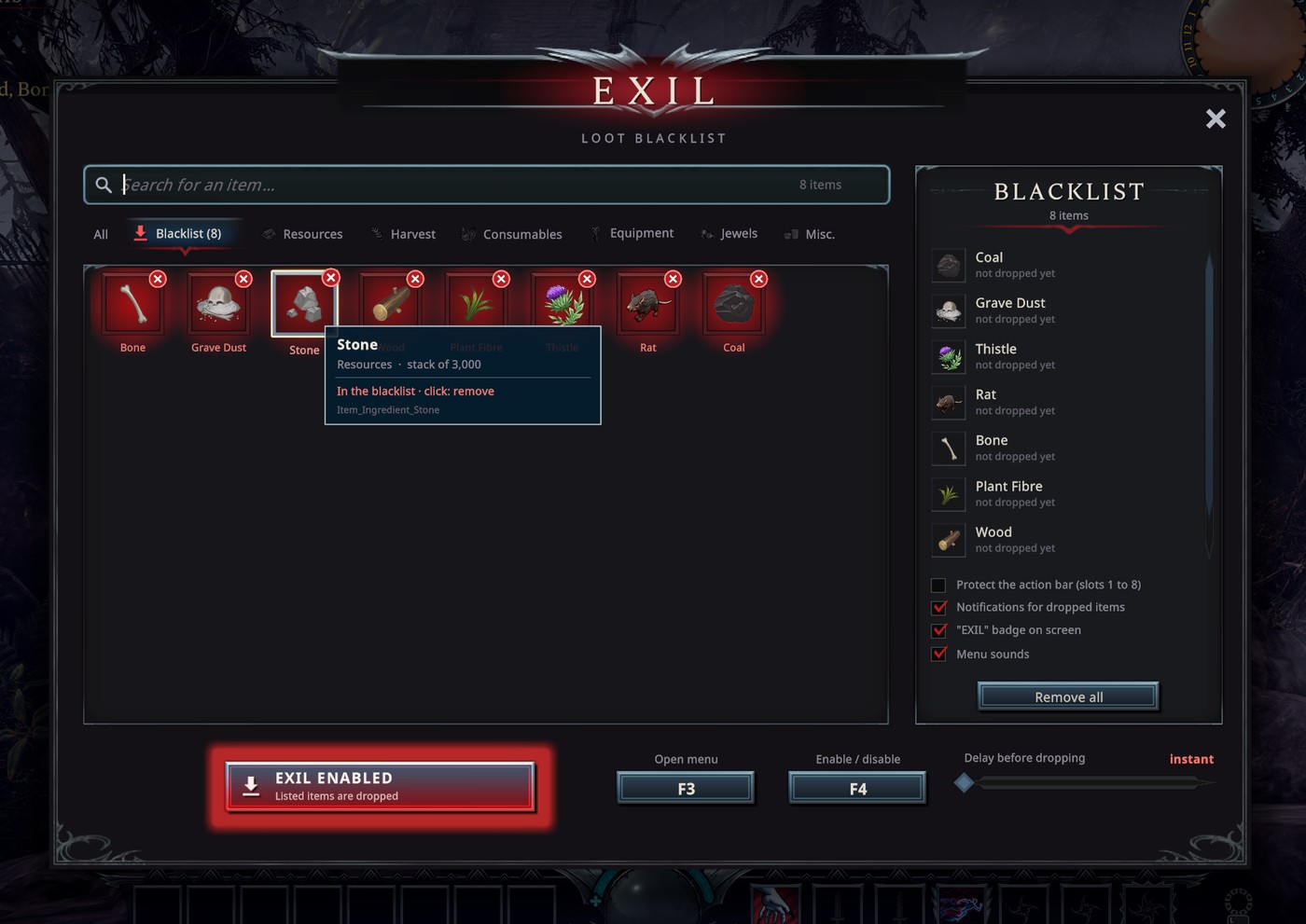
Your blacklist at a glance
Equipment: what you wear is never dropped
Rebind both keys in-game
While you play: announcement and drop notifications
Controls
| Key (default) | Action |
|---|---|
F3 |
Open or close the menu |
F4 |
Enable or disable auto-drop |
| Click an item | Add it to the blacklist, or remove it |
| Type | Search (Esc clears the search, then closes the menu) |
Tab / Shift+Tab |
Next / previous tab |
Mouse wheel, Page Up / Page Down, arrows |
Scroll |
| Click a key in the menu footer | Rebind it: press the new key (Esc or a click cancels) |
While the menu is open, your character's controls are blocked, exactly like when you type in the game chat.
The menu
- Tabs: All, Blacklist, Resources, Harvest, Consumables, Equipment, Jewels, Misc.
- Blacklist panel (right): your items, newest first, with how many were dropped this session. The ✕ removes an item; "Remove all" asks for a second click.
- Options: protect the action bar, notifications, "EXIL" badge, menu sounds.
- Footer: the on/off switch, both key bindings and the delay slider (default: instant).
- A lock marks the few items the server never lets you drop (soulbound items).
Safety
- Nothing is dropped while the mode is off, while you are dead, or for items you are wearing.
- If the server refuses a drop (for example action bar slots during PvP combat), Exil retries with growing pauses, up to 3 seconds between tries, instead of spamming the server.
- Loop guard: if the same item is dropped 40 times in 8 seconds (you keep picking it back up), it is paused for 20 seconds and an orange warning tells you why.
- Exil never creates or destroys items: it only asks the server to drop them, like you would by hand.
Installation
Thunderstore / r2modman
- Install
BepInExPack_V_Rising. - Install Exil.
- Start the game, join a world and press
F3.
Manual
Copy the package's BepInEx folder into your V Rising game folder, so that you get BepInEx/plugins/Exil.dll.
Configuration
Everything can be changed from the menu. The file is BepInEx/config/fumzou.exil.cfg (setting names are in French):
| Section / setting | Default | Purpose |
|---|---|---|
Touches / OuvrirMenu |
F3 |
Key that opens the menu |
Touches / ActiverDesactiver |
F4 |
Key that toggles auto-drop |
General / Actif |
false |
Auto-drop on or off |
General / DelaiSecondes |
0 |
Delay before dropping (0 = instant, up to 5 s) |
Affichage / Notifications |
true |
A notification for each dropped item |
Affichage / Pastille |
true |
"EXIL" badge when the mode is on |
Affichage / Sons |
true |
Menu sounds |
Affichage / Echelle |
1.0 |
Menu size (0.6 to 1.6) |
Affichage / Langue |
auto |
Menu language: auto follows the game, or en, fr, de, es, pt, it, pl, ru, uk, tr, hu, ca, ja, ko, zhs, zht, th, vi |
Securite / ProtegerBarreAction |
false |
Never empty slots 1 to 8 |
Your blacklist is saved in BepInEx/config/Exil/liste_noire.json (with a .bak copy).
FAQ
An item was not dropped. Check that the mode is on (badge in the top left), that the item is not one you are wearing, that "Protect the action bar" is off if it sits in slots 1 to 8, and that the delay slider is at "instant".
An item is missing from the menu. A few items that the game data never produces are hidden. As soon as one of them shows up in your inventory, Exil adds it to the menu for good.
Does it work on any server? Yes. It is a client mod: it only sends the normal drop request that the game itself uses.
Credits
- Mod by Fumzou, made with the help of Claude Code.
- The menu reuses V Rising's own textures, fonts and sounds from the running game: no game files are shipped in this package.