
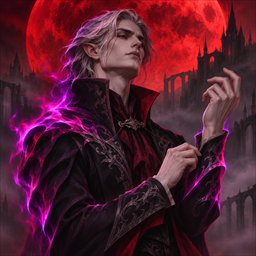
CrimsonStyle
Give players cosmetic auras unlocked by items or available to everyone.
CrimsonStyle
Server side only for V Rising 1.1 (Invaders of Oakveil).
CrimsonStyle adds cosmetic auras that players can switch or toggle through chat. Server owners can make a style available to everyone or require players to carry a specific item. The server periodically checks active item-gated styles and removes their auras when the required item leaves the player's inventory.
Installation
- Install the required packages on the dedicated server. BepInExPack V Rising 1.733.2 · VAMP 2.0.0 · VampireCommandFramework 0.11.0
- Extract
CrimsonStyle.dllinto the server'sBepInEx/pluginsdirectory. - Start the server once to generate
BepInEx/config/CrimsonStyle.cfgand, with the mod enabled,BepInEx/config/CrimsonStyle/styles.json. Stop the server before editing either file, then start it again to load your changes.
Config
[_Config]
ToggleMod = true
AutoToggle = false
UpdateRate = 30
ListFormat = <color=#9cb730>{styleName}</color> (<color=#309CB7>{itemName}</color>)
LabelFreeStyles = true
ToggleModenables CrimsonStyle.AutoTogglelets the server automatically equip the first eligible style in JSON order for players who have no tracked style and have opted in. It checks for required inventory items.UpdateRatesets the interval in seconds for checking whether active styles still meet their inventory requirements. The minimum is 3 seconds. Automatic equip checks run at this interval plus 8.45 seconds.ListFormatcontrols how each style appears in.style list. It supports rich text and the placeholders{styleName}and{itemName}.LabelFreeStylesdisplays free styles asBasicor uses theirOverrideItemNamewhen set. Set it tofalseto hide the item label for free styles with the default list format.
Style definitions
The server generates BepInEx/config/CrimsonStyle/styles.json with these entries.
[
  {
    "Name": "Chaos Burn",
    "Buff": -1665010680,
    "Item": -21943750,
    "OverrideItemName": ""
  },
  {
    "Name": "Frozen",
    "Buff": -1095284737,
    "Item": -1260254082,
    "OverrideItemName": ""
  },
  {
    "Name": "Green Flame",
    "Buff": -1572696947,
    "Item": 0,
    "OverrideItemName": ""
  }
]
Name is the style name players use in chat. Buff is the numeric prefab GUID for the aura. Item is the numeric prefab GUID of the required inventory item. Use 0 to make the style available to everyone. OverrideItemName sets a custom item label in the style list. An empty string uses the default label.
CrimsonStyle stores tracked styles in BepInEx/config/_WipeData/cstyle_tracked.json and, when AutoToggle is enabled, opt-outs in BepInEx/config/_WipeData/cstyle_opted.json.
Commands
Enter these commands in game chat. Style names match regardless of case and spaces, so .style switch GreenFlame selects Green Flame.
| Command | Alias | Access | Effect |
|---|---|---|---|
.style list |
.style l |
Player | List styles available to your character. |
.style switch <name> |
.style s <name> |
Player | Switch to an available style by name. |
.style toggle |
.style t |
Player | Turn off your active style or reapply your last available style. If you have no eligible saved style, this selects the first available style. |
.style toggleautoenable |
.style tae |
Player | Opt out of automatic equip or opt back in when the server enables AutoToggle. |
.style test <name> |
Admin | Apply an existing configured style to yourself for testing. | |
.style id <buffPrefabGuid> |
Admin | Apply a buff by its numeric prefab GUID to yourself for testing. | |
.style removalprepare |
Admin | Prepare to uninstall. Disable CrimsonStyle for the current session, remove matching auras from tracked players the server can find, and delete the tracking and opt-out files. |
Tech Support
Get help in the Modding Discord.
Support
Buy / Play My Games!



Free to Plays


Want to Experience the Best of Crimson?
Join The Cursed Collective V Rising servers to play exclusive CrimsonMods.