
You are viewing a potentially older version of this package.
View all versions.
AdjustExposure
A mod for Valheim that allows to customize exposure and tonemapping settings
| Date uploaded | 2 weeks ago |
| Version | 1.0.1 |
| Download link | Aidin-AdjustExposure-1.0.1.zip |
| Downloads | 346 |
| Dependency string | Aidin-AdjustExposure-1.0.1 |
This mod requires the following mods to function

denikson-BepInExPack_Valheim
BepInEx pack for Valheim. Preconfigured and includes unstripped Unity DLLs.
Preferred version: 5.4.2202README
Adjust Exposure
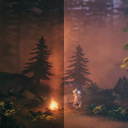
A mod for Valheim that allows players to customize graphics settings for exposure (i.e. gamma/brightness) and tonemapping, enhancing visual clarity and gameplay experience.
Configuration
The configuration file for this mod is automatically generated the first time you run the game with the mod installed. You can find it in your local BepInEx config directory (BepInEx\config\ValheimAdjustExposure.cfg).
You can customize the following settings in the configuration file:
Exposure: Adjusts the overall brightness of the game. Higher values make the game brighter, while lower values make it darker. Default is1.0.Tonemapping: Changes the tonemapping method used in the game. Options includeNone,ACES, andNeutral. Default isACES.
Prerequisites
- Install a mod manager like R2Modman.
- Install BepInExPack Valheim with mod manager.
Install from Thunderstore
Install AdjustExposure with mod manager.
