
HoverCompare
Hover gear to compare it with what you wear and carry. Every stat in aligned columns, the difference in green or red. Inventory, chests, crafting, upgrades and the trader. Hold Ctrl for all weapons, Alt for set bonuses.HoverCompare
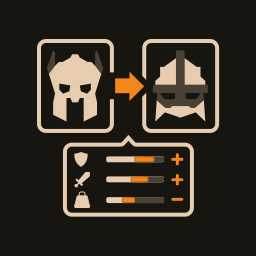
Hover an item in Valheim and see it side by side with what you already have. The axe against the mace in your hand and the other axes in your bag. The helmet against the one on your head. Every stat in its own row, the old value, the new one and the difference, green when it gets better and red when it gets worse.
Works in the inventory, in chests, on the crafting and upgrade tabs of any station, and at the trader.
What you see
- The hovered item and the ones it would replace, as cards of the same size and style. The first card to compare with is always what you wear in that slot, whatever kind it is. Next come items of the same kind from your inventory, up to three.
- Aligned columns: stat, was, becomes, difference. Equal values are
marked
=, so an empty row never leaves you guessing. Effects that differ but are neither better nor worse are marked~. - Set bonuses counted: how many pieces of the set you would wear with this
item on, and
+or−when the swap turns the bonus on or breaks it. - Notes that matter: your shield comes off for a two-handed weapon, and the other way round.
- At a crafting station the game puts your weapons away. HoverCompare still finds them and compares with them.
- Upgrades are compared with the same item at its current level.
Two keys
- Hold Ctrl to compare a weapon with every weapon you carry, not only those of its kind. Handy when you wonder whether that new sword beats your mace.
- Hold Alt to read set bonuses and item effects in full, for the hovered item and for the ones it is compared with. A hint on the card shows when there is something to read.
Building and farming tools stay out of it: the hammer, hoe, cultivator, scythe and fishing rod. Pickaxes are compared like weapons.
The game's tooltip
For items you can wear, the cards take the place of the game's tooltip. The
tooltip is not removed, only made transparent while the cards are shown, so
nothing breaks for mods that add text to it. If you play with such mods and
want to see their text, set ReplaceGameTooltip = false: the game's tooltip
comes back and the cards sit beside it.
Configuration
BepInEx/config/dev.biozip.hovercompare.cfg, written on first run.
| Section | Key | Default | Meaning |
|---|---|---|---|
| General | Enabled | true | Show the comparison |
| General | Mode | Always | Always, Hold (while the key is held) or Toggle |
| General | Key | BackQuote | Key for Hold and Toggle |
| General | DetailsKey | LeftAlt | Hold to read set bonuses and effects in full |
| General | WidenKey | LeftControl | Hold to compare with every weapon you carry |
| Panel | View | Full | Full lists every stat, Compact only those that differ |
| Panel | MaxCompared | 3 | Items compared at once, the worn one first |
| Panel | TextScale | 1.2 | Text size relative to the game's recipe text |
| Panel | ReplaceGameTooltip | true | Off keeps the game's tooltip and puts the cards beside it |
| Panel | Language | Auto | Labels in English or Russian; Auto follows the game |
Good to know
- Screenshots are on the Nexus Mods page.
- Early version. It has been played with Equipment and Quick Slots,
Smart Containers, Quick Stack and MultiUserChest. EpicLoot, Jewelcrafting
and extra-slot mods have not been tried yet. If something looks wrong,
a screenshot and
BepInEx/LogOutput.loghelp the most. - Client-side only. It reads what you carry and never changes it. Nothing to install on a server, safe to add to an existing world and safe to remove.
- No Valheim assets bundled. The font and panel graphics come from your own copy of the game.
From the same author
- ForgePlanner: plan what to craft and see everything it takes, down to ore and coal.
- RoutePlanner: an arrow to your map pins, and routes through several of them.
MIT licence. Not affiliated with Iron Gate Studio.