

You are viewing a potentially older version of this package. View Latest Version
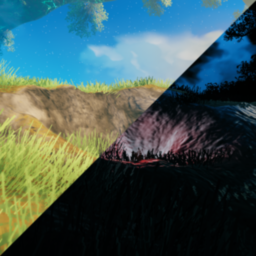
TerrainTools
Terrain debugging and removal tools for Valheim.Terrain Tools for Valheim
A set of tools to help you manage terrain lag in Valheim.
Usage
TerrainTools adds a new set of commands to the game:
countterrain [radius=max]
	Counts nearby terrain modifications
	Groups them by level, smooth, and paint modifications
resetterrain [radius=5] [type]
	Remove nearby terrain modifications
	Valid types are: all, level, smooth, paint
debugterrain
	Enables a terrain modification visualization mode
	This mode can be laggy depending on how many modifiers are nearby
	Can also be toggled via a hotkey (default F4)
debugstrength [new strength]
	Strength of lights in visualization
debugdistance [new distance]
	Distance of visible lights in visualization
TerrainTools also creates a config file at BepInEx\config\TerrainTools.cfg
LightDistance: (default: 25)
Distance of visible debug lights
LightStrength: (default: 0.5) Strength of debug lights
Toggle: (keybind, default: F4) Terrain debug toggle keybind
Discord?
I don't have a personal discord, but I'm available at the Valheim Modding discord https://discord.gg/RBq2mzeu4z


