
CDEV AdvancedArmorStand
Armor stands open like a chest: a character-sheet window, one-click Swap / Hang / Equip / Take off that keeps your inventory layout, any gear incl. Deep North, right-click to skip a slot. Client-only.AdvancedArmorStand
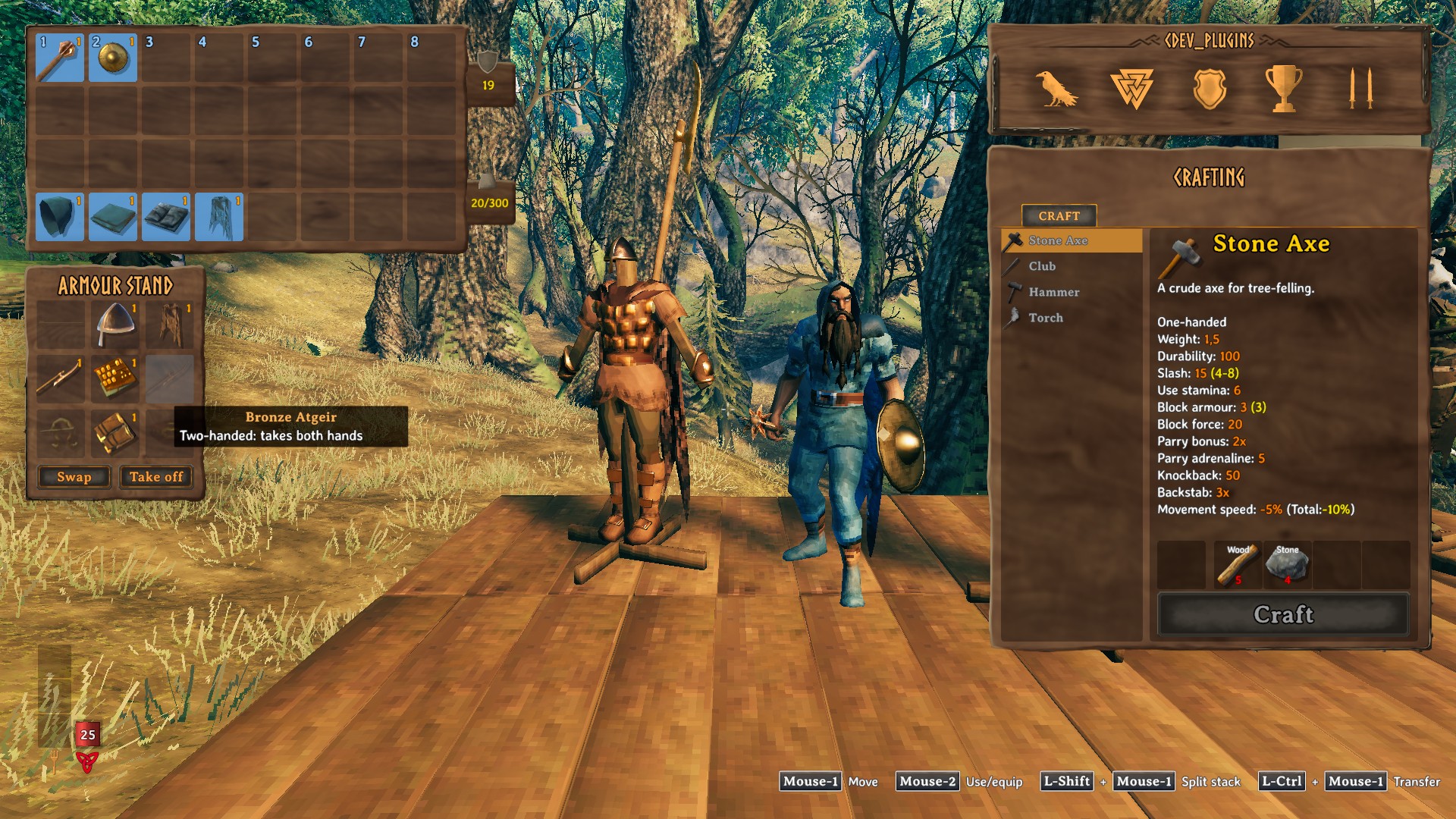
Armor stands open like a chest. Press E on a stand and its gear is laid out as a character sheet next to your inventory; swap your whole outfit with the stand in one click. (Русское описание — ниже.)
Features
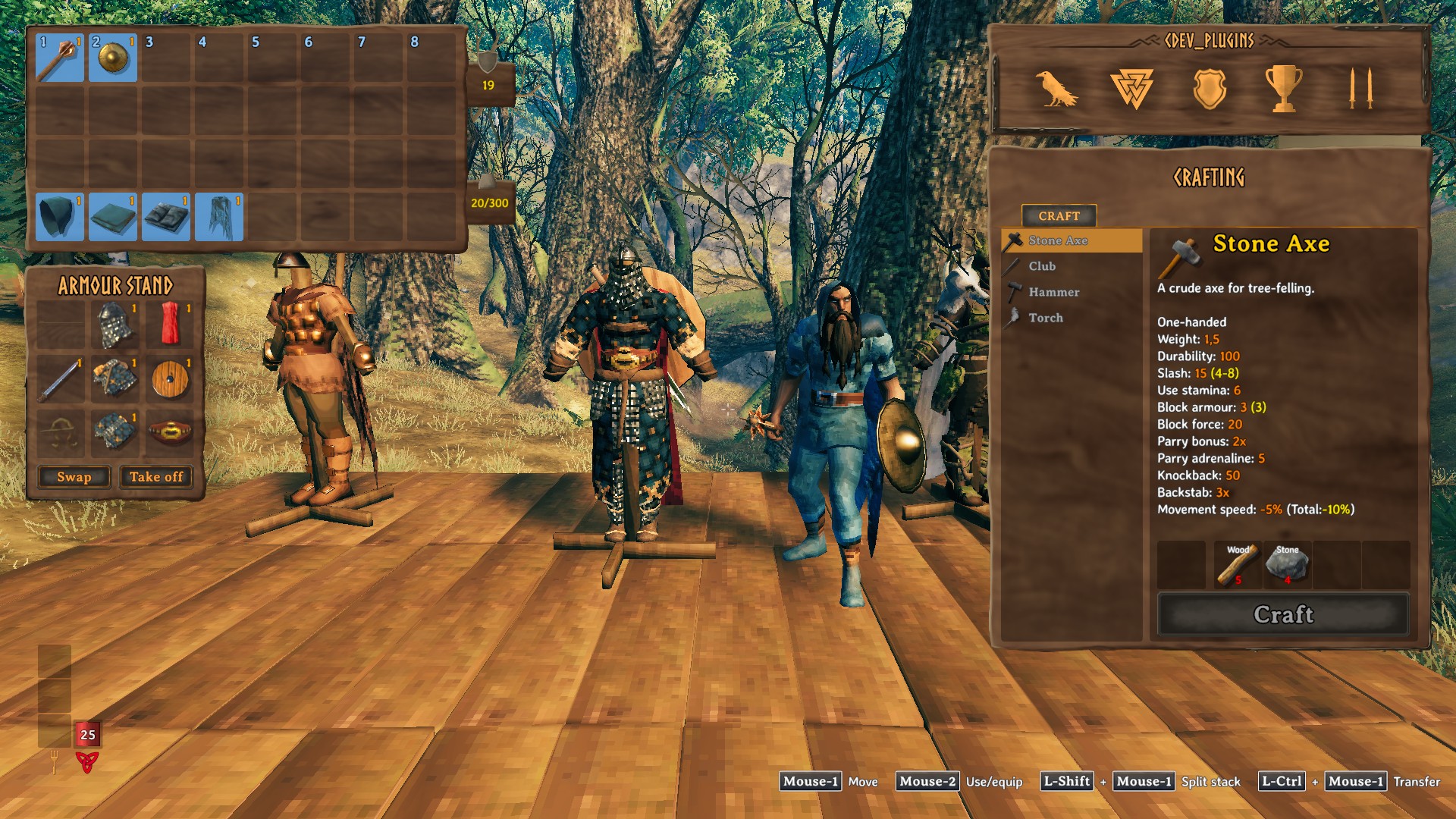
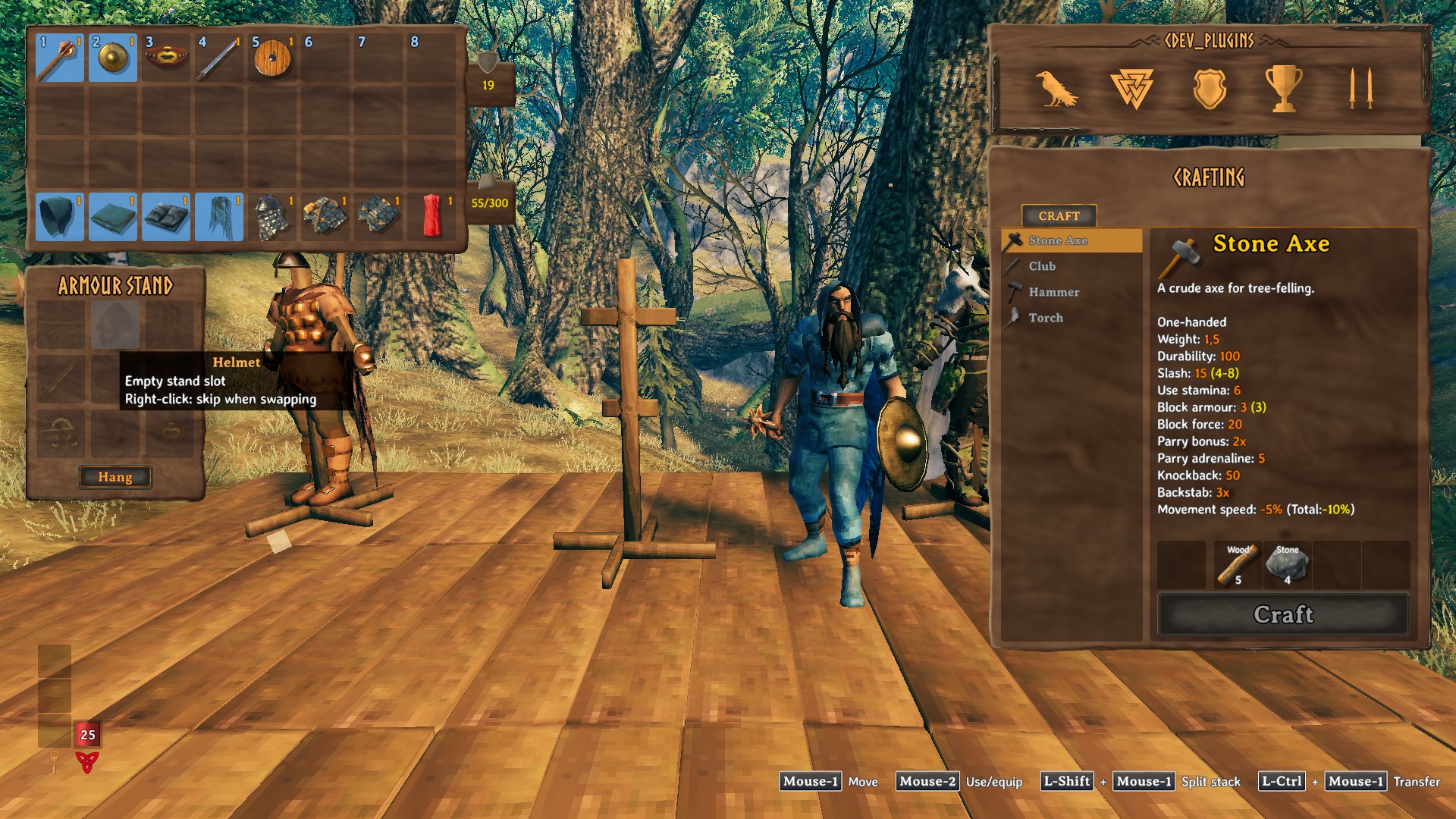
- E on any part of a stand opens its window: ammo / helmet / cape, weapon / chest / shield, trinket / legs / utility — the same layout on every stand. Drag items in and out like in a chest; dropping onto a taken cell swaps the items.
- One-click buttons under the sheet, each shown only when it would do something:
- Swap — the stand's gear goes onto you, yours goes onto the stand, each item into the exact inventory slot of the one it replaces;
- Hang — the stand is empty: hang what you wear;
- Equip — you wear nothing the stand has: put its gear on;
- Take off — everything on the stand into your inventory.
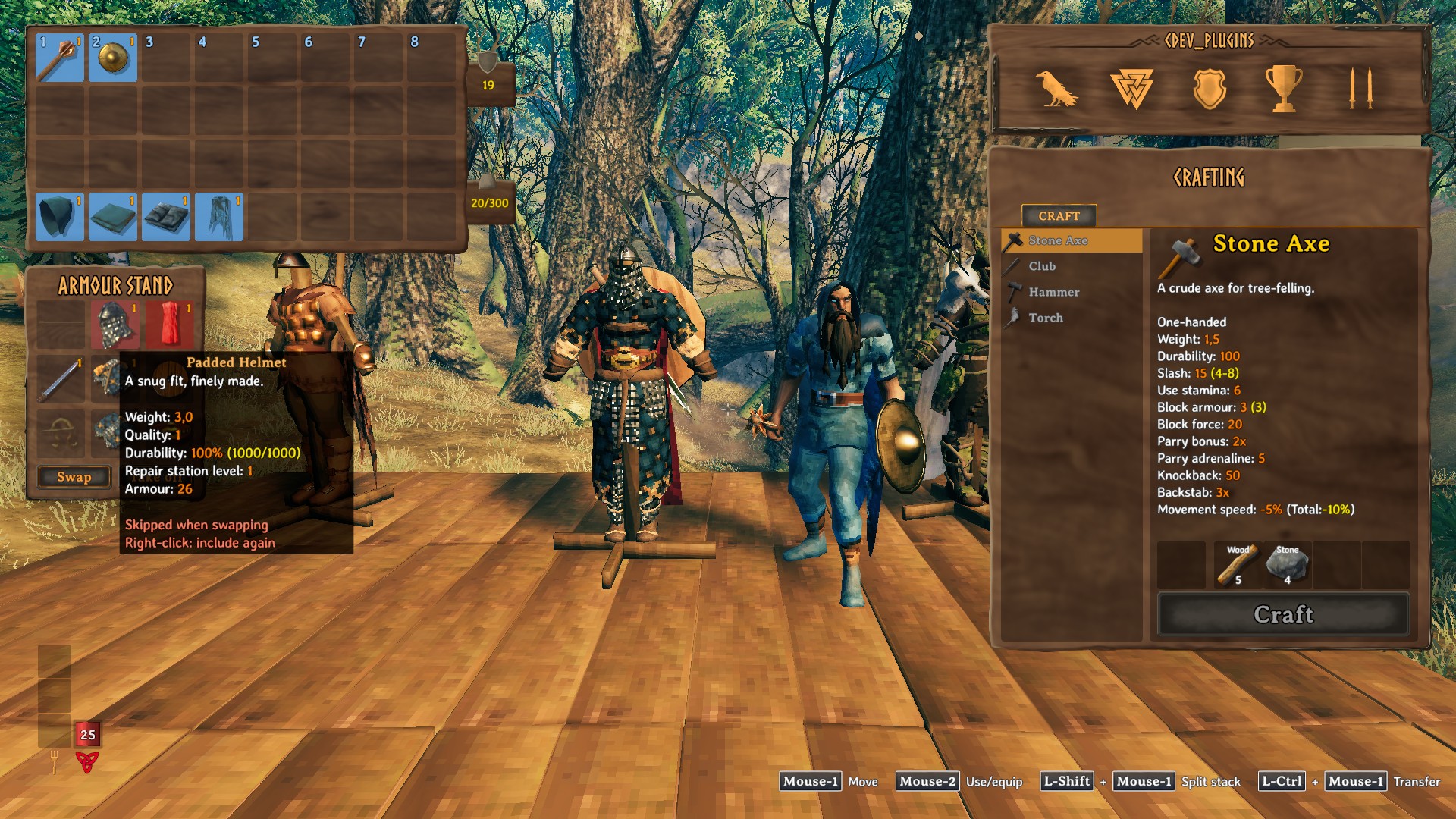
- Right-click a cell to leave it out of Swap / Hang / Equip — it turns red. Keep your best helmet on the stand while you trade the rest.
- Two-handed weapons and bows take both hands, a shield and a two-hander replace each other; a bow takes its arrows along (the ammo cell holds a whole stack). A stand without a weapon leaves yours in your hands.
- Any gear fits, Deep North armour included.
- Empty cells show a faded icon of what goes there.
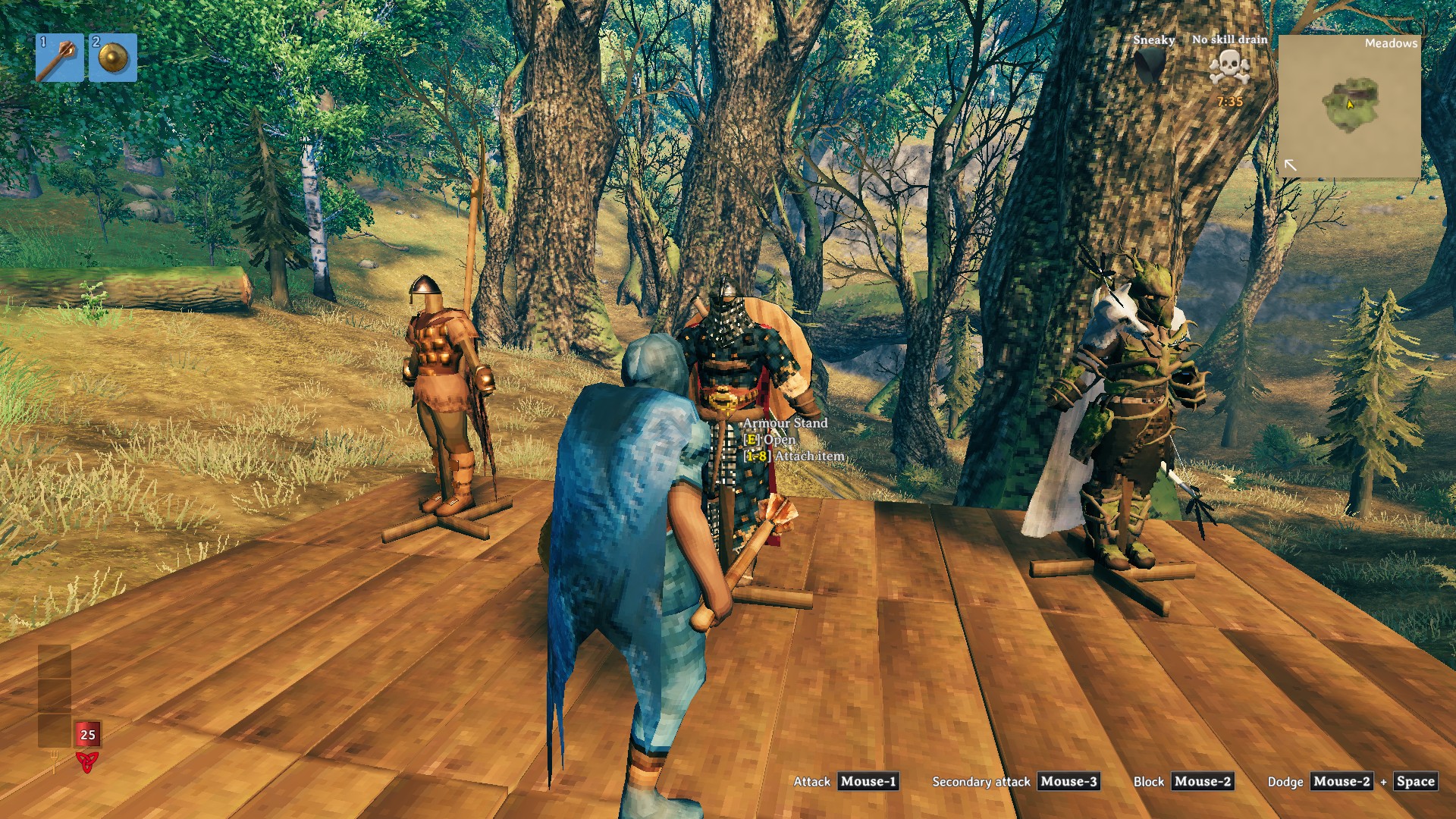
- The hotbar keys still attach an item to the stand you look at.
Installation
With a mod manager — install, done.
By hand:
- Install BepInExPack Valheim and Jotunn.
- Put the
CDEV.AdvancedArmorStandfolder fromplugins/intoValheim\BepInEx\plugins\.
Uninstalling: delete that folder. The stands keep their items — they are stored the way the game stores them.
Multiplayer: client-only. Servers and other players need nothing; players without the mod use the stands as usual. One player at a time can have a stand open.
Works with
QuickStackStore (its container buttons are hidden on the stand window), EquipmentAndQuickSlots and ExtraSlots.
English and Russian texts. Licence: MIT. By CDEV — bug reports with BepInEx\LogOutput.log are welcome.
AdvancedArmorStand — по-русски
Стойка для брони открывается как сундук. Нажмите E на стойке — её снаряжение появится рядом с инвентарём в виде листа персонажа; меняйтесь комплектом со стойкой в один клик.
Возможности
- E на любой части стойки открывает её окно: стрелы / шлем / плащ, оружие / нагрудник / щит, тринкет / поножи / пояс — одинаково на любой стойке. Предметы перетаскиваются как в сундуке; брошенный на занятую ячейку предмет меняется местами с лежащим там.
- Кнопки в один клик под окном, каждая видна, только когда что-то сделает:
- Обменяться — снаряжение стойки на вас, ваше на стойку, каждый предмет точно в ячейку того, который он заменил;
- Повесить — стойка пуста: повесить то, что на вас;
- Надеть — на вас нет ничего из того, что есть на стойке: надеть её снаряжение;
- Снять — всё со стойки в инвентарь.
- ПКМ по ячейке исключает её из обмена — она становится красной. Лучший шлем остаётся на стойке, остальное меняется.
- Двуручное оружие и луки занимают обе руки, щит и двуручник заменяют друг друга; лук забирает с собой стрелы (в ячейку стрел помещается целая стопка). Если на стойке нет оружия, ваше остаётся у вас в руках.
- Подходит любое снаряжение, включая броню Дальнего Севера.
- Пустые ячейки показывают бледную иконку того, что туда кладётся.
- Клавиши панели быстрого доступа по-прежнему вешают предмет на стойку под прицелом.
Установка
Через менеджер модов — установите, и всё.
Вручную:
- Установите BepInExPack Valheim и Jotunn.
- Положите папку
CDEV.AdvancedArmorStandизplugins/вValheim\BepInEx\plugins\.
Удаление: удалите эту папку. Предметы остаются на стойках — они хранятся так же, как их хранит сама игра.
Мультиплеер: только клиент. Серверу и другим игрокам ничего не нужно; игроки без мода пользуются стойками как обычно. Открыть стойку одновременно может только один игрок.
Совместимость
QuickStackStore (его кнопки контейнера скрыты в окне стойки), EquipmentAndQuickSlots и ExtraSlots.
Тексты на английском и русском. Лицензия: MIT. Автор CDEV — об ошибках пишите с файлом BepInEx\LogOutput.log.