

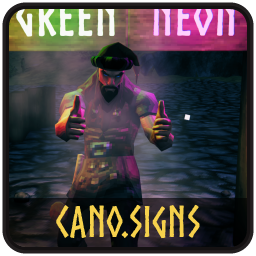
Cano Signs
Enhances Valheim's Signs with bigger character limit, rich-text codes kept in the editor, custom colour, neon, neon physical light & render distance.Cano.Signs
Valheim's signs are pretty basic. I wanted signs to have neon physical (or atleast something as close to it as possible) lights. To light up spaces with more dynamic lighting which can mix colours realistically without altering torches or adding a whole new build piece. Sharing it here, as others might find the light mixer useful or fun.
Requirements
- Valheim 1.0+
- BepInExPack Valheim-5.4.2351
No additional mod dependencies are required.
Installation
Thunderstore Mod Manager / r2modman
- Install Cano.Signs through Thunderstore Mod Manager, r2modman, or another compatible Thunderstore client.
- Make sure BepInExPack Valheim is installed.
- Launch Valheim through the mod manager.
- The mod will generate its configuration file automatically on first launch.
Manual installation
-
Install BepInExPack Valheim and make sure BepInEx is working correctly.
-
Download the Cano.Signs release.
-
Extract the mod archive.
-
Place the mod DLL in:
Valheim/BepInEx/plugins/Cano.Signs/ -
Launch Valheim.
The final structure should look similar to:
Valheim/
└── BepInEx/
    └── plugins/
        └── Cano.Signs/
            └── Cano.Signs.dll
Config
The configuration file is generated by BepInEx after the first launch.
All settings are grouped into sections:
| Section |
|---|
| 1 - General: on/off |
| 2 - Editor: Character Limit, Keep Rich Text Codes Visible |
| 3 - Text: Use Custom Colour, Custom Colour (Hex), Render Distance (m) |
| 4 - Neon: |
Features
- Character limit up to 999 (vanilla 50)
- Rich-text codes (
<color=red>) stay visible and editable in the sign editor - Optional custom default text colour (hex)
- Neon signs: HDR boost, shader glow and an optional physical light mixed from the sign's colour codes
- Text render distance
Performance
Cano.Signs installs its game hooks only when the corresponding features are enabled.
When features are disabled, their associated hooks are removed. With all features disabled, the mod adds very little overhead.
Support & Bug Reports
When reporting a problem, please include:
- Your Valheim version.
- Your BepInEx version.
- Cano.Signs version.
- Your configuration file if the issue is configuration-related.
- Your BepInEx log if the issue involves an error or mod conflict.
- A list of other installed mods if the issue appears to be compatibility-related.
If a feature behaves unexpectedly, try disabling individual Cano.Signs sections first to identify the affected feature.
You can contact me on Discord if you have problems: https://discord.gg/RPnb55MpSt