

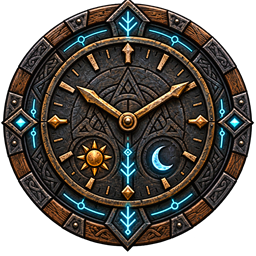
RunicClock
A configurable HUD clock with game time, world day, sun and moon indicators, and optional local time.Runic Clock 1.0.3
Know when to head home before nightfall—or notice that it is past your real-world bedtime. Runic Clock adds a compact, gold-accented clock to your HUD without changing gameplay.
- In-game time in 24-hour or 12-hour format.
- The current world day.
- A sun or crescent moon showing day or night.
- An optional Local clock using your computer's time zone, with its own format setting.
- Adjustable screen anchor, offsets, size, and background opacity.
Quick start
Install with your mod manager and launch Valheim. The clock appears near the top center once you enter a world. Press Left Alt+C to hide or show it. The shortcut is configurable and does not activate while typing or using game menus.
Use your configuration manager's F1 menu, if installed, or edit
BepInEx/config/chazman.RunicClock.cfg. Settings changed through a configuration manager
apply immediately. Close the game before editing the file directly.
| Setting | What it does |
|---|---|
Clock / Use24Hour |
Switch game time between 18:30 and 6:30 PM. |
Clock / ShowDay |
Show or hide the world day. |
Clock / ShowSunMoon |
Show or hide the day/night icon. |
Clock / ShowRealWorldTime |
Add your local computer time; off by default. |
Clock / RealWorldUse24Hour |
Choose the optional local clock's time format. |
Display / Anchor, OffsetX, OffsetY |
Move the clock. Positive offsets move right/down; the panel stays on screen. |
Display / Scale, BackgroundOpacity |
Resize the clock or make its background transparent. |
Display / HideInMenus |
Hide in menus, inventory, map, and chat input; on by default. |
General / ToggleShortcut, Visible, Enabled |
Change the shortcut, hide the clock, or disable the mod. |
The clock always respects Valheim's hidden HUD and loading screens. In-game time follows Valheim's day/night cycle rather than assuming daylight and darkness last equally long. The day number comes directly from the world. Local time is your computer's time—not the server's.
Client-only installation
Only players who want the clock need to install it, including a player hosting a world. No dedicated-server installation or restart is needed. Works as a display for solo, hosted multiplayer, and dedicated-server clients. It does not change time, saves, characters, inventories, or server configuration, and requires no other Runic mods.
For manual installation, place RunicClock.dll in BepInEx/plugins/RunicClock/.
Requires BepInExPack Valheim. A configuration manager is optional. If your server enforces an
allowed-mod list, its administrator must permit chazman.RunicClock.
To uninstall, close Valheim and remove the mod. There is no world or character data to migrate.
Languages
The mod follows Valheim's selected language, with English fallback. Keep the included Translations folder beside the mod DLL when installing manually.