

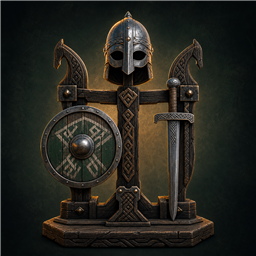
RunicDisplayStands
Turn item and armor stands into compact storage and use armor stands as quick loadout stations while preserving displayed item data.Runic Display Stands
Display stands make equipment look at home in your base, but the moment you want to use that equipment you are back to opening chests and moving every piece by hand.
Runic Display Stands turns supported item and armor stands into functional storage. Store items through familiar inventory controls and use an armor stand as a ready-made loadout station.
Major features
- Open supported item and armor stands through Valheim's container interface.
- Store any item on item stands and valid equipment in armor-stand roles.
- Swap a complete supported armor and weapon loadout with your character.
- Use quick Take all, Take one, and Use/equip actions.
- Preserve quality, durability, crafter data, variants, and modded custom data.
How it feels in-game
The equipment displayed around your hall becomes part of how you play. Walk up to the stand prepared for sailing, mining, or battle, swap what you are wearing, and leave without assembling the loadout one inventory slot at a time.
Safety and compatibility
Invalid equipment is rejected and safely returned or dropped if necessary. Scripted stands such as Forsaken stones, offering holders, and quest props keep their original behavior. The host synchronizes the configured stand list through Valheim's routed networking, and the mod requires no Jotunn, ServerSync, or shared Runic library.
Support and community
Need help, found a bug, or have an idea?
- Report bugs and unexpected behavior.
- Ask installation, configuration, and compatibility questions.
- Request features and follow mod updates.
- When reporting a bug, include the mod version, Valheim version, reproduction steps,
screenshots or errors, and your BepInEx
LogOutput.logwhen available. - Remove passwords, tokens, and other personal information before posting logs.
Features
- Open item and armor stands through Valheim's native container interface.
- Item stands accept any item.
- Hold the configured Take One key (Left Alt by default) while interacting to remove one item.
- Armor stands only accept one helmet, chest, legs, cape, shield, and compatible hand/back-mounted equipment in the attachment points supplied by Valheim.
- Utility items and duplicate equipment categories are rejected and safely returned.
- Interact with an armor stand switch to swap the stand's loadout with the player's equipped armor and the first matching weapon/shield in hotbar slots 1-8.
- Use the panel's Take all and Use/equip buttons for quick stand actions.
- Invalid armor-slot items are returned to the player, or dropped safely if inventory is full.
- Compact stand grids safely ignore out-of-range hover requests from inventory utility mods such as AzuAutoStore.
- Drag items between the player inventory and stand using the normal inventory controls.
- Preserves item quality, durability, crafter information, variants, and modded custom data such as enchantments while items are stored on either kind of stand.
- The host synchronizes the admin-controlled stand prefab list to modded clients using Valheim's built-in routed RPC system.
- Forsaken stones, boss-offering holders, quest props, and other location-scripted item stands retain their original interactions and never open as containers.
Installation
Copy RunicDisplayStands.dll into:
BepInEx/plugins/RunicDisplayStands/
All players who interact with these stands should install the mod. The only declared package dependency is BepInExPack Valheim.
Configuration
The generated config is:
BepInEx/config/chazman.RunicDisplayStands.cfg
- Admin / Stand Prefabs: comma-separated prefab names handled by the mod.
- General / Take One Item Key: modifier used for single-item take and armor container access.
- General / Gamepad Support: reserved controller-prompt preference.
Building
The project defaults to:
E:\SteamLibrary\steamapps\common\Valheim
Override VALHEIM_INSTALL when building elsewhere:
dotnet build -c Release -p:VALHEIM_INSTALL="C:\path\to\Valheim"
The project references the installed Valheim and BepInEx assemblies directly and has no NuGet package dependencies.
Compatibility
Built against the Valheim assemblies installed on July 16, 2026. Game updates that change
ItemStand, ArmorStand, Container, or Switch internals may require a rebuild.


