

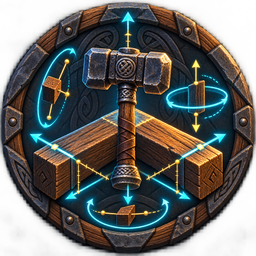
RunicPrecisionBuildTool
Fine movement and rotation, Local and World axes, transform matching, repeat placement, undo and area repair for precise building.Runic Precision Build Tool 2.0.10
Place building pieces with precise movement, rotation, alignment and repeat controls.
Equip the hammer, select a piece and press P to enter precision mode. Press P again to return to ordinary placement. F4 toggles Local and World rotation axes.
Normal building costs, stations and access rules apply. Install locally with BepInExPack Valheim. Runic Build Camera is an optional companion.
Start and stop
Equip the Hammer, enter its build mode, select a piece, and press P. Precision mode lasts only for that Hammer placement session. P does nothing in ordinary gameplay or while another tool is active. Press P again or leave Hammer placement mode to return to ordinary Valheim controls.
Rotate and move
| Default control | Result |
|---|---|
| Wheel / Alt + Wheel | Yaw / pitch |
| Shift + Wheel or Alt + Shift + Wheel | Roll |
| Add V to a wheel chord | Fine rotation |
| Alt + Left/Right | Sway |
| Alt + Up/Down | Heave |
| Alt + PageUp/PageDown | Surge |
| Add V to a movement chord | Fine movement |
| F4 | Toggle Local / World rotation axes (saved) |
| Hold G | Rotation axis guides |
| F10 | Reset all Runic transform state |
Defaults are 22.5-degree normal rotation, 1-degree fine rotation, 0.25 m movement, and 0.05 m fine
movement. F4 toggles all rotation axes between Local (piece axes, default) and World (fixed axes). Switching does not move the piece. The HUD and G guides show the active mode.
Movement.ReferenceFrame separately selects World or Local axes for each new movement step.
Match, repeat, and catalog
Aim at an existing piece before matching.
| Default control | Result |
|---|---|
| Keypad0 | Exact rotation |
| Keypad1/2/3 | Pitch/roll/yaw only |
| Keypad4/5/6 | World X/Y/Z only |
| Keypad7 | Complete position |
| Keypad8 | Complete position and rotation |
| Keypad9 | Last validated completed snap side |
| KeypadPeriod | Repeat the last two-placement pattern |
| Shift + Keypad1-Keypad6 | Reset one axis |
While the piece menu is open, F6 cycles unlocked search results, F7 toggles a favorite, F8 cycles
unlocked favorites, and F9 cycles unlocked recents. Set Build Catalog.SearchQuery to filter F6;
leave it empty to cycle all currently unlocked pieces.
Undo and area repair
With precision mode active and the piece menu closed:
- F11 attempts a one-shot undo of the most recent eligible placement from this session.
- F12 attempts a bounded area repair around the player.
Undo requires an unchanged, undamaged piece that you created and that does not support another structure. Area repair uses normal Hammer durability and permissions. Pieces currently controlled by another player or the server are skipped.
Building an arch
Aim at the preceding beam and press Keypad0 to match its orientation. Toggle F4 to LOCAL. For a horizontal wood beam with yellow X along its length, Shift + Wheel bends about pink Z; Shift + V + Wheel bends in one-degree steps. Snap the ends before placing. Alt + Wheel turns around yellow X and twists this beam. Model axes differ between pieces; G shows the actual rotation axes.
Languages
The mod follows Valheim's selected language, with English fallback. Keep the included Translations folder beside the mod DLL when installing manually.