

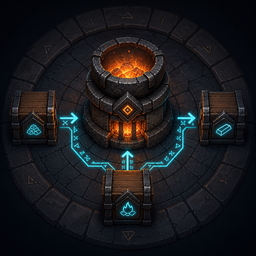
RunicProduction
Automate your base with chest-linked ingredients, fuel, outputs, and stock replenishment for Valheim's existing production stations.Runic Production 1.0.15
This release improves how Runic mods share chest supplies. No extra Runic mod is required. Update the server/host and participating clients together for the multiplayer improvements.
Fermenter fix in 1.0.12
Fixes automatic input consuming a mead base while the fermenter displays Empty on current Valheim. New batches use the game's native content format. Existing fermenters with stranded old-format contents pause to avoid consuming another base and may need batch recovery; this update does not automatically recover those batches. Update the server/host and all participating clients together.
Automated stations retain their native action sounds, including when linked chests carry items onward through production chains. Kilns and smelters play loading, fueling, and output effects; cooking stations and ovens play loading, fueling, and collection effects; fermenters play filling, tapping, and output effects; automated crafting plays the station's crafting effects. Fires, torches, and lamps retain native refueling sounds. Normal cooking-done, burning, and ambient effects remain controlled by the game.
Automate your base without replacing Valheim's machines. Link chests to smelters, ovens, fermenters, production stations, fires, and lamps for automatic ingredients, fuel, output collection, and stock replenishment. Chain stations together to create complete production workflows using the containers and machines already in your base.
Your stations still do the work and consume the normal materials. Runic Production simply moves eligible resources through explicit links you create, letting an ore chest feed a smelter, a fuel chest keep it running, and an output chest supply the next stage of your production line.
Highlights
- Link multiple Input, Fuel Input, Output, or Replenishment chests to supported stations.
- Build connected workflows such as a mead ketill feeding a chest that supplies fermenters.
- Keep fires and lamps fueled from linked containers using their normal fuel items.
- Stock chosen food, mead-base, cooking, or fermentation outputs by placing physical examples in a Replenishment chest.
- Let supported cooking and recipe stations draw ingredients from eligible nearby storage.
Safety and compatibility
Runic Production keeps Valheim's normal station state and container inventories as the gameplay owners of that data. Install BepInExPack Valheim 5.4.2350 only. Storage and Crafting are optional gameplay mods.
For multiplayer, install the same version on the server/host and every player's client. Existing links remain in place; the player who configured them does not need to remain nearby or online. Keep Production enabled on the machines participating in the session.
Beehives and cooking experience
Link a beehive to an Output chest with Alt+Right Mouse on the hive, then the same gesture on the chest. Honey is collected only after the bees produce it normally. Biome, space requirements, production timing, and world resource scaling stay native. If no linked chest can hold the complete harvest, the honey stays in the hive.
Automated ovens and cooking stations grant the native Cooking XP: 0.4 per item loaded to the Input or Replenishment link's configuring player, and 0.6 per item collected to the selected Output or Replenishment link's configuring player. XP is granted only after a successful transfer, including native burnt-item collection. The player must be online; XP is sent to their client even when the server or another player owns the station. Offline production continues without banking XP. This does not add skill-based bonus yields.
Supported links
| Station | Input | Fuel Input | Output | Replenishment |
|---|---|---|---|---|
| Smelter-family station | Yes | Yes | Yes | No |
| Cooking station / oven | Yes | When fuelled | Yes | Yes |
| Allowed recipe station | Yes | No | Yes | Yes |
| Fermenter | Yes | No | Yes | Yes |
| Beehive | No | No | Yes | No |
| Refillable fire or lamp | No | Yes | No | No |
Input supplies exact accepted ingredients while preserving configured reserves. Fuel Input is a
separate role selected at the station's native fuel control and supplies only the station's native
fuel prefab while keeping Fuel.ProtectedReserve in the chest. Existing Input links continue to
supply fuel until that station receives its first explicit Fuel Input link. Output is a throughput destination. Replenishment keeps
approved output types stocked from physical exemplars in its linked chests.
Fireplace-family objects use their own native fuel definition. A wood fire therefore draws Wood from its Fuel Input chest, while a resin lamp draws Resin, without maintaining a separate Runic fuel list.
Every role accepts multiple chests. Cooking and fermenting prefer an eligible below-reserve Replenishment destination and may also retain ordinary Output links. Recipe stations can use linked Input chests or eligible nearby ingredient chests. Smelter output interception suppresses Valheim's normal spawn only after the complete output batch is deposited successfully; otherwise the ordinary vanilla output path runs.
A physical chest may be the Output of one station and the Input of another, including a mead ketill-to-chest-to-fermenter line. Roles are scoped independently to each station, and a chest may also hold more than one explicit role for the same station. Exact conversion tables and configured reserves still decide which item types a station is allowed to consume; the relay relation itself does not copy, rename, or guess an item.
Linking controls
Start a link while pointing anywhere at the station. Hold Alt and click the role's mouse button, release the mouse button, then point at the desired chest and repeat that exact Alt+mouse gesture within 30 seconds. Either Alt key works; Ctrl is deliberately excluded. The accepted click is consumed so it cannot also attack, block, open the build menu, remove a piece, or perform a secondary attack.
To remove a link, perform the same two steps with Shift also held at both the station and the linked chest. Link and unlink modes cannot be mixed during the 30-second selection.
| Station gesture | Selected role |
|---|---|
| Alt+Left Mouse on an ingredient control or station body | Input |
| Alt+Left Mouse on the native fuel control | Fuel Input |
| Alt+Right Mouse | Output |
| Alt+Middle Mouse | Replenishment |
The station hover always lists Input, Fuel Input, Output, and Replenishment, showing empty, 1 chest, or
the exact linked-chest count. Output selection is station-level; it no longer requires aiming at a
front bay, food slot, tap, or spout. Successful commits report Linked as input/output/replenishment for <station name>. Successful removals report the corresponding Link removed message.
Loaded linked chests are visually identified whenever the player points at their station: Input (including migrated legacy Fuel links) has bright green rings, Output has bright yellow rings, and every Replenishment destination has turquoise rings. A successfully linked chest keeps its ring for 12 seconds immediately after the commit; contextual station aiming renews the rings while the station remains pointed. Fuel Input uses the same green input ring. Every role is additive and shows every linked destination, up to the configured bounded limit. Each of the three animated rings has its own child renderer; if any visual object becomes invalid, that chest's marker tears itself down once instead of throwing repeatedly or affecting automation. A later display lease can then create a fresh marker.
A Replenishment chest may be linked while empty. It remains inert until a physical exemplar is
placed inside; scheduler polling then derives the exact uniquely supported target and producer
signature. Removing every exemplar disables that target without guessing. A positive exemplar
count below Replenishment Stock.DefaultReserve triggers production; exact-prefab overrides are
available in PrefabReserves. The single default soft limit is eight chests per station role and
the hard limit is sixteen, with at most thirty-two authorized target types.
A link requires loaded endpoints, player reach, the configured link range, Valheim chest and ward access, and a static non-wagon container. During explicit link setup, the mod requests native ownership when needed and verifies that both endpoints are locally owned before committing the link. Background automation does not claim ownership; it repeats the access and ownership checks before use.
Replenishment behavior
Cooking stations and fermenters select only an input that corresponds to an accessible, current Replenishment target. If the catalog is invalid or no target is currently eligible, the station does not pull an unrelated ingredient. Completed output is routed only to a destination whose physical exemplar and signed producer definition still match.
Allowed recipe stations can produce a complete recipe batch from one or more eligible linked Input or nearby chests directly into a Replenishment destination. The recipe must be enabled and unique for the exemplar, must not use Valheim's choose-one-ingredient rule, and must still match its recorded output, requirements, DLC, station, level, roof, fire, and producer signature. The destination must retain at least one matching exemplar.
Recipe Nearby Ingredients.Enabled=true is the default. Recipe, cooking, and fermenter
replenishment may draw from bounded loaded nearby static chests; direct recipes combine split
ingredients into one combined ingredient plan. Setting it false confines ingredients to linked
Input chests. Every donor must be locally owned, accessible, ward-allowed, outside the station's
Output, Replenishment, and legacy Fuel destination sets (unless explicitly linked as Input), and inside the link range. Search is
bounded to 64 candidates and aborts rather than using a truncated result. Reserves are enforced
independently in every donor.
For food or mead-base production, place one desired output exemplar in a Replenishment chest and link it to the recipe station; the station uses eligible Input and nearby ingredient chests to make that exact recipe into the exemplar chest. A fermenter pulls a compatible mead base from its Input and routes finished mead only to Replenishment chests already containing that exact mead. Repeat Alt+Middle Mouse on the station and then the chest for multiple exemplar chests; the bounded catalog chooses a matching destination fairly.
Production spreads its work across updates and checks idle or blocked stations less often. Unloaded stations do not produce catch-up batches or receive fuel service.
Ownership and failure behavior
Any player with normal chest and ward access can create or remove Production links; being the builder, an administrator, or the existing network owner is not required. Select the station, then repeat the matching gesture on a closed chest within range. Completing the link uses native ownership for that selected station and cooperative chest handoff, rechecks access, and reloads the chest's saved contents before publishing the link. Selecting a station alone does not claim it.
Background production follows the station's current network owner. When its linked chests belong to another peer, Production requests a handoff from that chest's current owner, rechecks the saved link and current chest/ward access, and waits for the synchronized inventory before moving items. Shared chests are serviced in turn. Open chests are left alone and service resumes after they close. Unloaded stations do not run automation; a loaded station may also pause while access is denied or its chest is unavailable. No new link setup is needed after a normal ownership handoff.
If a transfer fails, Production restores items only when it can do so safely. If it cannot confirm the result, it pauses the station and blocks further Runic transfers involving the affected storage for that session. Inspect the item counts and include the log in a support report. Restarting alone does not repair a failed transfer.
Existing links and stock targets are preserved. If an older or damaged link cannot be read safely, automation pauses rather than guessing; review and recreate the affected link if needed.
Multiplayer, configuration, and installation
If a station stops delivering to storage after a player leaves, check its hover status and the server log. Production may be waiting for the station or chest to become available again. Finished smelter items can drop on the ground instead; collect them. Rebuilding the affected station and relinking its chests has helped in a reported case, but is not a guaranteed fix.
Install the same version on the server/host and participating clients. Keep gameplay settings consistent between them.
Configuration is generated at BepInEx/config/chazman.RunicProduction.cfg. The example file
documents link distance, moved-target tolerance, reserves, exact prefab allow/deny lists, optional
nearby discovery, linked-chest limits, scheduler bounds, UI hints, and diagnostics. Deny entries override
allow entries. Lowering a bound does not erase existing links.
Install BepInExPack Valheim 5.4.2350, then place RunicProduction.dll under
BepInEx/plugins/RunicProduction/. Version 1.0.14 passed testing on the author's dedicated server.
When updating manually, replace the existing DLL instead of keeping multiple copies. Restart Valheim after updating; existing configuration and saved links are retained.
Community: Runic Mods Discord
Runic Production is an independent mod and is not affiliated with Iron Gate Studio.
Custom containers and Makail ItemDrawers
RunicProduction has its own container compatibility list in BepInEx/config/chazman.RunicProduction.cfg, independent of RunicStorage and RunicCrafting:
[Modded Containers]
AllowedPrefabIds = piece_drawer
Use exact internal container prefab IDs, separated by commas or semicolons. piece_drawer enables the included adapter for Makail ItemDrawers 0.5.8. The list applies to Input, Fuel Input, Output, Replenishment, and nearby ingredient discovery. A blank list disables custom adapters. Ordinary modded containers using Valheim's native Container inventory/save format already work automatically. Other custom save formats require an adapter; listing a name alone does not implement one. No ItemDrawers installation is required when using ordinary containers.
Assign an item to each drawer through ItemDrawers before linking it. Assigned drawers remain usable at zero quantity for Input/Fuel/Output; unassigned drawers are skipped. Link them using the existing station-to-container workflow. Ingredient/fuel reserves, range, access, ownership, stock targets and full-container handling still apply. Drawer quantities use its actual capacity, while transfers onward to ordinary chests use normal stack limits. Replenishment still requires a physical exemplar; leave at least one item in its destination.
ItemDrawers saves only item type and count. Production refuses outputs carrying crafter attribution, custom data, quality/variant changes, cheated flags or other metadata the drawer cannot retain. In particular, direct recipe replenishment creates attributed items and therefore needs an ordinary destination chest; drawers can still supply its ingredients. Plain smelter, cooking, fermenter and beehive outputs can use matching assigned drawers.
Language files
This version follows Valheim's selected language using files in Translations/RunicProduction beside the DLL. Missing translations fall back to English. Copy English.json to the selected language name and translate its values. See TRANSLATING.md. No additional translation plugin is required.
Support My Work
Enjoying the mods? You can support my work and future creations. Thank you for playing!


