

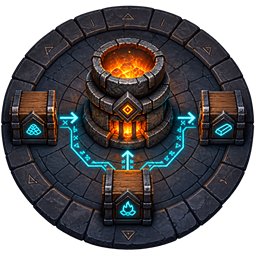
RunicProduction
Server-authoritative chest-linked ingredients, fuel, output, and stock replenishment for Valheim production stations.Runic Production 2.1.0
Connect your production stations to shared chests without repeated chest ownership handoffs. Ingredients, fuel, output, production state, and replenishment changes commit through the same server inventory authority used by Runic Storage and Crafting.
Linking controls
Point at a station, perform the gesture, then point at the destination chest and repeat it within 30 seconds. Hold Shift during both gestures to unlink.
| Gesture | Role |
|---|---|
| Alt + left mouse on station / ingredient control | Input |
| Alt + left mouse on native fuel control | Fuel Input |
| Alt + right mouse | Output |
| Alt + middle mouse | Replenishment |
Multiple chests can serve each supported role. An output chest can also supply another station. Links and replenishment plans are saved together; setup does not claim native ownership of either endpoint.
Stations and production
Smelter-family stations support input, fuel, and output. Cooking stations and ovens support input, appropriate fuel, output, and replenishment. Allowed recipe stations and fermenters support input/output/replenishment. Beehives support output; refillable fires and lamps support fuel.
Production keeps the native recipe quantities, fuel costs, cooking/burning thresholds, fermentation duration, and relevant environmental checks. The station's simulation owner supplies roof, fire, smoke, wind, or bee conditions; the server commits inventory and timer changes. Open chests remain usable by automation.
Place a physical exemplar in a replenishment chest to establish a supported target. An empty link activates when an exemplar is added. Reserves, capacity, recipe identity, access, and configured limits are rechecked before production. Smelter-family output that cannot enter a linked chest appears at the native output point and can be collected normally. Cooking, fermentation and hive output retain their normal station collection behavior when routing is unavailable.
Native station visuals and ambient processing remain active. Manual fueling and collection use the shared server inventory authority on enrolled stations. Turning automation off or removing its last link does not freeze an enrolled station's ordinary clock. Destroyed enrolled stations recover their queued contents in marked recovery chests; those chests do not refund building materials.
Settings are in BepInEx/config/chazman.RunicProduction.cfg.
Normal Runic inventory actions, crafting, and building do not force a character save or disk-sync checkpoint. Ordinary game saves, autosaves, and their indicators keep their normal behavior. Pending receipts remain in memory and are included in ordinary character saves. A crash before the next character save can lose or duplicate recent transfers; an OS crash or power loss can also lose or reorder recent buffered server writes. Server confirmation, permissions, inventory revisions, and live request deduplication still apply.
Native chest compatibility
Ordinary chest transfers and mods using Valheim's Container inventory callbacks remain visible immediately. Changes to an enrolled chest are merged into its latest contents rather than overwritten by an older Runic snapshot. Deposits retain item metadata and expanded inventory rows. Unenrolled chests keep native saving and opening behavior.
Runic's coordinated operations still share current quantities. Unknown mods can perform their own transfers outside that coordination; simultaneous withdrawals can follow native race behavior. These transfers do not add a character-save checkpoint or wait for a disk flush. Custom inventory implementations that bypass Container callbacks and ZDO inventory replication need their own adapter.
Multiplayer and upgrading
Each Runic mod works independently with BepInEx. Runic Storage is not required by Crafting or Production, and no other Runic mod is required. Install the same chosen modules and builds on the server and participating clients, then restart. All required synchronization code is included in each DLL; installing several modules shares one service.
Back up the world, characters, configurations, and the server's RunicOperations/<world UID> folder together. The ledger is authoritative after enrollment. Do not delete it, restore only the world, or downgrade an enrolled world without restoring the matching backup. Existing native chest contents and production links are imported on first use. Chest ledger schemas 2-7 are read; schema 7 is written. Older 2.0.x DLLs cannot read schema 7. Restore the complete pre-update world, ledger, and character backup together if rolling back.
Supported storage includes placed, static chests using Valheim's standard Container component and the Makail ItemDrawers adapter. Drawer assignments and large quantities are preserved; configured prefab allowlists still apply. SmartSort does not reorganize drawers. Carts, ships, graves and other custom inventory implementations retain their own interactions.
Wards, private chests, range, item identity, capacity, and configured item protections still apply. Multiple viewers do not block transfers. If a player runs out of inventory space, an accepted delivery remains pending in the current session until space is available. Pending transfers included in an ordinary character save can resume in the original world; unsaved transfers have no crash-recovery guarantee. Do not remove a saved pending character receipt.
The server's ranges and access policies govern accepted operations. Keep participating clients' corresponding settings aligned so previews match server decisions. Version 2.1.0 reads character receipt versions 2, 3, and 4 and continues writing version 4 with original inventory slots. Returned offered items use those slots when available; occupied slots are preserved and normal available space is used instead. Versions before 2.0.7 cannot read version 4 receipts, including completed receipts. Restore matching character, world, and operation-ledger backups together when rolling back; completing a transfer alone does not make its receipt readable by older versions.
Language and support
Keep the Translations folder beside the DLL. Missing translations fall back to English.


