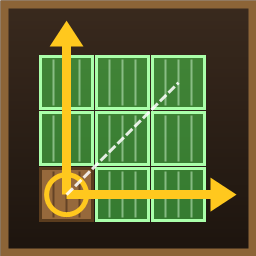
Mass building by stretching, like Windrose: hold LMB on the ghost and look - walls, floors, roofs as a grid, box, tower, arch or dome. Strength-coloured hologram, stretch removal, undo.
Fixed: a single click with the hammer placed several pieces. A stretch now grows by how far the aim moves from where LMB went down (not from the ghost, which the game's snapping can put a piece away from the crosshair), and only after LMB is held a moment and the look moves. A click is always one piece, placed by the game.
0.9.2
E picks the next shape (or removal zone) during a stretch and in the Shapes mode without also moving the game's snap point on the ghost (the game binds "next snap point" to E as well; Q still cycles it).
No forced grid: a stretch starts exactly where the game's ghost stands, with the game's own snapping (the grid snap tried in 0.9.1 is removed, it was never released).
0.9.0
The iron hoe's area tools become one universal "Level to height": everything in the rectangle goes to one height - cut above, filled below - set with Ctrl+wheel over the press point (0 by default, -8 to 8 m). Cutting is free, filling costs stone by the volume. It replaces "Raise an area" (and "Level an area", which did not appear in the menu).
Setting [Hoe] Height is replaced by LevelHeight (0).
0.8.5
While an iron hoe area is held, the mouse wheel changes only its width (Ctrl+wheel - height) and no longer zooms the camera.
0.8.4
"Level an area" and "Raise an area" get their own tiles in the build menu: the game piece's icon inside a yellow dashed frame, so they are not mistaken for the usual "Level ground" and "Raise ground" right before them.
0.8.3
Fixed: the iron hoe had no build menu in a world (its piece table was lost when the world loaded), so the player punched and kicked with it instead of levelling.
0.8.2
The iron hoe is made from a hoe upgraded to its last level (3), not any hoe; the forge takes exactly that hoe.
The game's hoe tooltip no longer carries BuildExtend's line; the recipe and the iron hoe's own description say how it is made.
0.8.1
The iron hoe gets a real iron head: the game's hoe has a stone one; the copy keeps the wooden shaft and swaps the stone for forged steel (its own texture drawn by the mod, metallic and glossy). No game files are included.
0.8.0
Iron hoe - BuildExtend's own item: a copy of the hoe with an iron look and 1.5× durability, made at the forge from a level 3 hoe and 4 iron (IronHoeIron). Besides the usual "Level ground" and "Raise ground" (exactly as in the game) it has two pieces of its own: "Level an area" and "Raise an area" - hold LMB and look ahead, wheel - width (Ctrl+wheel - raise height); a click makes a strip as wide as the frame.
The game's hoe is the game's again: no level 2, its pieces work as in vanilla.
Settings [Hoe] Upgrade / UpgradeIron are replaced by IronHoe / IronHoeIron.
Only players with BuildExtend can see or pick up the iron hoe.
0.7.3
A short MMB click removes only the piece under the crosshair, as in the game, even when aimed at its edge (before, the zone from that point to the piece's middle could catch the pieces behind or under it).
The removal zone starts only after the button is held a moment and the aim has moved further than RemoveThreshold (1 m by default) from where you pressed. Until then the panel says "release MMB to remove one piece".
New setting StretchRemoval (cfg / F1): turn stretch removal off and keep stretch building; MMB then removes one piece at a time, as in the game.
0.7.2
The hoe's tooltip tells about its area tools: at level 1 - how to upgrade (workbench level 2, iron) and what it gives, at level 2 - how to use them.
Shift+wheel (and the mode key) no longer switch the hammer's modes while the hoe or the cultivator is in hand; the hammer's mode hint is not shown for their pieces.
0.7.1
Hoe: level an area. With the level 2 hoe, "Level ground" works over an area too: hold LMB and look ahead - a rectangle along your look, wheel - width. Release: all ground inside goes to the height of the point you pressed - cut above, filled below, square, no rounding or smoothing, painted as the game's levelling paints. Free, as the game's levelling is (filling included). A short click is the usual levelling. On the PlanetPrototype planet it works through PlanetPrototype 0.54.88+ (PlanetApi.LevelArea, the tangent plane); with an older one the hoe levels as in the game there.
0.7.0
Hoe: raise an area. The hoe gets a level 2 (upgrade at the workbench level 2 for 4 iron). With the upgraded hoe and "Raise ground": hold LMB and look ahead - a level rectangle turned along your look, from where you pressed to where you aim; wheel - width, Ctrl+wheel - height of the top over the press point. Release: all ground below the top is raised to it - square, no rounding, no smoothing. Stone is paid by the volume (as the game's own raise costs for what it can raise); the price is in the build panel before you let go, and if you are short, as much is raised from the press point as you can pay for. A short click is the usual raise. On the PlanetPrototype planet it works through PlanetPrototype 0.54.81+ (its own ground and sync, the top on the tangent plane); with an older one the hoe works as in the game there.
Stretching is one sheet. The whole stretch keeps the height and tilt of the first piece; pieces meet edge to edge and hold each other up like a grid built by hand. "Walls on the ground" (Shift+E, FollowGround) is gone.
No holes. Segments are no longer refused for being underground or for a player or creature in the way; the workbench must reach where the stretch started, not every segment. Other players' wards, no-build zones and the piece's biome are still checked. You pay only for what is actually placed.
Smoother aim. A plane seen nearly edge-on no longer throws the stretch far away (what the look hits is used instead), nothing reaches past 64 m, and a cell boundary holds a little so the hologram does not flicker between sizes. The shapes mode ignores the ghost's tiny jitter.
0.6.0
Stretch removal reworked: hold MMB on a placed piece and look - the zone goes from the point you pressed on to the point you aim at:
wall - the plane of the wall you pressed on (along it and up);
floor - the level plane through that point;
box - a 3D box up to whatever your aim touches.
The face you press on picks wall or floor; E switches between all three (box, once chosen, stays the first pick). Pieces inside glow red, a red box shows the zone. A short click still removes one piece as in the game. Stations, beds, portals and wards are left out of zones.
For other build menu mods: a public BuildExtend.Api (ShowHelp, NextMode, ModeLabel, ModeTooltip, HelpTooltip) to put the "?" and x1 / xN / xF buttons on their own bar.
0.5.0
Three hammer modes, switched with Shift+wheel while nothing is stretched (or the x1 / xN / xF tab in the build menu, or an optional key):
x1 normal building - exactly as in the game, one piece at a time, for precise building;
xN stretching - silhouettes and arrows, hold LMB and drag (as before);
xF building shapes - the remembered shape (box, tower, gable roof, arch, dome) follows the ghost and one click builds it whole; E picks another shape; hold LMB and look to resize (the size is remembered).
While dragging: wheel or Shift+wheel - floors (rows); gaps moved to Ctrl+wheel.
New settings: HammerMode, ModeModifier (LeftShift; None turns the wheel switch off).
0.4.3
Plugin GUID is now chistix.buildextend (was local.valheim.buildextend). The old settings file is carried over once, if there is no new one yet.
License: all rights reserved (see LICENSE).
0.4.2
Help: a "?" tab in the build menu opens the game's compendium on the "Mass building" entry (added each time the compendium opens, never saved into the character).
0.4.0
Undo the last stretch (Ctrl+Z): its pieces come down without drops, what they cost goes back to the backpack.
Stretch removal: hold the middle mouse button on a placed piece; plane, box or cylinder; game checks; own pieces only by default; resources to the backpack.
Strength preview: the hologram is coloured by future support, computed with the game's WearNTear rules.
Gaps (every 2nd, every 3rd, checkerboard), walls on the ground, gable roof, arch, dome.
Replacing standing pieces (doors and windows along a wall).
What is short, per material ("enough for 9, short: Wood 12").
Gamepad controls.
Fully standalone: other mods (chests, planet) are only looked up at run time if present.
0.3.1
Roofs and stairs: the slope step is the game's own snap step (thick roofs no longer drift).
0.3.0
Windrose-like hologram (own shader in an embedded bundle): fill, glowing rim, ribs on each segment, GPU instancing; gizmo arrows on the axes the piece can be stretched along; dashed path.
0.2.0
Stretch with held LMB (a short click still places one piece); silhouettes beside the ghost; shapes plane / box / cylinder; floors with snap points on both faces stretch as floors; free building with nocost and world modifiers.
0.1.1
Fixed per-frame FieldAccessException spam on Unity 6; beam spacing setting.
0.1.0
First version: stretching a piece as a grid, preview, resource panel × N, batched placing through the game's own calls, per-segment checks, ValheimUnified chests, spherical planet support.
Thunderstore development is made possible with ads. Please consider making an exception to your adblock.