

ModerWarehouse
Server-only automatic warehouse for Valheim with sorting, requests, stock targets and an interactive 4x4 stock board.Moder Warehouse 1.0.0
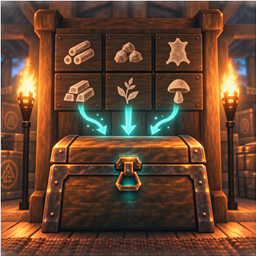
Moder Warehouse is a free, unofficial, server-only warehouse automation mod for Valheim. Players connect with unchanged vanilla clients. The server sorts an input chest, fulfils withdrawal requests, tracks target stock and displays totals on an interactive rotating 4×4 board.
Author: Cris Haani
License: MIT
Status: first public release candidate
Moder Warehouse is not affiliated with or endorsed by Iron Gate Studio or Coffee Stain Publishing. Use it at your own risk and back up the world before installing or updating it.

Requirements
Install on the dedicated server only:
- BepInExPack for Valheim 5
- ServersideQoL 2.0.10 or a confirmed compatible later version
- Moder Warehouse
BepInEx and ServersideQoL are separate dependencies and are not included. Clients do not need to install this mod.
Installation
- Stop the server and create a tested world backup.
- Install BepInEx and ServersideQoL from their official project pages.
- Copy
ModerWarehouse.dlltoBepInEx/plugins/ModerWarehouse/ModerWarehouse.dll. - Start the server.
- Confirm
Loading [Moder Warehouse 1.0.0]and the initialization message in the BepInEx log.
Quick start
Choose a warehouse id such as main. Place ordinary signs no more than three metres
from their intended chests:
| Sign text | Purpose |
|---|---|
[WH:main:IN] |
input chest and warehouse centre |
[WH:main:OUT] |
output chest |
[WH:main:REQ] |
request and target-stock sign |
[WH:main:INFO] |
live container-capacity sign |
[WH:main:BOARD] |
bottom-left anchor of the automatic 4×4 board |
[WH:IGNORE] |
exclude the nearest container |
[WH:DELETE] |
remove a generated warehouse sign |
[WH:CLEAN] |
clean overlapping generated signs at one position |
All suitable ordinary containers within 100 metres of the input chest are managed by default. Private, open, in-use, cart and unsuitable auto-destroy containers are not used. Items stay safely in the input chest when no destination has capacity.
Input and automatic labels
Put unsorted items into the IN chest. Existing matching stacks are filled before
empty slots are used. A homogeneous unlabeled storage chest receives a persistent
white German label after 90 seconds. Place a correctly oriented vanilla sign containing
... if you want the server to reuse your chosen position immediately.
Requests
Initialize a request sign once with [WH:main:REQ]. Its warehouse association is
stored persistently, after which the sign accepts requests such as:
Wood 100
Stone 10, Wood 20, Resin 5
German names, English names and internal prefab names are supported. Each comma- separated request receives its own result. Available items are delivered even if another requested item is missing. Results remain visible for 30 seconds by default.
Target stock
Store a persistent shopping list on the initialized REQ sign:
SOLL Wood 1000, Stone 500, Resin 100
Red means missing or critically low, orange means below target and green means the target has been met. Normal withdrawal requests remain available at any time.
INFO sign
[WH:main:INFO] shows free unlabeled chests, empty reserved/labeled chests and occupied
chests versus total managed capacity. The warehouse association persists after the
first successful initialization.
Interactive 4×4 stock board
Place [WH:main:BOARD] as the bottom-left cell and leave space to its right and
above. The server creates fifteen additional vanilla signs. The sign's written face
defines the board front; the board grows right and upward.
The top row shows warehouse, filter, page and container occupancy. Twelve alphabetical item totals are shown below it. Pages rotate every seven seconds.
- Edit BESTAND with a prefix such as
Gto filter and freeze the list. - Edit SEITE with a page number to hold that page.
- Use both controls together when required.
- Enter
AUTOor clear the control to resume rotation immediately. - Automatic rotation resumes after 60 seconds without another filter change.
The board wakes while a player is within five metres. Otherwise it displays a large
sleep message and stops rotating. On waking it briefly shows stock changes since the
last visit. After input sorting it shows an EINGELAGERT delivery confirmation.
Container occupancy is green below 80 percent, orange from 80 percent, and red with an expansion warning from 95 percent.
Expanding and running multiple warehouses
Build more suitable chests within the configured radius; capacity updates on the next
scan. Use another id for an independent site, for example [WH:harbour:IN] and
[WH:harbour:OUT].
Configuration defaults
| Setting | Default | Meaning |
|---|---|---|
Enabled |
true |
enable warehouse processing |
Radius |
100 |
storage radius around the IN chest |
MarkerDistance |
3 |
maximum sign-to-chest distance |
ScanInterval |
3 |
seconds between scans |
MaxMovesPerCycle |
250 |
safety limit for stack movements |
AutoCreateLabels |
true |
create automatic chest labels |
AutoLabelDelay |
90 |
seconds before automatic labeling |
ResultDisplaySeconds |
30 |
request-result display time |
BoardPageSeconds |
7 |
stock-board page duration |
BoardWakeDistance |
5 |
stock-board wake distance |
DeliveryNoticeSeconds |
6 |
delivery-message duration |
VisitSummarySeconds |
12 |
visit-difference duration |
CapacityWarningPercent |
80 |
orange capacity threshold |
CapacityCriticalPercent |
95 |
red capacity threshold |
Test configuration changes on a world copy. Very short scan intervals and very large radii may increase server load.
Troubleshooting
- Plugin does not load: verify BepInEx and ServersideQoL, remove duplicate DLLs,
and check the log for
Loading [Moder Warehouse 1.0.0]. - IN or OUT is not detected: verify exact spelling, matching warehouse id and a sign-to-chest distance below three metres.
- Items remain in IN: check capacity, matching stacks, private/open containers and
nearby
[WH:IGNORE]signs. - Request fails: use
Item amount, separate entries with commas, and keep enough free space in OUT. - Board grows incorrectly: the anchor is the bottom-left cell; clear the space to
the right and above, remove it with
[WH:DELETE]or[WH:CLEAN], then rebuild once.
Updating, rollback and removal
Stop the server and back up both the world and old DLL before every update. After an update, verify the log and test one small deposit and withdrawal. For rollback, restore the matching world backup and previous DLL together.
Before removal, optionally delete generated boards and signs with [WH:DELETE].
Then stop the server, back up the world and remove ModerWarehouse.dll. Chests and
their contents are vanilla world objects; generated signs may remain as ordinary signs.
Privacy, support and license
Moder Warehouse contains no telemetry, analytics, advertising or intentional external network communication. Remove passwords, IP addresses and platform identifiers before sharing logs.
Reports should include the Valheim, BepInEx, ServersideQoL and Moder Warehouse versions, server operating system, reproduction steps and a privacy-cleaned log excerpt.
The source code is available under the MIT License. Use, modification and redistribution are allowed while retaining the copyright and license notice. The software is supplied without warranty and is used entirely at your own risk.


