


PortalCompass
Search, pin and pick XPortal destinations: an A-Z list with a letter rail, recent portals, and a map of your explored world. Client-side. GPL-3.0.Portal Compass
Portal Compass replaces the destination list of XPortal. You can search for a portal, pin portals, see your recent portals, and choose a portal on the map.
XPortal does the linking, the saving and the server sync. Portal Compass changes only how you choose the destination. Your portal links do not change. When you remove Portal Compass, the XPortal list comes back.
Requirements
- XPortal 1.2.26
- BepInEx
Portal Compass is a client mod. The server does not need it. Players without Portal Compass use the XPortal list.
How to use
Go to a portal and open it (E). The Portal Compass panel opens.
Search. Type the name of a portal. The search field is ready when the panel opens. Names that start with your text come first. Push Enter to link to the top result.
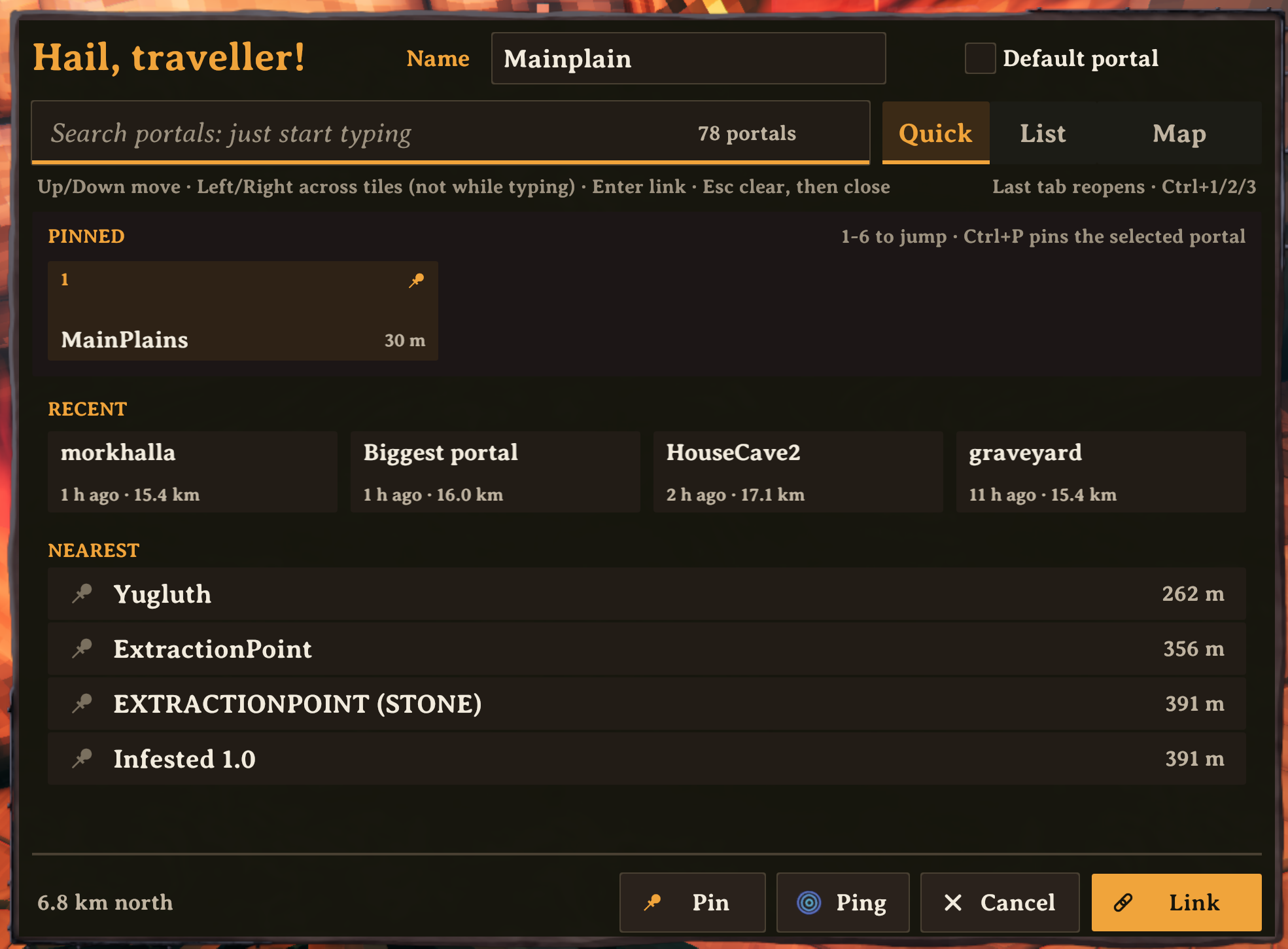
Quick. This tab shows your pinned portals, your recent portals and the nearest portals. Push 1 to 6 to select a pinned portal.
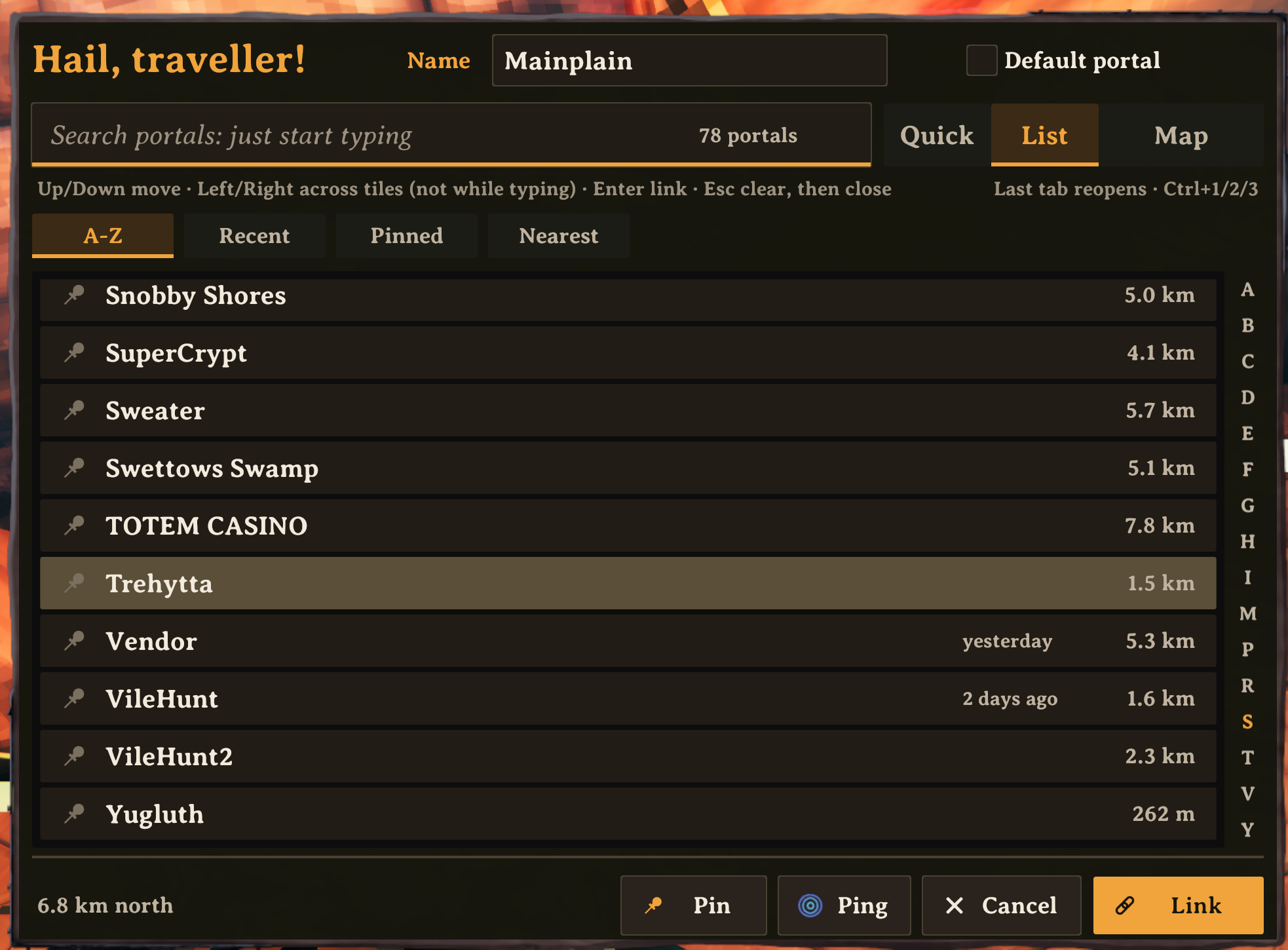
List. This tab shows all portals. Sort them by name, recent, pinned or distance. Use the letters on the right side to go to a letter.
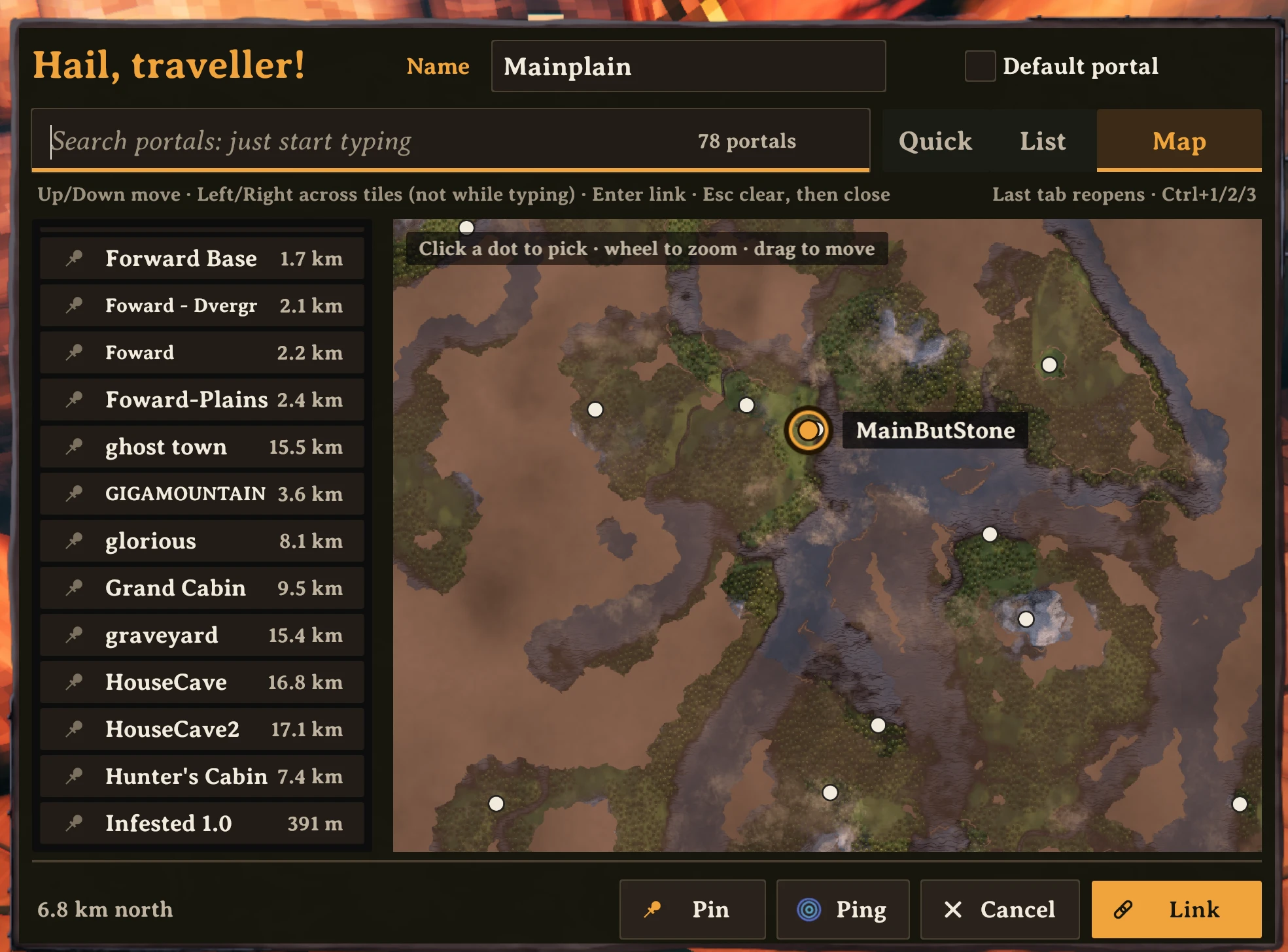
Map. This tab shows your explored map with a dot for each portal. The map does not show areas that you did not explore. It does not show portals in those areas, but it always shows the selected portal. Zoom in to see the portal names. It also shows players who share their position on the map.
- Click a dot to select the portal.
- Turn the mouse wheel to zoom.
- Drag to move the map.
Link. Select a portal and push Link. Or double-click the portal. The panel closes. Then go through the portal.
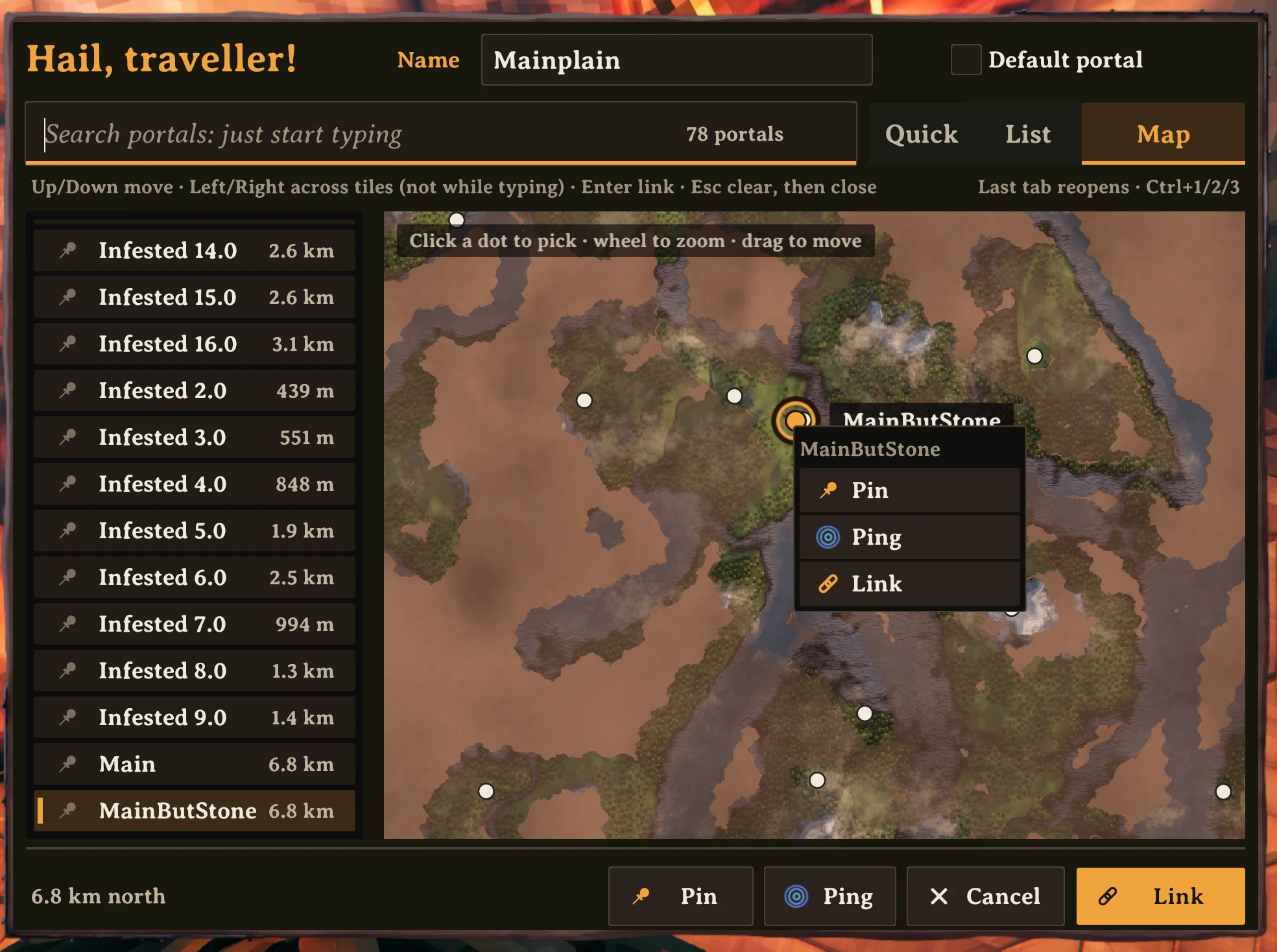
Right-click a portal to pin it, unpin it, ping it on the map, or link to it.
Keys
| Key | Action |
|---|---|
| Type | Search |
| Up / Down | Move the selection |
| Left / Right | Move across tiles (when the search field is empty) |
| Enter | Link to the selected portal |
| Esc | Clear the search. Push again to close. |
| 1 to 6 | Select a pinned portal (Quick tab, empty search) |
| Ctrl+1 / 2 / 3 | Go to Quick / List / Map |
| Ctrl+P | Pin or unpin the selected portal |
Gamepad: D-pad moves. A links. B cancels. Y pings. X pins. LB and RB change the tab.
Settings
Push F1 to open the settings (Configuration Manager).
- Size. The size of the panel. At 1, the panel has the same size as the menus of Valheim, on all screen resolutions.
- Rows per scroll step. The number of rows that one step of the mouse wheel scrolls.
Portal Compass keeps your pins and recent portals for each character and world, in BepInEx/config/com.joostliebregts.portalpicker.json.
Credits
Portal Compass uses XPortal by SpikeHimself. Thank you, SpikeHimself.
Licence: GPL-3.0, the same as XPortal. Source: github.com/joostliebregts/valheim-portal-compass.