
RuneheimUI
A calm Norse reskin of Valheim's whole interface, with movable pieces and optional Path of Valheiman support.
Runeheim UI
$\color{#e6bc4c}{\textbf{A calm Norse reskin of Valheim's whole interface.}}$ Early development, so expect the odd rough edge.
Feedback and bug reports: https://discord.gg/hJ6xsj3TbD
Screenshots

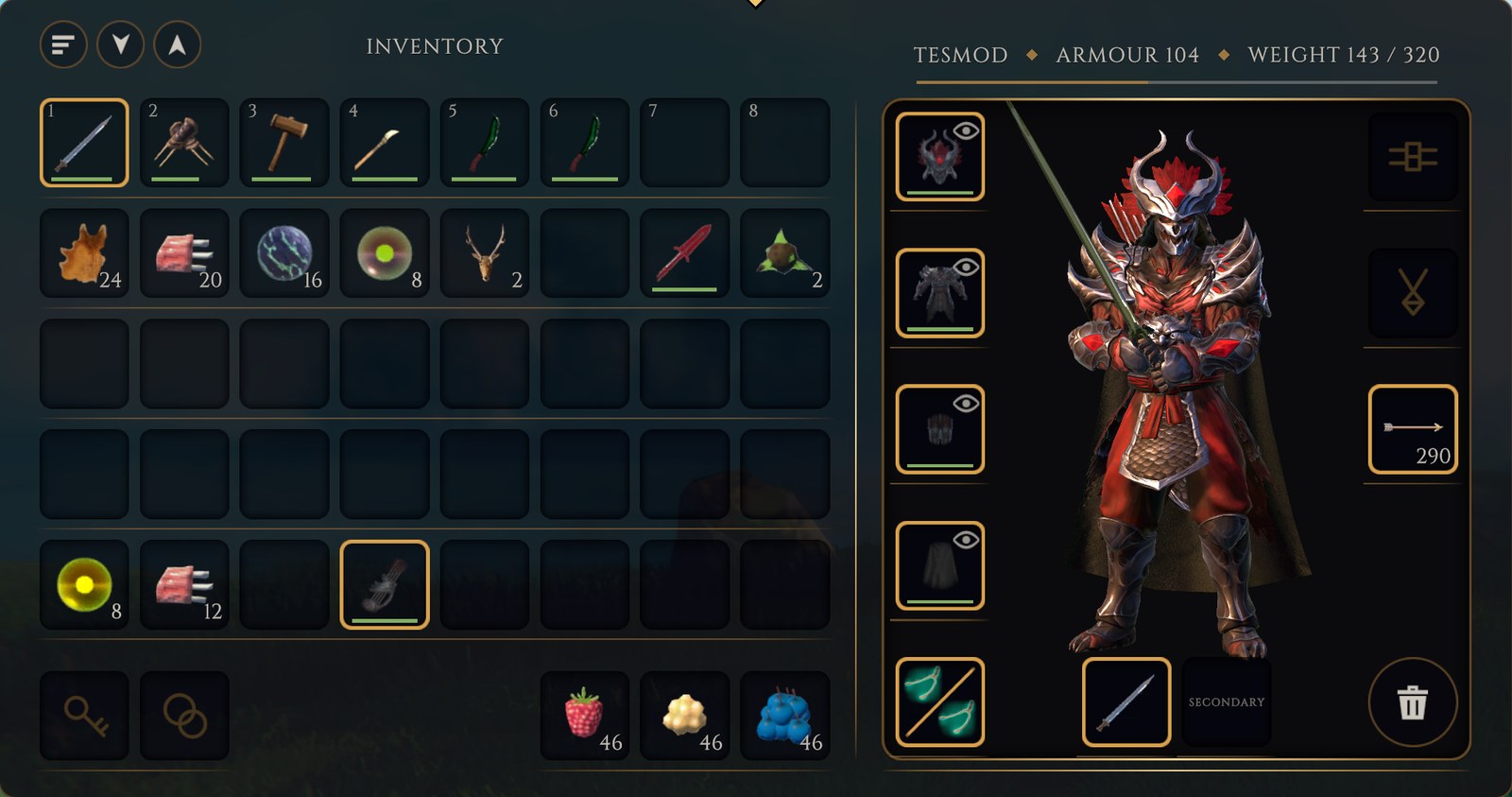
Inventory (Runeheim theme)
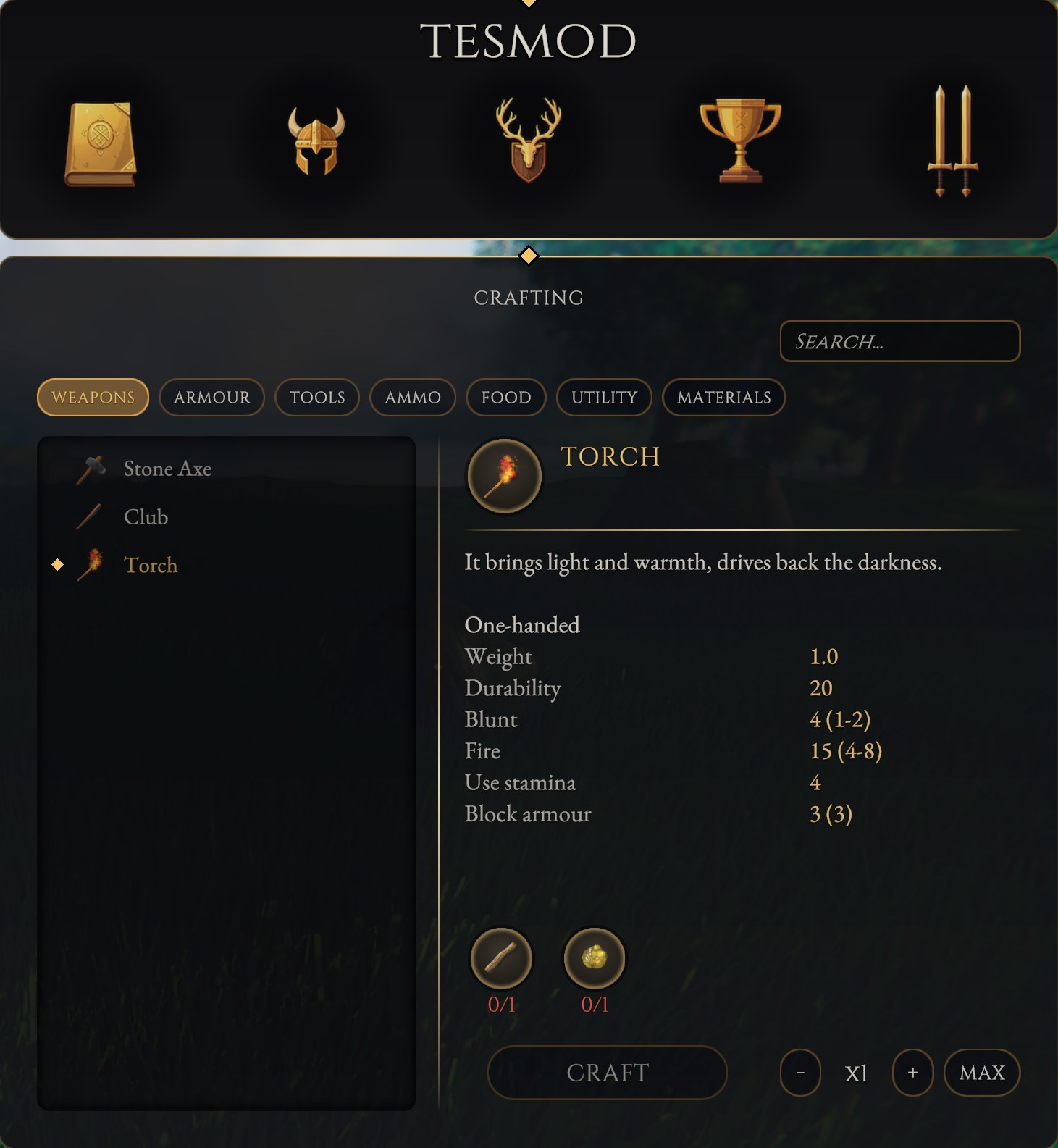
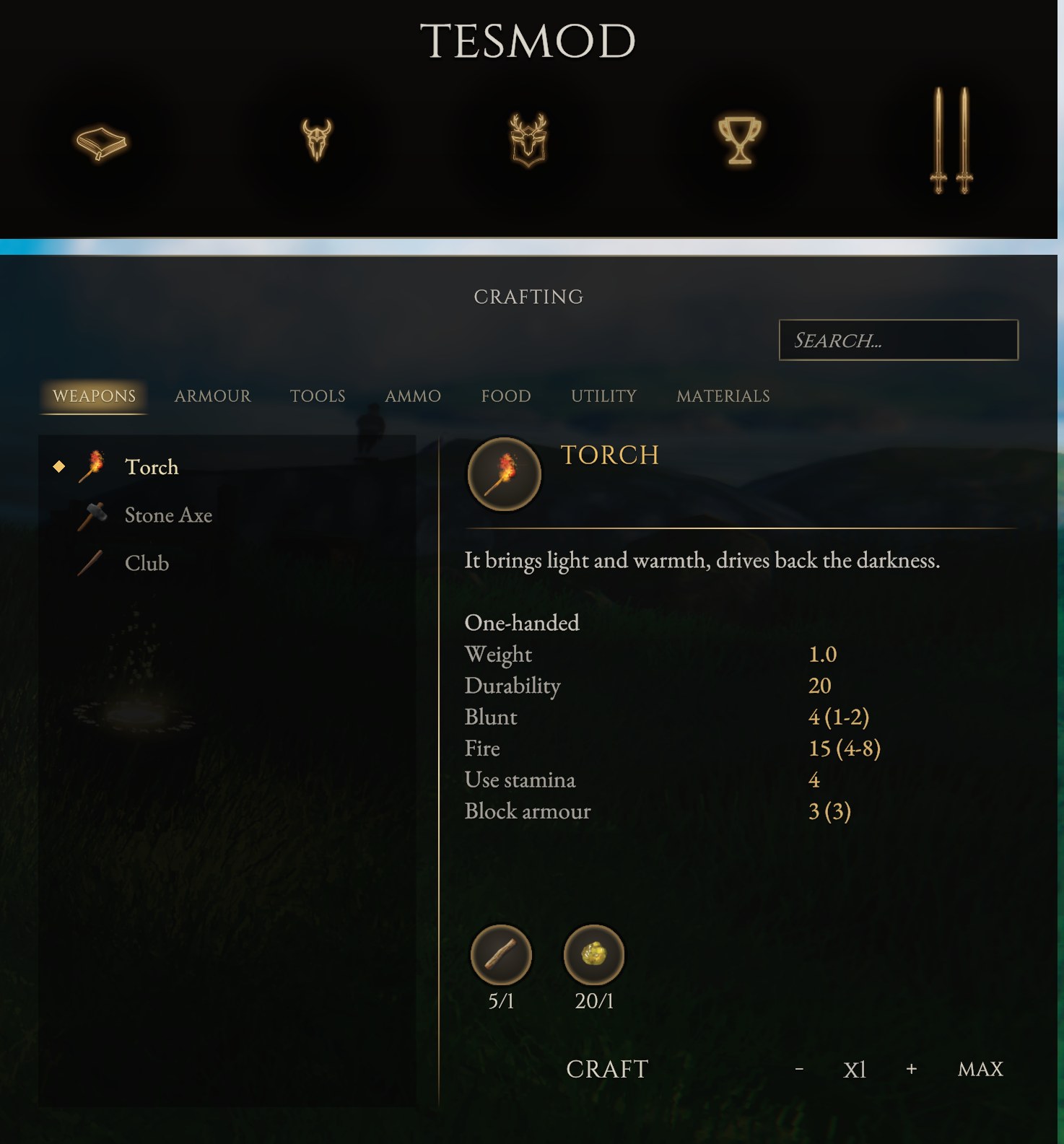
Crafting (Runeheim theme)
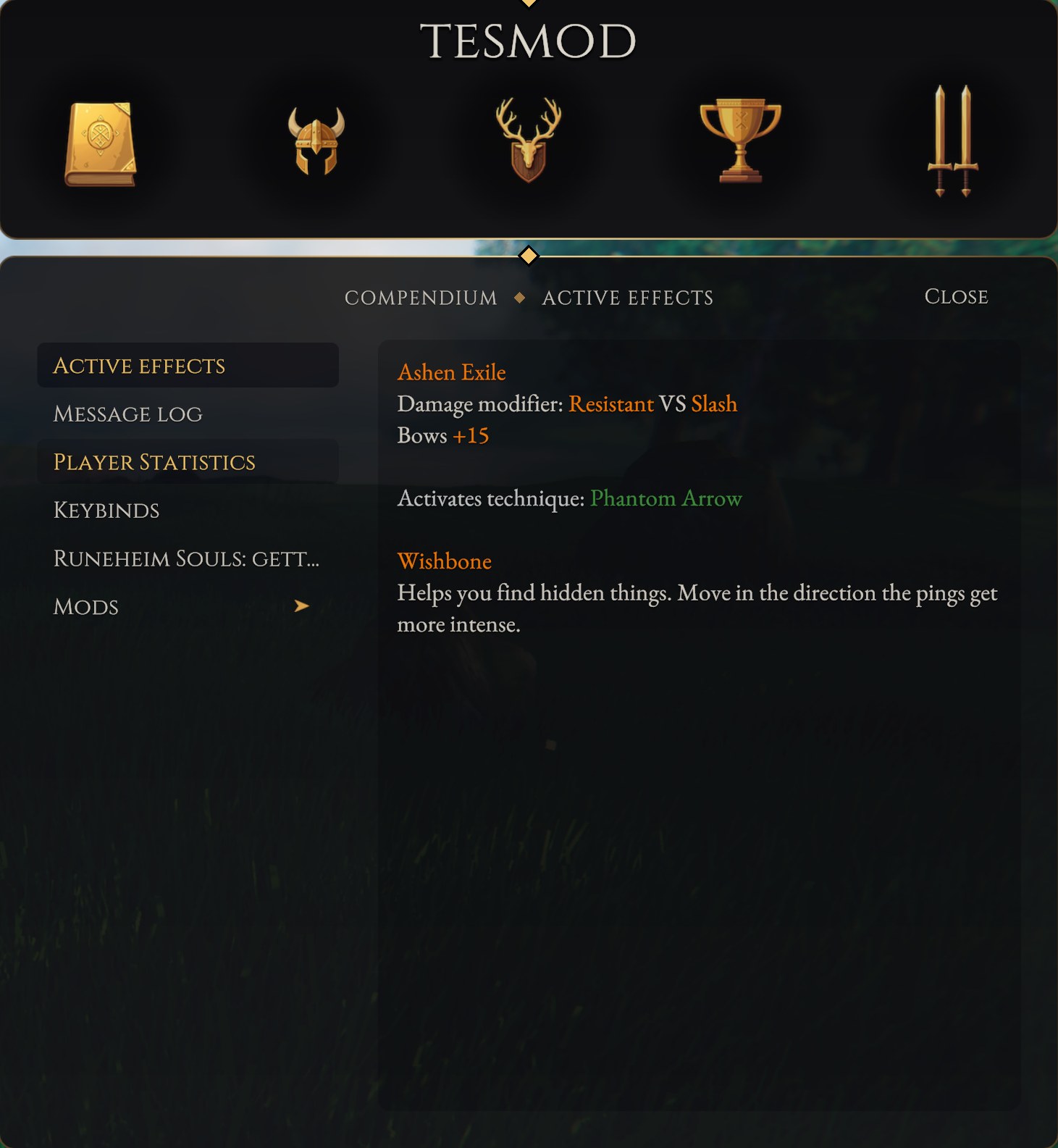
Compendium
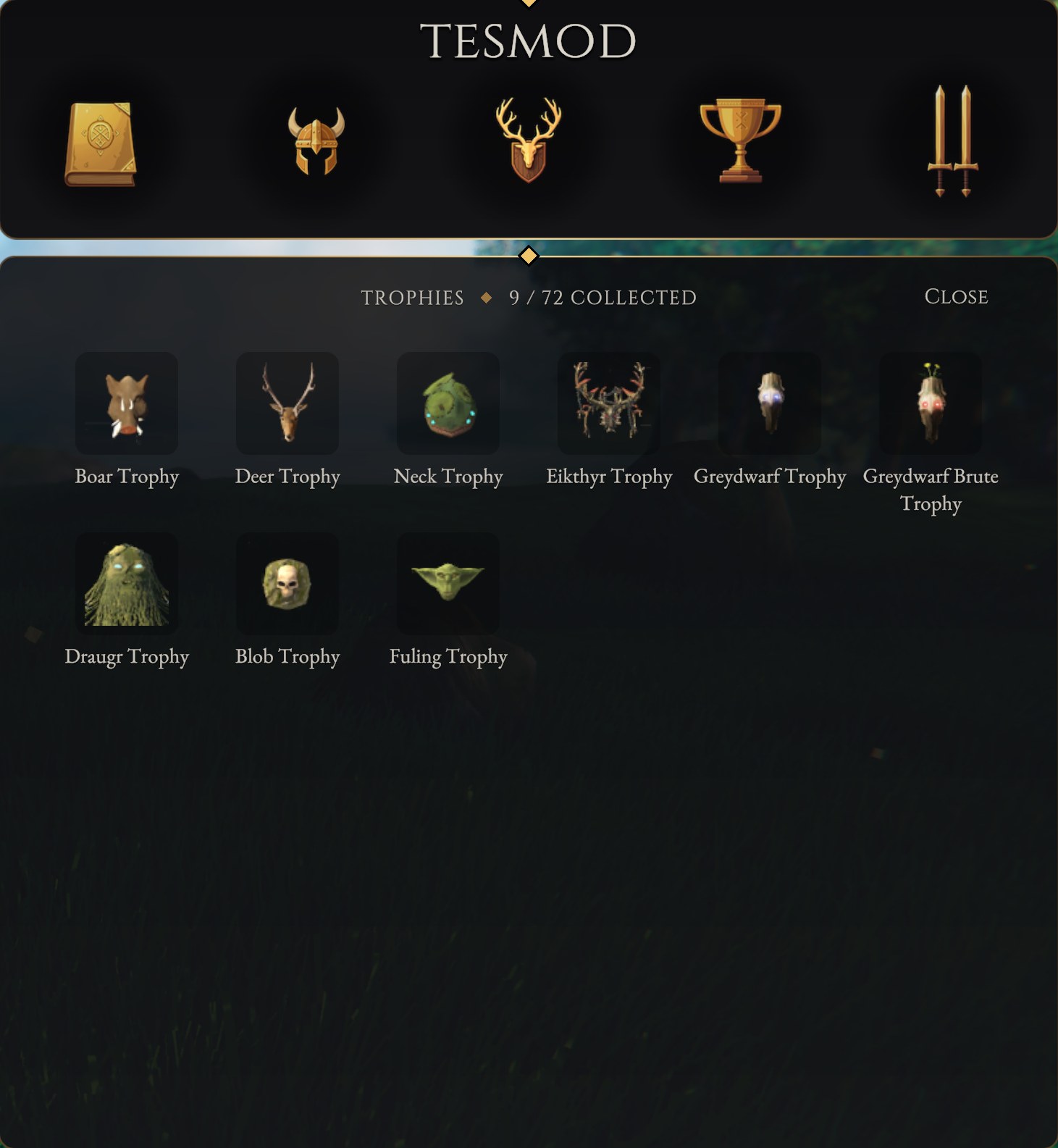
Trophies
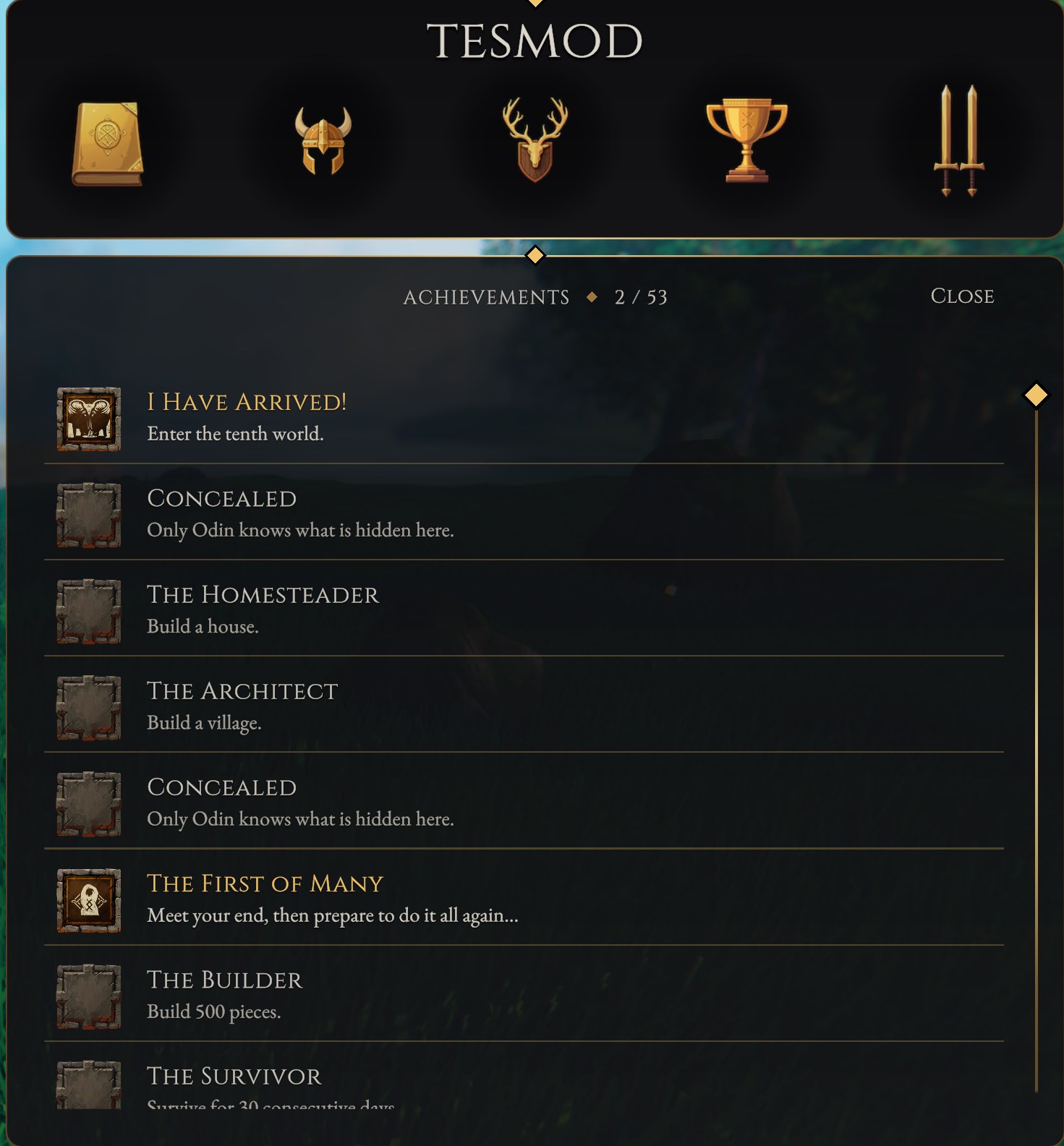
Achievements
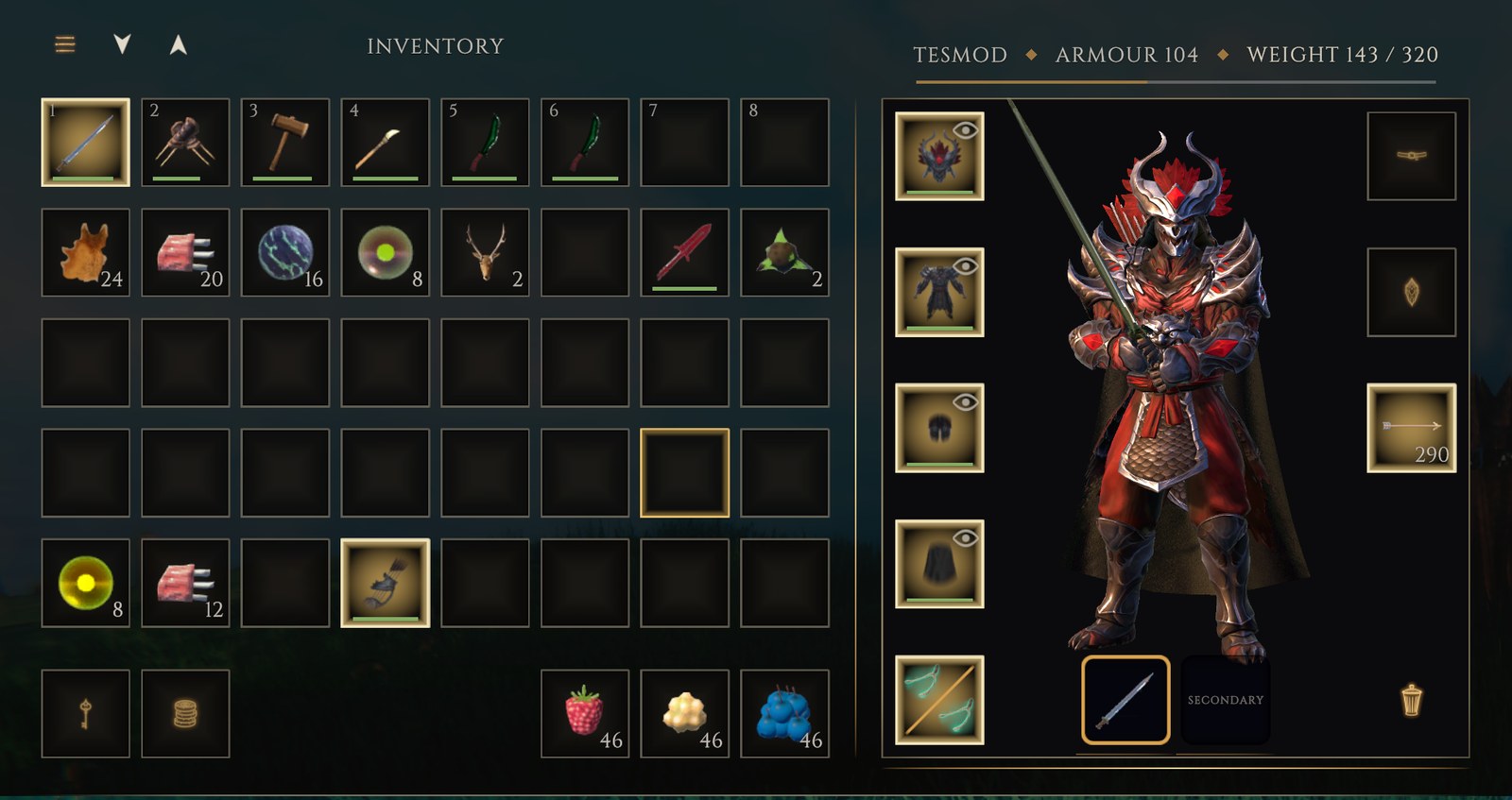
Inventory (Elden Ring theme)
Crafting (Elden Ring theme)
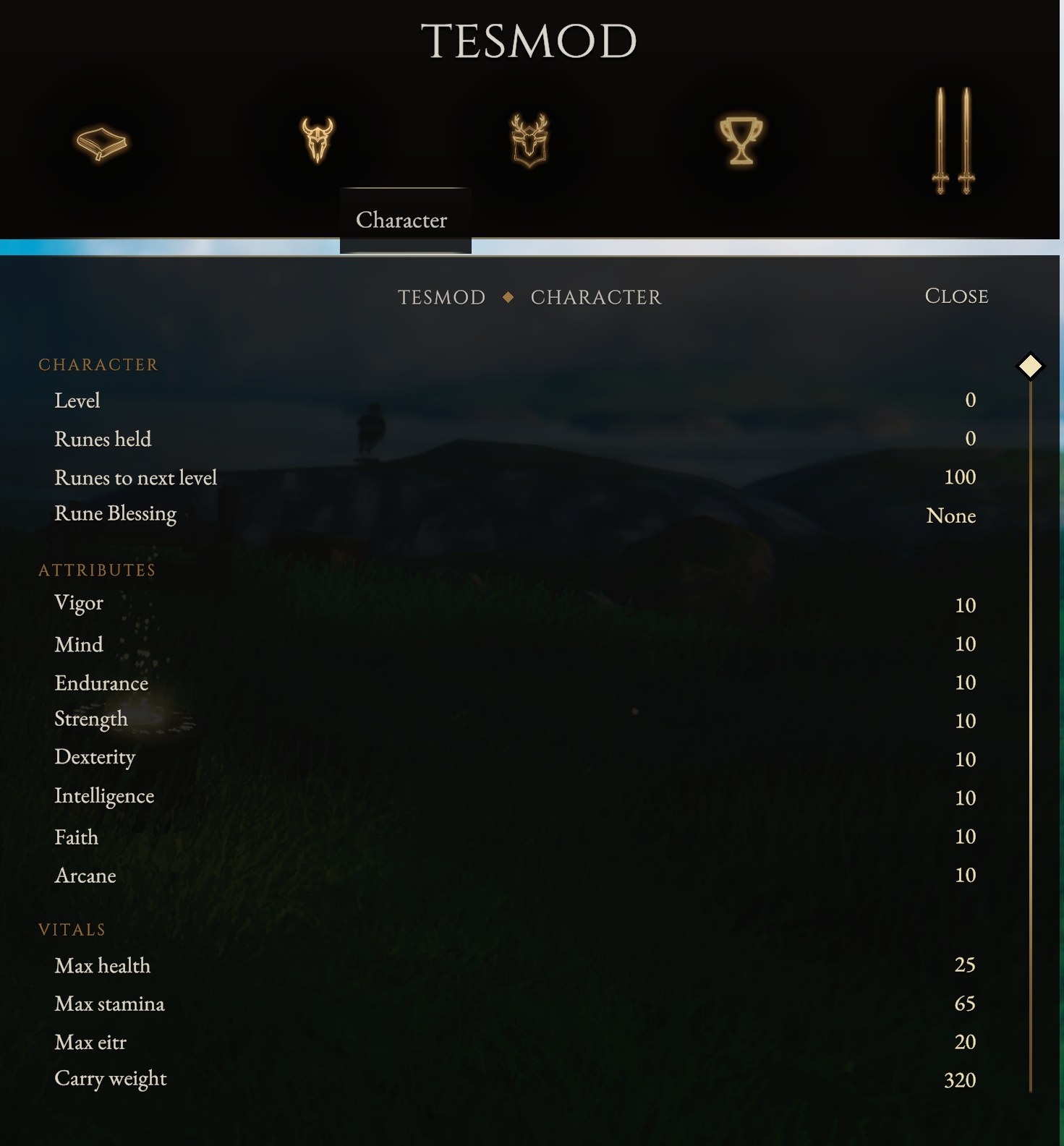
Character page (Elden Ring theme)
Features
$\color{#e6bc4c}{\textbf{Every feature can be turned on or off}}$ in the settings window (F8, or the Runeheim tab in the game's settings).
Look
- Themes: $\color{#e6bc4c}{\textbf{Runeheim}}$ (gold on dark blue), Elden Ring style (warm gold hairlines on near-black, drawn in code, no game art), and Path of Valheiman, picked automatically when that mod is installed
- Rebuilt main menu, character and world select, new world, world modifiers, join game and pause menu
- Clean fonts, custom cursor, themed pop-ups, tooltips, Trophies, Compendium, trader and chat
- Hides the key hints along the bottom of the screen
- Closes pop-ups other mods open by themselves on the main menu
- UI size, brightness and panel transparency sliders
HUD
- Health, stamina and eitr bars that grow with your max, like vanilla
- Bar animations: bars glide to new values, a bright sliver shows healing, health flashes when you're hit, low bars pulse, and a bar shakes when you lack stamina or eitr (each switchable)
- Wind direction, day and time under the minimap
- Hotbar, food slots with draining timers and status effects with countdowns
- Round or square minimap, or none at all
- Compass bar with nearby map markers
- Enemy, boss and mount health bars and new enemy alert marks, with a pale damage trail, damage numbers that add up a run of hits, and a flash when an enemy's stance breaks
- One star per level for enemies above 2 stars
- Sneak eye that follows the game's own hidden / spotted rules
- Look at a chest to see its contents, or at a machine to see what it's working on
- Ping markers show in the world with their distance
- Edit layout: drag and resize every HUD group, saved between sessions
Inventory and crafting
- New inventory, chest and crafting windows that slide in and out
- Live character preview between the equipment slots, with an optional biome backdrop that advances with each boss you defeat (or pick your own)
- Extra slots: charm, trinket, quiver, key, coin wallet and three food slots
- Primary and Secondary weapon slots under the character view, numbered 1 and 2 (with Runeheim Souls)
- Inventory and Equipment tabs: Equipment shows the talismans and spirit you wear (with Runeheim Souls)
- Themed Talismans and Spirits pages at the Site of Grace (with Runeheim Souls)
- Hide your helmet, chest, legs or cape while keeping them equipped (others see it too)
- Sort, Pull from nearby chests and Store into nearby chests
- Trash bin that only deletes when you press Confirm; Ctrl+click puts an item in while it's open
- Recipe groups, filters, craft several at once and a craft queue
- Short item tooltips for gear (hold Left Shift for full details); hold Left Alt over gear to compare it with what you're wearing
- Character, Compendium, Trophies and Achievements open as pages in the crafting window's place
- Build menu in the same slot look
Map
- Marker filter chips, smaller markers and a plain pin by default
- Discoveries mark themselves: ore you've hit, dungeons you've entered, camps you've found
Building and logistics
- Craft and build with materials from nearby chests (optionally carts and ships)
- Machine automation (Shift+E): machines pull from and fill nearby chests, and catch up on the time you were away
- Boss-unlocked portal items (server setting, off by default): once a biome's boss falls, its ores and metals may go through portals
- Name chests (Shift+E), shown to everyone
- Freecam building near a crafting station (B)
- Place machines and station upgrades close together
- Smoke passes through open structures like cage floors, gates and stairs
- Creatures only drop loot when killed by a player or their tame
Mod support
- Path of Valheiman: its inventory, equipment slots, character page, skill tree and loot filter run inside Runeheim UI; its own item tooltips and item compare take over while it's installed
- Runeheim Souls: its grace screen, talisman page (rarity frames, sorting, drag and drop), pop-ups, buildup bars and the Elden Ring combat status and Build button on the main menu, in every theme
- ImmersiveTrader (quest log page), Children of the Ancient Heart, Ward Is Love, Worldhalla and XPortal get the Runeheim look, in every theme
- A Mods section in the Compendium and a list of every mod's hotkeys, with clashes marked
Server admins can turn off chest crafting, automation, freecam, discoveries and the other gameplay features for everyone, and set the inventory size.
Works client-side. The gameplay features follow the server's settings when the server has it too. Your mod manager installs Jötunn, BepInEx and Runeheim Core for you.
Credits
- Cinzel, Almendra and EB Garamond fonts (SIL Open Font License)
- treextr (Path of Valheiman)
More Runeheim mods
- Runeheim Souls: Elden Ring-style progression and combat: runes, levels, stats, talismans and Elden Ring's own moves.
- Runeheim Performance: A big, safe FPS toolkit: combined building meshes, light and effect limits, server simulation.
- Runeheim Core: The shared library every Runeheim mod runs on.