

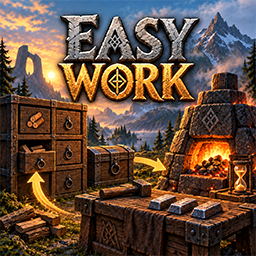
EasyWork
Craft from nearby chests and drawers, stations that refill themselves, nine looks of item drawer, three weightless inventory pages, an equipment page and a trash bin. Server synced, all on F11.Easy Work
Less hauling, less clicking, more playing.
Easy Work takes the chores out of Valheim's base life. You craft straight from the storage around you, your stations keep themselves fed, loose items find their way into the right chest, and your inventory grows by three pages and a page just for your equipment.
Everything is set in one window on F11. Everything that changes how the game plays is synced from the server, so a group always plays by the same rules.
Made by DezzyCode.
At a glance
| Craft from storage | Chests and drawers around you count as if they were in your backpack |
| Stations feed themselves | Smelters, kilns, fires, cooking stations and more get fuel and material |
| Storage tidies up | Loose items go into the chest that already holds that kind |
| Item drawers | 10000 of one kind each, in nine looks, with the count on the front |
| Three extra pages | 8×5 each, under your inventory, weightless |
| Equipment page | Named slots for armour, four utilities, food, ammo, keys and quick slots |
| HUD row | Quick slots, food and ammunition beside your health bar |
| Trash bin | Drop a stack on it and it is gone |
| Multi craft | Craft a recipe as many times as you like in one go |
| Production timers | Time left on smelters, fermenters, cooking stations and ovens |
| Auto repair | A crafting station repairs everything you carry |
Crafting and building from storage
When you build, craft or upgrade, the chests and item drawers within reach count as part of your inventory — loose items on the ground too, if you allow it. The crafting menu shows what you need and what you have, like 10/2000, and the cost is taken from wherever it actually lies: your inventory first, then your extra pages, then storage.
Stations that feed themselves
Smelters, charcoal kilns, blast furnaces, eitr refineries, windmills, spinning wheels, cooking stations, ovens, fermenters, campfires, hearths, torches, braziers and bonfires get fuel and raw material added from the storage around them while you are nearby. Every station type can be switched on or off on its own.
Look at a smelter, fermenter, cooking station or oven and its remaining time is right there in the hover text.
Storage that tidies up after you
Off by default. Switch it on and loose items near a chest go into it — but only of a kind it already holds. A chest with wood in it collects wood, an empty chest collects nothing, an ore chest never fills up with berries. You sorted it once; it stays sorted.
Item drawers

Nine looks, from plain wood to molten stone. Each holds 10000 of one stackable kind and shows its icon and count on the front, so a wall of them reads at a glance.
| Drawer | Built from |
|---|---|
| Wooden | 10 fine wood, at a workbench |
| Stone | 10 stone and 4 fine wood, at a stonecutter |
| Light Stone | 10 stone and 2 copper |
| Dark Stone | 10 stone and 6 coal |
| White Marble | 10 stone and 2 crystal |
| Black Marble | 10 black marble |
| Ashlands Stone | 10 grausten |
| Ashen Rock | 10 grausten and 6 coal |
| Molten | 10 grausten and 1 flametal |
The look is a choice, not a reward: every drawer holds the same, whatever it is made of.
Use an item from your hotbar on an empty drawer to decide what it holds. After that:
| Input | Effect |
|---|---|
| Use | Take a stack |
| Ctrl + use | Take one |
| Ctrl + use on an emptied drawer | Release it for another kind |
| Shift + use | Store every matching item you carry |
A drawer keeps its kind even at zero, so your coal drawer stays the coal drawer while you are out of coal. What you take out goes onto your extra pages first. Drawers snap to each other corner to corner; hold the game's alternative placement key to place one freely. Tear one down and everything in it lands on the ground.
Drawers count as storage everywhere in the mod: crafting pulls from them, stations feed from them, and loose items can be collected into them.
Three more pages of inventory
Three pages of 8×5 open under your inventory every time it does. They are part of your inventory, not a chest you have to fetch, and they handle exactly like it. Anything you pick up lands there first, and in your inventory only once they are full. Nothing on them weighs anything.
The numbers beside them switch page. Open a chest and it takes the same place with its own tab, so the window never runs off the screen — and an item held on the cursor stays there while you switch.
What lies on the pages is yours in every way: it counts for crafting, it holds ore back at a portal, and it goes into your grave. An item from a mod you switched off is kept safe and comes back when the mod does.
Equipment page

A tab with a helmet opens a page of named slots:
- Helmet, cape, chest, legs and trinket
- Four utilities — worn at the same time, all of them working
- Three food, three ammunition and two keys
- Six quick slots for anything you like
Each slot takes only its own kind of item; a cell turns red while you hold something that may not go there.
Put something on and it goes to its slot by itself, wherever it was lying: the helmet to the helmet slot, a utility to the first free utility slot, arrows to an ammunition slot. Whatever was in that slot takes the place the new piece came from. Shift-click sends a piece to its slot without putting it on, and again to take it back to the inventory.
| Keys | Effect |
|---|---|
| Alt + 1 to 6 | Use a quick slot |
| Shift + 1 to 3 | Eat from a food slot |
| Alt + R, T, Z | Choose one of the three ammunition slots |
Every modifier key can be changed in the window. Beside your health bar a small grid shows your quick slots, food and — while a bow or crossbow is in hand — ammunition, in the same style as the game's own food squares. When you die and take your grave back, everything returns to the slot it came from.
Craft several at once

Choose how many to craft, or hit Max, instead of clicking the same recipe twenty times. The window tells you how many you can make with what is in reach.
Trash bin

A small chip between armour and weight shows a bin. Drop a stack on it, or click it while holding one, and the held amount is destroyed — right away, without asking. Switch it off under Interface if you would rather not have it.
Settings
Press F11. Pick a category on the left, change what you need on the right; every setting explains itself in one line, and changes are saved as you make them.

| Category | What lives there |
|---|---|
| General | The master switch and how often Easy Work checks |
| Sources | Chests, drawers, the ground, how much to leave in each, blocked chests |
| Crafting | Crafting and building from storage, its range, multi craft, auto repair |
| Refill | Fuel and material for stations, how far they reach, blocked items |
| Collect | Storage picking up loose items and how far it reaches |
| Inventory | The extra pages and the equipment page, and your keys for them |
| Stations | Every station type on its own |
| Production timers | Which stations show their remaining time |
| Interface | Language, trash bin, messages |
The server decides for everyone. Settings that change how the game plays are set by the server admin and handed to every player. Without admin rights they are greyed out, and the window says why. Your language, keys, timers, trash bin and multi craft stay your own.
Easy Work speaks English and German, or follows the game.
Worth knowing
Everyone needs it — the server and every player, in a matching version.
Two ranges, two meanings. Range when crafting is measured from you and matters only while you craft or build. Material range around stations is measured around each station: a chest next to your smelter feeds that smelter whether you stand there or not.
Stations need you within 64 m. Valheim only keeps the world loaded around players, and 64 m is loaded on every machine at every setting. A smelter across the map is not in memory, and nothing can fill it.
Fine wood and core wood are never burned by default. Stations would happily take them, and they are worth far more than the charcoal they make. Edit Blocked items if you want them used.
One reserve for everything. Keep per source leaves that many of every item in every chest, drawer and stack on the ground — for crafting and for stations alike.
Other players' private chests are used by default. Switch Include foreign private chests off on a public server. A chest someone else has open is never touched.
Run it on its own. Other mods that also craft from chests, refuel stations, add inventory slots or drawers would do the same jobs a second time. Switch those off.
Something is not being filled?
Open the console with F5 and type easywork. You get a line per station in range:
whether Easy Work sees it, whether its type is switched on, how full it is, what it takes,
how much of that is in reach and where the nearest of it lies. The same report shows what
the mod costs per second, and easywork reset clears those figures.
Requirements
- BepInExPack Valheim
- Jötunn 2.30 or newer
DezzyCode
Easy Work is made by DezzyCode.
- All my mods: https://thunderstore.io/c/valheim/p/DezzyCode/?section=all
- Website: https://www.dezzycode.de
The main menu has an entry, More from DezzyCode, that opens the mod page in your browser. It asks first, and it can be switched off under Interface in the F11 window.


