
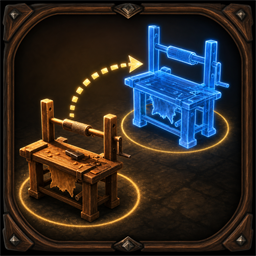
MoveBuildPieces
Move existing Valheim build pieces inside base build areas with preserved state, multiplayer locks, direct recipe knowledge checks, and optional AAABuildMenu compatibility.MoveBuildPieces
Move existing player-built Valheim pieces without destroying them. Inventories, fuel, production state, ownership, upgrades, and other ZDO-backed data stay on the original network object.
Usage
World: outside build mode, hover a removable player-built piece and press the world hotkey.BuildMenu: equip a build tool, hover a removable player-built piece, and press the build-menu hotkey.Mixed: use one hotkey in either context; the mod chooses the correct placement path.- Place the blue vanilla placement ghost to move the original object.
- Press the same hotkey again or
Escapeto cancel. Estill interacts with doors during an active move.Emay also be assigned as a move hotkey; a successful door interaction takes priority for that press.
New configs default to Mixed and U. Existing BepInEx configs keep their saved values.
Config defaults
Move mode = MixedWorld mode move hotkey = UBuild mode move hotkey = UMixed mode move hotkey = URequire known piece = falseBlock terrain modifiers = trueBlock dynamic objects = trueMove lock timeout seconds = 45
Require known piece is independent of the build-menu UI. When enabled, the mod checks the player's real known-recipe set through Player.IsRecipeKnown using the runtime and canonical prefab names. When disabled, recipe knowledge is not queried at all; the mod only permits relocating that existing piece and never teaches or exposes recipes.
Placement and state refresh
Both the source and destination must stay inside the source position's existing EffectArea.Type.PlayerBase territory - the same base area Valheim counts when suppressing nearby creature spawning. The destination is checked against the exact source-area instances captured before the relocation ghost is created, so a workbench ghost cannot provide its own permission.
The move preview and final click also use Valheim's current placement status: ward, no-build, biome, teleport-area, dungeon, spacing, clipping, support-connection, and station-extension rules remain intact. Relocation does not consume resources, refund materials, invoke PlacePiece, inspect required materials, or require the object's original crafting station. Build-menu visibility, categories, filters, and ordering are not authorization inputs.
After a successful move, the mod invalidates and rebuilds position-dependent state once: WearNTear support and environment caches, nearby crafting-station upgrades and ranges, StationExtension links, cached fire/no-monster bounds, ward connections, sap collectors, shields, fireplaces, static rotation, and claimed-bed spawn points. Unsupported structural pieces are rolled back before their new transform is synchronized.
Terrain-changing pieces, unsafe dynamic objects, nested network objects, occupied attach points, active containers, and beds claimed by another player remain blocked by default where a single-object relocation cannot preserve their state safely.
Multiplayer
Install the same mod version on the server and on every client that can own or move pieces. Moves use an expiring per-object lock and one-time transaction token. The current ZDO owner validates and applies the transform; the requester finishes only after the server has observed the exact token and transform. The lock stays held until that confirmation, preventing a second move from overwriting the pending transaction.
The server distributes Enabled, Require known piece, terrain/dynamic safety, and lock-timeout policy. Valheim does not replicate a remote player's complete known-recipe set, so Require known piece is enforced by the requesting client under that server policy rather than being described as a server-verifiable fact.
Move traffic uses six session-level routed handlers instead of registering six closures on every loaded build piece. Protocol V4 rejects mixed releases before a move starts. Placement and visual scans run only while the local player is actively moving an object, and unchanged visual geometry is cached.
AAABuildMenu compatibility
Compatibility activates only when Azumatt.AAABuildMenu is installed. Every move uses an isolated one-piece PieceTable normalized to the internal vanilla Misc slot; the real piece category and AAABuildMenu's column count, search, filters, and ordering are irrelevant to selection. AAABuildMenu's refresh is prevented from mutating only that temporary table. The normal build table, active filter, search text, and previous selection are restored after move or cancel.