You're Injured
Part of the Scavengers Survival Series for Valheim.
You're Injured makes damage more meaningful. A fight can leave a wound behind: bleeding, impaired movement, higher stamina costs, infection risk, and a reason to stop and treat yourself.
What it adds
- Separate injury values for head, torso, arms, and legs.
- Leg injuries that affect running and jumping.
- Arm injuries that increase attack stamina costs.
- Head/torso injuries and infection that affect stamina recovery.
- Bleeding, clotting, infection risk, and infection.
- Early-game treatment using Leather Scraps.
- Cold-water rinsing for infection risk under the right conditions.
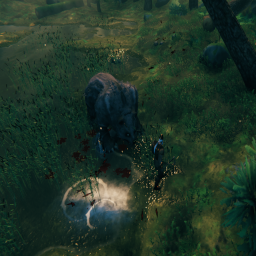
- Local-only wound blood: impact spray, falling drips, and persistent ground blood.
- Weapon-specific hit audio and a bandage-wrap sound.
- A movable/resizable injury HUD.
Controls
- G — Use Leather Scraps to treat wounds.
- O — Enter or leave the Injuries HUD layout editor.
- Drag the panel to move it.
- Drag a gold corner handle to resize it.
- F2 — Write diagnostics to
BepInEx/LogOutput.log.
- F3 — Toggle injury effects for the current session.
- Ctrl + F3 — Hide or restore the mod HUD along with Valheim's HUD toggle.
Configuration
General > Enabled turns the injury system and its effects on or off.HUD > ShowInjuryPanel hides only the Injuries HUD.HUD > HideHudWithCtrlF3 controls whether Ctrl + F3 hides this HUD.- Damage thresholds, bleeding, recovery, infection, blood visuals, audio, and HUD options are configurable.
Audio and assets
Keep the supplied assets folder beside the DLL. The default audio path is:
BepInEx/plugins/YoureInjured/assets/audio/
Installation
- Install through Thunderstore/r2modman, or install BepInExPack for Valheim manually.
- Place
YoureInjured.dll and the supplied assets folder in BepInEx/plugins/YoureInjured/.
- Launch Valheim once to create the config file.
Multiplayer
Use the same version for the people playing together so injury behaviour remains consistent.