

Enigmas Item Salvager
Take your gear apart at the Workbench, Forge, Black Forge or Galdr Table. A Salvage tab, a new Salvaging skill, and hold-to-scrap for items with no recipe.Enigma's Item Salvager
Take your gear apart and get some of the materials back.
A new Salvage tab sits next to Craft and Upgrade in the crafting window. Pick an item from your inventory, see what you would get back, and salvage it. It works at the Workbench, Forge, Black Forge and Galdr Table.
See it in action
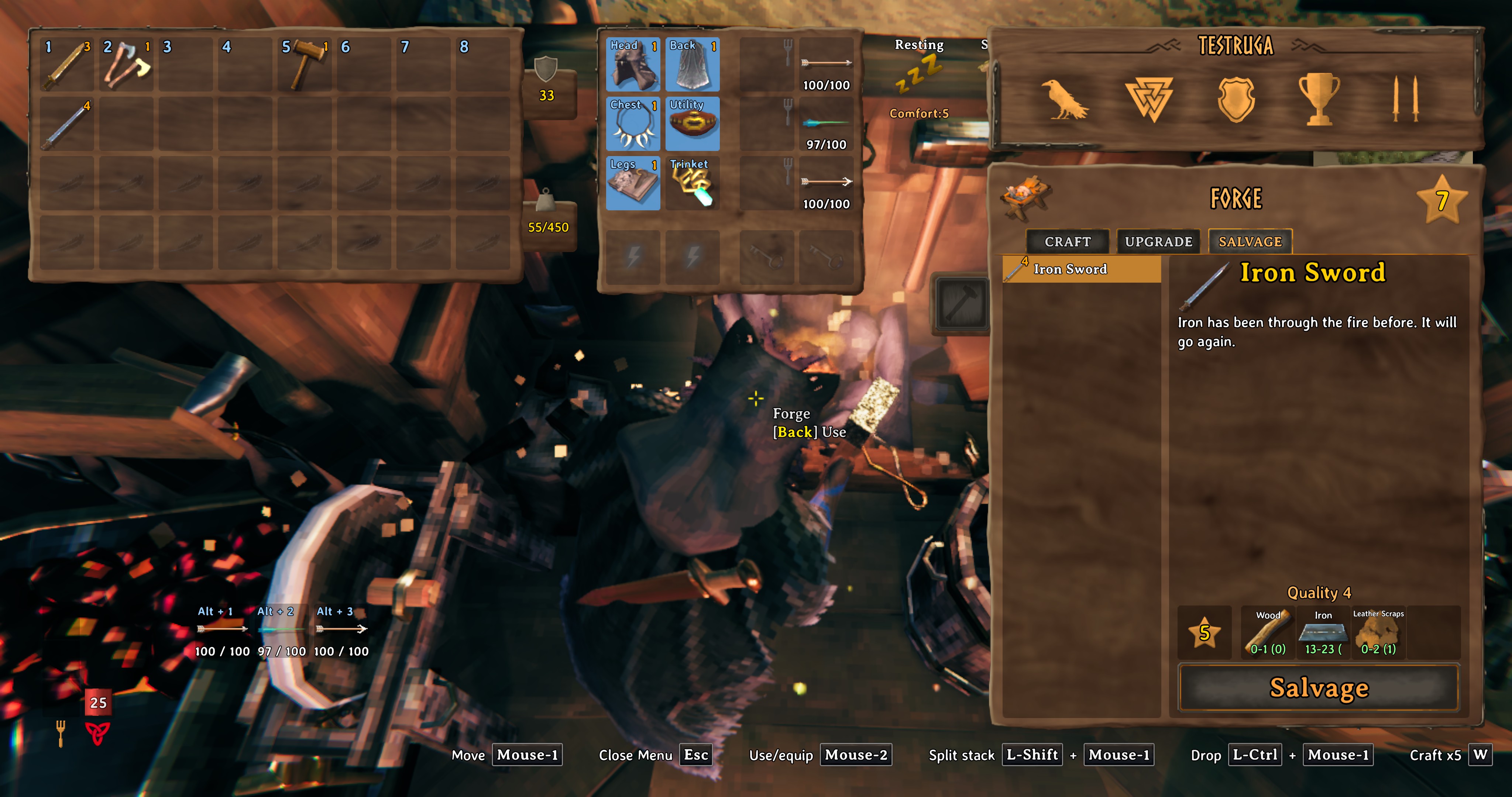
Salvaging an iron sword at the Forge. The panel shows the range you can expect for each ingredient:
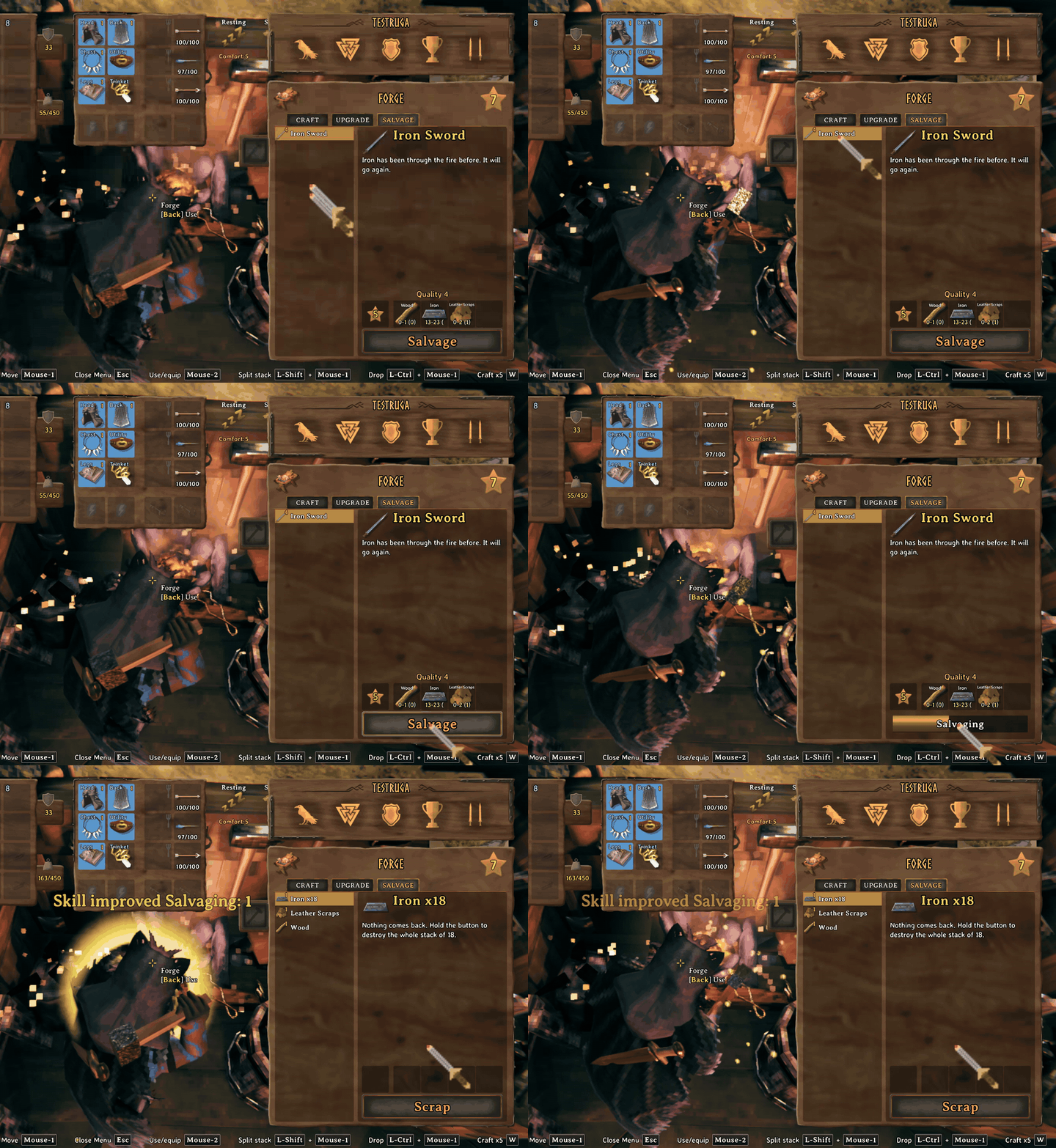
The Salvage tab at the Forge:
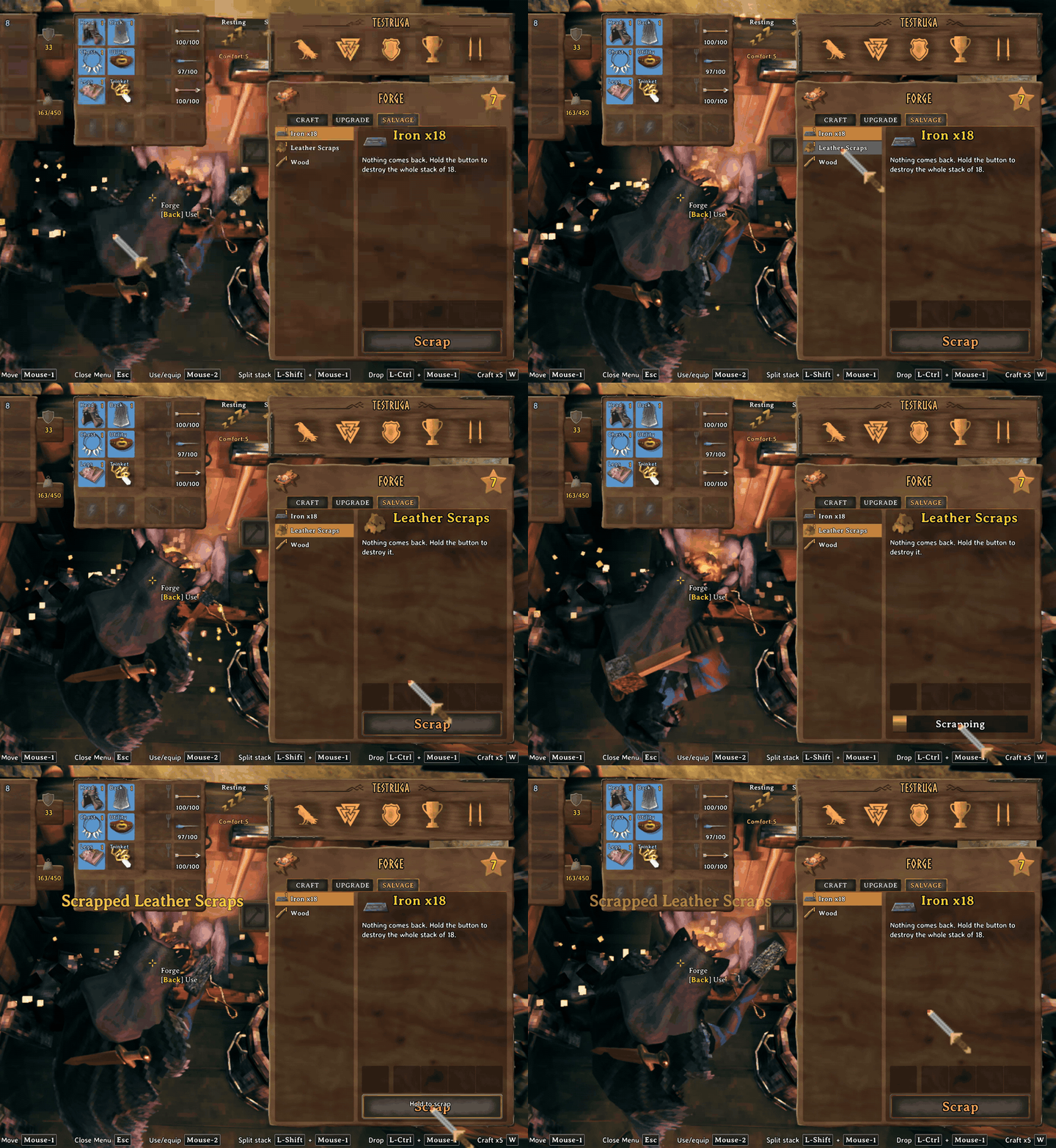
Scrapping a stack of leather scraps. Hold the button to confirm:
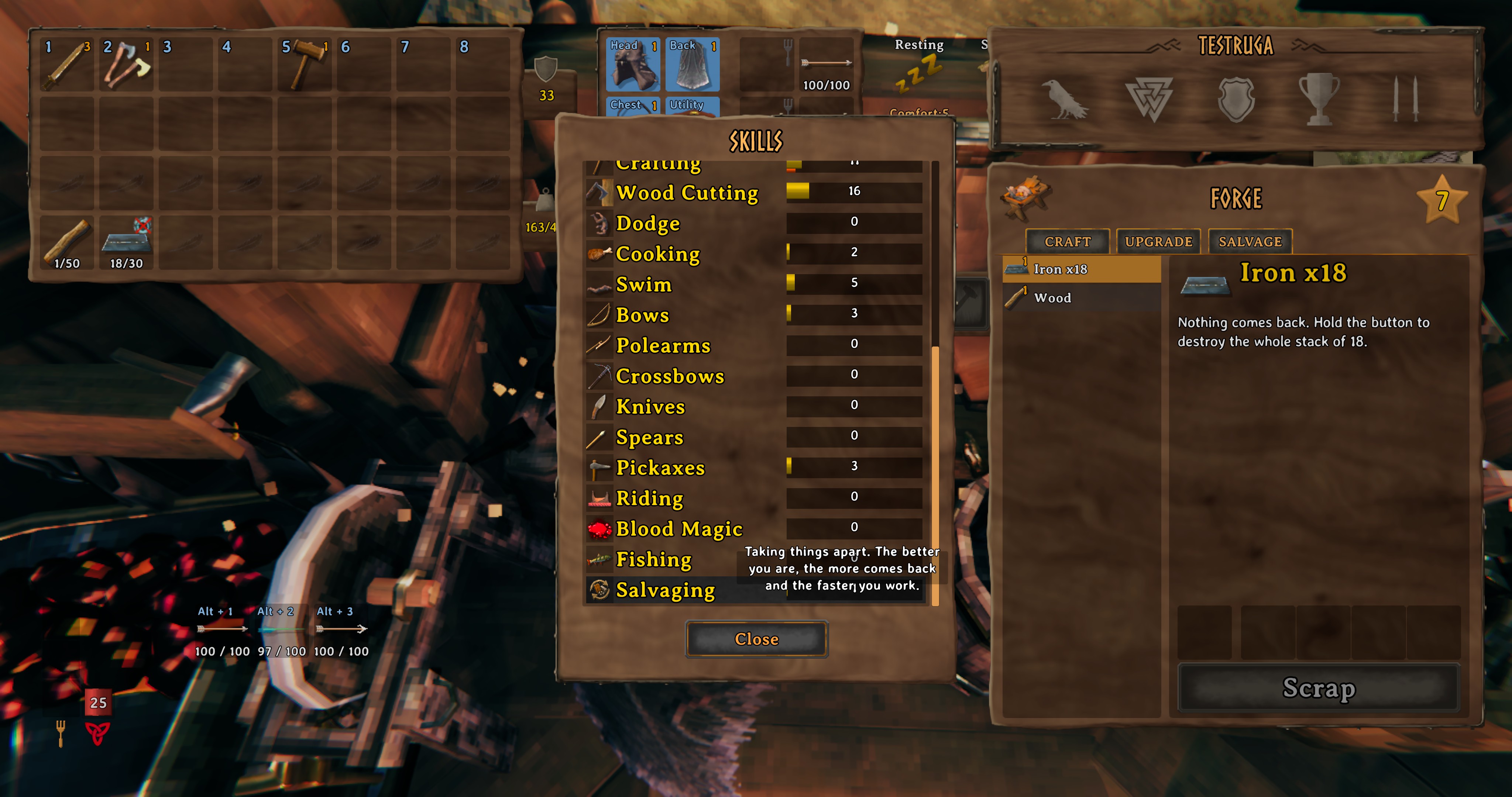
The new Salvaging skill, in the skills list:
How it works
- The Salvage tab only lists items made at the station you are standing at, and the station must be high enough level for that item (the same rule as crafting it).
- You get back part of what the item cost to make, including every upgrade level it has. The game's own "not recoverable" ingredients stay unrecoverable.
- How much comes back depends on your Crafting skill and the new Salvaging skill. With default settings the best case at Crafting 0 is 20%, at Crafting 100 it is 70%, and Salvaging 100 adds another 10%. Each salvage rolls a little below that best case, so it varies. Salvaging is always a loss, so you can't loop craft and salvage for free materials.
- Tougher materials come back more reliably than soft ones, and you always get at least one of the most valuable ingredient.
- Only items in your main inventory can be salvaged. Equipped items, hotbar items and ExtraSlots items are skipped.
- Controller: supported, but not tested much. Please tell me if something is off.
Salvaging skill
A new skill that levels each time you salvage. It adds to the amount returned and shortens the salvage time. It never touches your Crafting skill.
Scrap
Items that have no recipe (loot, bits and pieces) show up in the same list with a Scrap button. Hold the button for 1.5 seconds to delete the whole stack. Let go early and nothing happens. You get nothing back, so it is a quick way to clear junk.
Protected from scrap, always: trinkets, quest items, boss and rare creature trophies, keys, and the early axe. A blacklist in the config lets you add more.
Creature heads
At the Workbench, creature trophies can be salvaged into materials like bone fragments, entrails, greydwarf eyes, ooze and more. The amount scales with the size of the creature, and the whole stack is done at once. Boss trophies are never touched. The table is editable in the config.
Multiplayer
Everyone on the server needs the mod installed, on the same major and minor version.
Compatibility
- Works with ExtraSlots (items in its extra slots are not salvageable).
- Metal bars come back as bars, like vanilla.
Config
Settings are in BepInEx/config/EnigmaPrime.EnigmasItemSalvager.cfg after the first run:
- Return: floor, ceiling, jitter and Salvaging bonus.
- Skill: experience per salvage.
- Scrap: on/off, hold time, blacklist, which item types can be scrapped, head table.
- Display: hover text size.
Other files in the config folder:
EnigmaPrime.EnigmasItemSalvager.weights.txtlists how readily each ingredient comes back (0 to 1). Edit it to change the balance.EnigmaPrime.EnigmasItemSalvager.sayings.txtlets you change the lines shown in the item panel.
Console commands (testing)
salvagetest <ItemPrefab> [quality] [craftingSkill] [salvagingSkill] [runs]previews a salvage without touching your inventory.salvageskill [0-100]shows or sets your Salvaging level.
Feedback
Bugs and ideas are welcome. Please include your BepInEx log (LogOutput.log) with bug reports.