


Enigmas Item Salvager
Take your gear apart at the Workbench, Forge, Black Forge or Galdr Table. A Salvage tab, a new Salvaging skill, and hold-to-scrap for items with no recipe.Enigma's Item Salvager
Take your gear apart and get some of the materials back.
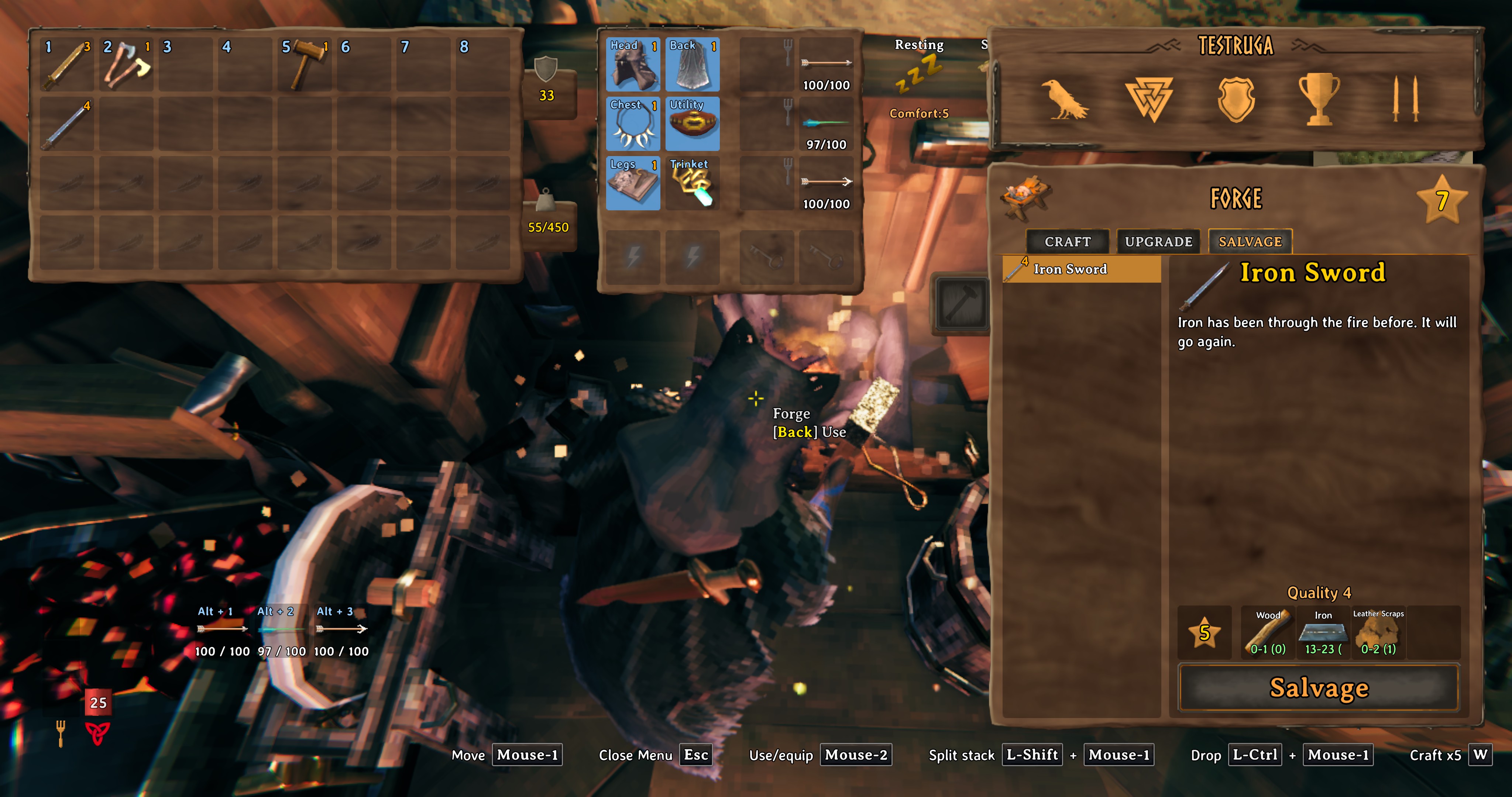
A new Salvage tab sits next to Craft and Upgrade in the crafting window. Pick an item from your inventory, see what you would get back, and salvage it. It works at the Workbench, Forge, Black Forge and Galdr Table.
What it looks like
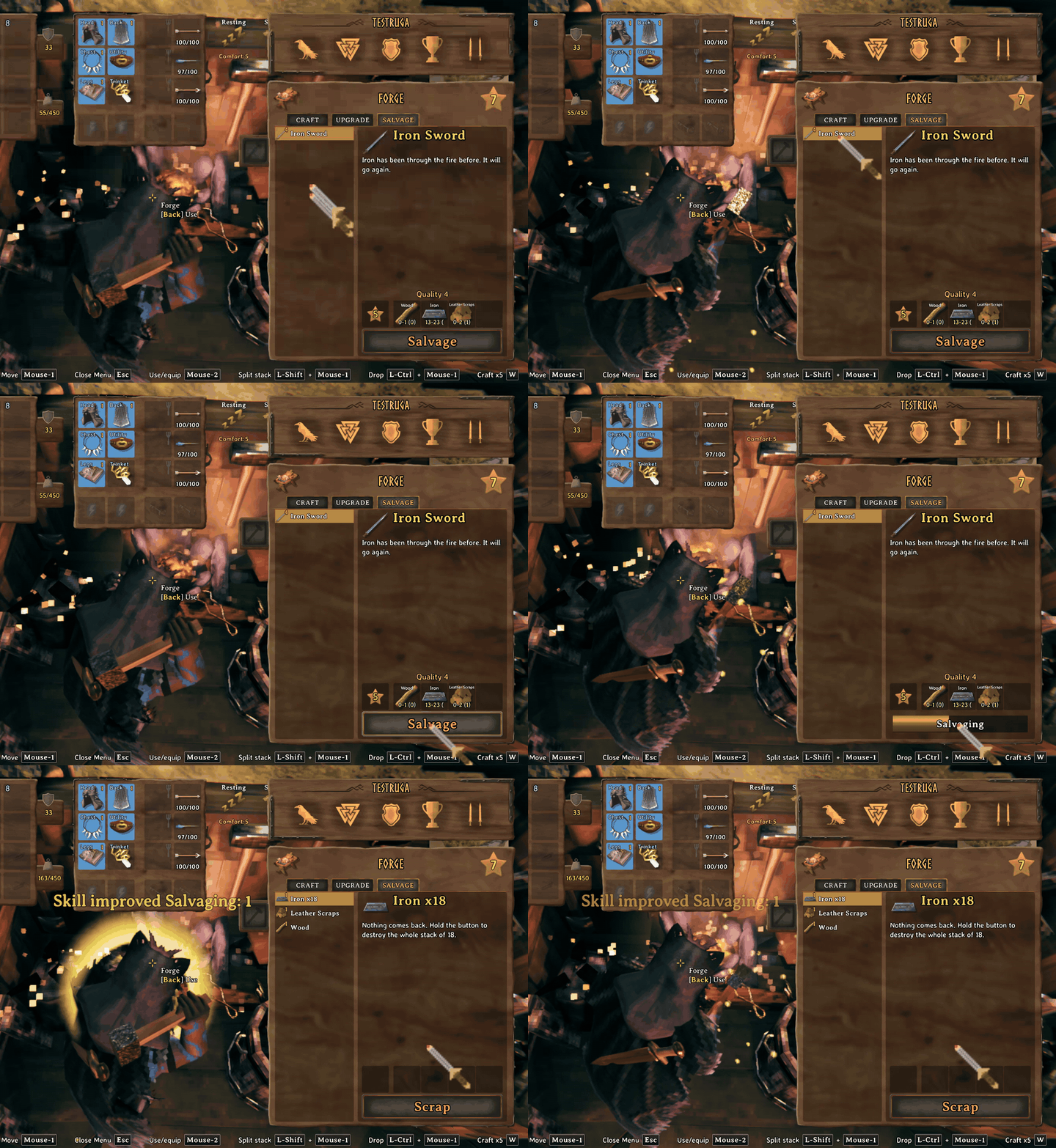
Salvaging an iron sword at the Forge. The panel shows the range you can expect for each ingredient:
The Salvage tab at the Forge:
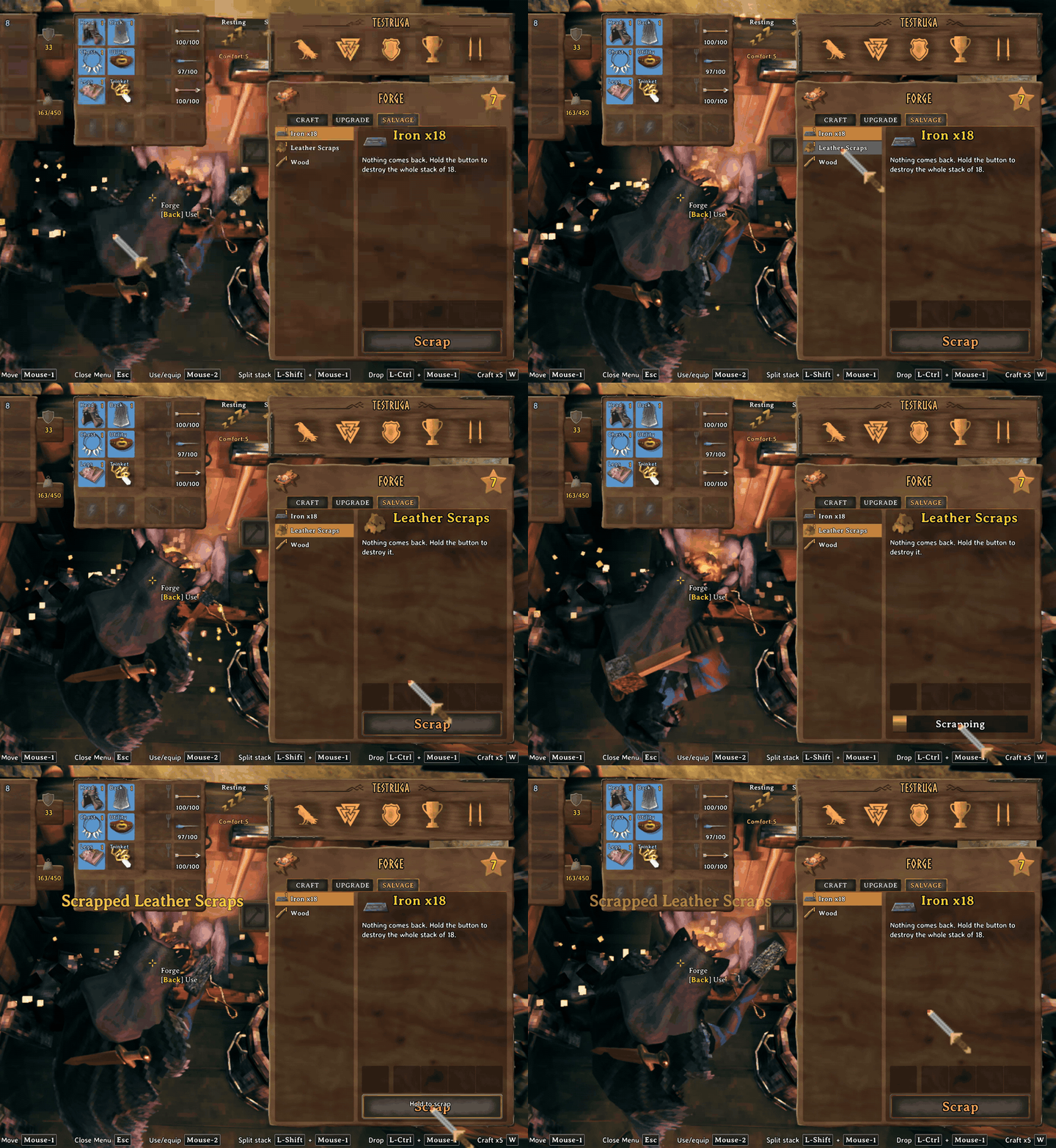
Scrapping a stack of leather scraps. Hold the button to confirm:
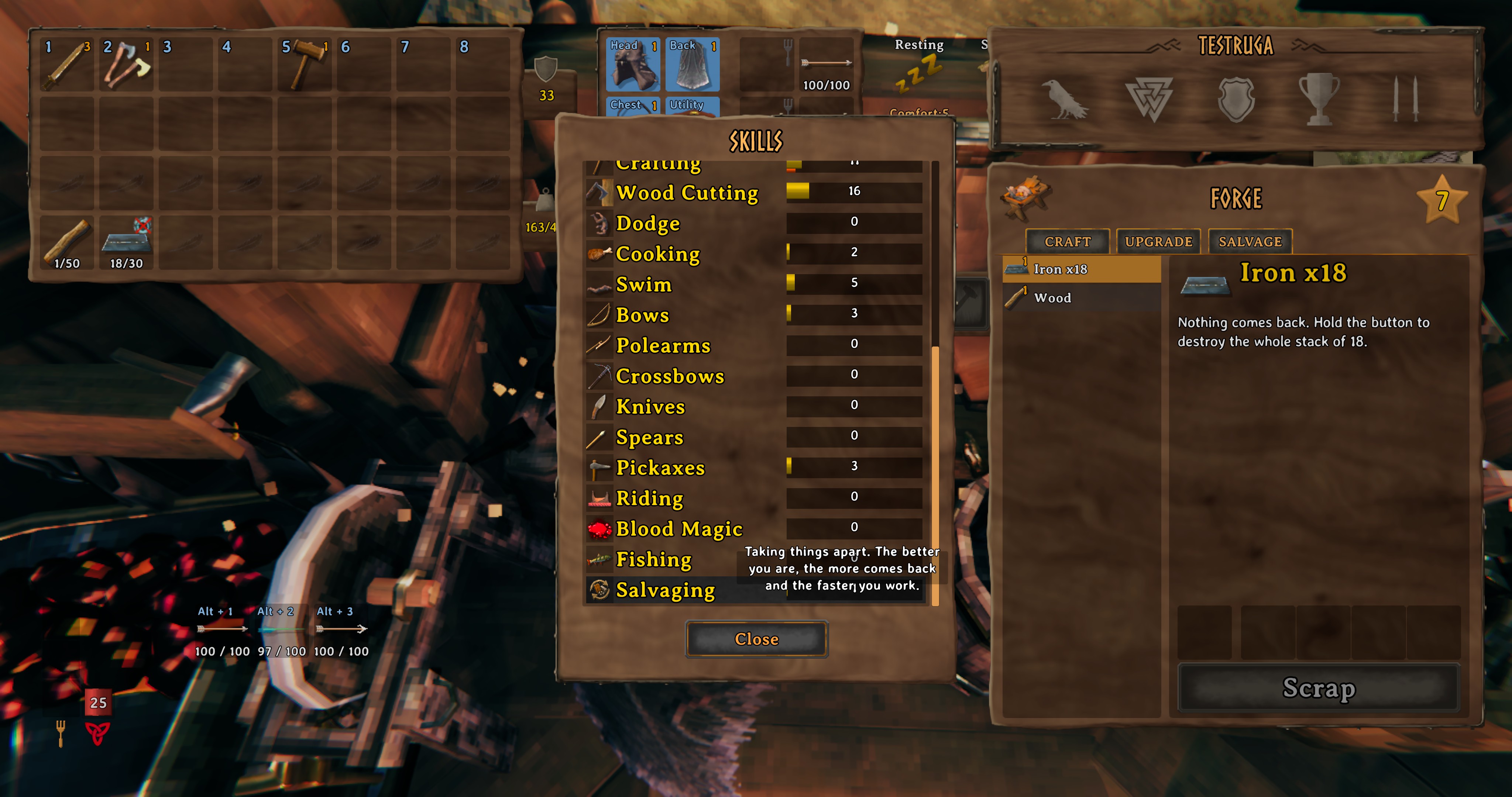
The new Salvaging skill, in the skills list:
Features
- A Salvage tab in the crafting window at the Workbench, Forge, Black Forge and Galdr Table.
- Get back part of what an item cost to make, including every upgrade level.
- A new Salvaging skill that raises the return and shortens the salvage time.
- Hold to scrap items that have no recipe, with protection for trinkets, keys, quest items and trophies.
- Creature trophies can be salvaged into materials, scaled by creature size.
- Core Wood can be chopped into Wood at the Workbench (4 Wood each, editable with the LogTable setting).
- A Sort button that merges partial stacks and tidies your bag, and a hotbar that stays free for tools and weapons.
- Every return value, the ingredient weights and the sayings can be changed in the config.
How it works
- The Salvage tab only lists items made at the station you are standing at, and the station must be high enough level for that item (the same rule as crafting it).
- You get back part of what the item cost to make, including every upgrade level it has. The game's own "not recoverable" ingredients stay unrecoverable.
- How much comes back depends on your Crafting skill and the new Salvaging skill. With default settings the best case at Crafting 0 is 20%, at Crafting 100 it is 70%, and Salvaging 100 adds another 10%. Each salvage rolls a little below that best case, so it varies. Salvaging is always a loss, so you can't loop craft and salvage for free materials.
- Tougher materials come back more reliably than soft ones, and you always get at least one of the most valuable ingredient.
- Only items in your main inventory can be salvaged. Equipped items, hotbar items and ExtraSlots items are skipped.
- Controller: supported, but not tested much. Please tell me if something is off.
Salvaging skill
A new skill that levels each time you salvage. It adds to the amount returned and shortens the salvage time. It never touches your Crafting skill.
Scrap
Items that have no recipe (loot, bits and pieces) show up in the same list with a Scrap button. Hold the button for 1.5 seconds to delete the whole stack. Let go early and nothing happens. You get nothing back, so it is a quick way to clear junk.
Protected from scrap, always: trinkets, quest items, boss and rare creature trophies, keys, and the early axe. A blacklist in the config lets you add more.
Creature heads
At the Workbench, creature trophies can be salvaged into materials like bone fragments, entrails, greydwarf eyes, ooze and more. The amount scales with the size of the creature, and the whole stack is done at once. Boss trophies are never touched. The table is editable in the config.
Sort inventory
A chest open next to the inventory. Take, Stack, Sort and Drop sit beside the chest, and Sort sits under your armor readout:
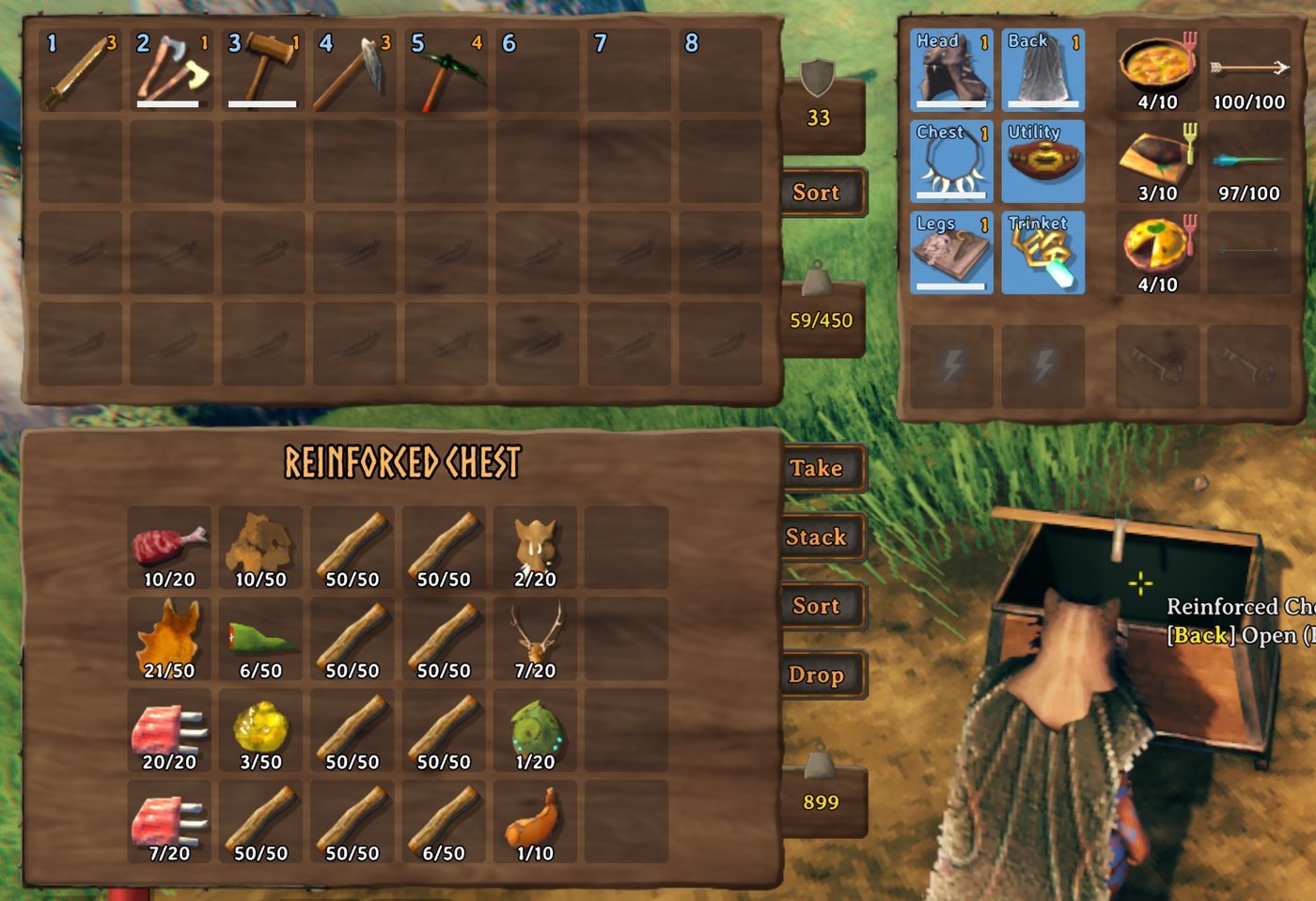
Picking things up leaves half stacks all over the bag. Sort merges partial stacks of the same item, then arranges everything by category, filling the grid in rows like the game does (or one column at a time if you change FillDirection to Columns): equipment, ammo, trinkets, tools, materials, trophies, then food, meads and potions last. Items in the same category are ordered by name.
- Button: one on the player inventory panel under the armor readout, and one under Place All when a chest or other container is open. The inventory button sorts your bag, the container button sorts that container (the whole grid, no hotbar row).
- Container buttons: the buttons beside a chest or other container are lined up in one column with space between them: Take (Take All), Stack (Place Stacks), Sort and Drop.
- Drop button: it sits below the container's Sort button. It moves everything in your bag below the hotbar into the container, filling existing stacks first, then sorts the container. The hotbar, worn items and other mods' slots are skipped.
- Take All: after Take All, your inventory is sorted automatically (SortAfterTakeAll setting).
- Keyboard: Ctrl+S while the inventory is open (changeable in the settings).
- Controller: click the right stick while the inventory is open (changeable in the settings). Not tested on a controller yet.
- The hotbar row is never touched. In your bag, slots added by other mods are never used for sorting. If Sort cannot tell which slots another mod owns, it does nothing.
- ExtraSlots: Sort also fills its empty slots (can be turned off with FillExtraSlots). Armor: the most advanced single set that fits is worn, and any gaps get the best leftover piece. Trinkets: highest quality. Food: highest health, stamina and eitr combined, a different food in each slot. Ammo: strongest first, a different ammo in each slot. Trinkets and utility items are equipped too. Misc slots: only items that actually do something (a carried effect, or a quest item), so a plain trophy stays in the bag. Slots that already hold an item are never changed, and quick slots are left alone.
- Gear is only moved, never merged or changed.
Reserved hotbar
Your hotbar (top row) is kept for weapons, tools, shields, torches, bows, food and ammo. When you pick something up or use Take All, armor, utility items (such as the Megingjord), materials, trophies and everything else go into the rest of the bag first and only use the hotbar when the bag is full. Take All also puts tools and weapons first instead of dropping each item in the same spot it had in the chest. Turn it off with the ReserveHotbar setting.
Download
Install from Thunderstore with r2modman or the Thunderstore app. Dependencies are installed automatically:
https://thunderstore.io/c/valheim/p/Enigma_Prime/Enigmas_Item_Salvager/
To change settings in game, install Configuration Manager and press F1.
Settings
Settings are in BepInEx/config/EnigmaPrime.EnigmasItemSalvager.cfg after the first run:
- Return: floor, ceiling, jitter and Salvaging bonus.
- Skill: experience per salvage.
- Scrap: on/off, hold time, blacklist, which item types can be scrapped, head table, and the log table (Core Wood chopping).
- Sort: on/off, hotkey, controller button, category order, fill direction (rows or columns), fill ExtraSlots on/off, reserve hotbar on/off, sort after Take All on/off, button position.
- Display: hover text size.
Other files in the config folder:
EnigmaPrime.EnigmasItemSalvager.weights.txtlists how readily each ingredient comes back (0 to 1). Edit it to change the balance.EnigmaPrime.EnigmasItemSalvager.sayings.txtlets you change the lines shown in the item panel.
Console commands (testing)
salvagetest <ItemPrefab> [quality] [craftingSkill] [salvagingSkill] [runs]previews a salvage without touching your inventory.salvageskill [0-100]shows or sets your Salvaging level.
Multiplayer and servers
Everyone on the server needs the mod installed, on the same major and minor version.
Compatibility
- Made to work with ExtraSlots by shudnal (tested with 1.2.21). Sort fills its empty head, chest, legs, back, utility, trinket, food, ammo and misc slots with the best matching items, equips them, and never touches slots that are already filled. Items in its extra slots are not salvageable.
- Other mods that add inventory slots are not supported yet. Sort and Drop only use the normal bag rows, so a slot another mod places inside those rows could be used by mistake. If you use one, please tell me which and I will look at adding support.
- Metal bars come back as bars, like vanilla.
Support

If you like the mod and want to say thanks, you can:
buy me a coffee on Ko-fi
Bug reports and ideas are just as welcome. Open an issue on GitHub and include your BepInEx log (LogOutput.log).
More mods by Enigma Prime

Enigma's Realistic Smoke Rework
Smoke that rises, pools and bends in the wind, with flames that follow their fuel.
Enigma's Useful Tasty Mead
A sweet mead that makes your food count as freshly eaten again, lifting your max health, stamina and Eitr before fading back.
Enigma's Enhanced Forging
Smelters, kilns and the Eitr refinery become walk-away machines with inventory screens, a Light button and winding animations.
How this mod was made
The ideas, the design, and every decision about how salvaging should work are mine: what can be taken apart, how much comes back, how skill changes it, what is protected from scrap, and what the settings should be. However, I am not a programmer. The code was written by Claude, an AI assistant made by Anthropic, working from my direction through Claude Code.
I want to be upfront about that. I am the one who plays the game, so I test every build in Valheim, read the game log for errors, and send back anything that looks or feels wrong until it behaves the way I intended. The code was also checked against Valheim's own code so it hooks in the right places. If you find a bug, please open an issue and I will work on a fix.
Not affiliated with or endorsed by Anthropic.
Changelog
See CHANGELOG.md.
License
All rights reserved. You are free to download and use the mod, but please don't redistribute, modify or re-upload it without asking first, see LICENSE. Valheim is the property of Iron Gate AB and Coffee Stain Publishing. This mod is not affiliated with or endorsed by them.