
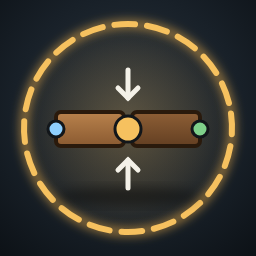
SnapPoints
Turn snapping off and on with one key, and see the snap points while you build. Client-side only.Snap Points
Part of FlyingHose's Modpack. Needs only BepInEx.
This mod adds two things to building: a switch that turns snapping off and on, and markers that show where the snap points are.
What the base game already does
Read this first, because the game already does more than most people notice.
- Cycling the ghost's snap point. Press
QorEwhile you hold a build tool and aim at something. The game moves through the ghost piece's own snap points and back to automatic, and shows the name of the point in the middle of the screen. These are the game'sTabLeftandTabRightkeys, so you can rebind them in the game's key settings. This mod does not add a second way to do this. - Turning snapping off. Hold
Shift(the game'sAltPlacekey). While it is held, the piece does not snap. On a gamepad with a non-classic layout, the game can switch this on and stay on. On the keyboard it only works while the key is held. - How snapping works. A snap point on the ghost joins a snap point on a placed piece when they are within half a metre. The game looks for placed pieces within 10 metres of the ghost. With automatic selection it picks the closest pair. When you have chosen a ghost snap point, it uses that point and joins it to the closest point on a placed piece. You cannot choose the point on the placed piece.
- Showing snap points. The game never draws them.
What this mod adds
| Key | Default | What it does |
|---|---|---|
ToggleSnapKey |
J |
Turns snapping off. Press again to turn it back on. A message in the middle of the screen says which. |
MarkersKey |
U |
Shows or hides the snap point markers. |
Both keys can be changed in the config file. They only work while you hold a build tool, and not while a menu, the console, or a text box is open.
The snapping switch
With snapping off, the piece goes exactly where you aim, the same as holding Shift. Holding Shift still works, and it is not affected by the switch. The switch also applies when you place the piece, so what you see is what you get.
Snapping turns back on when you put the build tool away. Set Snap.ResetOnToolAway to false if you want it to stay off until you press the key again.
The switch changes one decision in the game's placement code: whether snapping is skipped. Nothing else that uses the Shift button changes. If the game updates and that spot moves, the log says so, the switch is turned off, and the markers keep working. The markers hook the game's own end-of-frame player update so they sit exactly on the ghost. If that hook fails after a game update, they still show and the log says so.
The markers
Markers are small balls drawn only on your screen.
- Light blue balls are the ghost piece's own snap points.
- The yellow ball is the snap point you picked with
QorE. In automatic, none is yellow. - Green balls are snap points on placed pieces near the ghost, nearest first.
They show only when the piece you are placing has snap points. Nothing is added to the world, saved, or sent to other players. The markers start off in each session, because drawing them costs a little performance. Set Markers.OnByDefault to true to start with them on.
Config
Every setting is yours. Nothing is sent to the server or other players.
| Setting | Default | What it does | Who decides |
|---|---|---|---|
General.Enabled |
true | Master switch. When false the mod applies no patches. Needs a restart. | you |
General.DebugLogging |
false | Writes detailed lines to the BepInEx log. | you |
Snap.ToggleEnabled |
true | Allows the snapping switch. When false the game's placement code is not patched. Needs a restart. | you |
Snap.ResetOnToolAway |
true | Turns snapping back on when you put the build tool away. | you |
Markers.Enabled |
true | Allows the markers and their key. | you |
Markers.OnByDefault |
false | Starts each session with the markers showing. | you |
Markers.Max |
64 | The most markers drawn at once, from 1 to 256. The ghost's points come first. | you |
Markers.Radius |
10 | How far from the ghost to look for snap points on placed pieces, in metres, from 1 to 10. | you |
Keys.ToggleSnapKey |
J | Snapping off and on. | you |
Keys.MarkersKey |
U | Markers on and off. | you |
Other mods
This mod works alongside YesuBuildKit Rotation. Both change the game's placement code at different spots and do not depend on each other.