

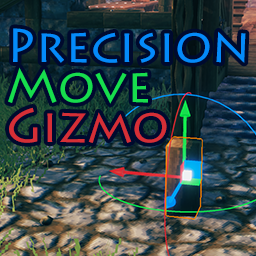
PrecisionMoveGizmo
Move and rotate already placed build pieces with the precision of 3D editors, right in the game.Move and rotate any placed piece with much greater precision. Select objects with mouse cursor then edit them with transform gizmos similar to 3D editor software right inside Valheim. Use mouse controls or keyboard keybinds to position single or multiple pieces at once.
How to use
Getting Started:
- Equip a Build Hammer.
- Hold Alt to release the mouse cursor.
- Select placed build piece.
- Move it!
Selecting Objects:
- Select Piece: Hold Alt and click on a build piece.
- Multi-Select: Hold Shift + Alt and click to select/deselect individual pieces one by one.
- Box Select: Hold Alt and click and drag your mouse to create a selection rectangle that selects all objects inside it.
- Deselect: Alt-click on the ground, or unequip your hammer.
Moving & Rotating:
- Gizmo Handles: Click and drag the gizmo handles using either the mouse cursor (while holding Alt) or using the crosshair.
- Numpad Controls: Use Keypad keybinds to move selected pieces precisely.
- Snapping: Toggle snapping mode to move pieces in fixed increments.
UI Toolbar & Modes:
- When holding Alt or with objects selected, a UI toolbar appears at the top of the screen.
- Use the toolbar to switch tool modes, adjust snap settings, undo/redo/reset actions, or repair/duplicate/destroy selected pieces.
- Tool modes and actions can also be toggled using dedicated keybinds.
Default Keybinds
General:
- Left Alt - Hold to release cursor (use to select pieces or interact with UI toolbar)
- Shift + Left Click - Additive selection mode (add/remove individual pieces to selection)
- Left Click + Drag - Box selection (drag a rectangle to select all pieces inside)
- Numpad 0 - Select piece currently targeted by crosshair
Tool Settings:
- Insert - Cycle tool mode (Move / Rotate / Multi)
- Home - Toggle pivot mode (Pivot / Center)
- Page Up - Cycle coordinate space (Local / World)
- Page Down - Toggle snapping
Actions:
- Ctrl + Z - Undo
- Ctrl + Shift + Z - Redo
- End - Reset pieces to initial position and rotation at selection
- Ctrl + D - Duplicate selected pieces in same position and select new copies. (requires materials in inventory)
- Ctrl + [ - Repair all selected pieces
- Delete - Destroy selected pieces (cannot be undone, drops materials)
Keyboard movement:
- Numpad 4 and Numpad 6 - Move / rotate along X axis (Red)
- Numpad 5 and Numpad 8 - Move / rotate along Z axis (Blue)
- Numpad 7 and Numpad 9 - Move / rotate along Y axis (Green)
Config
Many settings and all keybinds are changeable in Valheim/BepInEx/config/GemHunter1.PrecisionMoveGizmo.cfg
Or use Configuration Manager's in-game F1 panel.
Installation
This mod depends on BepInEx for Valheim.
Use Vortex or you can install the mod manually by copying its .dll file into your Valheim/BepInEx/plugins folder.
Todo
Things I may or may not plan to add in later versions:
- Snap Point pivot mode
- Custom build action (like repair) for controller compatibility
- Free fly build camera (or compatibility with other build camera mods)
- Copy/Paste entire selection. Similar to duplicate but with ghost preview
Server Compatibility
Recommended to install for server and all players. Clients without the mod installed will not sync until they relog.
Vanilla Save Compatibility
The mod is safe to remove at any point without breaking your saves.
Mod Compatibility
Should work with any custom build pieces. If there is any problem post a comment.