
NotificationTweaks
NotificationTweaks mod by Erinthe (aedenthorn) on Nexus.Notification Tweaks by aedenthorn
About this version
This mod was originally written by Erinthe (aedenthorn) on Nexus.
Description
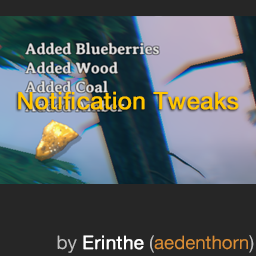
Lets you customize in-game notification display, including number of notifications to show at once, fade speed, font size, etc. Also consolidates similar notifications.
Valheim has two different notification areas, the small one in the top left, and the large one in the center of the screen.
This mod lets you show multiple notifications in the small notification area, and change the following variables:
- Fade speed of small and large notifications
- Font size and color of the small and large notifications
- Maximum number of notifications to show in the small notification area
- Position of small notification
Config
A config file BepInEx/config/aedenthorn.NotificationTweaks.cfg is created after running the game once with this mod).
You can adjust the config values by editing this file using a text editor or in-game using the Config Manager.
To reload the config from the config file, type notificationtweaks reset into the game's console (F5).
Technical
To install this mod, the easiest way is to use the Thunderstore mod manager. It should take care of all dependencies.
To install manually, place the dll file in the BepInEx/plugins folder. You will need BepInEx.
Code is at https://github.com/aedenthorn/ValheimMods.
If you want to complain or ask for help or help me test my mods, you can visit my Discord server.