

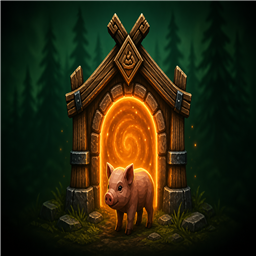
Offspring Portal
Teleports tamed juveniles and breedable eggs from breeder portals. Dynamic species discovery from breeding pens. Dual-purpose egg collector portal. Mod creature support.Offspring Portal
Automate your breeding pens. Offspring Portal teleports tamed juveniles and breedable eggs from your breeder area to distant maturing pens the moment they wander into range — keeping vanilla population caps from stalling production.
Press E on juveniles to toggle follow/stay — useful for leading piglets and wolf cubs through portals or into pens before they grow up.
Build a portal, name it, configure it once, and let the mod handle the logistics. Species lists are built automatically from tamed adults near your breeder portals — no need to manually register mod creatures.
Offspring portals are for animal automation only — players cannot travel through them. Compatible with XPortal (offspring portals are excluded from XPortal's travel list).
Current version: 0.3.5
Support & feedback
Bug reports, feature requests, and questions:
- Team Extreme Discord — setup help, example farms, and updates (use your Offspring Portal channel)
- GitHub Issues — Offspring Portal
When reporting a problem, include your mod version, single-player or multiplayer, and other portal-related mods (e.g. XPortal).
Features
- Custom offspring portal — Hammer build piece (20 Fine Wood, 10 Greydwarf Eyes, 2 Surtling Cores)
- Five portal roles — Breeder, Maturing, Farm, Egg Collector, and Cull
- Dynamic species discovery — Maturing, Farm, and Egg Collector dropdowns are built from tamed breedable adults near breeder portals (deduped per species)
- Mod creature support — Any creature that passes the breedable criteria below is discovered automatically via prefab name
- Automatic juvenile routing — Breeder portals send tamed juveniles to matching maturing pens
- Automatic egg routing — Breeder portals send laid eggs to Egg Collector or maturing pens (see dual vs single-purpose below)
- Mate draw — Fed, ready adults near breeder portals nudge toward same-species mates within breeding range
- Round-robin — Multiple maturing/farm/cull/egg-collector portals of the same type share load automatically
- Optional adult routing — Maturing portals can forward grown adults to Farm, Cull, or leave them (None)
- One shared Cull yard — A single Cull portal handles every species
- Portal config UI — Press E on a portal to set name, type, species, and destination
- Custom portal names — Shown on hover for easy identification
- Juvenile follow command — Press E on tamed juveniles to toggle Follow / Stay (configurable)
- Breeding cap warning — Hover warning when a maturing pen sits inside vanilla breeding cap radius
- Distant pen support — Teleports wait for unloaded zones before giving up
- Multiplayer support — Routing runs on host; all players need the mod installed
- XPortal compatible — Offspring portals excluded from XPortal's travel list
- Players cannot travel — Offspring portals are for animals only, not player teleportation
- Configurable — Scan range, mate draw, discovery radius, intervals, cooldowns, and more via
offspringportal.mod.cfg
At a glance
| Portal type | What it does |
|---|---|
| Breeder | Sends juveniles and eggs out; discovers nearby breedable species; optional mate draw |
| Maturing | Receives juveniles and single-purpose eggs; optionally forwards grown adults |
| Egg Collector | Receives dual-purpose eggs only (e.g. hen eggs for recipes + hatching) |
| Farm | Receives adults routed back from maturing pens (by species) |
| Cull | One shared yard — receives adults marked for slaughter |
Juvenile follow: With EnableFollowCommand on (default), look at a tamed juvenile and press E to toggle Follow / Stay.
Minimum setup: 2 portals (Breeder + Maturing). Farm, Egg Collector, and Cull are optional.
Build cost: 20 Fine Wood · 10 Greydwarf Eyes · 2 Surtling Cores
Dynamic species discovery
Breeder portals scan for tamed breedable adults within discovery range and register each species once for the whole world (four boar pens still produce one Boar entry).
That list drives the Receives dropdown on Maturing and Farm portals, and the egg-type dropdown on Egg Collector portals. All is always available as a catch-all.
Discovery refreshes every breeder scan, so placing a new mod creature at a breeder portal adds it to the lists without editing config files.
Dual-purpose vs single-purpose eggs
When a tamed egg layer lays an egg near a Breeder portal, routing depends on whether the egg item is also a crafting ingredient.
| Egg type | How the mod decides | Where it goes |
|---|---|---|
| Dual-purpose | The egg item appears in at least one enabled ObjectDB crafting recipe (e.g. hen egg used in cooking) | Egg Collector portal for that egg type → if none, Maturing (species match → All) |
| Single-purpose | The egg only hatches — it is not used in any enabled recipe (e.g. asksvin egg) | Maturing portal (species match → All) — same path as live-born juveniles |
Examples
- Hen (dual-purpose): Route recipe eggs to an Egg Collector → Egg Hen pen (chest auto-collect, sorting, etc.). Eggs that miss the collector fall back to maturing pens for hatching. You can heat a subset at the maturing destination.
- Asksvin (single-purpose): Eggs go straight to Maturing → Asksvin or All — no Egg Collector needed.
Egg Collector portal
- Set Type: Egg Collector and choose the egg type (shown as Egg Hen, Egg Penguin, etc.).
- Only dual-purpose egg layers appear in this dropdown.
- Do not use Maturing for dual-purpose egg collection — use Egg Collector so recipe eggs and hatch eggs can be split across destinations.
For mod creators — what counts as breedable?
Offspring Portal does not use a hardcoded species list. It discovers creatures at runtime from vanilla breeding components. If your modded animal works with the rules below, it should appear in portal dropdowns and route correctly without a patch from us.
Requirements (all paths)
- The creature must be tamed.
- It must be within discovery scan range of a placed Breeder portal (default: max of breeder scan range and mate draw range).
- The adult must have a
Procreationcomponent withm_offspringpointing at a valid prefab.
Live-birth species (boar, wolf, lox, asksvin calf, etc.)
The offspring prefab chain must be:
Procreation.m_offspring → Character (juvenile)
                              └── Growup component
                                    └── m_grownPrefab (or m_altGrownPrefabs) → adult Character
If that chain resolves, the species is registered under the adult prefab name (vanilla names like Boar, Wolf, Lox, Chicken for hens, or your mod's prefab name).
Egg-laying species (hen, penguin, mod egg layers)
The offspring prefab chain must be:
Procreation.m_offspring → egg prefab
                              └── EggGrow component
                                    └── m_grownPrefab → hatchling Character
                                                          └── Growup → adult Character
- Dual-purpose if the egg
ItemDropis referenced by any enabled crafting recipe → eligible for Egg Collector routing. - Single-purpose if the egg is hatch-only → routes like a juvenile to Maturing.
Fallback registration
If the full juvenile/egg chain cannot be resolved but the tamed adult has Procreation and is not itself a juvenile (Growup absent), the mod still registers the species using the adult's normalized prefab name. This helps mod creatures whose prefab references are incomplete in the asset bundle.
Species keys and matching
- Keys come from normalized prefab names (clone suffixes stripped).
- Vanilla aliases are mapped where known (e.g. prefab names containing Hen → Chicken / UI label Hen).
- Portal Receives matching is case-insensitive; All accepts every discovered species.
- Mod creatures typically appear under their adult prefab name in dropdowns.
Checklist for mod authors
| Component | Live birth | Egg layer |
|---|---|---|
Procreation on tamed adult |
✓ | ✓ |
Procreation.m_offspring set |
✓ | ✓ |
Juvenile Character + Growup |
✓ | — |
Egg prefab + EggGrow |
— | ✓ |
Hatchling Growup → adult |
✓ | ✓ |
| Egg in crafting recipe (optional) | — | dual-purpose only |
Mate draw (breeder portals)
When EnableMateDraw is on (default), breeder portals periodically scan for fed, ready-to-breed tamed adults and nudge them toward the nearest eligible same-species mate until they are within vanilla breeding range.
Mate draw applies when the animal:
- Has
ProcreationandReadyForProcreation()is true - Is not hungry, not alerted, not following the player
- Is an adult (no
Growupon self) - Has a resolvable species key
Mate draw stops when animals are already within partner range, become pregnant, or no longer qualify.
Defaults: 15 m draw range, 1.5 s scan interval, 2.5 m stop distance (capped below vanilla partner range).
How juveniles and eggs move
Breeder Portal                         Maturing Portal
  (at breeding pen)    ── juvenile ──►  (at grow-up pen)
                       ── single-use egg ──►

Breeder Portal                         Egg Collector Portal
  (at breeding pen)    ── dual-purpose egg ──►  (collection / chest pen)
                       └── fallback ──► Maturing (if no collector)
- Place a portal at your breeding area → configure as Breeder
- Place a portal at your grow-up area → configure as Maturing → set Receives to a species (or All)
- For dual-purpose egg layers, add an Egg Collector portal → set Receives to Egg Hen (or the matching egg type)
- When a tamed juvenile or egg enters the breeder portal's scan radius, it teleports to the next matching destination (round-robin if you have several)
Hover any portal to see its Name, role, and warnings.
Maturing pen destinations (adults)
Each Maturing portal has one Receives species (or All) and one Destination for adults that grow up on that portal.
| Destination | Behavior |
|---|---|
| None | Adults stay on the maturing pen (default) |
| Farm | Adults teleport to a Farm portal matching their species (or All) |
| Cull | Adults teleport to your Cull yard — one Cull portal serves every species |
If Destination is Farm or Cull but no receiver portal exists yet, you'll see a yellow hover warning and adults won't teleport until you place one.
Mixed species, different outcomes: Use one Maturing portal per species when adults need different destinations. Place them in the same building if you like — the Breeder sends each juvenile to the Maturing portal whose Receives matches that species.
Example setups
Starter — 2 portals (juveniles only)
| Portal | Type | Receives | Destination | Name example |
|---|---|---|---|---|
| Breeding area | Breeder | — | — | Boar Farm |
| Grow-up pen | Maturing | Boar | None | Boar Maturing |
Hen farm — dual-purpose eggs
| Portal | Type | Receives | Destination | Name example |
|---|---|---|---|---|
| Coop | Breeder | — | — | Hen Coop |
| Recipe egg pen | Egg Collector | Egg Hen | — | Egg Collection |
| Hatch pen | Maturing | Hen | None | Chick Maturing |
Hen eggs try the Egg Collector first; overflow or unmatched eggs fall back to Maturing. Chicks grow up on the maturing pen.
Boar production + cull automation
| Portal | Type | Receives | Destination | Name example |
|---|---|---|---|---|
| Breeding pen | Breeder | — | — | Boar Farm |
| Grow-up pen | Maturing | Boar | Cull | Boar Maturing |
| Slaughter area | Cull | — | — | Boar Cull Yard |
Cull boars, keep wolves on-site
| Portal | Type | Receives | Destination | Name example |
|---|---|---|---|---|
| Main breeder | Breeder | — | — | Mixed Farm |
| Grow-up pen | Maturing | Boar | Cull | Boar Maturing |
| Grow-up pen | Maturing | Wolf | None | Wolf Maturing |
| Cull yard | Cull | — | — | Cull Yard |
Return adults to the farm
| Portal | Type | Receives | Destination | Name example |
|---|---|---|---|---|
| Breeder | Breeder | — | — | Boar Farm |
| Distant grow-up | Maturing | Boar | Farm | Boar Maturing |
| Farm holding | Farm | Boar | — | Boar Holding |
Multiple maturing pens (round-robin)
| Portal | Type | Receives |
|---|---|---|
| Breeder | Breeder | — |
| North pen | Maturing | Boar |
| South pen | Maturing | Boar |
Same species + same role = round-robin.
Config UI (press E on a portal)
| Field | Breeder | Maturing | Egg Collector | Farm | Cull |
|---|---|---|---|---|---|
| Name | ✓ | ✓ | ✓ | ✓ | ✓ |
| Type | ✓ | ✓ | ✓ | ✓ | ✓ |
| Receives | All juveniles (fixed) | ✓ (discovered species) | ✓ (dual-purpose eggs) | ✓ (discovered species) | All adults (fixed) |
| Destination | — | None / Farm / Cull | — | — | — |
Receives lists are populated from species discovered at breeder portals. Until discovery runs, vanilla fallback options may appear.
Config file
After first launch, edit:
BepInEx/config/offspringportal.mod.cfg
General
| Setting | Default | Description |
|---|---|---|
BreederScanRange |
10 | Scan radius (meters) around breeder portals for juveniles and eggs |
BreederScanIntervalSec |
0.5 | How often breeders scan |
MaturingAdultScanIntervalSec |
30 | How often maturing pens scan for adults to forward |
TeleportCooldownSec |
2 | Per-animal/per-egg cooldown after teleport |
DistantTeleportTimeoutSec |
15 | Wait for distant zones to load before giving up |
AllowRetransport |
false | Allow the same animal or egg to teleport again |
EnableCapWarning |
true | Warn when a maturing pen is inside breeding cap radius |
EnableFollowCommand |
true | Press E on tamed juveniles to toggle follow/stay |
Breeding
| Setting | Default | Description |
|---|---|---|
DiscoveryScanRange |
0 | Radius for discovering breedable species at breeders (0 = max of breeder scan and mate draw range) |
EnableMateDraw |
true | Nudge ready adults toward mates near breeder portals |
MateDrawRange |
15 | Max distance between mates before nudging (meters) |
MateDrawIntervalSec |
1.5 | How often breeders scan for mate draw |
MateDrawStopDistance |
2.5 | How close mates move before stopping |
Restart Valheim after changing config values.
Multiplayer
Install on server/host and every client. Everyone needs the mod to see the custom portal piece, open the config UI, and get correct hover text. BepInEx and Jotunn are required on all sides.
Teleport logic runs on the server/host.
Requirements
Installed automatically with most mod managers:
Manual install
- Install BepInEx and Jotunn.
- Place
OffspringPortal.dllinBepInEx/plugins/. - Launch once to generate the config file.
Tips
- Name your portals — hover text shows custom names
- Press E on juveniles to toggle follow/stay when moving them into breeder range
- Destination: None is the safe default until you're ready for Farm or Cull automation
- One Cull portal can serve your entire world
- Egg Collector is for dual-purpose eggs only — single-purpose layers use Maturing
- One Maturing portal = one species rule for mixed keep/cull setups
- Keep maturing pens outside vanilla breeding cap radius when possible
- Players cannot travel through offspring portals
Source code
Public repository: github.com/cdjensen99-sudo/Offspring_Portal
Credits
By HW