

NearbyPanel
Lists the creatures near you with distance, direction and taming progress. Client-side only.NearbyPanel
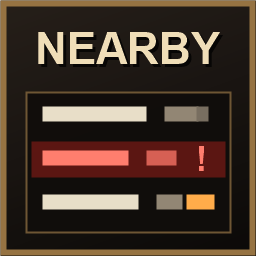
Lists the creatures around you — how far, which way, how high, how many stars, what they have noticed, and how far along any animal you are taming is. Press N.
Client-side only. The server does not need it, and it will not stop you joining a server that does not have it. Players without the mod are unaffected and see nothing different.
Features
- Every creature within 50 m, nearest first, refreshed four times a second
- Distance along the ground, so it is the number you actually walk
- Direction in one of three formats: degrees from where you are looking (0 ahead, 180 behind), relative letters, or world compass points that do not turn when you do
- Star rating, and altitude relative to you
- What each creature has noticed: nothing, something, or you specifically when the game can confirm it
- A red row for anything hostile that has been alerted — the deathsquito you did not see take aggro
- Live taming progress, read from the same record the game uses, so an animal a friend is taming reports its progress too, along with whether it is hungry or frightened
- Filter the list by name with
nearby_filter boar, or clear it withnearby_filter nearby_dumpwrites the current list to the log, which is useful in a bug report- Other players are never listed
The panel takes no clicks and never touches your cursor, so it cannot interfere with the game.
Scope
It lists every creature within 50 m, which means it shows you things through trees and fog that you could not see yourself. Decide whether that suits the people you play with.
Two limits are fixed in the source rather than left as settings: the 50 m radius, because reach is what separates this from surveillance and a limit you can slide is not a limit, and other players are never listed. The game only keeps creatures loaded within roughly 64-128 m of you, so nothing beyond that is visible to any client-side mod anyway.
Configuration
A config file is generated on first launch at BepInEx/config/I3_rett.NearbyPanel.cfg.
Edit it with a text editor, or in game with Configuration Manager. The settings most
people want are the toggle key, the screen corner the panel is pinned to, and the
direction format.
Compatibility
- No Harmony patches, no RPC, and nothing is ever written to the world, so removing the mod cannot damage a save
- Running
nearby_dumpdoes not mark your character as having used cheats - Tested against Valheim 1.0.16 with BepInEx 5.4.2351
Installation
A mod manager does this for you. Manually: extract NearbyPanel.dll and
NearbyPanel.Core.dll into BepInEx/plugins/NearbyPanel/.
Source
MIT licensed. Code and issues: https://github.com/I3-rett/NearbyPanel