

Inject0rHUD
Client-side Valheim HUD with ship/time context widgets, production hover timers, positive-effect timers, profiles, durability, FPS/Ping and EN/RU/KK/ZH-CN localization.

Inject0r HUD
A configurable client-side HUD for Valheim.
Timers, durability, production info, context widgets, profiles and multilingual UI — without requiring anything on the server.






Issues · Installation · Controls · Roadmap
Overview
Inject0r HUD adds useful information to Valheim without trying to replace the original interface.
The mod is built around small, optional widgets that can be moved, resized and disabled independently. You can keep it minimal with a couple of timers, or turn it into a more detailed HUD with durability, FPS/Ping, profiles, ship/time widgets and contextual world information.
Everything is client-side. A normal server does not need Inject0r HUD installed.
Screenshots
HUD


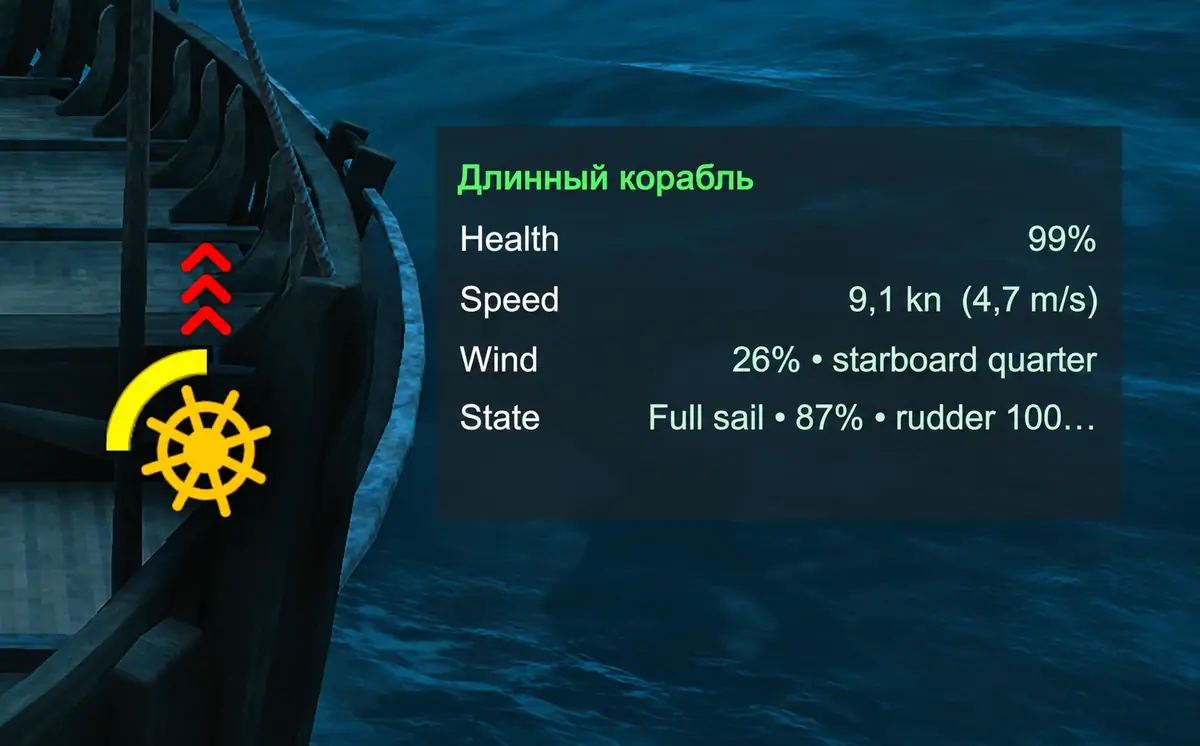
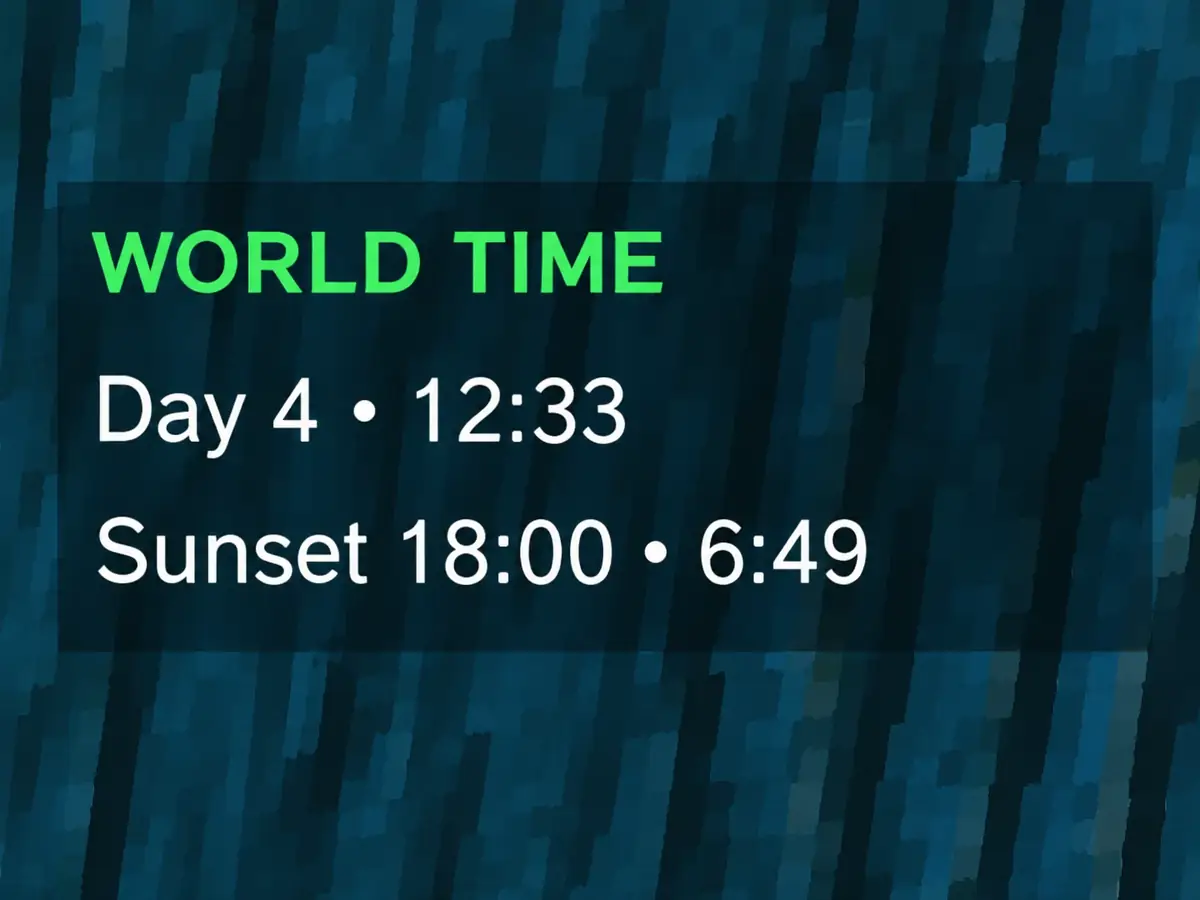
Context widgets
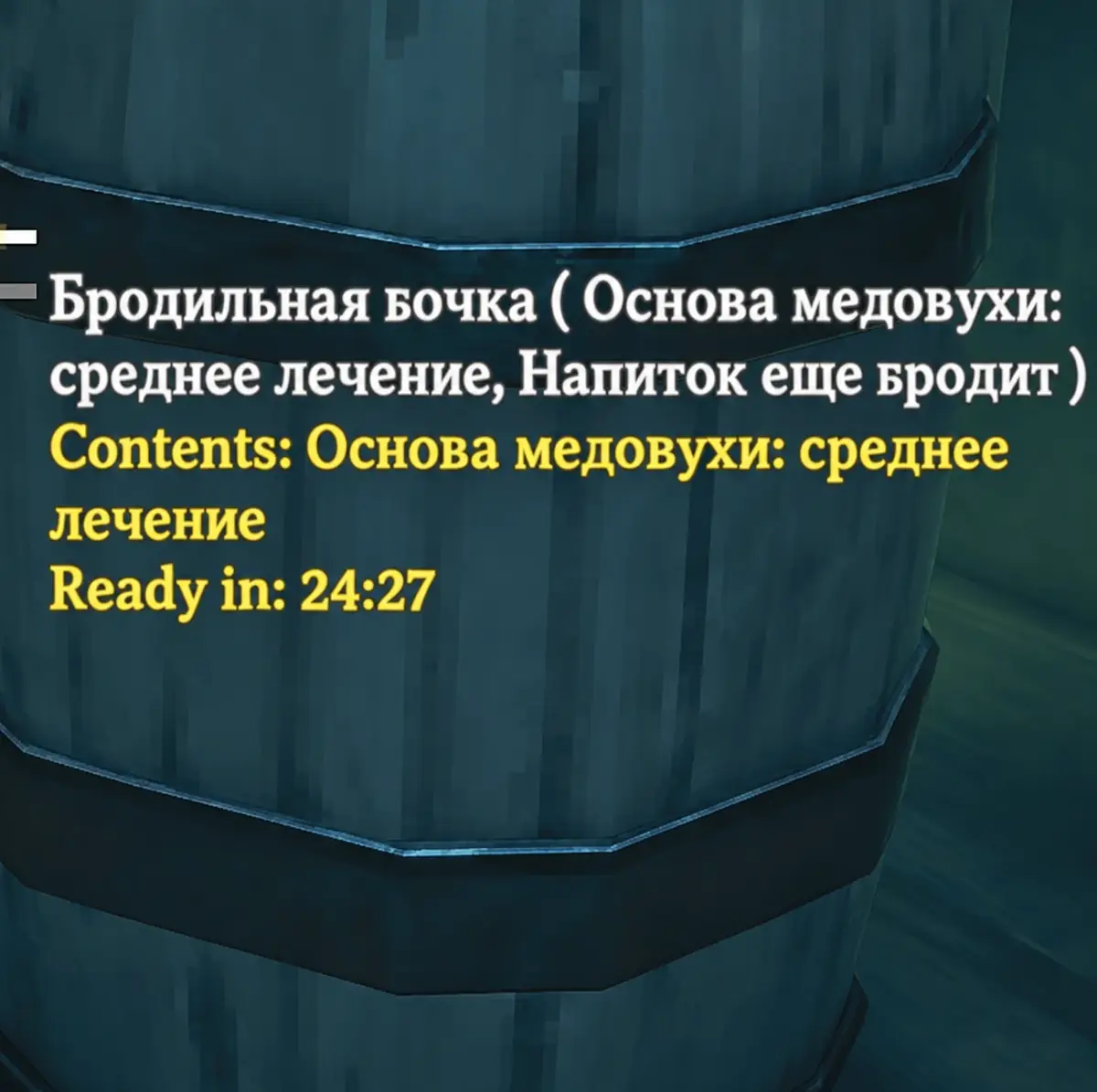
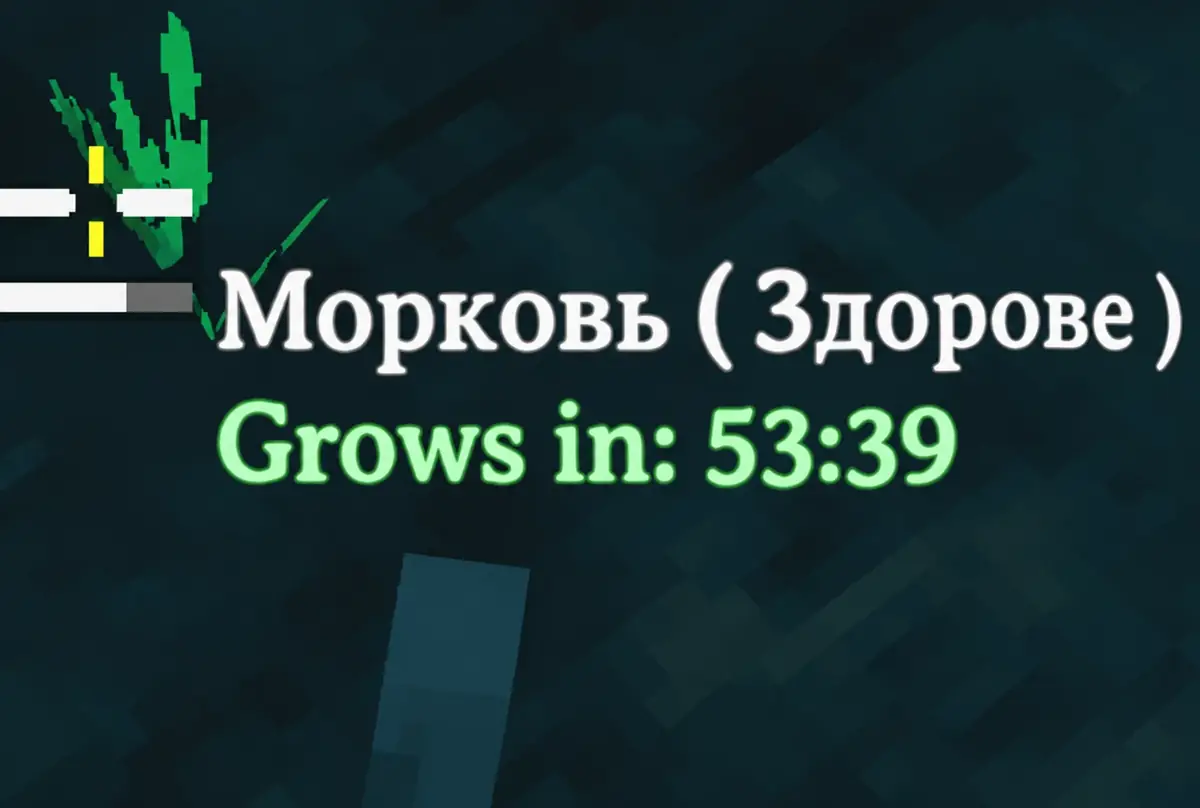
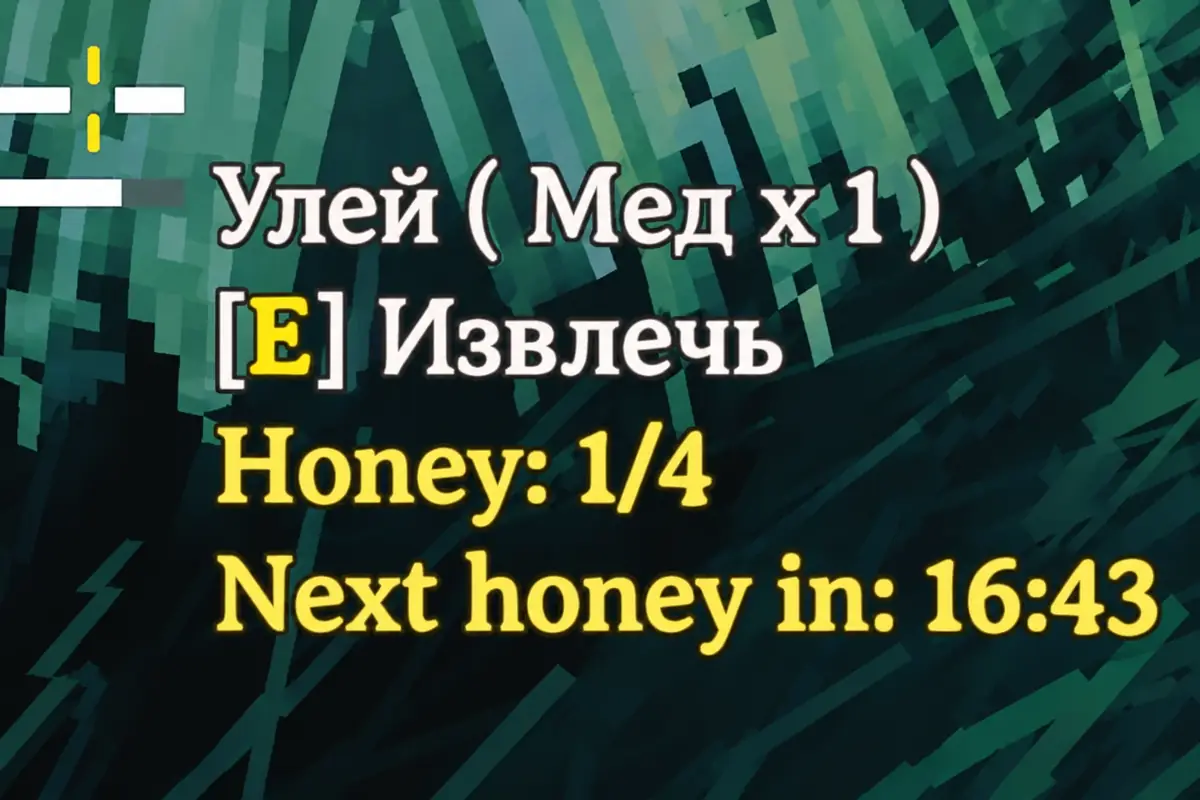
World hover info
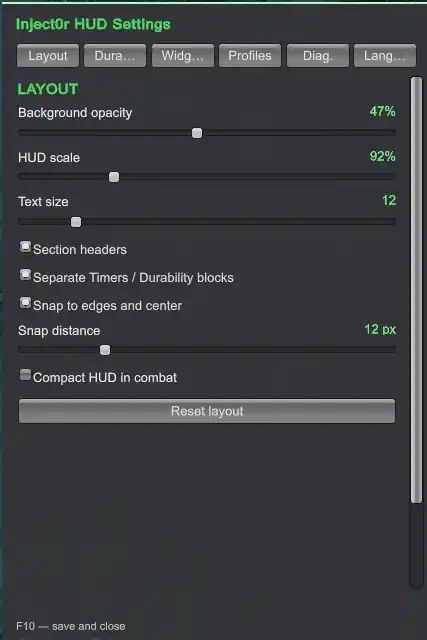
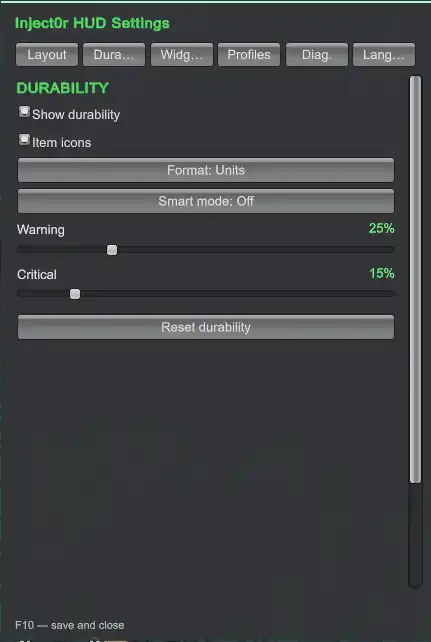
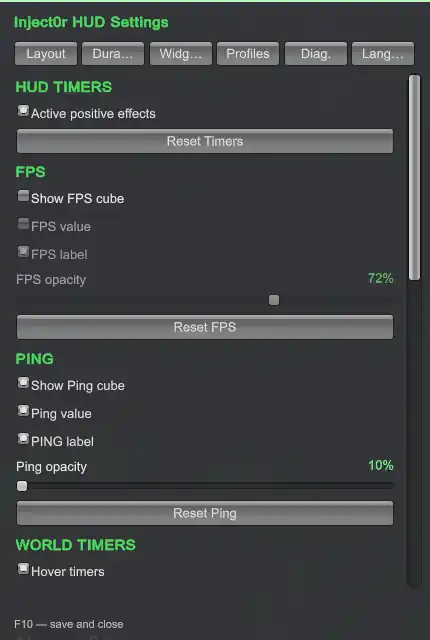
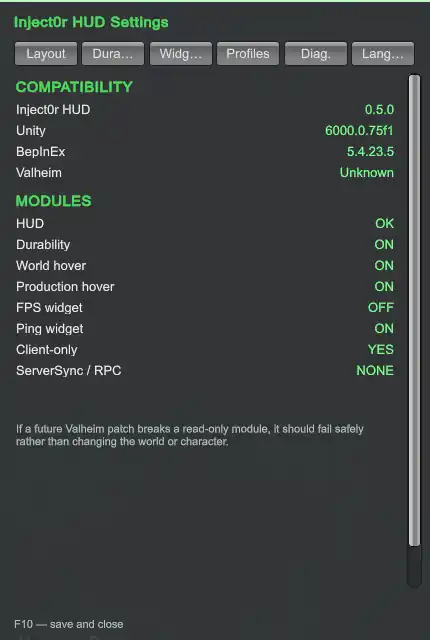
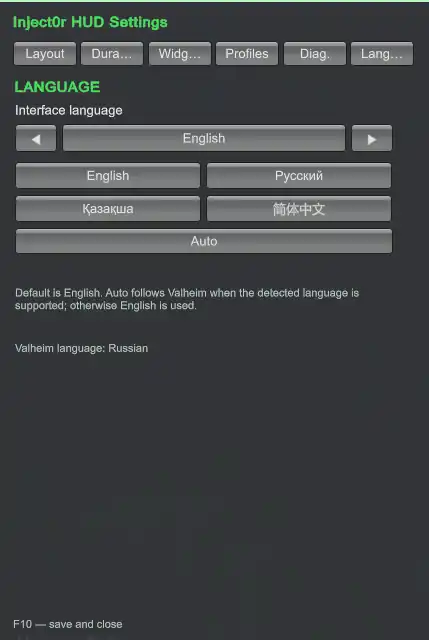
Settings

Features
HUD
- Active timed positive effects.
- Equipment durability.
- Native item icons.
- Durability display as units, percent or both.
- Optional Smart Durability modes.
- Separate movable Timers and Durability blocks.
- Independent scale for separate Timers and Durability blocks.
- Drag & resize directly in edit mode.
- Snap to screen edges and center.
- Adjustable scale, opacity and text size.
Context widgets
Ship
While controlling a ship, Inject0r HUD can display:
- hull health;
- speed in knots and m/s;
- wind strength and relative direction;
- propulsion / sail state;
- sail efficiency;
- rudder position.
The Ship widget is optional and can be moved independently in F10 Edit Mode.
World Time
A separate World Time widget can display:
- the current Valheim day;
- approximate 24-hour in-game time;
- the next sunrise or sunset;
- time remaining until that event.
Like the other widgets, it can be disabled or repositioned independently.
FPS & Ping
Small independent widgets for:
- FPS;
- network ping;
- optional labels;
- separate opacity and position.
Both widgets can be disabled completely.
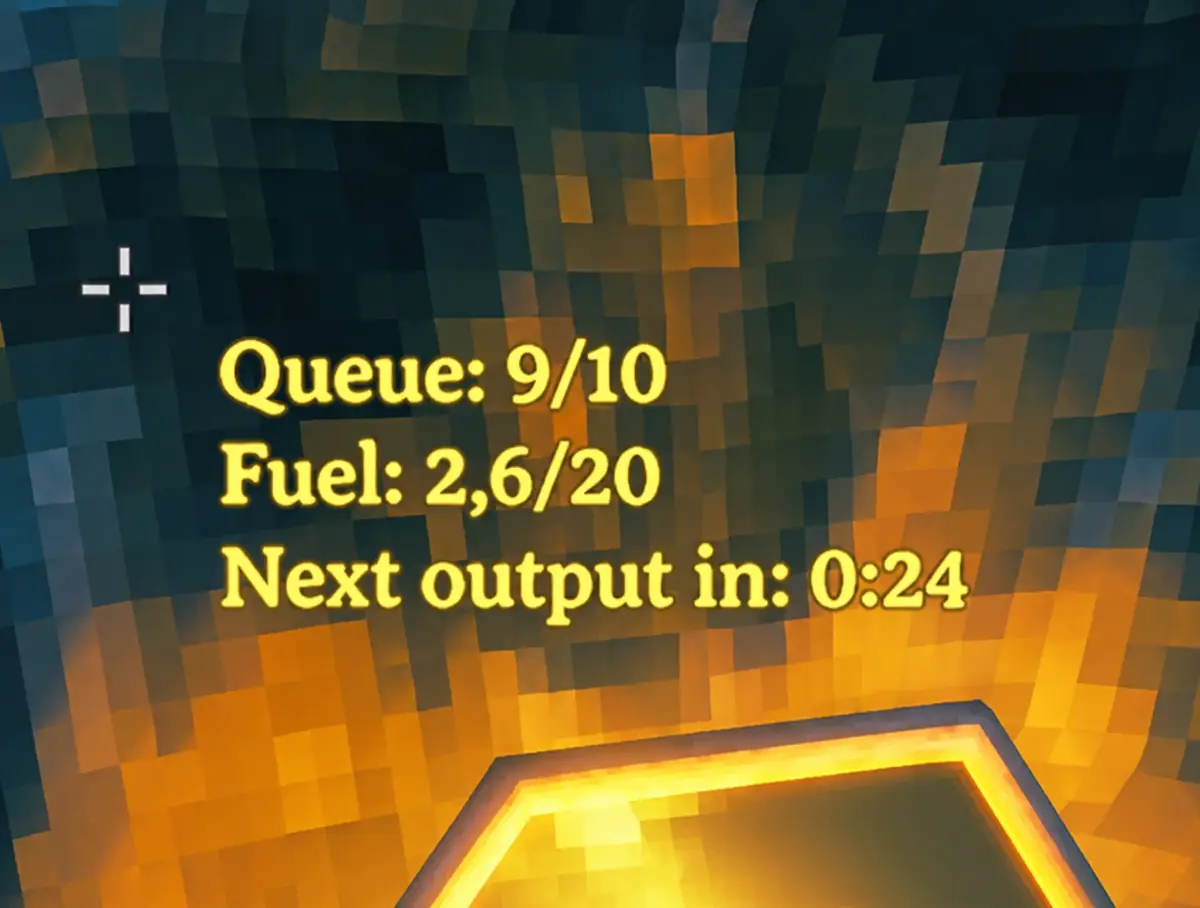
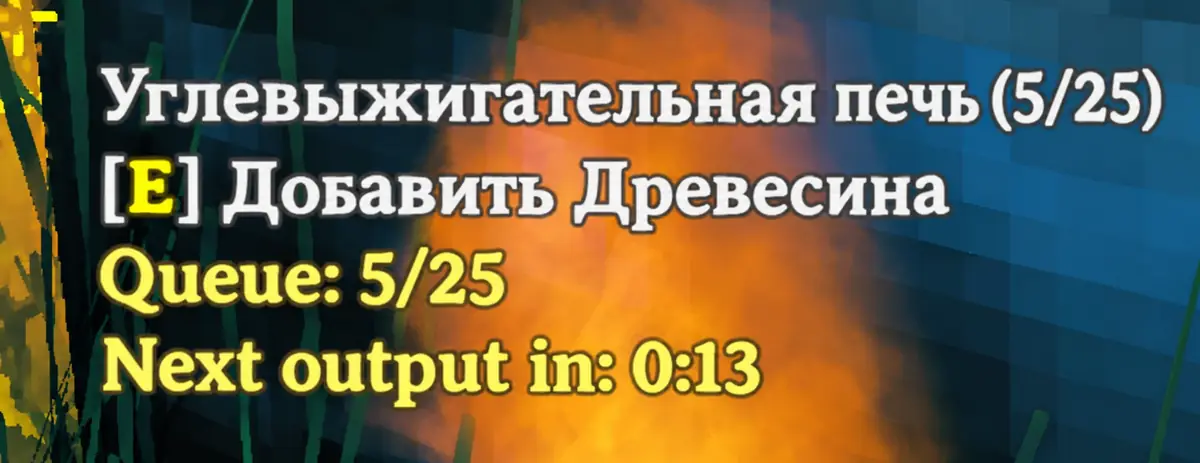
World hover info
Look at an object to see extra information without opening another window.
Currently supported:
- picked berry bushes and other respawning
Pickableobjects; - planted crops;
- beehives;
- fermenters;
- smelters and other compatible production stations.
Examples of information that may be shown:
- time until a bush or resource respawns;
- time until a planted crop grows;
- current honey amount;
- time until the next honey is produced;
- fermenter contents and remaining time;
- production queue;
- available fuel;
- time until the next output.
For Smelter-based production stations, a separate setting controls whether the information is shown only on Valheim's native input/output interaction points or while aiming at the station body/output area as well. Beehives and fermenters keep their normal hover behavior.
Beehive countdowns are projected read-only between Valheim's slower internal production updates so the visible timer can tick smoothly without modifying the world state.
Inject0r HUD does not guess timers. If the client cannot determine a trustworthy value, the ETA is simply omitted. Windmills deliberately omit wall-clock ETA because their live production rate changes with wind strength.
Profiles
Built-in profiles are included for quick setup.
You can also:
- create your own profiles;
- save the current HUD layout and module state;
- rename and delete custom profiles;
- export a profile as a compact code;
- import a profile from another player.
The current export format is IHUD6. Older IHUD4 and IHUD5 profile codes remain import-compatible.
Languages
Inject0r HUD has its own interface language setting.
Supported in 0.6.0:
- English — default;
- Русский;
- Қазақша;
- 简体中文;
- Auto.
Auto follows the Valheim language when that language is supported. Otherwise Inject0r HUD falls back to English.
Vanilla item names and status-effect names still use Valheim's own localization whenever possible.
Controls
| Key | Action |
|---|---|
F8 |
Show / hide Inject0r HUD |
F10 |
Open edit mode and settings |
While edit mode is active, HUD blocks can be dragged and resized directly on screen. Gameplay mouse-look is suppressed while the editor is open.
Installation
Thunderstore / r2modman
The recommended installation method is through a Thunderstore-compatible mod manager.
- Install BepInExPack for Valheim.
- Install Inject0r HUD.
- Launch Valheim.
Manual installation
- Install BepInExPack for Valheim.
- Copy
Inject0rHUD.dllinto:
BepInEx/plugins/Inject0rHUD/
- Launch the game.
The configuration file is created automatically on first run.
Configuration
Most settings can be changed live in-game through F10.
Main BepInEx config:
BepInEx/config/inject0r.Inject0rHUD.cfg
Custom profiles:
BepInEx/config/Inject0rHUD.profiles
Client-side behavior
Inject0r HUD is designed to remain read-only from the game's point of view.
It does not add:
- ServerSync;
- custom RPCs;
- world writes;
- character-save writes;
- freebuild;
- inventory modification;
- gameplay stat changes.
The mod only reads state already available to the local client and draws additional UI.
A server can still block client mods through its own whitelist or anti-cheat configuration.
Compatibility
The mod currently targets Valheim with BepInEx 5.
Some features read internal Valheim state through reflection so the mod can stay client-side and avoid unnecessary hard dependencies. If a future Valheim update changes one of those internals, the affected module should fail safely instead of modifying the world or character.
If a specific hover timer stops appearing after a game update, check for a newer Inject0r HUD release.
Building from source
Requirements:
- .NET SDK;
- Valheim;
- BepInExPack for Valheim.
PowerShell:
$env:VALHEIM_DIR = "E:\SteamLibrary\steamapps\common\Valheim"
.\build.ps1
If BepInEx is installed somewhere unusual, set BEPINEX_DIR manually.
Example:
$env:BEPINEX_DIR = "C:\Path\To\BepInEx\core"
.\build.ps1
To create the Thunderstore package after a successful Release build:
.\package.ps1
The finished archive will be created in:
dist/
Roadmap
Planned ideas for future versions:
- theme system;
- built-in Valheim-style theme;
- custom HUD colors;
- user-created themes;
- more languages;
- optional low-durability / production-ready notifications;
- more contextual world information where the client exposes reliable data.
The goal is to keep every major module optional so the HUD can stay as simple or as detailed as the player wants.
Contributing
Bug reports and suggestions are welcome through the GitHub issue tracker:
https://github.com/Inject0r77/Inject0rHud-Valheim/issues
When reporting a bug, include:
- Valheim version;
- Inject0r HUD version;
- BepInEx version;
- whether the issue happens in single-player or on a server;
LogOutput.logif the problem causes errors.
License
Inject0r HUD is source-available, not open source.
You may use official releases, inspect the source and make local personal modifications. Redistribution, rehosting, republishing, public forks/derivative releases, copying substantial parts into another project, and commercial use are not permitted without prior written permission.
Copyright © 2026 Inject0r77. All rights reserved.
See the full LICENSE for the exact terms.