

NearbyStore
Vanilla-style Stack items across nearby chests: merge stacks and use free slots for items already stored there. Alt+F protects favorites.NearbyStore
Stack items into nearby matching chests with one click, and favorite stacks you want to keep.
Core features
- One-click stacking: a magic-wand button beside your inventory stores items in nearby placed chests, nearest first. Default range: 10 metres.
- Vanilla-style matching: fill compatible stacks, then use free slots only in chests already holding that item. Empty or unrelated chests receive nothing; unmatched items and overflow stay carried.
- Stack favorites: press Left Alt + F over a player-inventory stack to toggle its gold F marker. Favorites, equipped, queued-for-equip and quest items stay carried. Unequipped hotbar items are eligible unless favorited.
- Container rules respected: checks privacy, wards, busy state and ownership; excludes tombstones, dropped loot and non-Piece containers. Search includes chests through walls and between floors.
Screenshots
| Before stacking | After stacking |
|---|---|
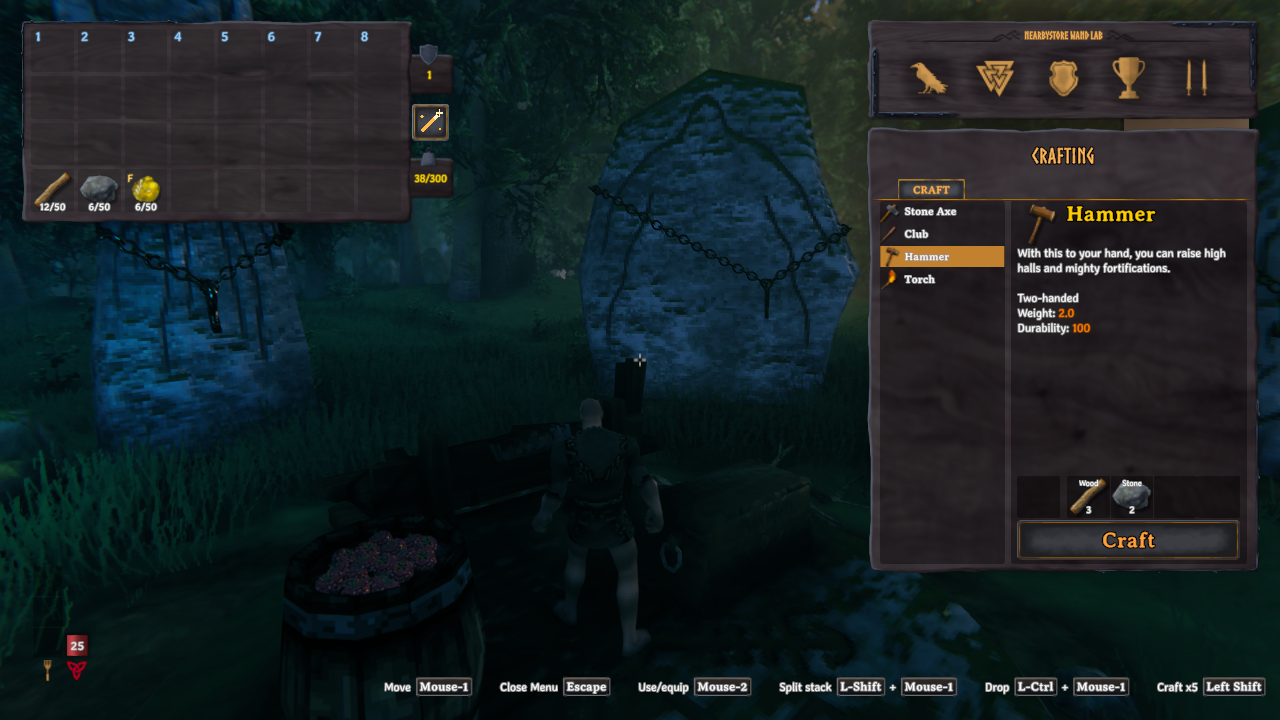 |
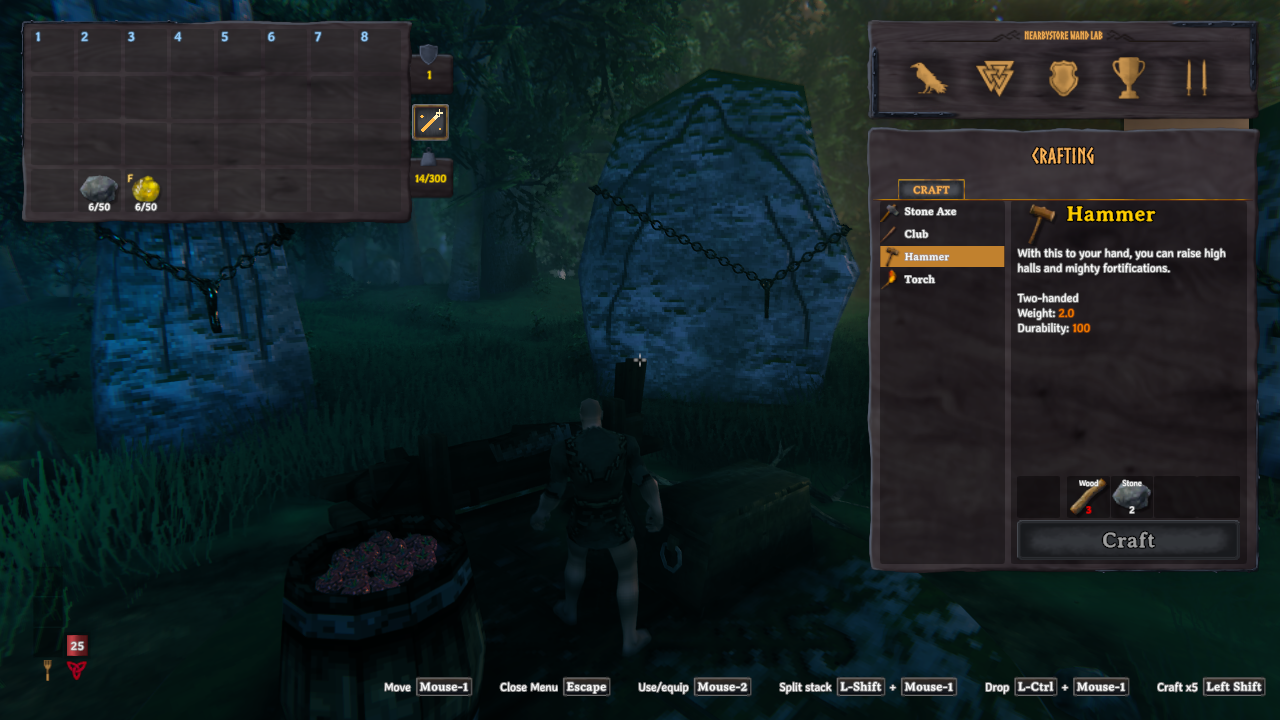 |
| Wood is ready to store. The gold F marks resin as a favorite. | Wood has left the inventory. Stone and favorited resin stay carried. |
Use
Open your inventory and click the magic-wand icon to its right. Close any container, crafting station or blocking overlay first. The ordinary basic crafting list is allowed. Closing inventory or opening a blocking UI cancels remaining transfers without undoing completed transfers.
Favorites follow stacks when moved or split. Manual merging keeps the destination stack's marker, so merging a favorite into an unmarked stack can remove its protection. Re-favorite the merged stack if needed.
Configuration
First load creates BepInEx/config/jarki.nearbystore.cfg. Edit while the game is
closed:
[Storage]
Radius = 10

[Controls]
FavoriteShortcut = F + LeftAlt
Radius is in metres, constrained to 1–50. The favorite shortcut remains configurable; no shortcut hint is displayed. Favorites can be toggled in the player inventory even while a chest is open; storing requires the chest to be closed.
Requirements and installation
Requires Valheim and denikson-BepInExPack_Valheim 5.4.2351. Client-side only: no server installation or Jotunn dependency.
- Mod manager: install
Jarki-NearbyStoreand accept its BepInEx dependency. - Manual: with Valheim closed and a working OS-appropriate BepInEx loader,
copy the archive's plugin folder into
BepInEx/plugins/. New packages useBepInEx/plugins/Jarki-NearbyStore/NearbyStore.dll; older archives useBepInEx/plugins/NearbyStore/NearbyStore.dll. Remove the previous DLL when upgrading; never keep both copies. Native Linux uses Linux Doorstop.
Uninstall
Close Valheim and remove NearbyStore.dll from its plugin folder; remove
BepInEx/config/jarki.nearbystore.cfg separately if desired. No custom items or
world objects are added. Favorite markers are inert without the plugin;
already deposited items remain in their chests.
Compatibility and troubleshooting
- OdinsFoodBarrels: container restrictions remain active. Empty barrels need an initial item, just like vanilla Stack items. Custom barrel settings and other versions may differ.
- Missing UI or errors: report an issue
with game/mod versions, reproduction steps and redacted
BepInEx/LogOutput.logentries. Never post private saves, passwords or tokens.