

JatifyUI
A new interface for all of Valheim: dark glass, Norse lettering and Celtic knotwork on every window, plus a Compendium, smarter chests, stations on Auto, map pins and more. Most parts can be switched off.Jatify UI


A new interface for Valheim, from the title screen to the last boss: dark glass, Norse lettering, Celtic knotwork, and a lot of small conveniences you stop noticing after an hour.
- Needs: BepInEx. Nothing else.
- Better with: VNEI, which fills the Compendium with every creature, drop and station recipe in your game, modded ones included.
- Language: English only for now.
- Version: 0.1.0, made for Valheim 1.0.20.
- Controls: mouse and keyboard; there's no gamepad support yet.
Most parts can be switched off on their own, and taking the mod out keeps your character and items (see Taking it out).
Install
- With a mod manager (r2modman, Gale, Thunderstore): install Jatify UI, and VNEI if you want the full Compendium.
- By hand: copy what is in the zip's
pluginsfolder (JatifyUI.dlland itscampfire-loadingfolder) into a newBepInEx/plugins/JatifyUIfolder. Keep them together: the loading screen looks for its art beside the DLL. - On a dedicated server (optional): the same DLL in the server's
BepInEx/plugins. It draws nothing there; it only runs stations on Auto and answers players' Automation tabs (see Servers and multiplayer).
A walk through it
1. Starting up
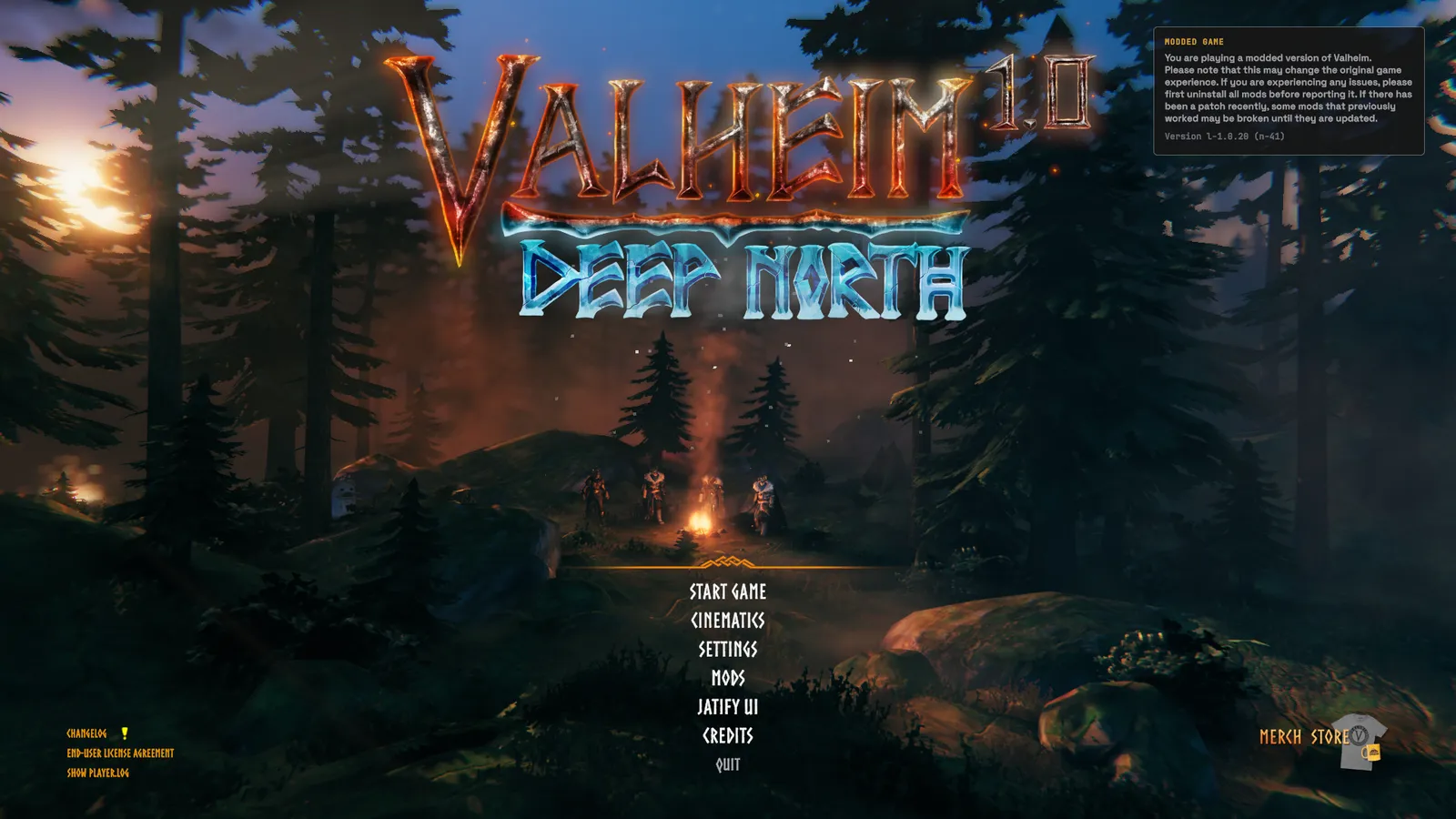
- Title menu: large centred entries, with Mods and Jatify UI among them, and the "modded" notice tucked into a card. Up to four of your characters wait at the fire behind it.
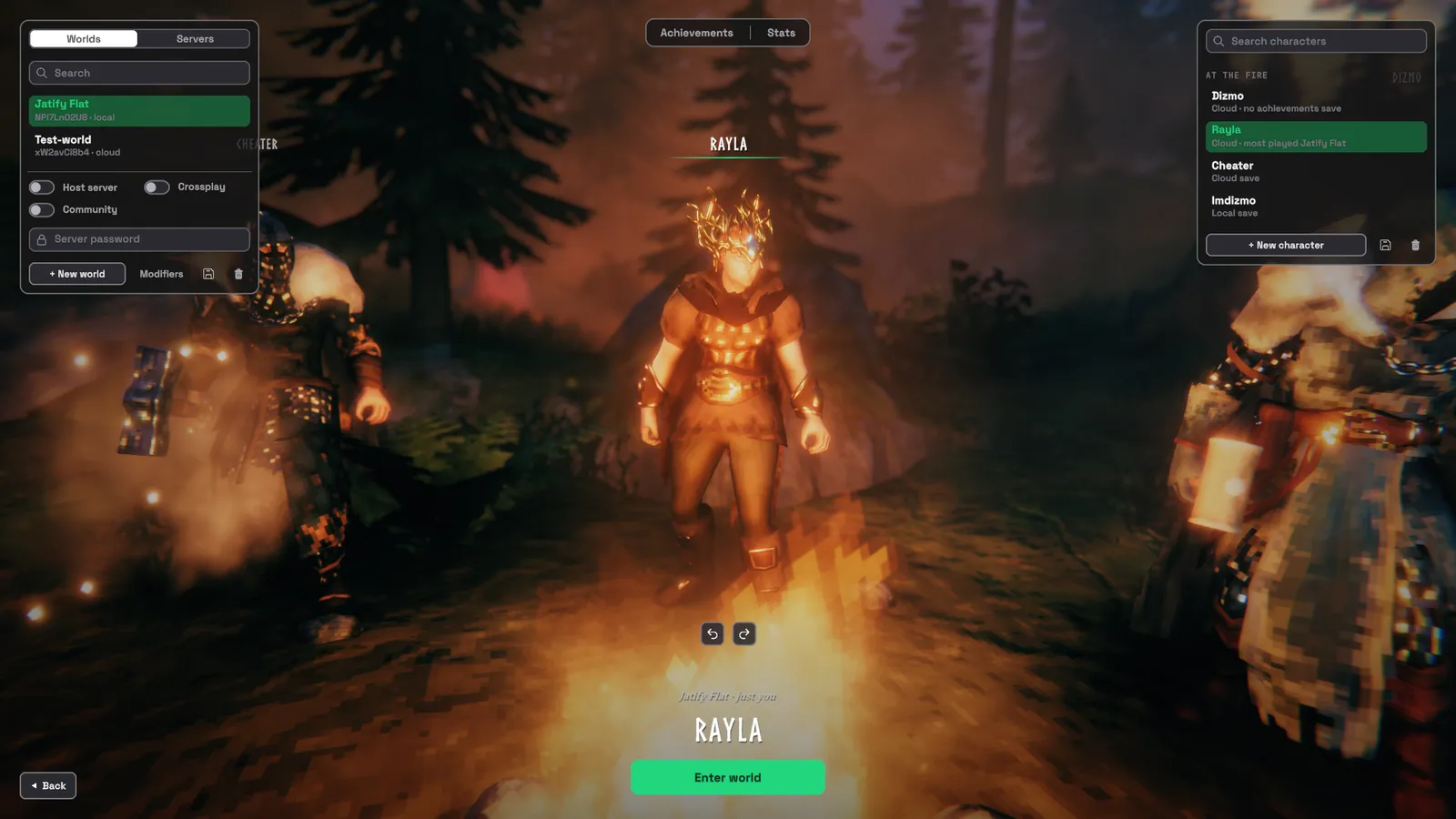
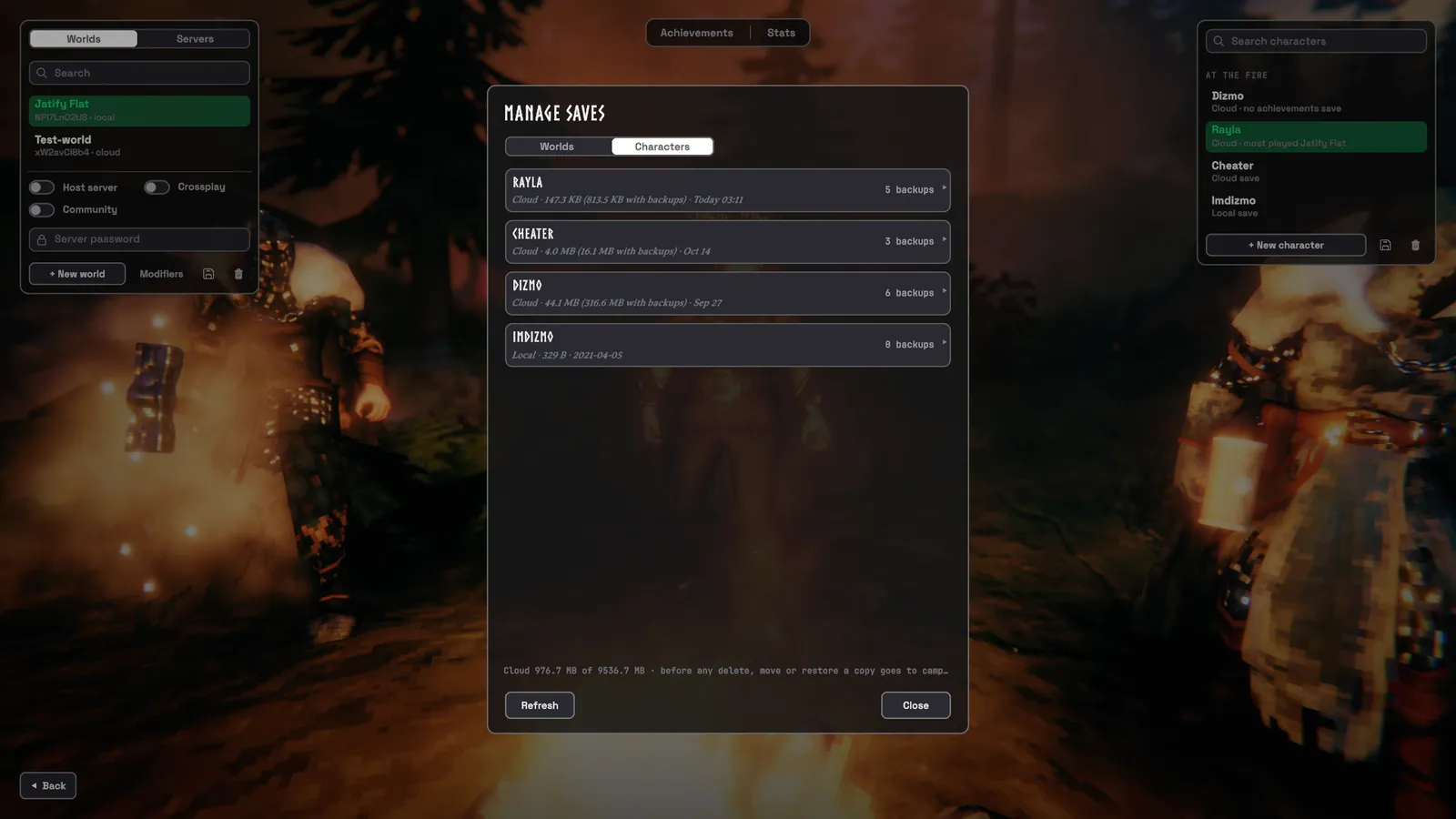
- Character screen (Campfire): your characters stand at a campfire, their list on the right, your worlds and servers
on the left. Every window you open from here is in the same look.
- Drag characters to reorder them; the first four stand at the fire. The screen reopens on your last character, world or server.
- The servers tab keeps your favourites, and can remember their passwords.
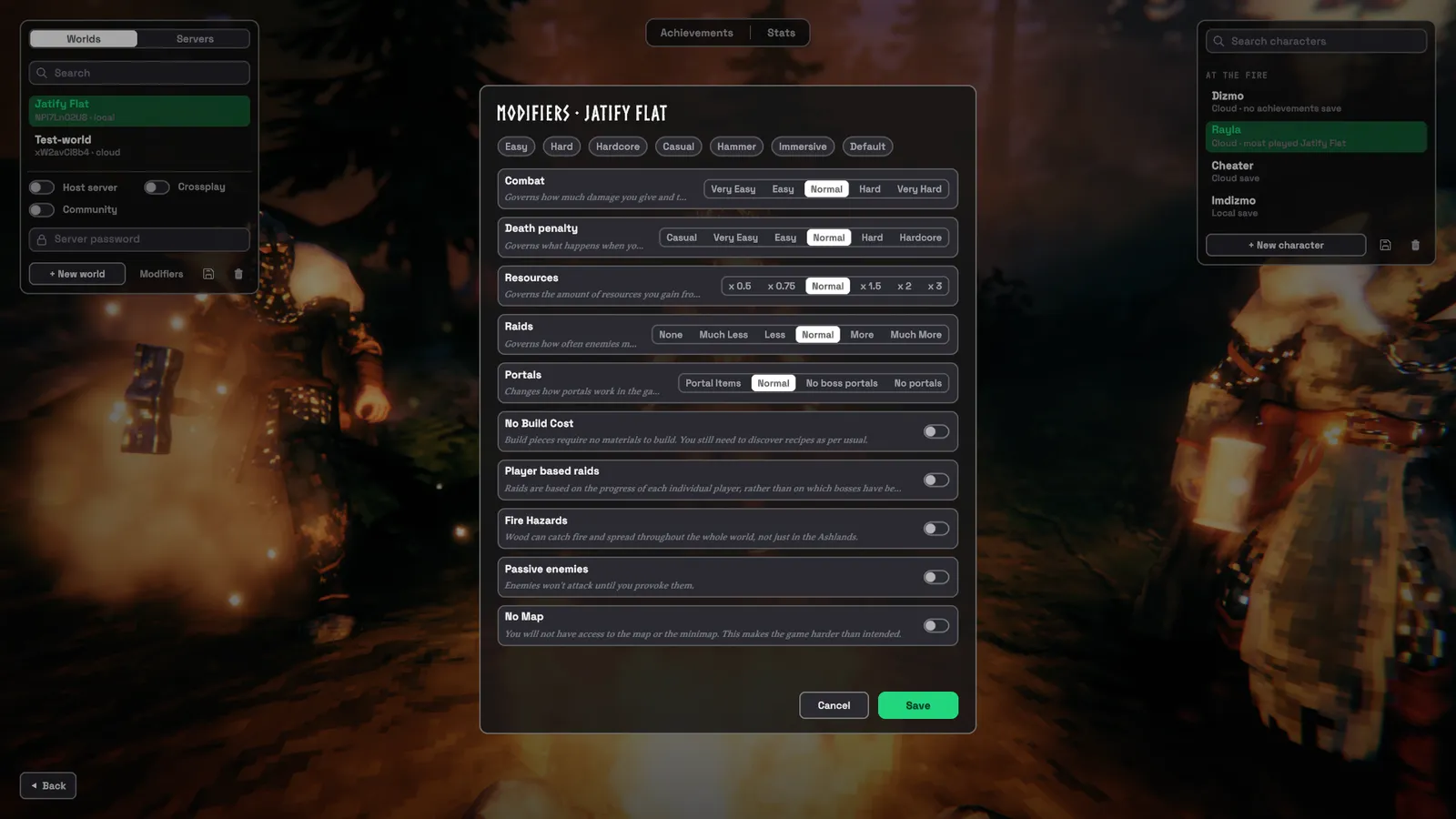
- From here you also reach your Steam achievements, your character's stats, a world's modifiers, and Manage saves for backups, restoring and moving saves between your computer and the cloud.
- Before Valheim deletes a save, a copy goes to a
campfire-backupsfolder.
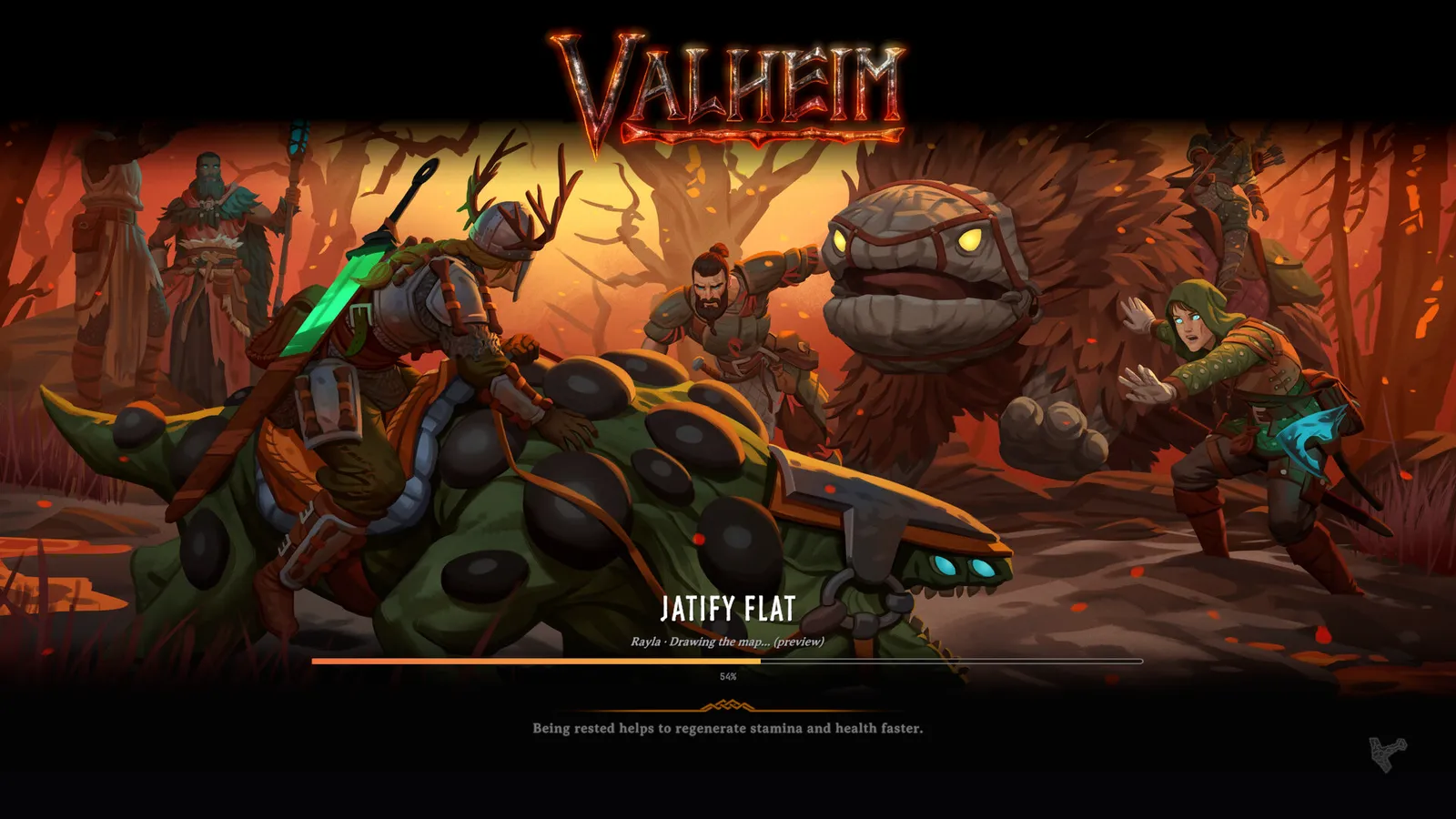
- Loading screen: a bar with the world's name and what it's loading, over one of Iron Gate's press-kit paintings.
Settings:
Start Screen→TitleMenu,CharacterScreen,TitleParty,LoadingScreen. WithCharacterScreenoff,HUD→TitleScreenrestyles Valheim's own character and world panels instead.
2. Out in the world
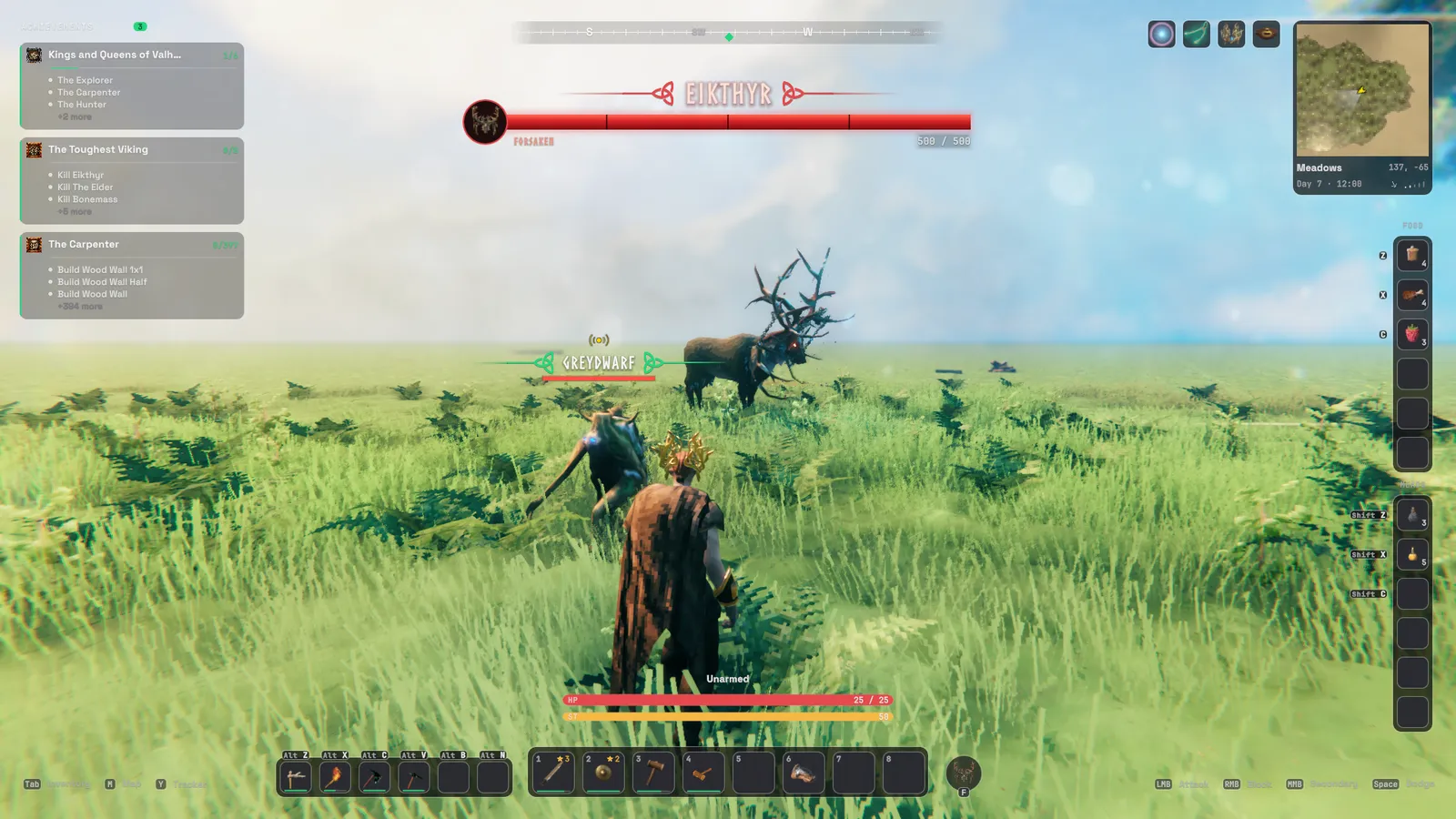
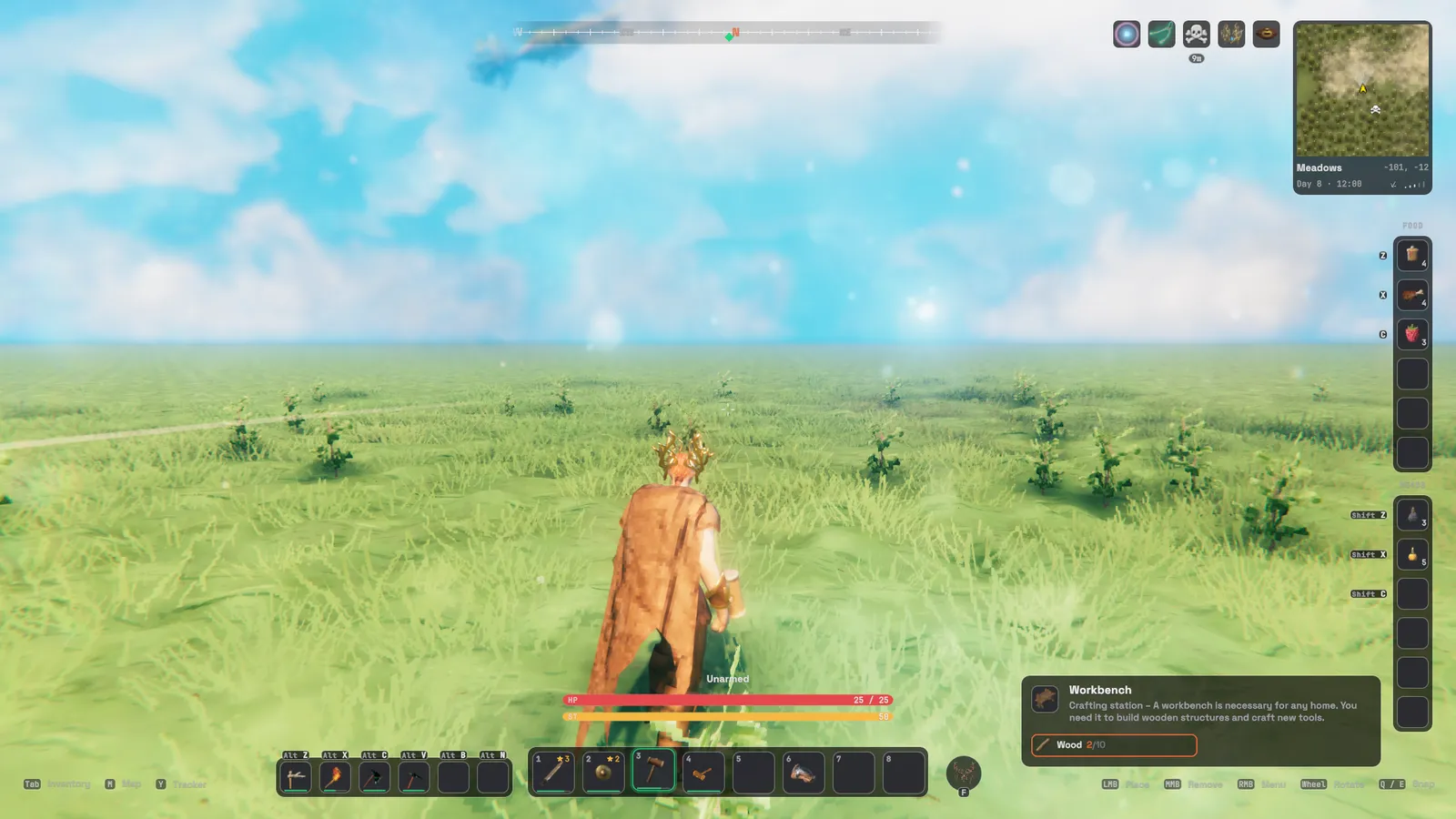
- Health, stamina and eitr: rounded bars with numbers.
- The 1–8 bar sits on a glass panel with the tools bar to its left; the panels can be switched off.
- Food and meads each have a labelled column on the right edge, with their keys.
- Minimap card: biome, coordinates, day and time, and the wind; it can also show your computer's clock.
- Nameplates over creatures and players:
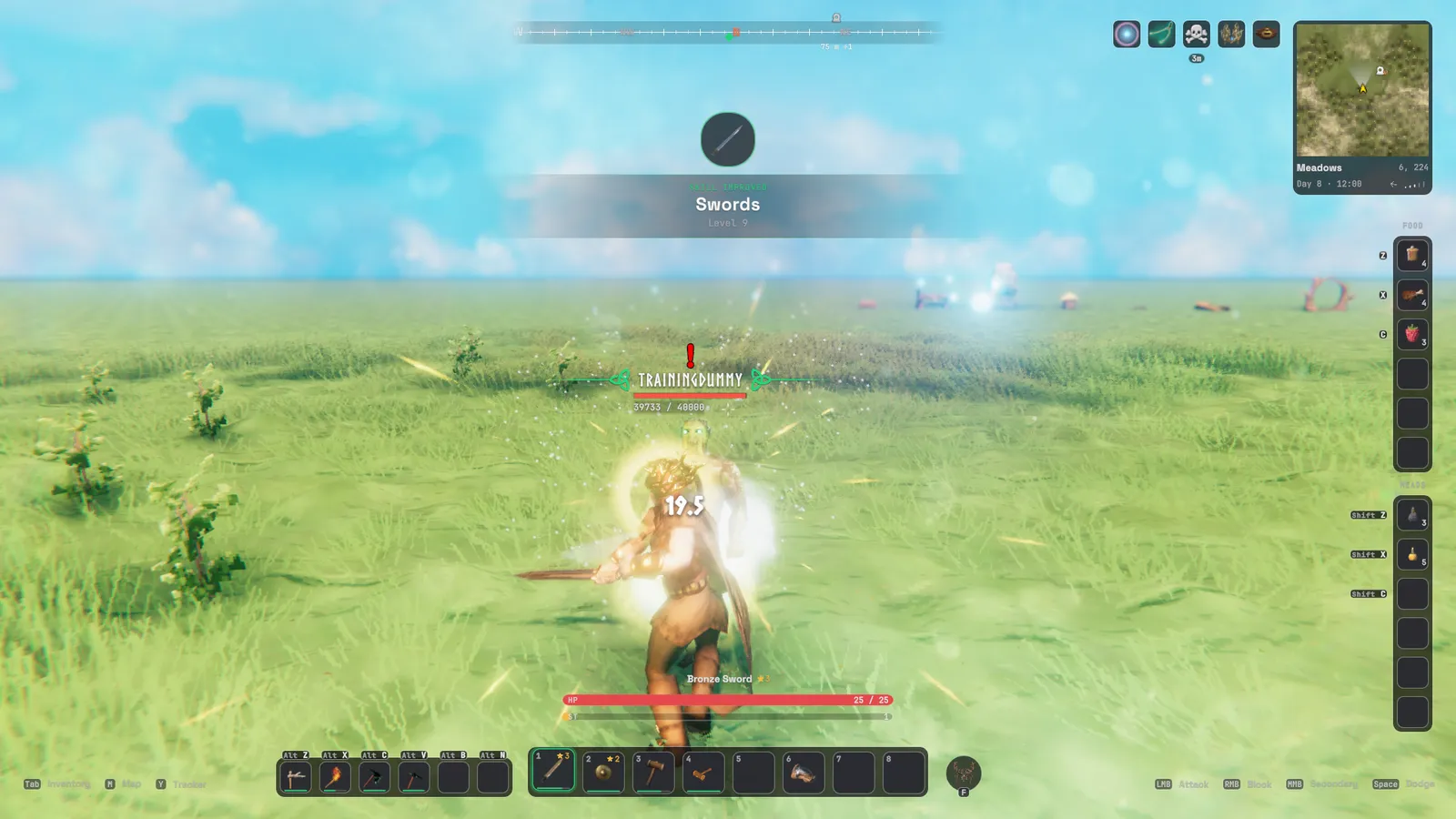
- Larger and easier to read, with the creature's stars underneath and a knot at each end.
- Other players' names are red when their PvP is on and blue when it's off.
- Bosses get a long bar under the compass with their portrait touching its end.
- Sailing: the ship's controls and the wind are restyled while you steer.
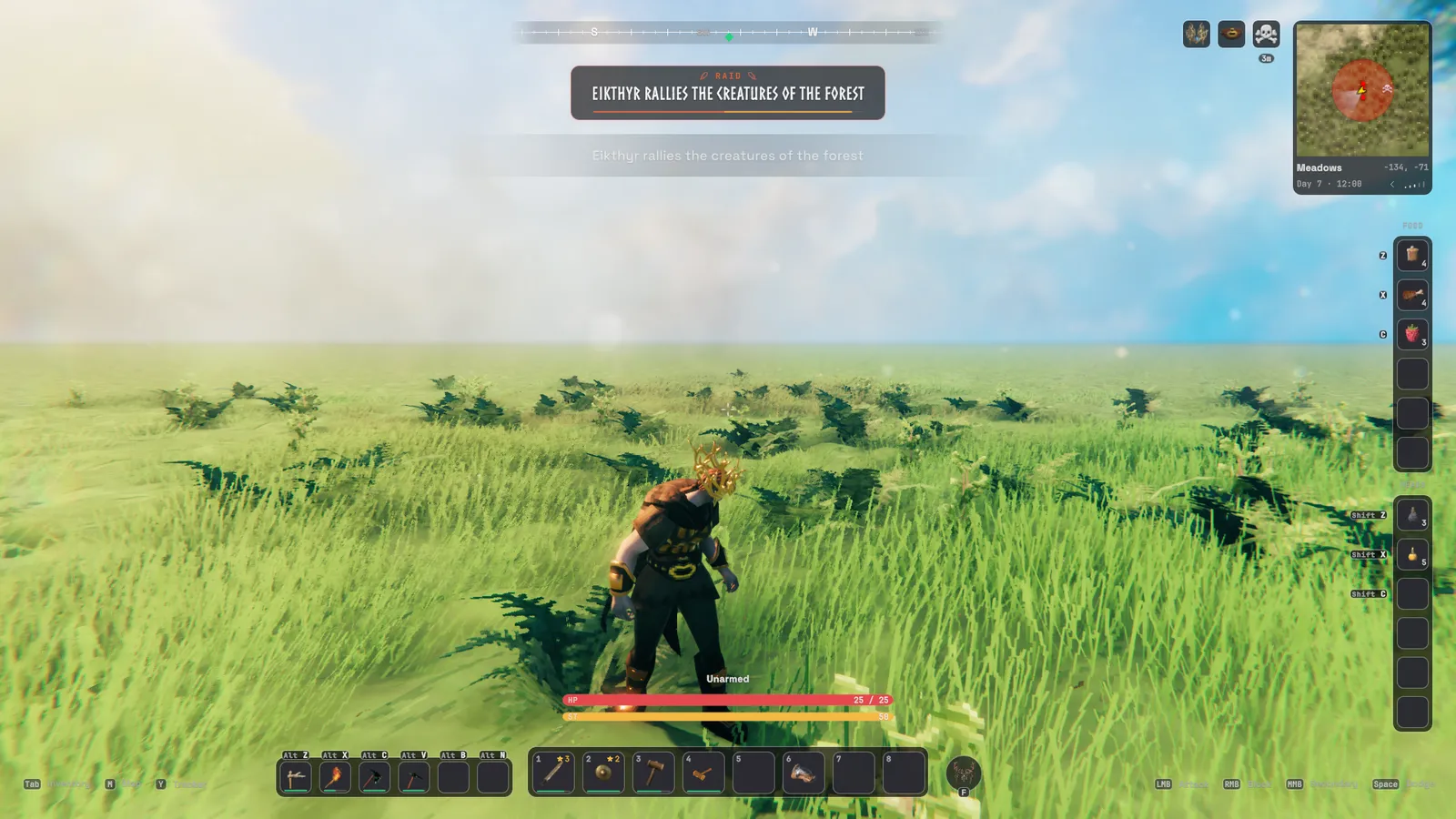
- Raids: a banner under the compass names the raid, with the time left as a thin bar.
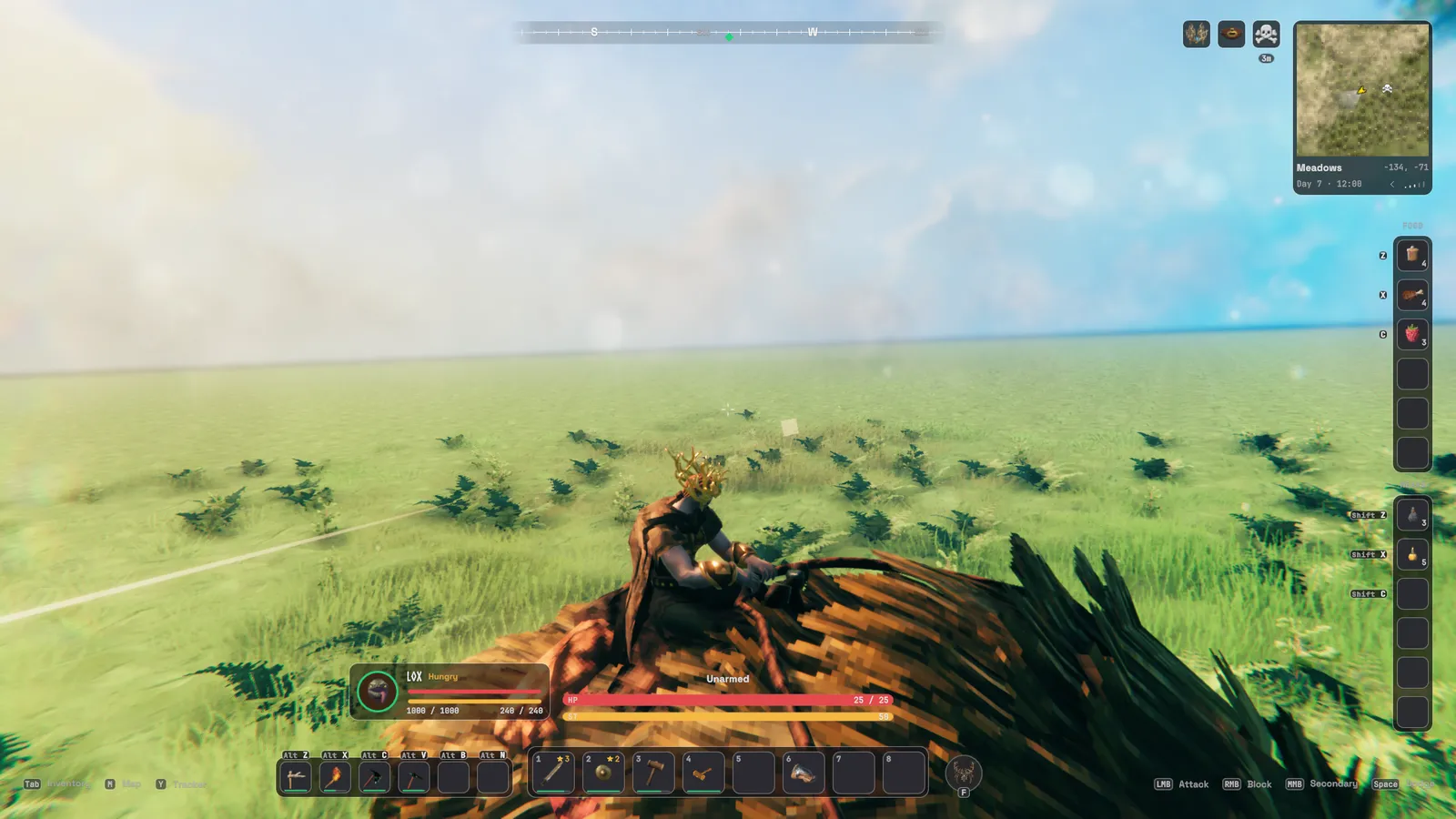
- Riding: you get a portrait frame for your mount (Fed or Hungry, its health and stamina) next to your own bars.
- Damage numbers:
- In Norse lettering.
- Amber for weak spots, blue when resisted, red for hits you take.
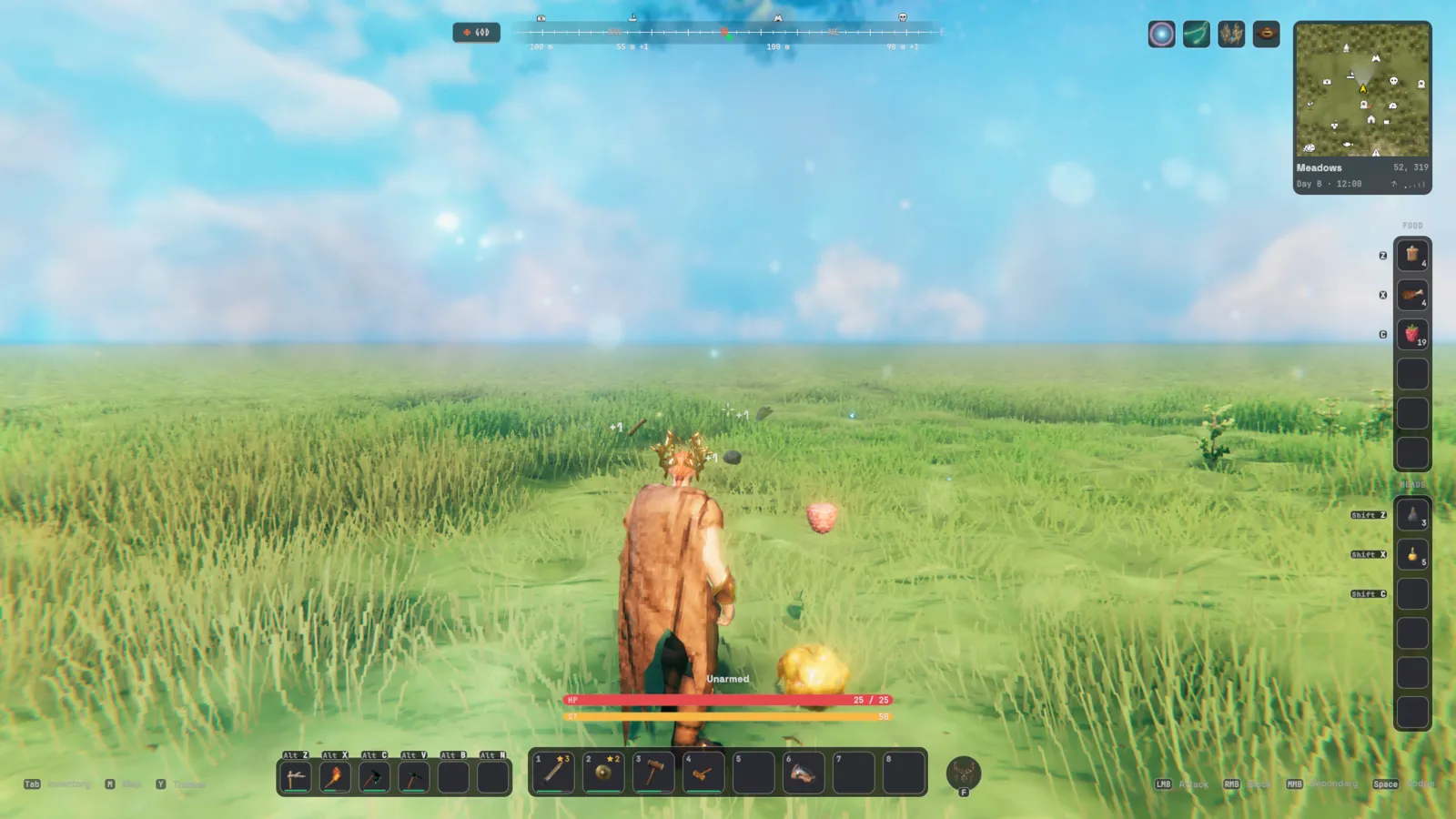
- The compass shows map pins near you with their distance.
- Cheat flags: while god mode, ghost, flying, no-cost or devcommands is on, a small strip left of the compass says so.

- Messages:
- Valheim's messages are restyled, and saving shows a small "Saving world… / World saved" line under the compass.
- Picked-up items float up from your character as "+1".
- Skill-ups arrive as a banner in the middle of the screen.
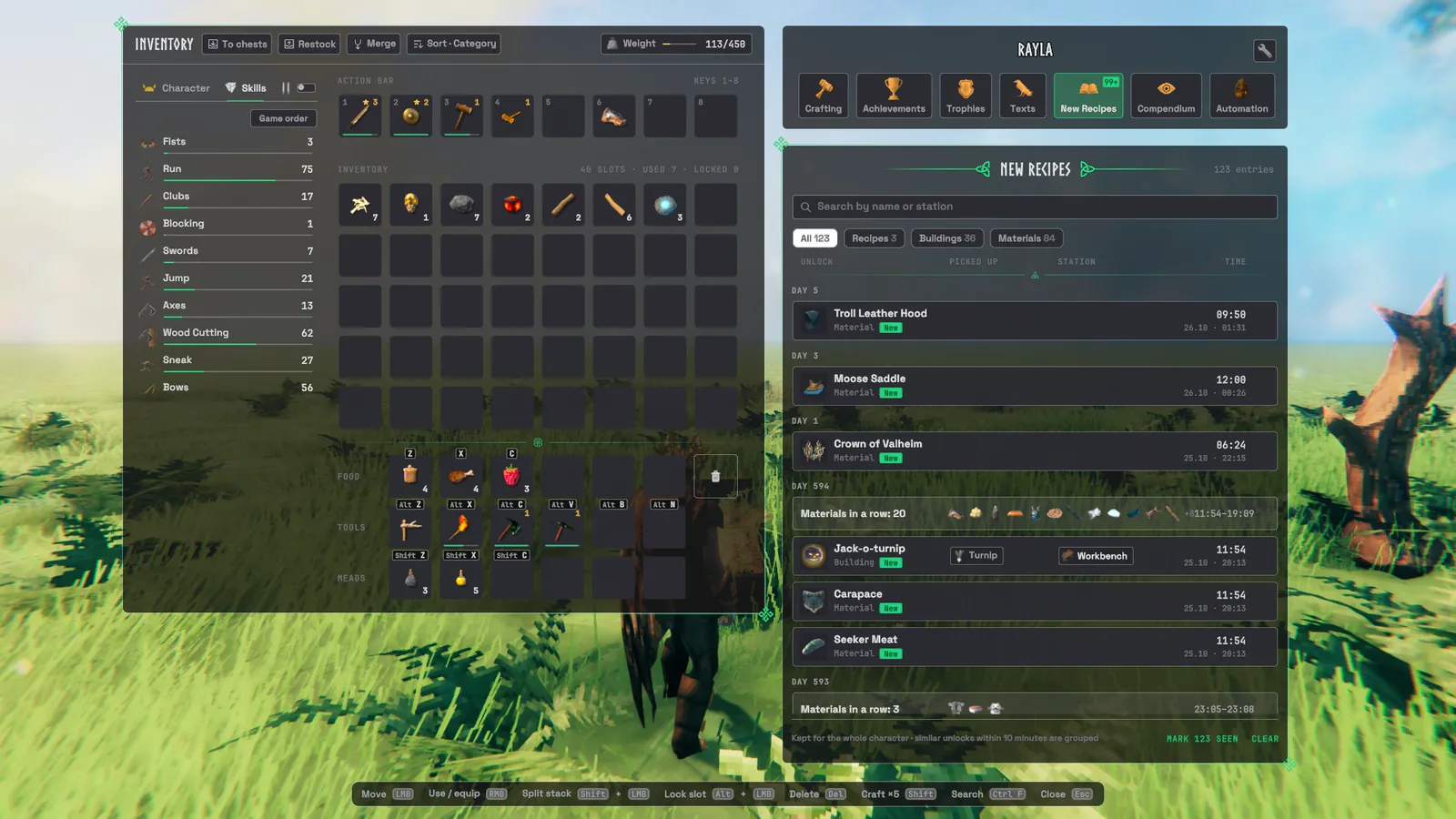
- New recipes and materials arrive as cards; a burst of them folds into one card after the first two.
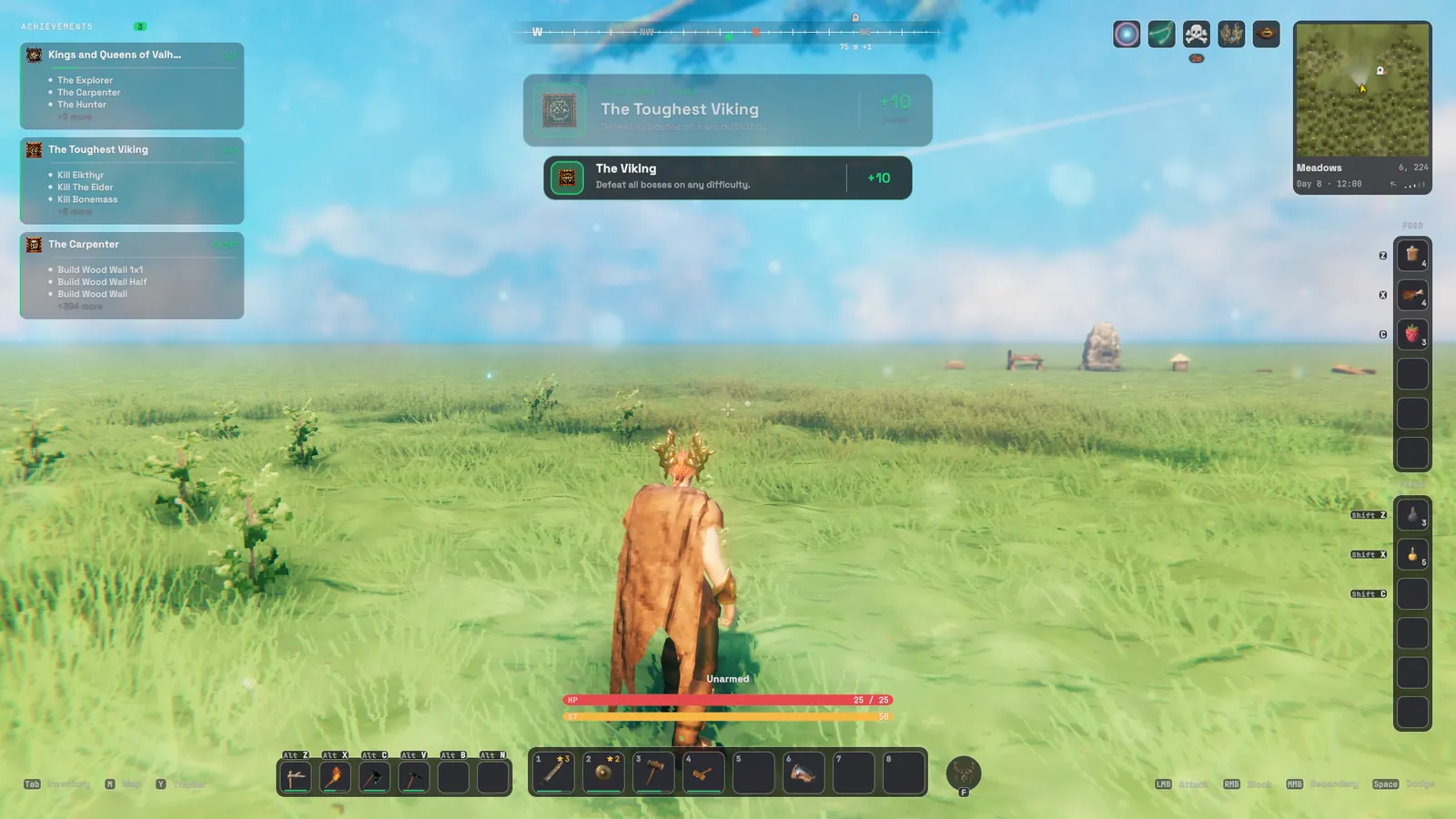
- Achievements you earn get a banner under the compass.
- Low health pulses a soft red at the screen edges, and running out of eitr flashes once.
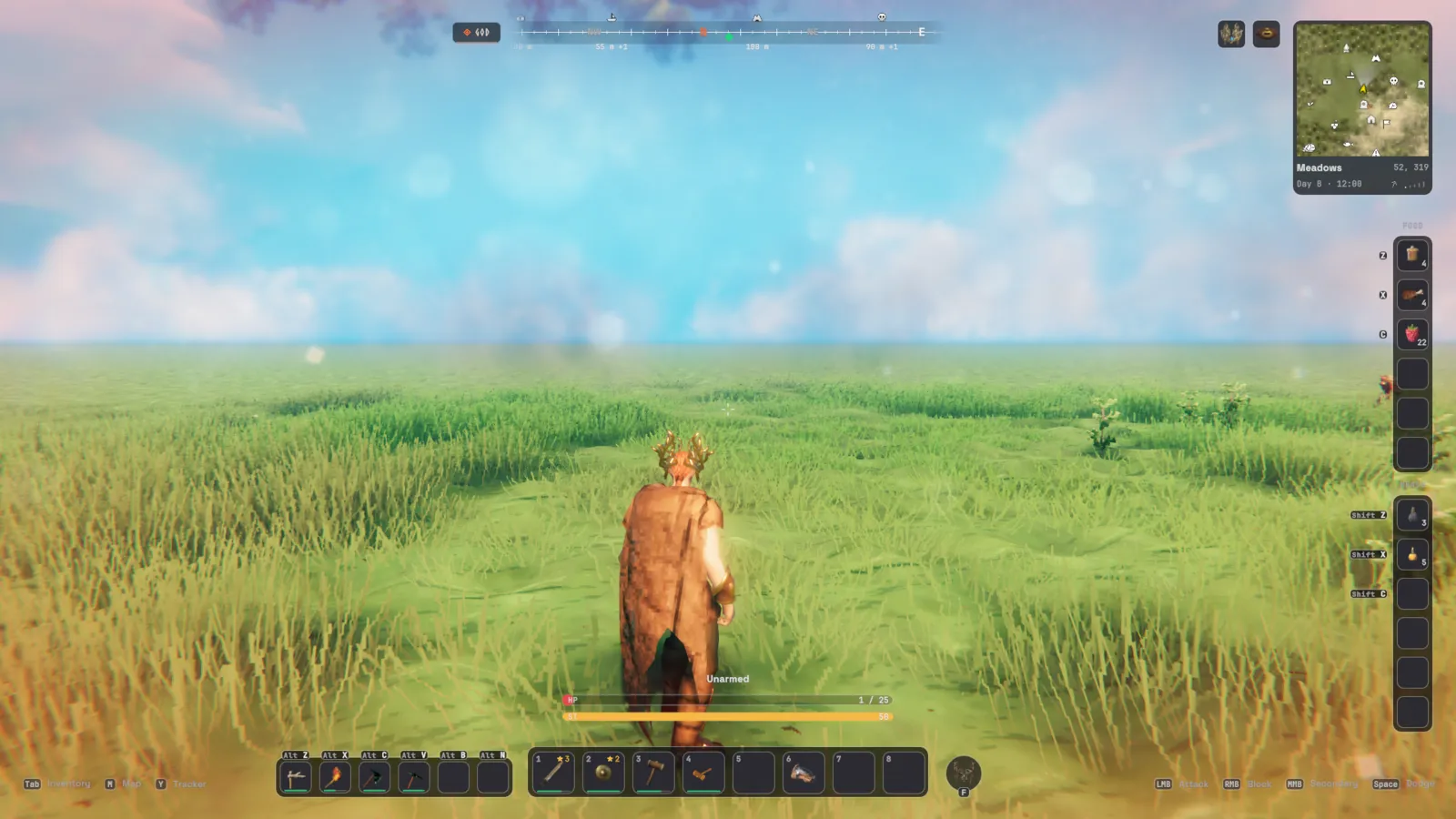
- Hover cards say how long is left on plants, fermenters, beehives, smelters, cooking stations and ovens.
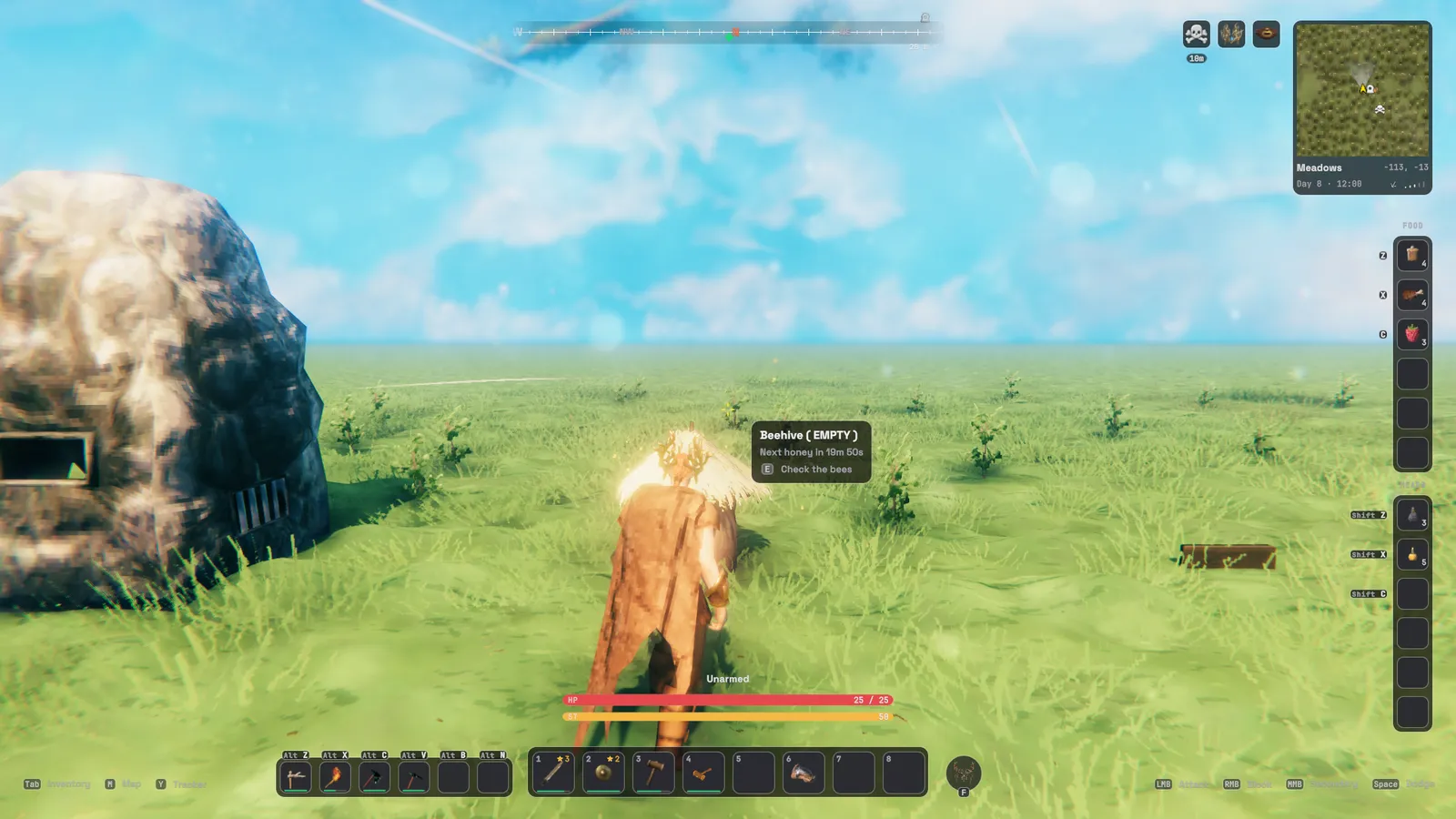
- Aim at a tree or rock to see its health (off by default).
- Ping the spot under your crosshair for everyone, without opening the map.
Settings:
HUD,Compass(ShowPins,ShowNames,PinRange). Keys:PingAtCrosshair.
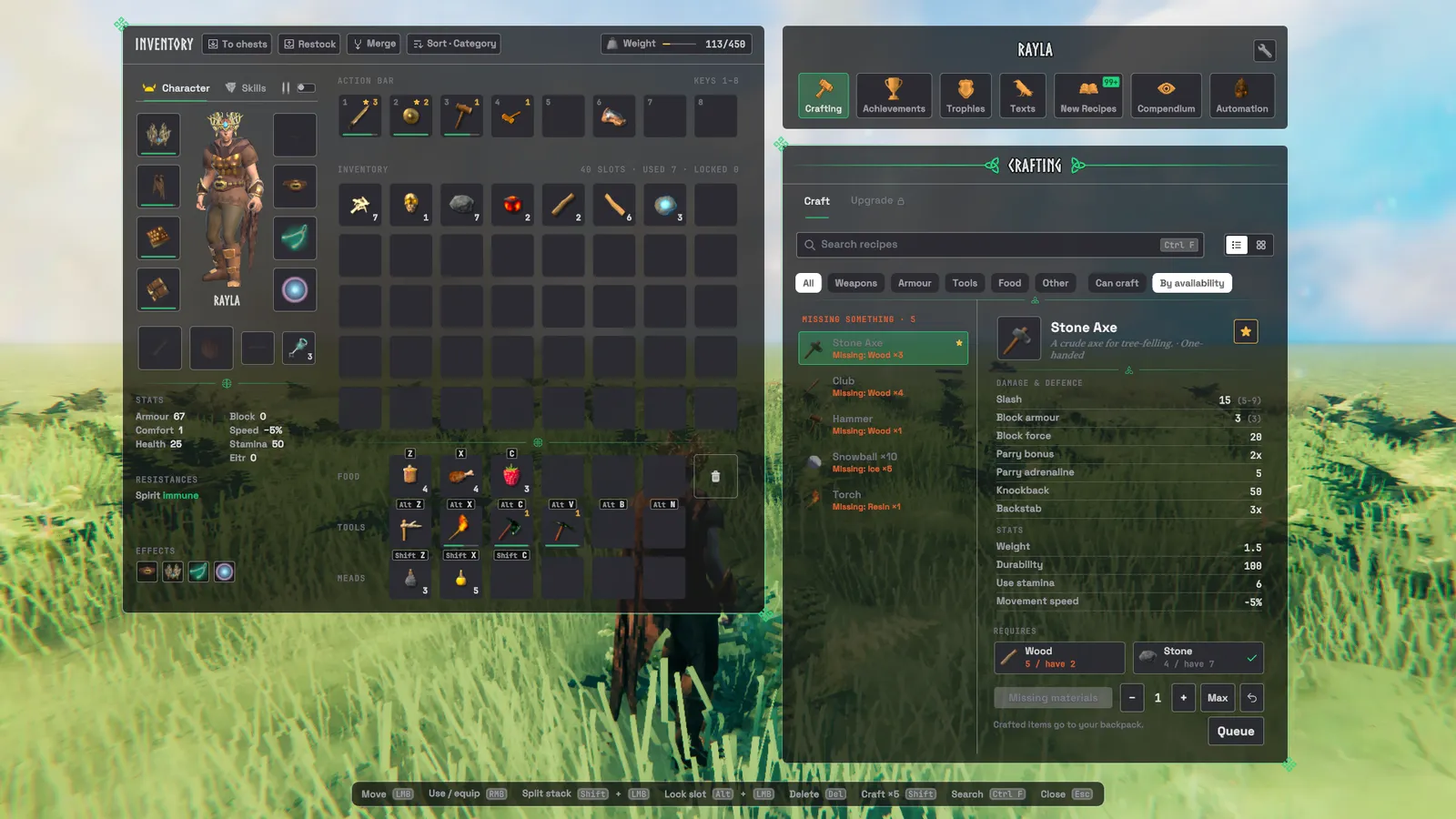
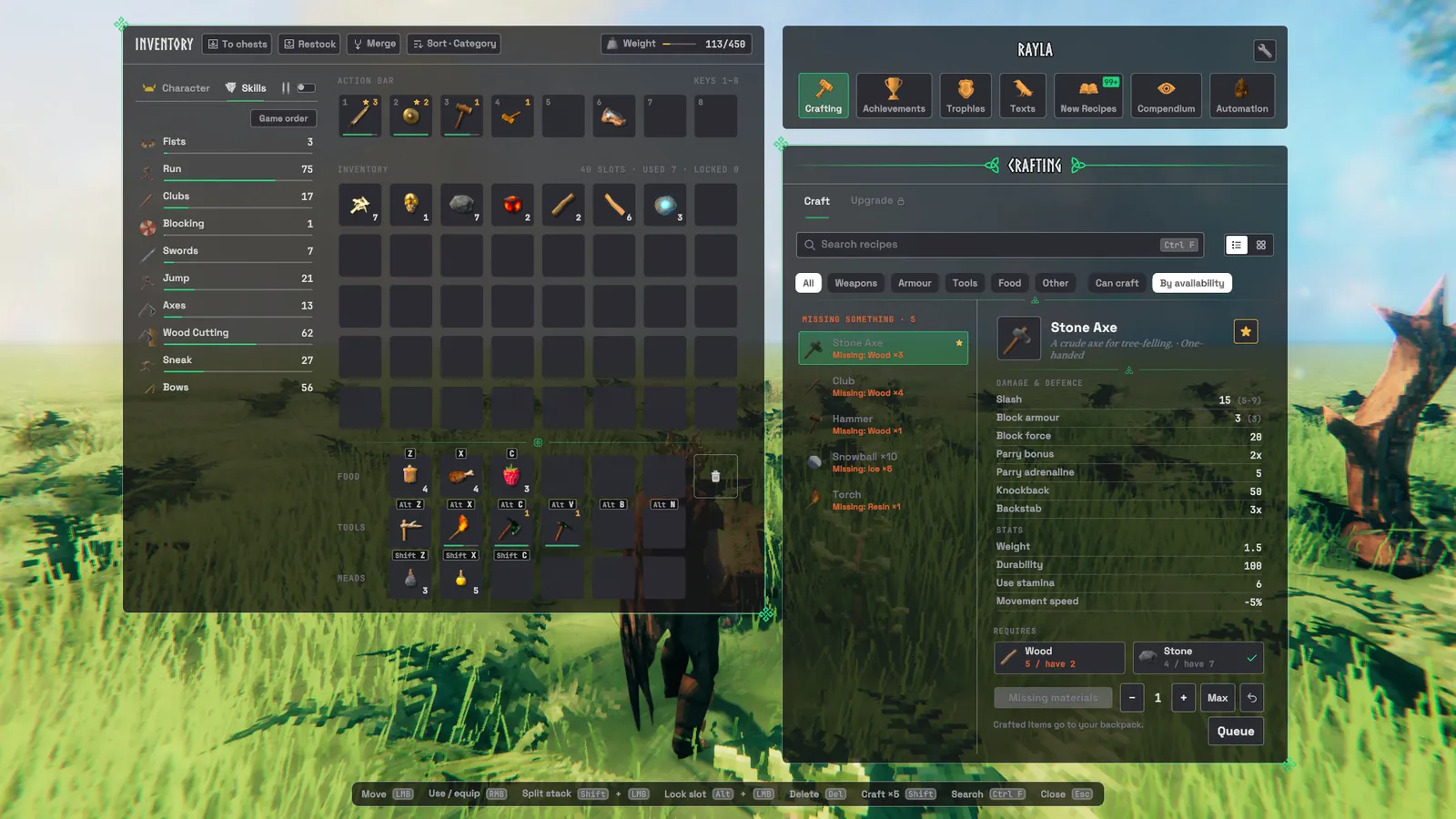
3. Your pack
- More room: up to four extra inventory rows (two by default).
- When the game saves, their items are stored inside Valheim's own rows, so a game without the mod still has them, as long as those rows have room. Jatify warns you when they don't.
- Reserved rows for food, tools and meads:
- Each slot has its own key (see Keys).
- Pickups never land there by accident.
- Where pickups land: the bag rows first, the hotbar last, never a locked slot.
- Worn gear leaves the grid for an equipment column around a live view of your character, with durability on each
slot and the PvP switch above it.
- The Wishbone and Wisplight have slots of their own, and keys you pick up go into a key pouch; doors still take them from there.
- Underneath are your stats and resistances, counting meads and set bonuses.
- A Skills tab beside it lists every skill with its level and progress, sorted as you choose.
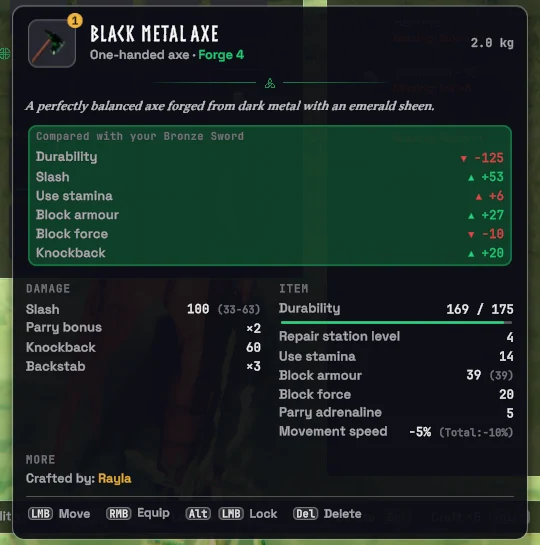
- Item tooltips are full cards:
- picture, quality, lore, and a two-column stat table;
- what changes compared with what you're holding or wearing;
- set pieces and their bonus;
- the keys you can use on that item.
- Inventory tools:
- Tidying: sort, merge split stacks, and lock slots (Alt + click).
- Nearby chests: To chests puts things away into nearby chests that already hold them; Restock tops your stacks back up from them.
- Trash: a slot that asks before it destroys anything, and the Delete key does the same.
- Armour goes on and off instantly, without Valheim's equip delay (a setting, on by default).
- Coins weigh a tenth of Valheim's by default: a switch and an amount per coin, down to nothing (only your own carry weight changes).
- Your grave:
- Picking it up puts your gear back on as it was when you died: everything, armour only, or armour and weapons.
- It shows on the compass with its distance, however far away.
- It can be taken just by walking into it (off by default).
Settings:
Grave→ReequipGear,ReequipWhat,CompassMarker,PickupOnTouch.Inventory→ExtraRows,PickupOrder,InstantEquip,LighterCoins,CoinWeight,ConfirmDelete,CharacterView,CharacterIdle,TooltipKeys. Keys:QuickStack,Restock,Merge,Sort.
4. Chests
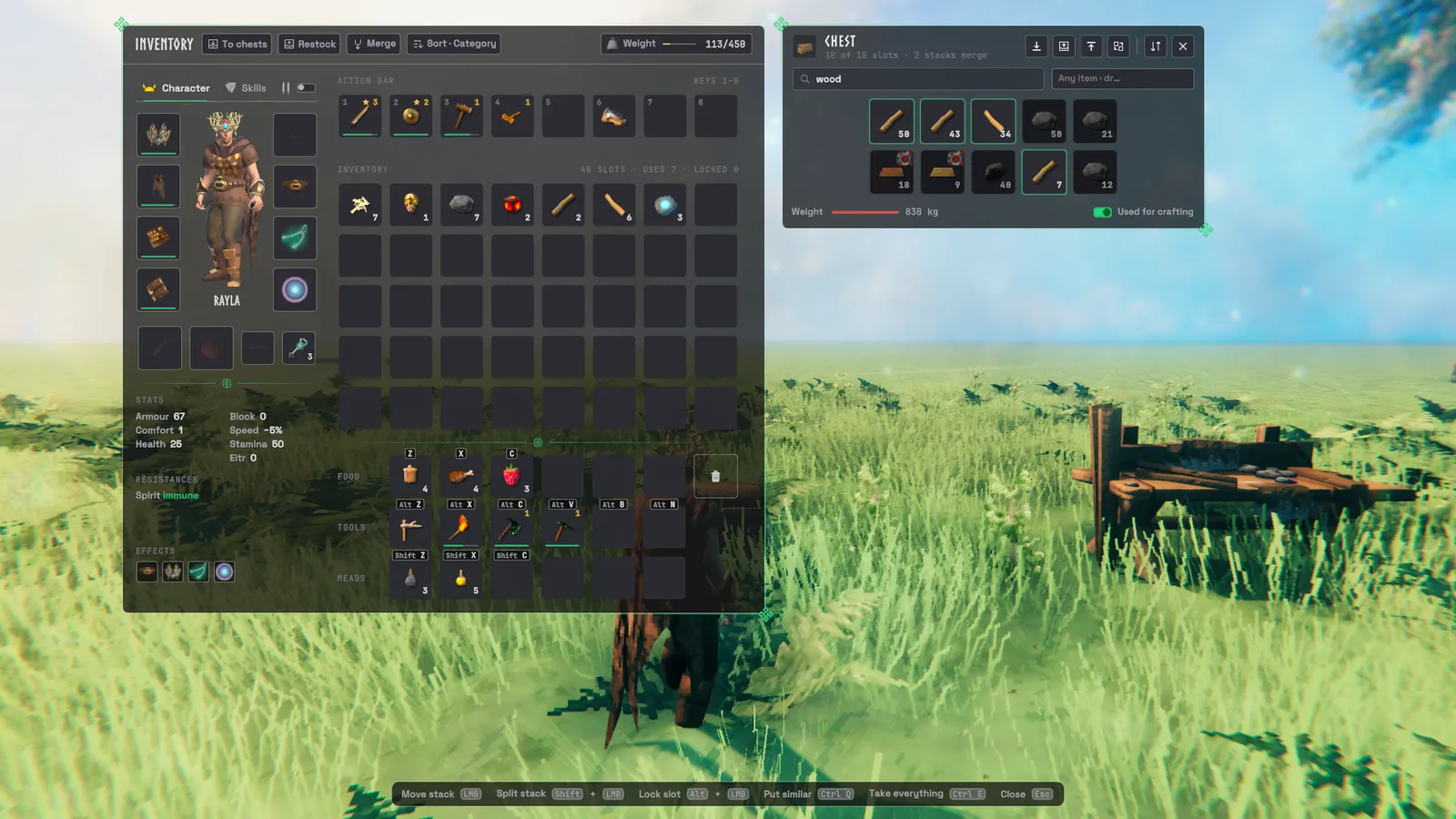
- The window is sized to the chest, with icon buttons that explain themselves when you hover them:
- take everything;
- fill up the stacks you carry;
- put everything in;
- put in only what the chest already holds;
- sort;
- rename.
- Search dims everything that doesn't match.
- Locked slots in a chest are saved with it, so everyone's take and sort leave them alone.
- The foot of the window shows the chest's weight and a Used for crafting switch.
- A look at a chest shows a small card with its name, how full it is and what's inside, without opening it.
- Item chests: a chest can be kept for one item, and its icon then shows on the front of the chest like a label. Everyone running Jatify sees and keeps to it.
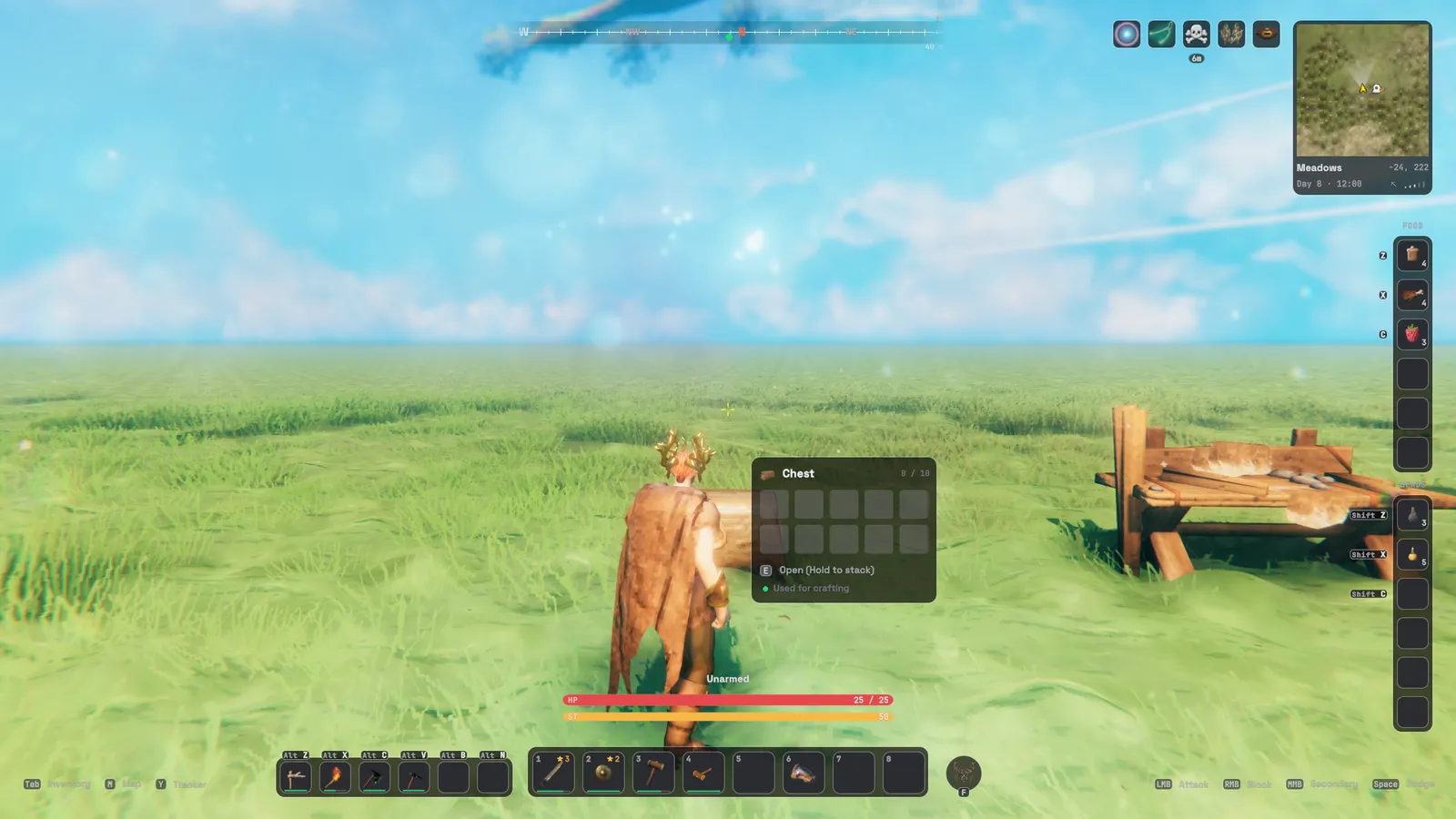
Keys: Ctrl + Q puts in what the chest already holds, Ctrl + E takes everything.
PutAll,PutSimilar,TakeAll,TakeSimilar,ChestSortcan be bound underKeystoo.
5. At the workbench
- Crafting panel:
- Finding recipes: search (Ctrl + F), category filters, favourites (a star), and a list or grid view.
- The recipe: a full card with its stats and materials.
- Amount: a stepper for crafting several at once.
- Queue: add recipes and they're crafted one after another.
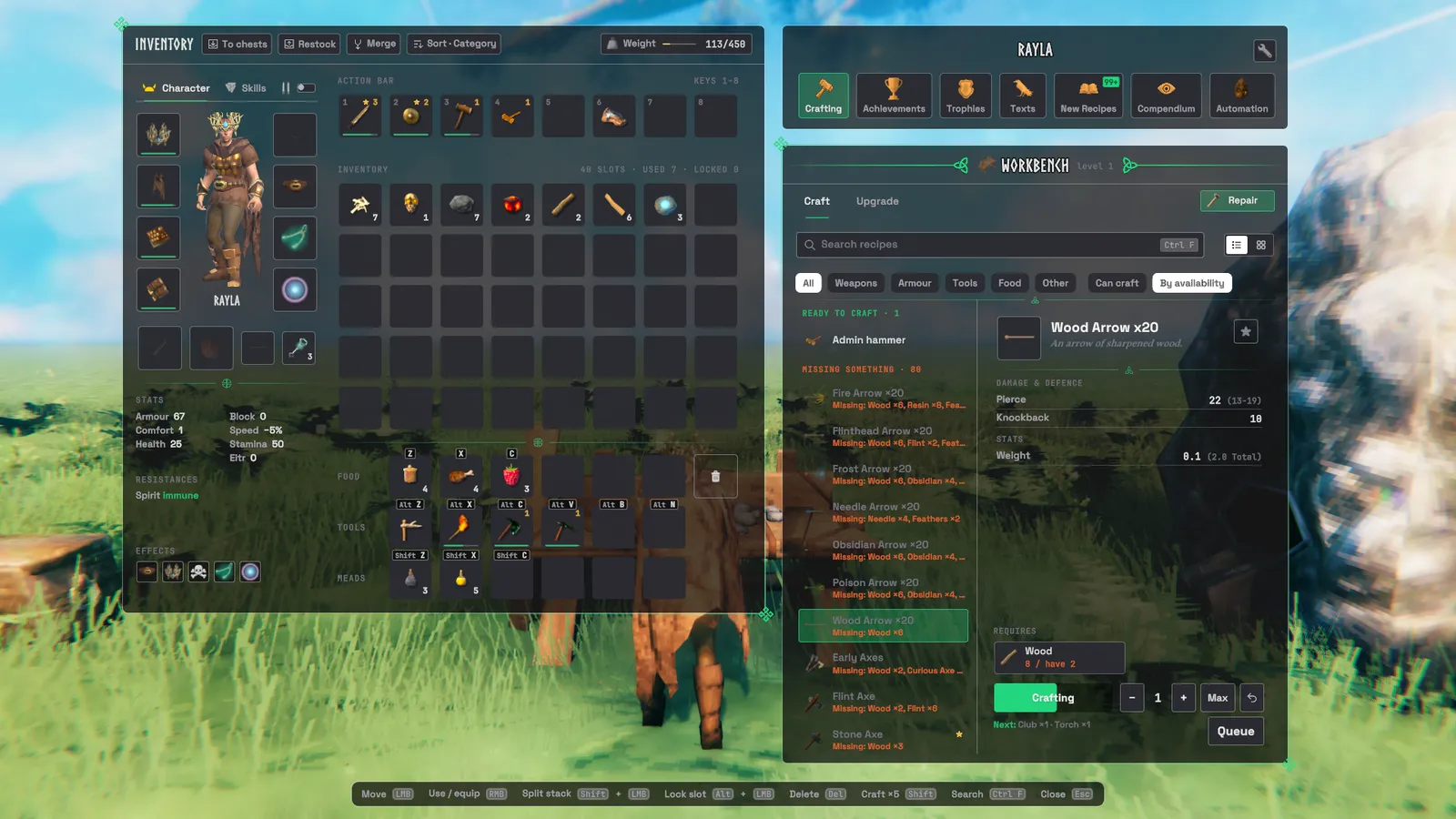
- Nearby chests:
- Crafting and building can count and take materials from chests within reach.
- A chest can be left out of this.
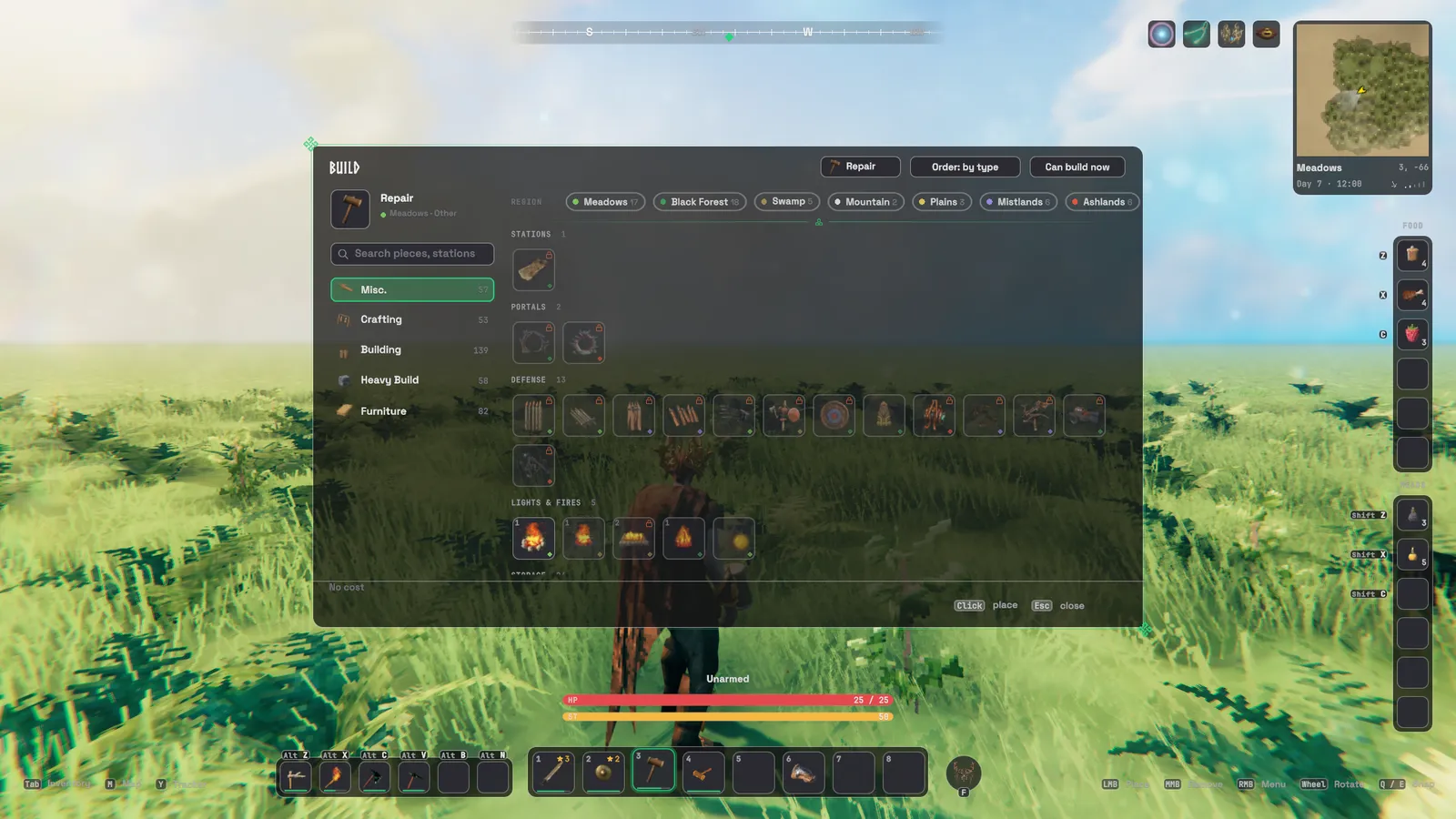
- Build menu: the hammer's categories as tabs, a search over every piece, Can build now, type and region filters,
and each piece's costs counted from your bag and nearby chests.
- While you place a piece, a card shows what it is and what it costs.
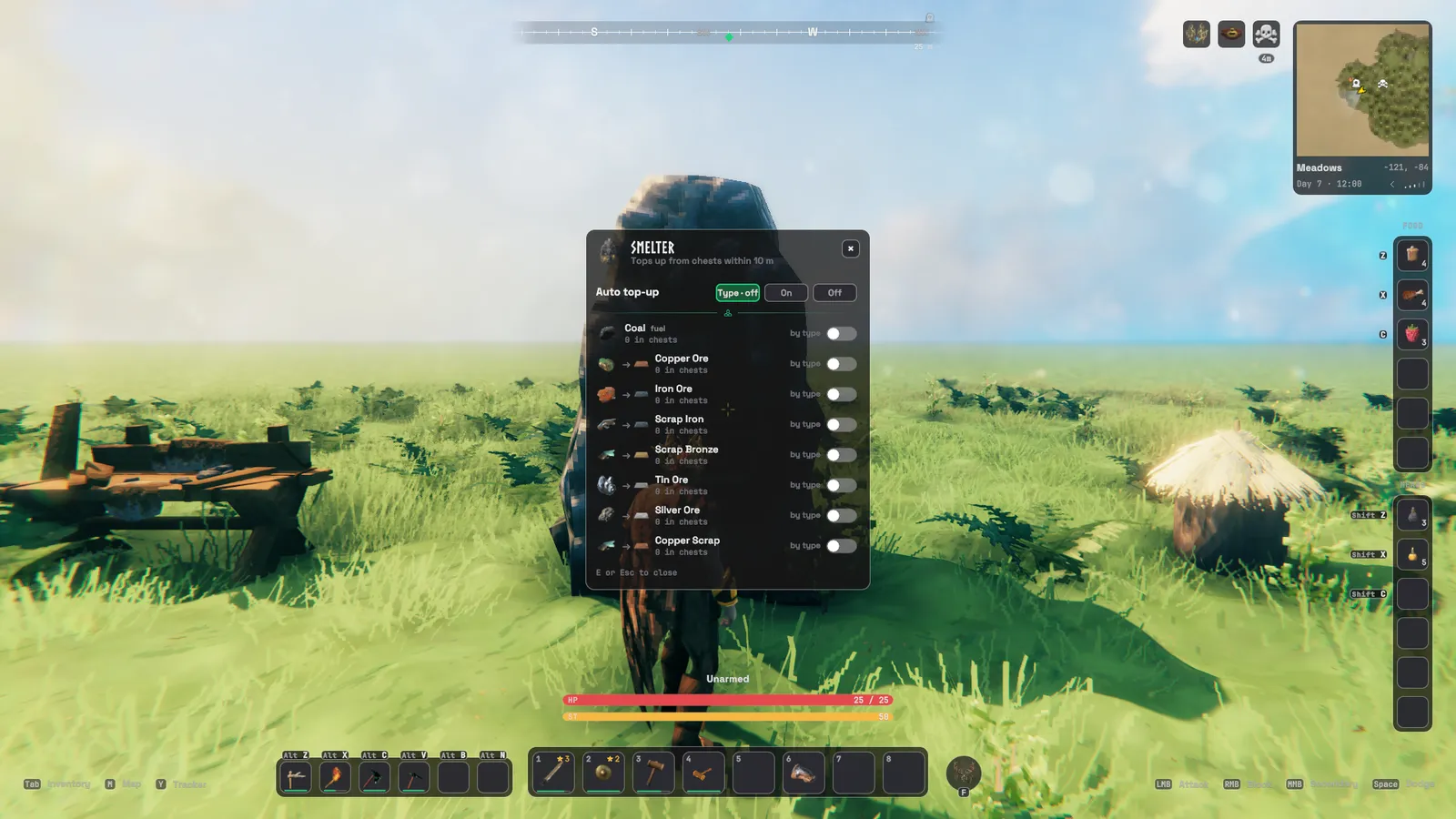
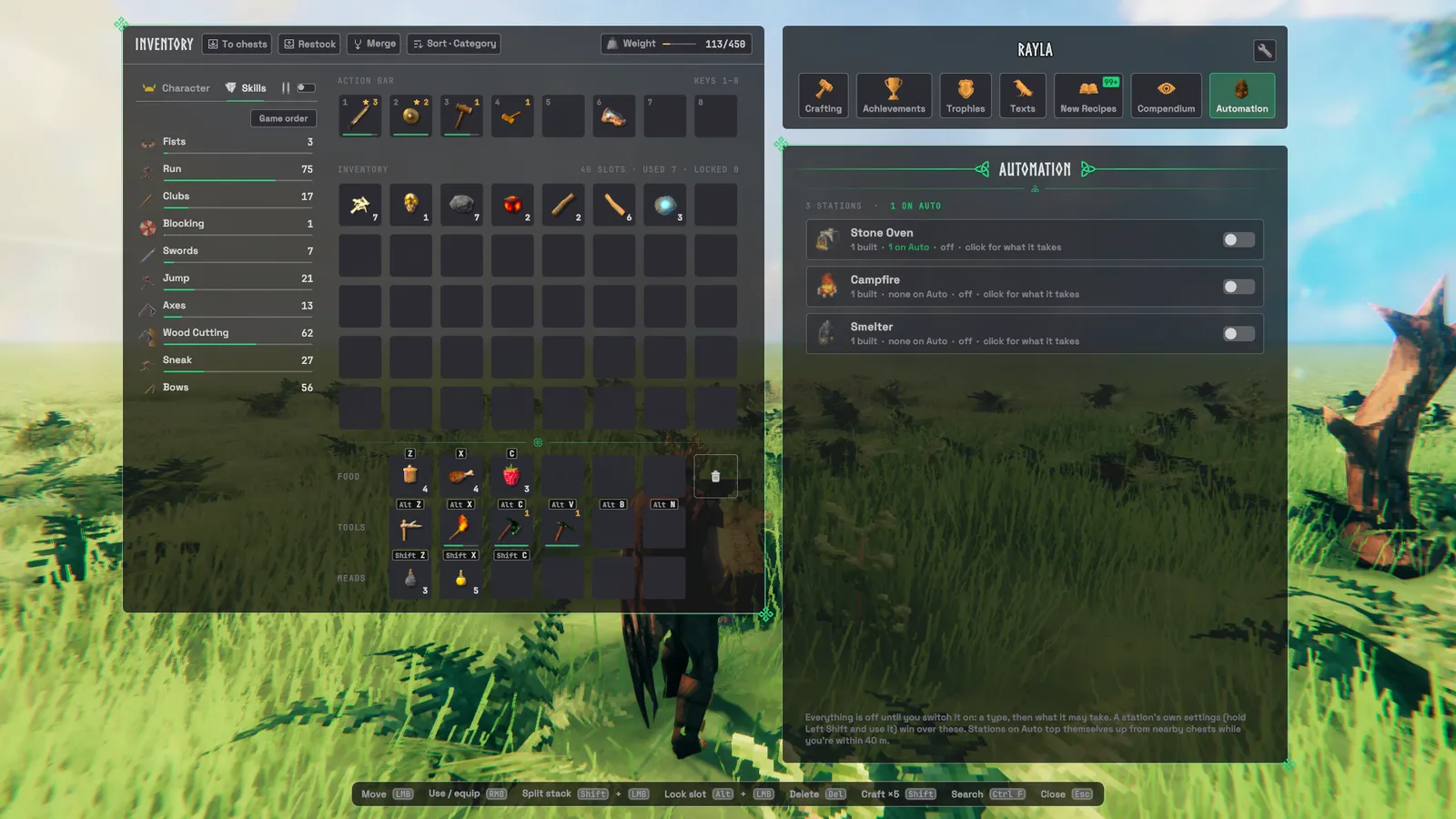
- Stations on Auto: smelters, kilns, furnaces, refineries, fermenters, fires, ovens, shield generators and ballistas
can be switched to Auto.
- You choose what each may take (all off at first), and they refill themselves from nearby chests while you're within 40 m.
- On a server running Jatify, smelters and fermenters keep going while nobody is near.
- Area pickup: hold a key while picking a berry bush, crop, mushroom or beehive to pick everything around it.
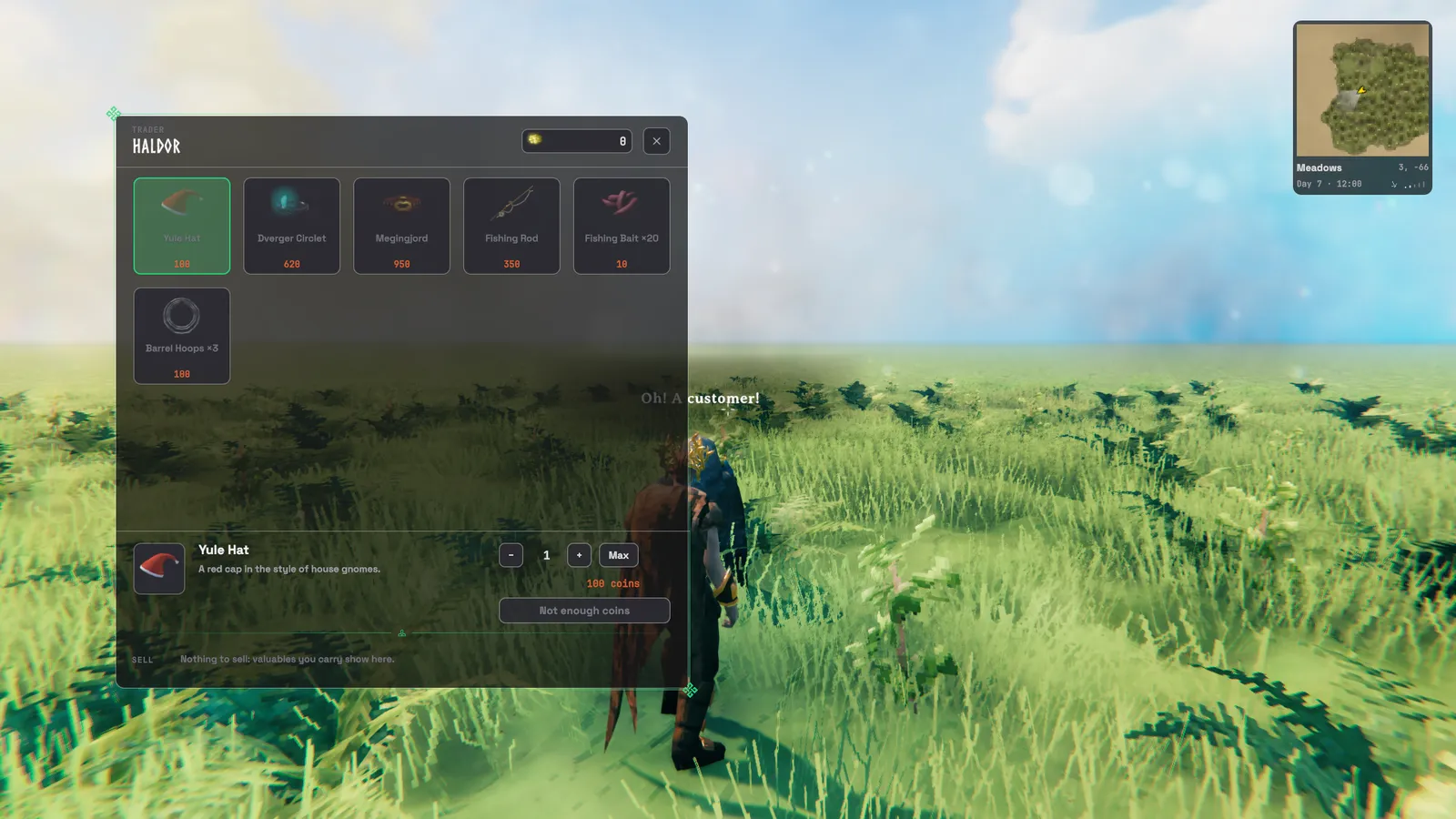
- Traders (Haldor, Hildir and the Bog Witch) get a proper shop window: their goods as tiles with prices, a card for the one you pick with a quantity, and your valuables to sell.
Settings:
Crafting,Automation(Smelters,AreaPickup,AreaRadius,AreaSameOnly),Inventory→CraftFromChests,BuildFromChests. Keys:AreaPickup,SmelterWindow.
6. The map
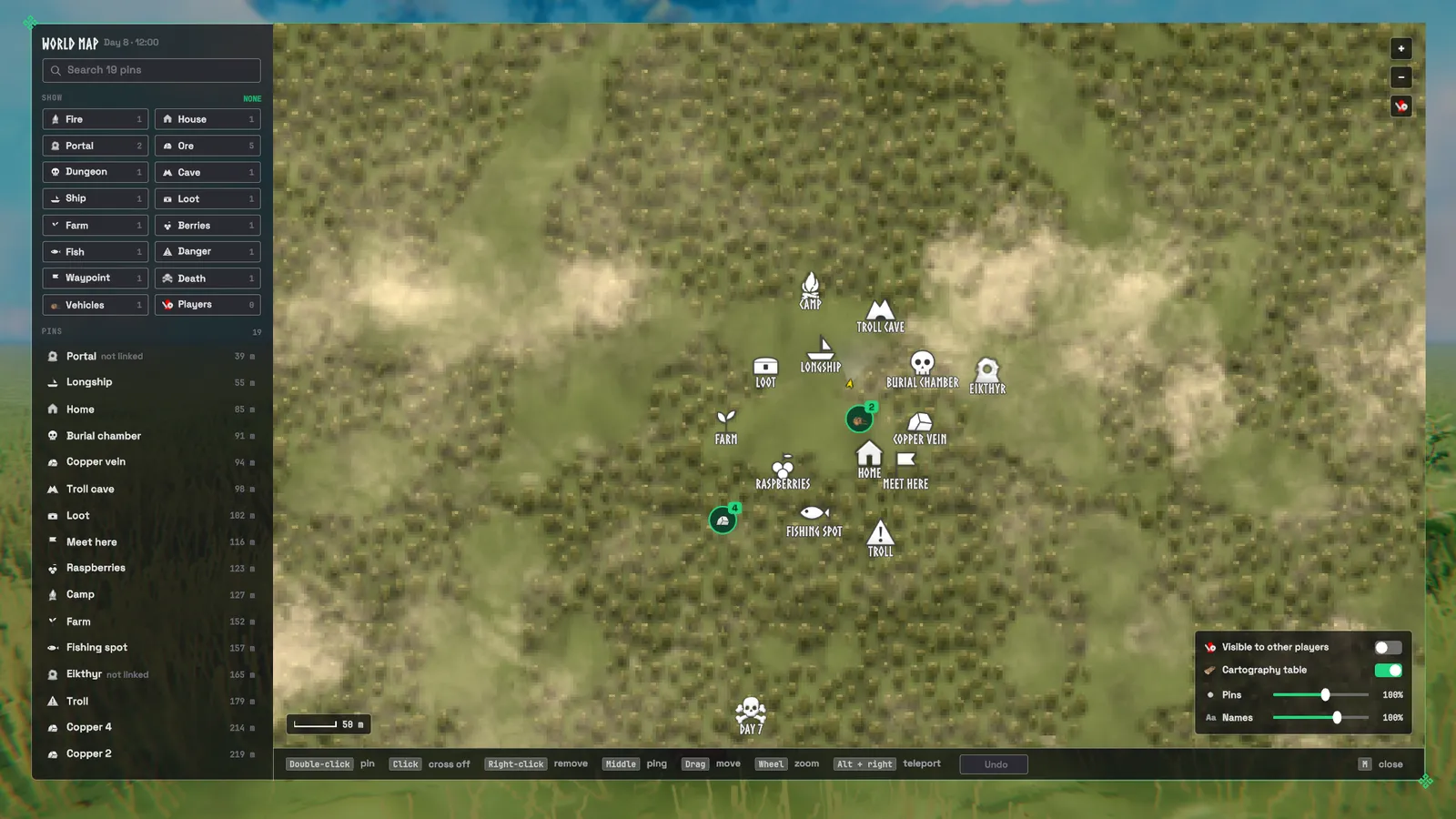
- Pins: more pin kinds (ore, dungeon, cave and others), sizes you choose, and names that don't pile on top of each other.
- A pin list sorted by distance, a search, filters by kind, and undo for a pin you removed.
- Live marks: portals, ships and carts appear on the map by themselves, and a portal shows where it leads.
- Crowded areas: groups of nearby pins fold into one; hover it for the list, click it to zoom in.
- Zoom: the map can zoom closer than Valheim allows (
Map→ZoomIn, off by default). - Discovery: ore deposits and dungeon entrances you walk past can pin themselves (both off by default).
- Ore pins are crossed off once mined out.
Settings:
Map,HUD→RealClock.
7. The character panel
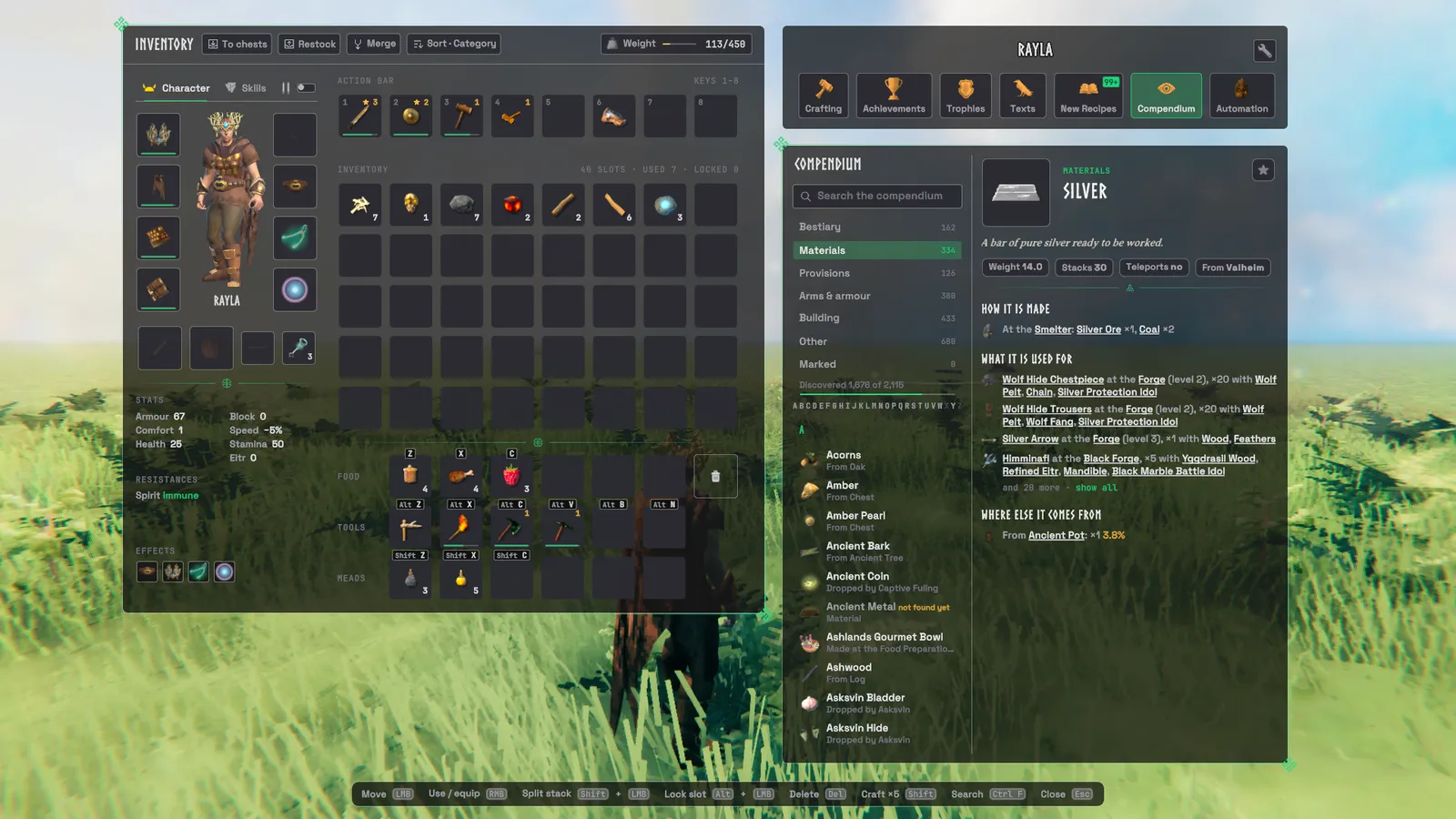
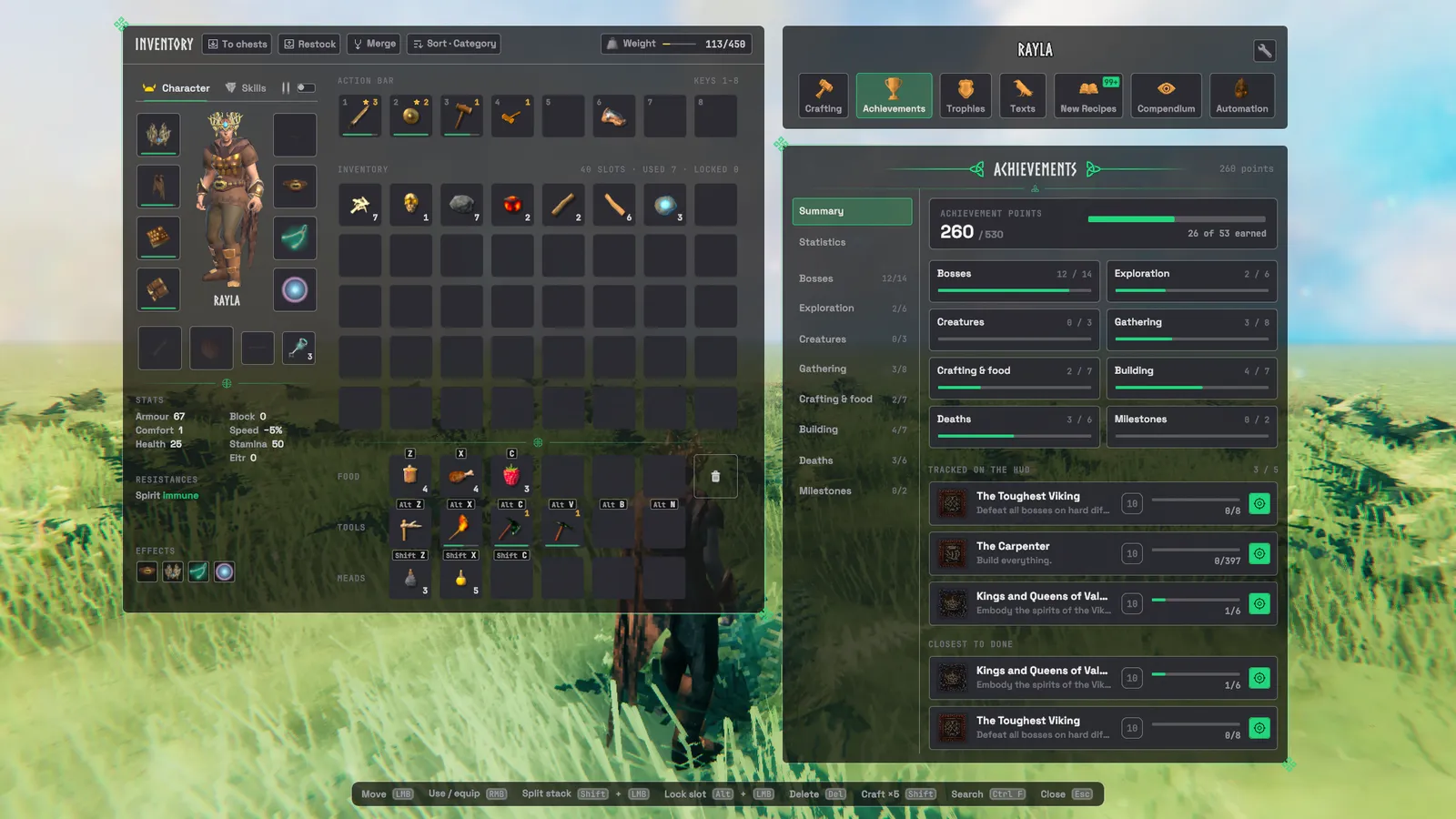
Seven tabs beside your inventory:
- Crafting.
- Achievements:
- Categories, progress, and the date you earned each one.
- Track any of them in the top-left corner; Y folds the tracker to its header.
- A Statistics page shows your all-time numbers.
- Trophies.
- Texts: the runestones and lore you've read.
- New Recipes: a log of everything you've unlocked and when.
- Compendium: a book of what you know of Valheim. It has chapters, an A–Z list, and a page for each entry.
- Each page tells you how the thing is made, what it's used for, and where else it comes from.
- Every item named on a page links to its own page.
- Things you haven't found yet read "Not yet discovered" unless you ask to see them.
- A developer box can show the internal ids.
- With VNEI installed, creatures, drops and station conversions are included too.
- Automation: one row per kind of station, with how many you have and how many are on Auto. Switch a kind on, then pick what it may take. Everything starts off.
Settings:
Compendium→ShowUndiscovered,DeveloperInfo;HUD→AchievementTracker,AchievementBanners.
8. The pause menu
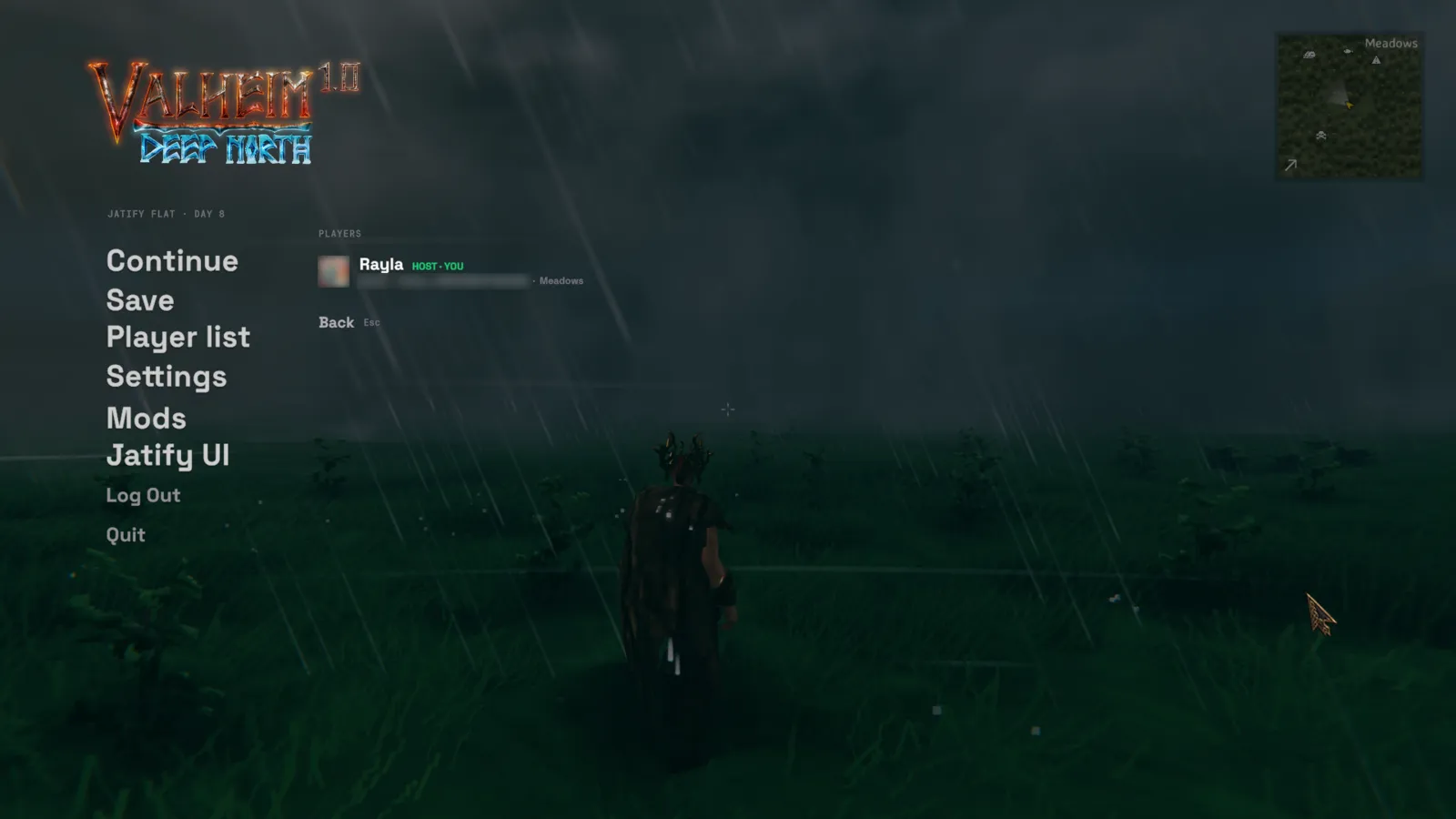
- World card: the day, who's online, the last save, how many mods are loaded and the join code.
- Players: who is here, where they are if they share their position, and the invite code to copy. The host and admins can kick.
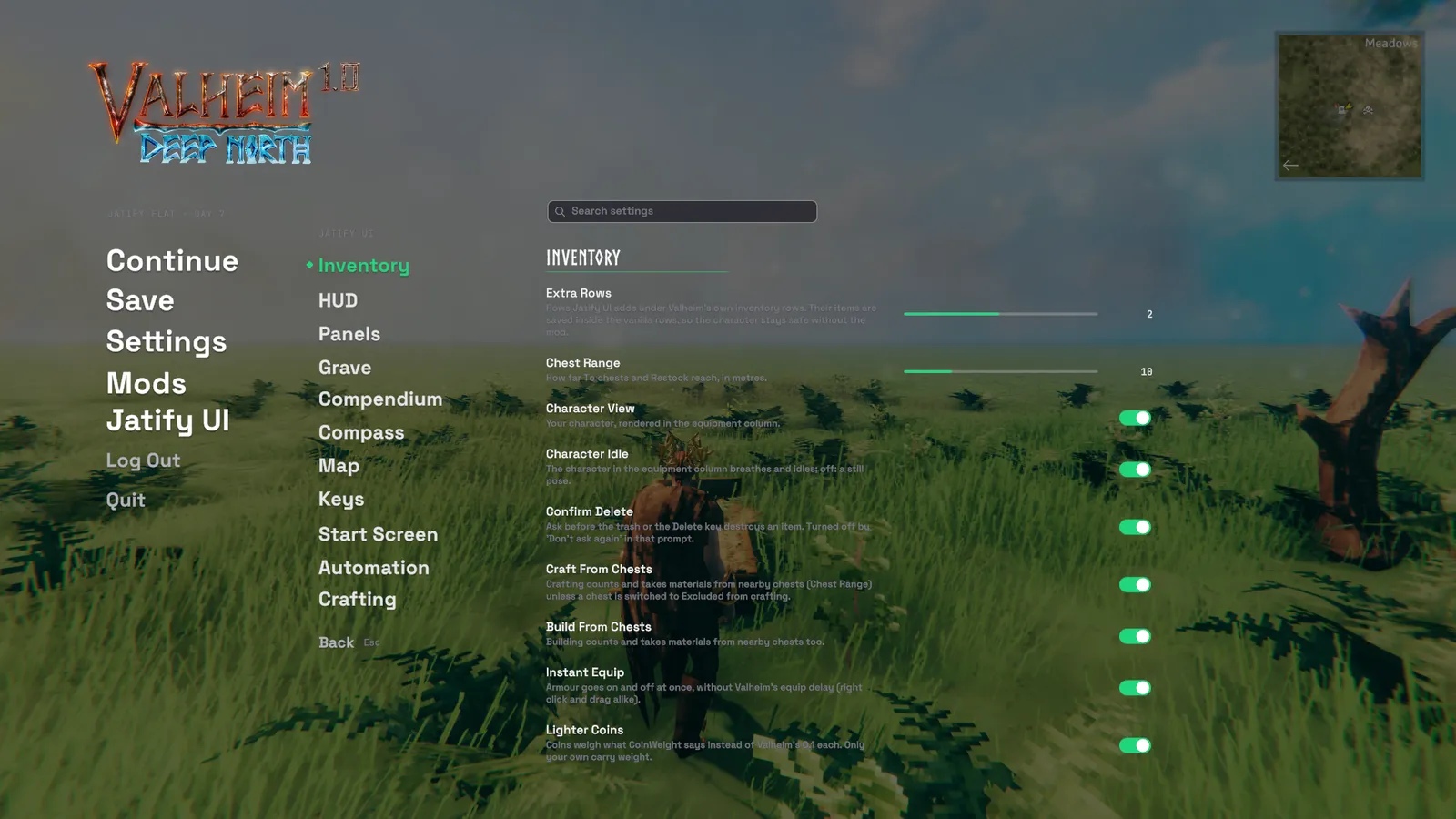
- Jatify UI: every setting on one searchable page. Changes apply at once.
- Mods: the same page for every other mod's settings.
9. Writing
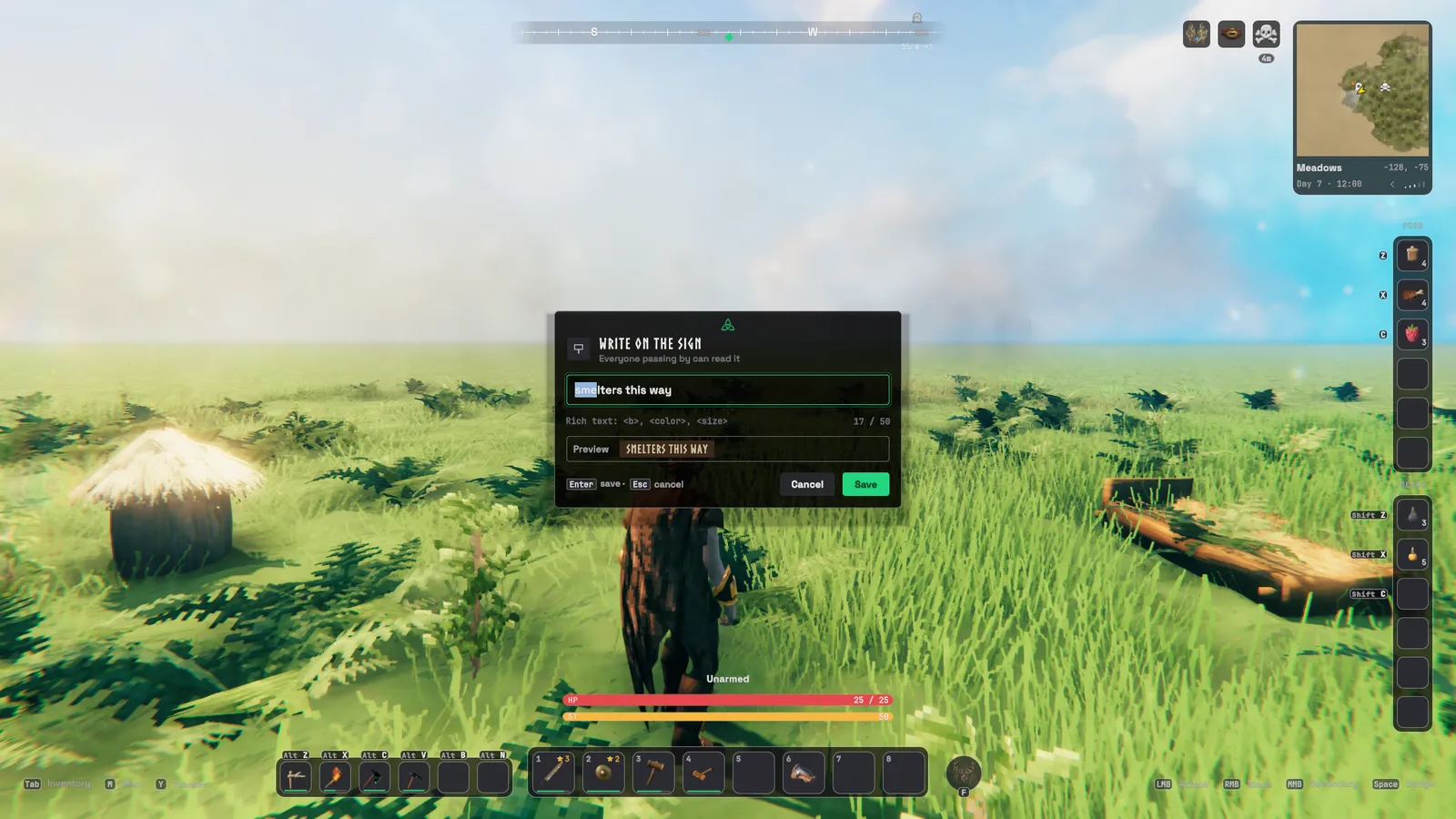
- Signs, portals and tamed animals: naming them uses a text box that says what you're writing.
- Signs get a live preview.
- Portals tell you whether another portal already uses that name.
Keys
| Does | Key |
|---|---|
| Food slots 1–3 | Z, X, C |
| Mead slots 1–3 | Shift + Z, X, C |
| Tool slots 1–6 | Alt + Z, X, C, V, B, N |
| Put things into nearby chests | P |
| Top up your stacks from nearby chests | L |
| Open chest: put in what it already holds | Ctrl + Q |
| Open chest: take everything | Ctrl + E |
| Search recipes | Ctrl + F |
| Lock a slot | Alt + click |
| Ping where you look | Alt + middle mouse |
| Area pickup | hold Left Shift while picking |
| Open a station's Auto card | hold Left Shift while using it |
| Fold the achievement tracker | Y |
Most of these can be changed under Keys; Ctrl + Q, Ctrl + E, Ctrl + F, Alt + click and Y are fixed. Food and mead
slots 4–6, Merge, Sort and the chest buttons are free to bind.
Make it your own
- Settings are saved in
BepInEx/config/jatify.ui.cfg. Change them on the Jatify UI page in the pause menu, in a BepInEx configuration manager, or in the file. - Colours and size: every colour, the corner radius, the text size and the interface scale live in
BepInEx/config/jatify.ui/theme.json.- Save the file and the game restyles itself while you play.
- Ornaments: the knotwork can be switched off for plain panels (
Panels→Knotwork). - Cursor: Jatify's cursor comes in four sizes, or you can keep your system's (
HUD→JatifyCursor,CursorSize). - Your character in the inventory: it idles and breathes, holds still, or isn't drawn at all (
Inventory→CharacterView,CharacterIdle).
Servers and multiplayer
- Only you need it. Jatify is a client mod; everyone else can play without it.
- On a dedicated server, it does two extra things:
- It keeps smelters and fermenters on Auto working while nobody is near them, drawing from their owner's chests. What they make waits on the station until someone running Jatify comes by.
- It answers each player's Automation tab with all their stations, not just the ones loaded around them.
- When you host, your game is the server, so that already works.
- No server rules: every setting is the player's own; a server can't switch features on or off for its players.
- Item chests and locked chest slots are saved on the chest itself, so every player running Jatify sees and keeps to them.
Alongside other mods
- VNEI: read by the Compendium. VNEI's own button by the crafting tabs is hidden, since the Compendium replaces it.
- VNEI's favourites and the Compendium's marks are the same list.
- Campfire: built in as the character screen. If the standalone Campfire mod is installed, Jatify leaves the character screen, the party at the fire and the loading screen to it.
- Mods by the same author (MapTeleport, AdminHammer, BuffMeDaddy) use Jatify's fonts and theme colours when it's installed. Without it they keep the same panels and colours, with Valheim's fonts.
Taking it out
You can remove Jatify at any time. Before you do:
- Empty the Wishbone and Wisplight slots and the key pouch into your bag. Those items are kept without the mod, but you can't see them until it's back.
- Make room in Valheim's own rows for what's in the extra rows. Jatify warns you if they won't fit.
Without the mod:
- Map pins keep their place and name, but lose their Jatify icon.
- Chests stop keeping to their item and their locked slots (both come back if you reinstall).
- Stations on Auto stop refilling themselves.
Not there yet
- English only.
- Without VNEI, the Compendium has no creatures, drops or station conversions, only Valheim's crafting recipes and build pieces.
- Stations on Auto have no per-item limits yet.
- Ore detection doesn't check line of sight.
- No gamepad support.
- Other mods' extra equipment slots (backpacks, quivers and the like) are untested and may not show in Jatify's windows.
Good to know
- Jatify makes no web requests. The only thing it opens outside the game is your saves folder, from Manage saves.
- Problems and ideas: GitHub issues.
Changes
0.1.0: first release.
Credits
- Fonts: Space Grotesk and JetBrains Mono, both under the SIL Open Font License; Valheim's own Norse and Averia fonts for titles and lore.
- Icons: Phosphor Icons (MIT), redrawn where needed.
- Loading art: Iron Gate's Valheim press kit.
- Knotwork: drawn for Jatify.
- Code: written together with Claude (Anthropic's AI), which shows up as a co-author in the commit history.
Jatify UI is an unofficial, fan-made mod. It is not made, endorsed or supported by Iron Gate AB. Valheim is a trademark of Iron Gate AB.
Source: https://github.com/imdizmo/JatifyUI (MIT; the MIT licence covers Jatify UI's own code only)