

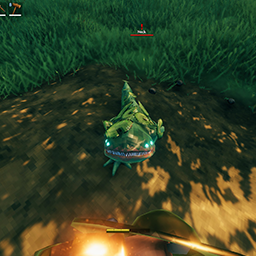
Valheim FPV
First Person mod for Valheim, By KailenJust zoom all the way in to go into first person mode.
needs https://valheim.thunderstore.io/package/denikson/BepInExPack_Valheim/
Some info about this mod:
The goal of this mod is to incorporate a first person view, while still retaining as much of the original feel as possible. I think the feel of the game is great as is I just want to bring that to a first person view without changing the vision of the game.
I've added a configuration file for FOV and a couple other things. It is generated first time you run the game with the mod loaded, example at bottom of page. (located in "...Valheim\BepInEx\config\CameraMod.Kailen_.cfg"
Installation: after installing BepInexPack just put the CameraMod.dll in the plugins folder (in its own nested folder if you want) ...steamapps\common\Valheim\BepInEx\plugins\
These settings are reloaded anytime you hit the OK button on the in game settings. So you can experiment with the FOV and other settings while in game.
Settings file was created by plugin CameraMod v0.0.8.31
Plugin GUID: CameraMod.Kailen_
[Camera Options]
First person field of view, game's default is 65
Setting type: Int32
Default value: 85
First Person FOV: = 85
Third person field of view, game's default is 65
Setting type: Int32
Default value: 65
Third Person FOV: = 65
(true/false) Smooth camera, Smoother vertical motion, removes most natural head bobbing
Setting type: Boolean
Default value: false
Smooth camera = false
increase if you have issues with sun rays flickering. game's default is .5
Setting type: Single
Default value: 0.1
nearClipPlaneMax = 0.1
how far away from your face the camera is. increase it if for some reason you see part of your face. .07 works pretty good and is pretty small, .1 should never have issues.
Setting type: Single
Default value: 0.071
faceoffset = 0.071
[General]
Nexus mod ID for updates from update mod mod
Setting type: Int32
Default value: 44
NexusID = 44
[GUI Options]
a multiplier to make the damage text display longer in first person. (.5 will make the text display twice as long, .25 would be 4x as long. etc.)
Setting type: Single
Default value: 1
DamageText delay = 1
font size of damagetext in first person mode. game's defualt is 16. anything bigger than 32 seems to have issues appearing sometimes
Setting type: Int32
Default value: 28
DamageText font size = 28
(true/false) attempts to move the halo effect around your head to the top of the screen so you can see it.
Setting type: Boolean
Default value: false
Move level up notification: = false
[Options]
.1 game default, should not need to be modified.
Setting type: Single
Default value: 0.1
nearClipPlaneMin = 0.1
[Other Options]
(true/false) Slightly Taller: Experimental, Makes you slightly taller, expect to clip into the top of smaller doors, you are physically taller including your hit box.
Setting type: Boolean
Default value: false
Slightly Taller = false


