
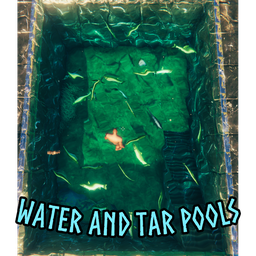
WaterAndTarPools
Add-on for DrainTarPit: pumped tar and water fill real pools (dug holes, moats, walled basins), pump water too, pick water styles, name pools with signs and find them in the Pools tab of the KY hub (F6).WaterAndTarPools
Add-on for DrainTarPit (required). With it, everything your hand pump moves stays in the world - and the pump can move water too.
Pools
- The pumped tar or water is poured into a real pool where the stream from the nozzle lands: a hole dug with the pickaxe, a moat, or a ring of stone / wood walls fills up to the lowest point of its rim.
- Built walls and floors hold the liquid like the ground does. What would run over the rim disappears there (or, if you turn that off, runs over and fills the next basin behind it).
- Long moats fill end to end, thin films slide off walls and slopes quickly instead of lingering.
- Tar pools slow you like the game's tar, water pools let you swim. Pools are saved with the world and can be pumped again.
- Fish stay inside a water pool: they turn back at the walls and cannot jump out.
- Stuck at the edge? Press Jump 3 times quickly next to the wall and you are lifted out.
Water
- A strainer built in the sea, a lake or a water pool pumps water (the sea never runs dry).
- Water styles: Game (the game's own water), Tropical (clear turquoise with light patterns on the floor), Lake (deeper, darker blue) and Ashlands (red with a faint glow). The water in see-through hoses and the stream from the nozzle take the colour of the pool's style, with a splash sound where it lands.
Pool signs (Hammer > KY-Items)
| Piece | Cost | Notes |
|---|---|---|
| Pool sign | 3 Wood, 1 Coal | Build it on a pool or within 5 m of one (pump pools and the game's tar pits). One sign per pool. |
Press E on the sign to name the pool and style the name: any font of the game, size, bold / italic / underline / strike / upper case, alignment, letter spacing, a colour, a colour per letter (paint, rainbow, gradient) and emoji. Save a preferred style and reuse it on the next sign. Everyone sees the same sign.
Pools tab (F6)
Press F6 to open the KY hub, the one menu of all KydlDev mods, and pick WaterAndTarPools > Pools.
- Every pool with a named sign in the world, with its position and the closest portal.
- Pick your own water style per pool - only you see it, saved on your PC for each world.
- Server admins set the world water style for every pool; new pools use it.
Config
BepInEx/config/com.kydldev.WaterAndTarPools.cfg (changes are picked up while the game runs):
| Section | Settings |
|---|---|
| General | EnableAll - switch the mod off while playing (pools stay), DepositTar, DepositWater |
| DebugLog | Enable - detailed log lines for bug reports |
| Effects | Enable (all effects and sounds), EffectsVolume (water splash), WaterSplashSound, WaterSlugFlow (water visible in see-through hoses) |
| Pools | Enable (the pools themselves), MinWaterDepth, PoolWalls, PoolRimDisappear, PoolOverflow, PoolRunoff, PoolShedFilm, PoolFilmEvaporates, PoolFishStayIn, PoolJumpBoost, PoolJumpPresses, PoolJumpHeight, WaterPoolSize, LiquidCellSize, WaterFlow |
| Visuals | Enable, WaterDepthLook (Game style only) |
Requirements
DrainTarPit, KydlCore (the F6 hub and the shared UI), BepInEx and Jotunn. Everyone on the server needs the mod, with the same version (the network check compares major, minor and patch). English only.