

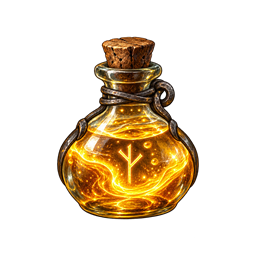
PotentialDraught
A server-synchronized potion that temporarily improves Forge of Potential success odds while preserving break risk.Potential Draught
Potential Draught adds a craftable Draught of Tempered Potential to Valheim 1.0. Drinking it grants a timed status effect that improves Forge of Potential refinement odds. Failures still use Valheim's normal outcome and can destroy the upgraded item.
Defaults
- Potion success chance: 80% (compiled into the mod)
- Break/destruction chance: 5% (compiled into the mod)
- Non-breaking failure with level reduction: 15%
- Duration: 10 minutes
- Crafted at: Cauldron level 4
- Recipe: 10 Honey, 5 Bloodbag, 5 FreezeGland, 5 GreydwarfEye
- Stack size: 10
Multiplayer and configuration
This mod requires BepInEx 5 and Jotunn. Install the mod and Jotunn on the dedicated server and on every connecting client. Jotunn rejects missing or mismatched copies.
The 80% success and 5% break chances are fixed in the plugin and have no client or server settings. The server owns and synchronizes the duration setting:
[Server]
PotionDurationSeconds = 600
Non-admin clients cannot override synchronized values during a server session. As with Valheim's normal inventory crafting, this is configuration authority rather than protection against a deliberately rewritten client or cheat framework.
Installation
- Install BepInExPack Valheim 5.4.2350 or newer.
- Install a Valheim-1.0-compatible Jotunn release on the server and every client.
- Put
PotentialDraught.dllinBepInEx/plugins/PotentialDraught/everywhere. - Start the server once to create
BepInEx/config/com.forgepotential.potentialdraught.cfg. - Stop the server before changing values, then restart it.
Do not combine this with mods that patch the Forge of Potential chance unless their compatibility has been verified.
Diagnostics
Look in BepInEx/LogOutput.log for:
Potential Draught 1.0.2 loaded.
Debug logging also records the temporary chance applied to each potion-affected attempt. The original idol chance is restored immediately after the crafting call.
Building
The included project defaults to the local Valheim installation at
D:\SteamLibrary\steamapps\common\Valheim. Supply a different path through the
ValheimInstall MSBuild property if your development copy is elsewhere:
dotnet build -c Release -p:ValheimInstall="C:\path\to\Valheim"
License
MIT. The generated potion icon is included with the mod.


