

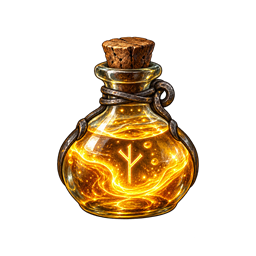
PotentialDraught
A server-synchronized potion that temporarily improves Forge of Potential success odds while preserving break risk.Potential Draught
Potential Draught adds a craftable Draught of Tempered Potential to Valheim 1.0. Drinking it grants a timed status effect that improves Forge of Potential refinement odds. Failures still use Valheim's normal outcome and can destroy the upgraded item.
Defaults
- Potion success chance: 75% (compiled into the mod)
- Break/destruction chance: 10% (compiled into the mod)
- Non-breaking failure with level reduction: 15%
- Duration: 5 minutes (compiled into the mod)
- Crafted at: Cauldron level 3
- Recipe: 10 Honey, 5 Bloodbag, 5 Dragon Tear, 5 Greydwarf Eye
- Recipe output: 1 potion
- Stack size: 10
- Forge of Potential upgrade time while active: 50% of normal
- Normal Forge of Potential maximum: level 25
Multiplayer and configuration
This mod requires BepInEx 5 and Jotunn 2.30.0. Install the mod and Jotunn on the dedicated server and on every connecting client. Jotunn rejects missing or mismatched copies.
The 75% success chance, 10% break chance, and five-minute duration are fixed in the plugin and have no client or server settings. As with Valheim's normal inventory crafting, required mod matching is not protection against a deliberately rewritten client or cheat framework.
Admin potion
The admin potion has no recipe and is not added to any crafting station. With
devcommands enabled, spawn it by its item ID:
spawn PotionPotentialDraughtAdmin 1
It lasts five minutes, gives the Forge of Potential a 100% success chance with no failure outcome, and reduces its upgrade time to roughly 1% of normal. If both effects are active, the admin potion takes priority.
By default, only the server host and configured administrators can consume the admin potion. A host or administrator can grant a currently connected player persistent permission by name, or revoke it immediately:
allowadminpotion <player name>
disableadminpotion <player name>
After typing either command followed by a space, console autocomplete lists the currently loaded players. Player-name matching is case-insensitive.
Permissions are stored by persistent character ID in the server configuration, so they survive reconnects and name changes. The player must be connected when either command is entered so the server can resolve that ID.
To add several upgrade levels with one Forge click, enable devcommands, drink the
admin potion, and set the desired increase before clicking upgrade:
potentiallevels 10
The command accepts any positive whole number and has no configured maximum. It
applies only to your next admin-potion Forge upgrade, then automatically resets to
one level. The Forge charges the normal resource amount for the resulting target level.
An explicitly armed potentiallevels command can take that one upgrade past the
normal level-25 cap.
An administrator can remove every admin potion held by other currently connected players without removing their own:
purgeadminpotions
Offline character inventories cannot be changed because Valheim stores them in each player's local character save.
Potential glow colors
- Levels 5-9: blue
- Levels 10-14: green
- Levels 15-19: purple
- Levels 20-24: gold
- Level 25 and higher: red
Shields and fist equipment receive no Potential Draught particle effects. Bows, swords, and other weapons with native particles continue to use their own quality effects. Armor, helmets, capes, and utility items receive no visual quality effect.
Installation
- Install BepInExPack Valheim 5.4.2350 or newer.
- Install Jotunn 2.30.0 on the server and every client.
- Put
PotentialDraught.dllinBepInEx/plugins/PotentialDraught/everywhere.
Do not combine this with mods that patch the Forge of Potential chance unless their compatibility has been verified.
Diagnostics
Look in BepInEx/LogOutput.log for:
Potential Draught 1.1.0 loaded.
Debug logging also records the temporary chance applied to each potion-affected attempt. The original idol chance is restored immediately after the crafting call.
Building
The included project defaults to the local Valheim installation at
D:\SteamLibrary\steamapps\common\Valheim. Supply a different path through the
ValheimInstall MSBuild property if your development copy is elsewhere:
dotnet build -c Release -p:ValheimInstall="C:\path\to\Valheim"
License
MIT. The generated potion icon is included with the mod.


