

You are viewing a potentially older version of this package. View Latest Version

NearbyStorage
See and use items in nearby containers without opening them one by one and craft, build, refuel, and feed machines from nearby chests.Nearby Storage
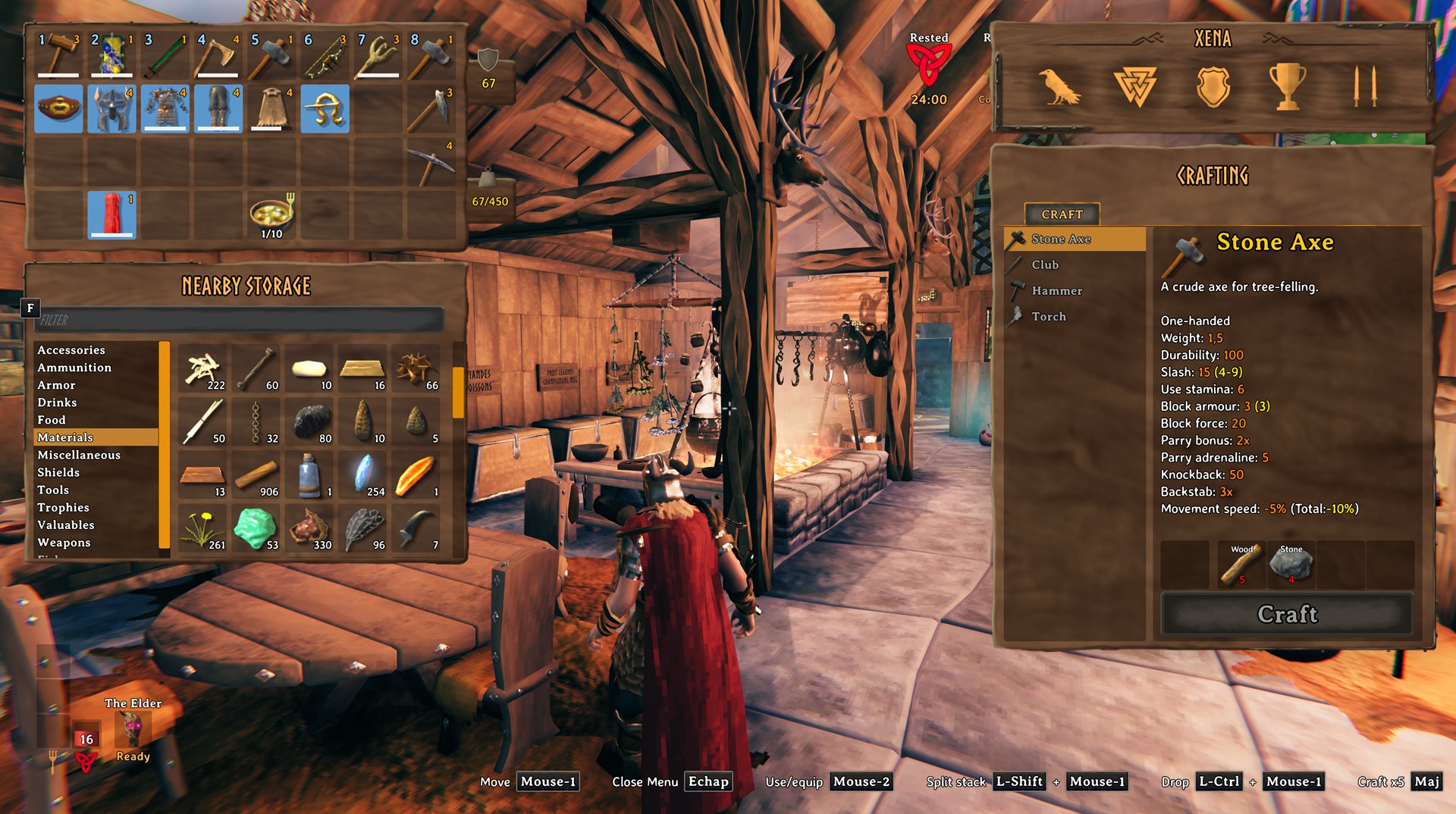
See and use items in nearby containers without opening them one by one. Nearby Storage also lets you name chests and craft, build, refuel, and feed machines using nearby supplies.
Nearby Storage panel
- Press Tab to open your inventory. Nearby Storage appears below it when accessible containers nearby contain items. Each container has its own item stacks. Choose a category or use the search field. Drop an inventory or Nearby Storage item onto an occupied slot to store it in that slot's container. Nearby Storage items move directly between containers. Ctrl-click stores inventory items automatically.
Nearby supplies shortcut
- Hold Left Alt while crafting, building, refueling, or feeding a machine to use supplies from your inventory, nearby containers, and, where applicable, ground drops. Shift + Left Alt works with Valheim's multicraft amount.
Renaming containers
- Press Shift + E while looking at a wooden, reinforced, or personal chest or a barrel to give it a name if you can open it. Nearby Storage shows that name when it differs from the default container name.
Settings
Settings are stored in Landoria.NearbyStorage.cfg and reload while the game is running.
| Setting | Default | Description |
|---|---|---|
SearchRadius |
60 |
Search radius around the player for nearby storage and ground items, from 10 to 100 metres. |
NearbyStorageShortcut |
Left Alt |
Hold to use nearby supplies while crafting, building, refueling, or feeding. |
Screenshot
Contact
Report bugs through GitHub Issues.