

You are viewing a potentially older version of this package. View Latest Version

NearbyStorage
See and use items in nearby chests without opening them one by one and craft, build, refuel, and feed machines from nearby chests.Nearby Storage
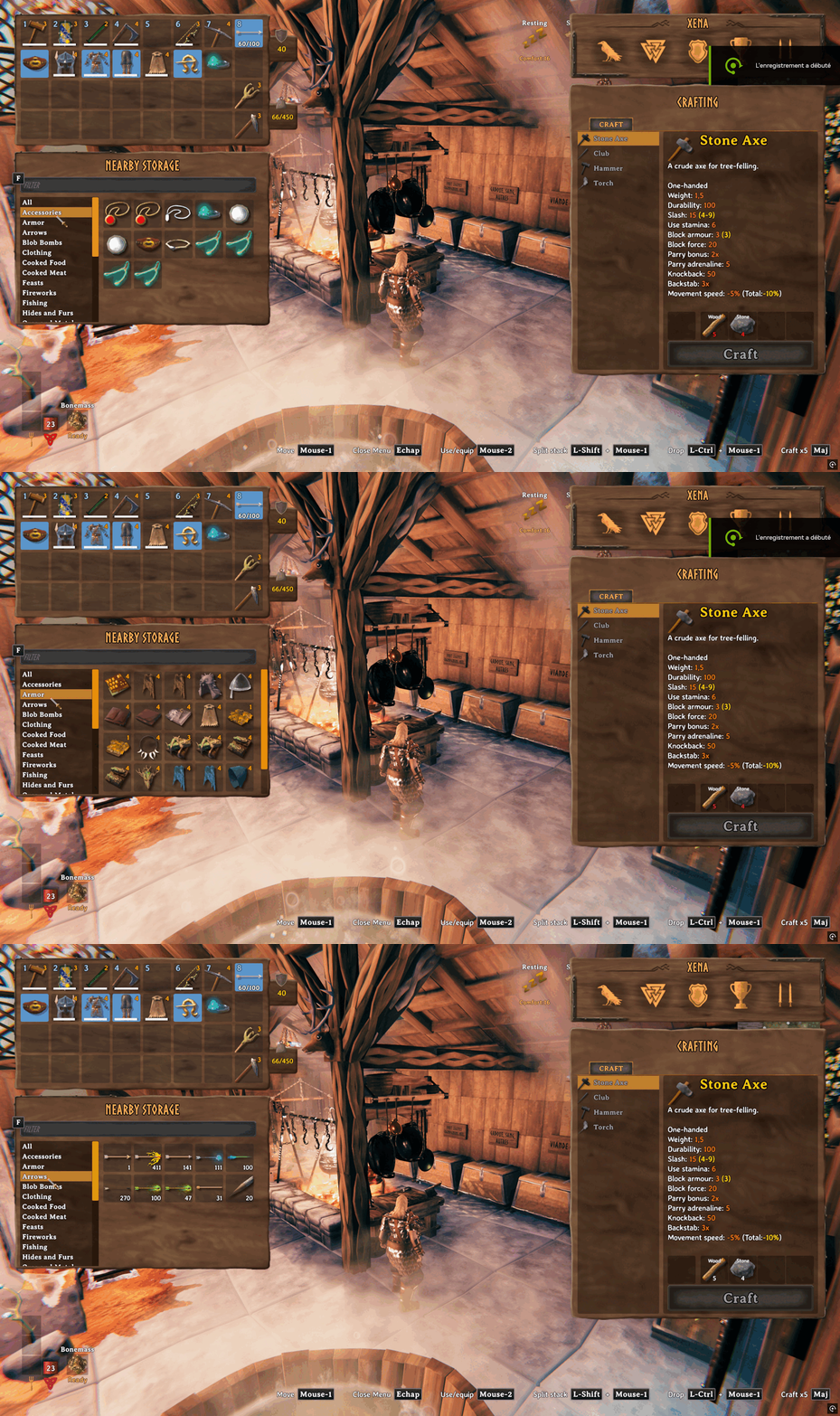
See and use items in nearby chests without opening them one by one. Nearby Storage also lets you name chests and craft, build, refuel, and feed machines using nearby items in chests.
Languages
The mod follows Valheim's selected language. Its text is translated for every language in the game's current localization table except Abenaki, which falls back to English. The mod name stays Nearby Storage in every language. New translations are machine-assisted drafts and welcome review by native speakers.
Nearby Storage panel
- Press Tab to open your inventory. Nearby Storage appears below it when accessible nearby containers contain items.
- Ctrl-click an inventory stack to store it. With
AutomaticItemDistributionenabled, the mod distributes it across eligible containers. When disabled, exactly one nearby container must already hold the same item and quality and have room for the whole stack; otherwise, an error appears. - Drop an item onto an occupied Nearby Storage slot to move it into the same container.
- With
AutomaticItemDistributionenabled, drop an item onto an empty Nearby Storage slot to distribute it like Ctrl-click.
Item classification
- See the category list for what each category contains.
Craft from Nearby Storage
- Hold Alt while crafting, building, refueling, or feeding a machine to use supplies from your inventory and nearby containers.
- Hold Alt and Shift together to use nearby supplies when crafting multiple items at once.
Renaming containers
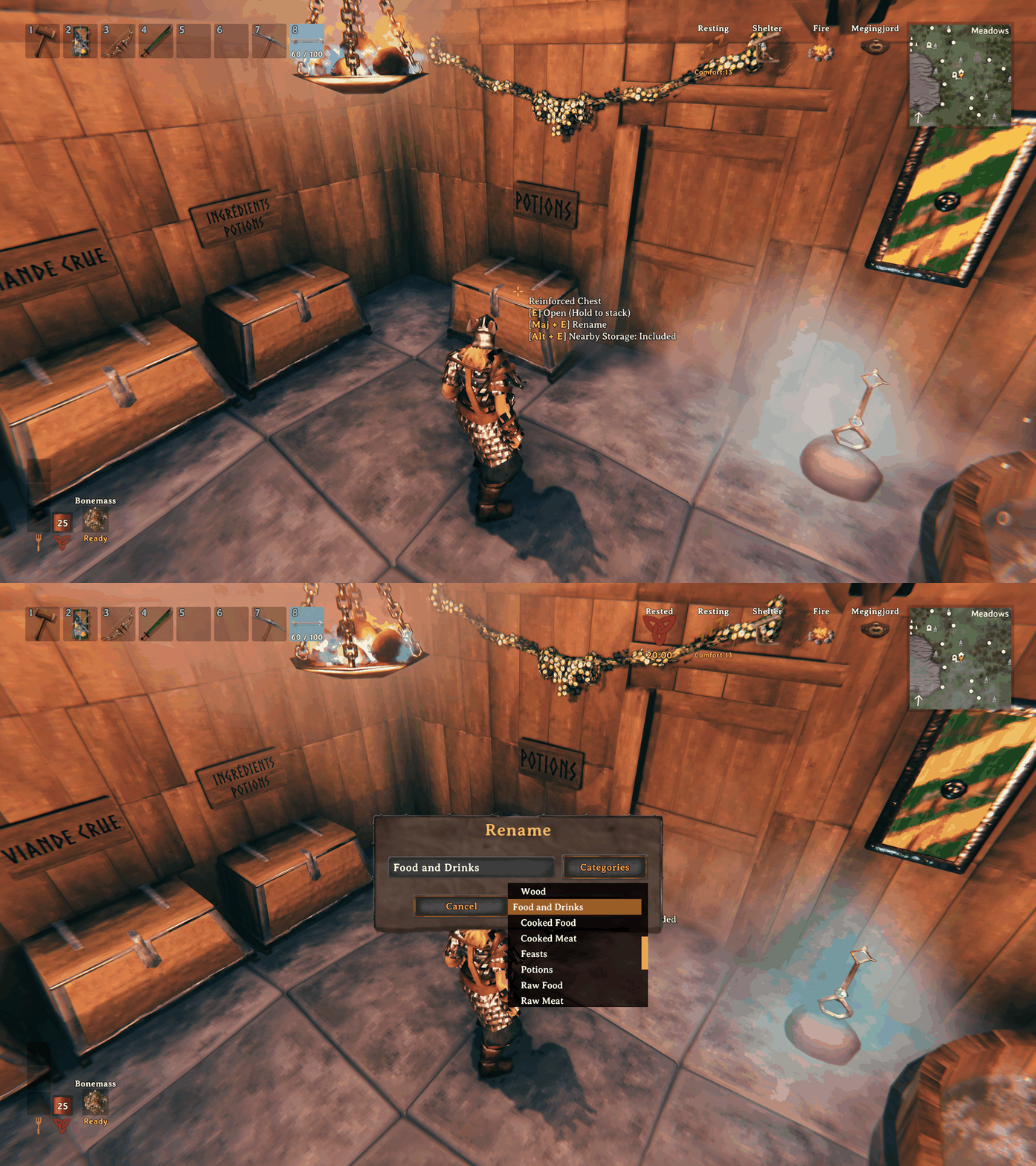
- Press Shift + E while looking at a wooden, reinforced, or personal chest or a barrel to give it a name if you can open it.
Including or excluding containers
- Press Alt + E while looking at a wooden, reinforced, or personal chest or a barrel to include or exclude it from Nearby Storage for your character.
- Excluded containers are also ignored when crafting, building, refueling, and feeding machines. The default inclusion state is configurable; Alt + E saves either choice explicitly for the character.
Ping a container
- Alt + click a Nearby Storage item to ping its container.
Settings
Settings are stored in Landoria.NearbyStorage.cfg and reload while the game is running.
| Setting | Default | Description |
|---|---|---|
SearchRadius |
60 |
Search radius around the player for nearby storage, from 10 to 100 metres. |
IncludeChestsByDefault |
true |
Include chests without an individual inclusion choice. Set to false to exclude them by default. |
SeparateStacksByContainer |
true |
Show matching stackable items separately for each container, so you can move a stack from one container to another. Set to false to show one combined stack with each container listed in its tooltip. |
AutomaticItemDistribution |
true |
Distribute Ctrl-clicked items among nearby containers. Prefer the same item, a custom name matching the category, a custom name matching its broad family, the most items in its category, the most items in its broad family, an empty container, then any free space. Names match words longer than three letters, ignoring case and accents. |
NearbyStorageShortcut |
Alt |
Hold to use nearby supplies while crafting, building, refueling, or feeding. |
Preview
Contact
Report bugs through GitHub Issues.