
BuildingInspector
A Valheim fun mod with six free, customizable inspection flags and editable notes. Mark problems, areas to review, completed inspections, and more.Building Inspector 0.3.1
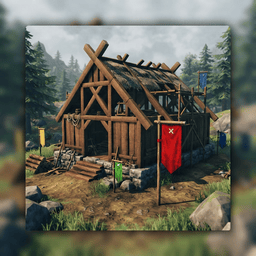
A minimal BepInEx plugin for Valheim that adds six free inspection flags to Hammer → Inspection:
- 🔴 Problem - marks an issue
- 🟡 Review - marks something that needs review
- 🟢 Verified - marks an inspected area
- 🔵 Other - marks another category
- 🟣 Structural - marks structural work that needs attention
- ⚪ Finish - marks finishing work that needs attention
You can customize each standard flag's label, description, and color in the mod configuration. Flags align to the surface you are aiming at, including walls and sloped roofs. The pole base stays anchored at the surface while the pole and cloth rotate together. Use the mouse wheel to rotate around the surface normal. Place or dismantle flags with the regular Hammer.
Flag Tilt
While a flag placement ghost is active:
- I / K - tilt forward or backward
- J / L - tilt sideways
- Insert - reset the tilt
Each key press applies the configured tilt step, up to the configured maximum angle. The bindings, tilt step, and maximum angle are configurable. Insert resets tilt without resetting mouse-wheel rotation.
Flag Notes and Editor
Aim at a placed flag and press N to open the Inspection Flag Editor. Notes are saved with the flag and appear when you look at it. Only the character who placed the flag can edit its note or category.
Notes allow up to 160 characters, excluding line breaks, and the editor limits input to five visible lines.
Category buttons highlight when hovered, while the selected category remains marked in gold. Click to select a category, then use Save to apply changes or Cancel / Esc to discard them. Your character cannot move or attack while editing.
The editor's advanced UI options can be configured under [Flag Editor] → AdvancedUI in the mod configuration, allowing you to customize the Inspection Flag Editor interface.
In worlds opened through Start Server, flags also show Inspected by with the placing character's name. This remains visible when the world is later played locally.
Placement and Support
Flags follow Valheim's building support system and collapse when unsupported. They do not support other pieces, and players can walk through them without standing on them.
The six standard flags block one another within the configured spacing (0.2 m by default). The optional test flag does not affect their placement spacing.
Configuration
Settings are stored in:
BepInEx/config/Lanoz.BuildingInspector.cfg
[Flag Rotation]- tilt bindings and angles.[Flag Notes]- editor key binding.[Flag Placement]- flag spacing.[Flag Labels]- standard flag labels, descriptions, and colors in slots 1-6.[Flag Editor]- Inspection Flag Editor options, includingAdvancedUI.[Debug]- optional diagnostic logging and test-flag settings.
Colors use hexadecimal notation, such as #FF0000.
Restart the game after changing labels, colors, or spacing.
The optional test flag is disabled by default and intended for testing label appearance. Under [Debug], TestFlagEnabled turns it on or off, while TestFlagName, TestFlagDescription, and TestFlagColor customize it. Existing test-flag names, descriptions, and colors migrate automatically. Restart the game to apply changes, and remove placed test flags before disabling it.
Multiplayer
Multiplayer note and category editing requires the updated mod's authorization handlers on the host or dedicated server, as well as the clients using the flags. Only the character who placed a flag can edit its note or category.
Important Notes
Building Inspector is a manual inspection and marking tool. It does not automatically scan or analyze buildings.
Icon
The mod icon was generated using AI.