
You are viewing a potentially older version of this package. View Latest Version
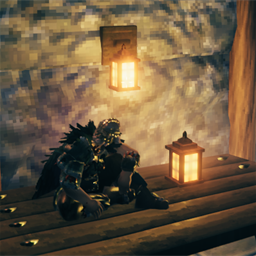
LanternFrame
Place a lantern on the horizontal and vertical item frames.Lantern Frame
Lets you place a lantern on the horizontal and vertical item frames in Valheim.
The lantern is shown on the frame with its model and its warm light.
Installation
Install with r2modman / Thunderstore Mod Manager, or drop LanternFrame.dll into BepInEx/plugins.
Requires BepInExPack Valheim.
Multiplayer
Install on every player that wants to place or see the lantern: the client decides whether an item fits the frame.
Configuration
BepInEx/config/user.lanternframe.cfg (created after the first launch):
| Setting | Default | Description |
|---|---|---|
AllowedItems |
lantern |
Comma-separated, case-insensitive fragments. Any item whose prefab name or shared name contains one of them can be placed on the frame. |
AllowOnVerticalFrame |
true |
Also allow the lantern on the vertical item frame. The horizontal frame is always supported. |
CastShadows |
true |
true: the lantern's light casts shadows so walls block it. false: no shadows. Restart after changing. |
ShadowBias / ShadowNormalBias |
0.01 / 0.02 |
Lower values stop light leaking through thin walls (Unity's defaults are larger). Raise them if you see shadow artefacts. |
RangeMultiplier |
1 |
Scales the light's range on the frame (0.1 to 2). Lower it to shorten the light. Restart after changing. |
LogAttachAttempts |
false |
Logs prefab names and what gets spawned on the frame. Useful for adding other items. |
Known limitations
- Its light keeps flickering while on the frame.
Source
See the GitHub repository for source and issues.